Why I set the chunk size in my RAG system to 1500 tokens
The migration to bge-m3 brought an 8192-token limit. Nevertheless, I deliberately set the chunk limit to 1500 tokens to preserve semantic focus.
Contents
- Why I did not go right up to the 8192-token limit
- Why 1500 tokens is the optimal working size
- What the new ingestion logs show me
- How I safeguard the decision
- All articles in the series
Why I did not go right up to the 8192-token limit
Migrating our embedding model from mxbai-embed-large to BAAI/bge-m3 fundamentally changed the technical starting point. Instead of a mere 512 tokens, we now have a large context window of up to 8192 tokens.
On paper, that sounds tempting: why not embed even the longest Instagram or LinkedIn post in one piece, without ever having to think about segmentation again?
A single vector must represent the statements in a text together. For long texts covering multiple topics, that can make targeted retrieval of individual passages harder. The effect depends on the model, content and queries.
Why 1500 tokens is the optimal working size
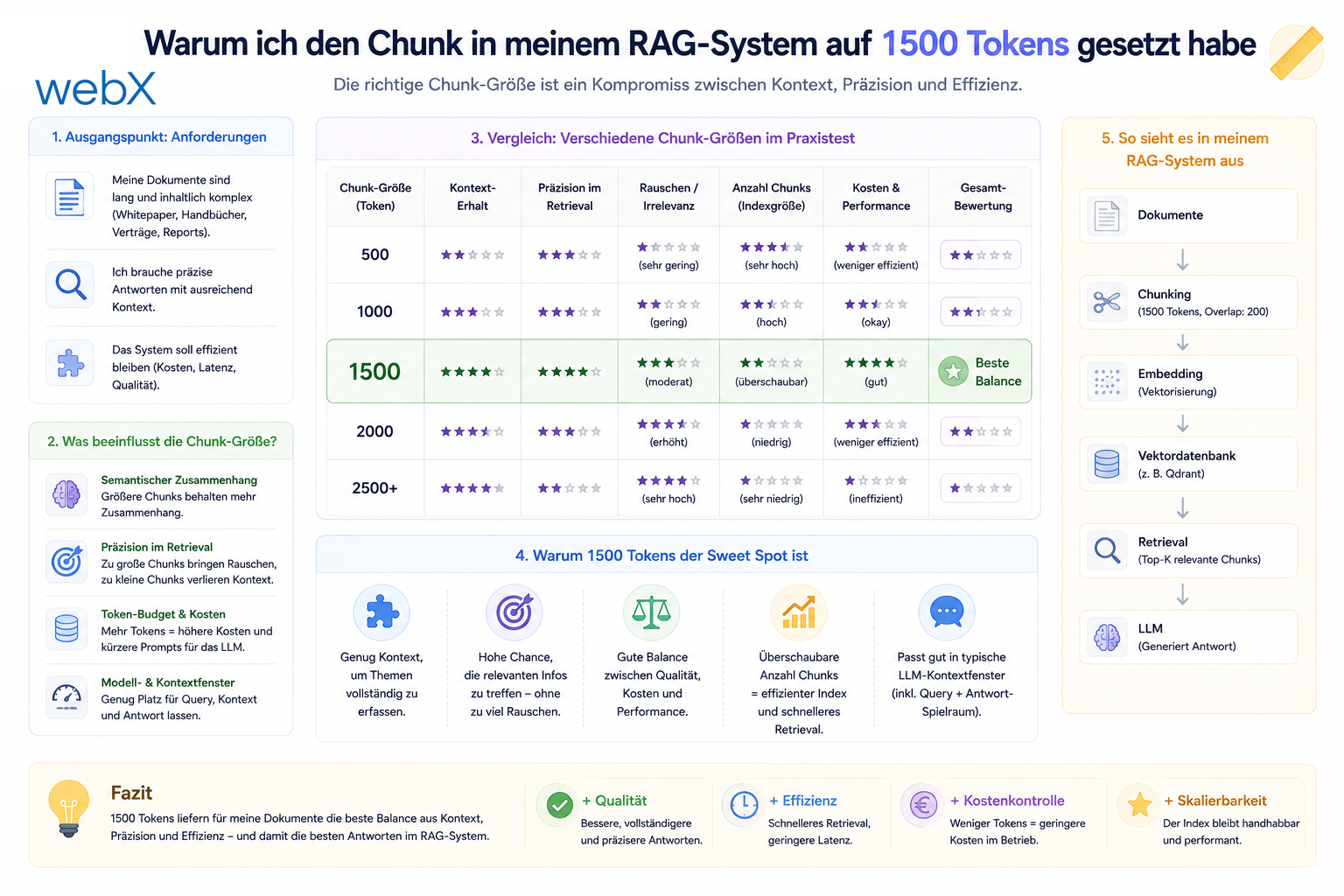
For this project, I chose a chunk size of 1500 tokens, with an overlap of 150 tokens. This is a working assumption, not a general optimum established by a comparative benchmark. I have three reasons:
- Semantic focus: Smaller passages are intended to make individual statements easier to retrieve. I need representative queries to assess whether 1500 tokens is appropriate. Chunk size alone does not guarantee a particular retrieval quality.
- Practical coverage: Texts within the budget can be processed as one chunk. Longer texts are split. No documented measurement series is provided here for the proportion of unsplit captions, OCR texts and metadata.
- Token budget: 1500 content tokens leave arithmetic room for additional input below the stated model limit of 8192 tokens. This margin does not replace checking the full model input, including special tokens, prefixes and metadata. Tokenizer, model version and server configuration must match.
What the new ingestion logs show me
The IngestWorker logs the calculated token usage of chunks. In the Node backend, we use @xenova/transformers with the XLM-RoBERTa tokenizer associated with bge-m3. This count is comparable to the model input only if tokenizer version, preprocessing and special tokens match.
// Real-time worker log showing the chunking execution
[IngestWorker] captureId abc | tokens=2145 chunks=2
[IngestWorker] captureId abc | chunk 1/2 contentTokens=1498/1500 modelTokens=1500/8192 (ok) chars=6234
[IngestWorker] captureId abc | chunk 2/2 contentTokens=647/1500 modelTokens=649/8192 (ok) chars=2811
The example log reports values below the configured limit for these two chunks. The local (ok) records the worker’s budget check. It is not a general stability demonstration and proves neither error-free tokenization nor the exclusion of all API errors.
How I safeguard the decision
I treat the 1500-token setting as configuration that needs verification. Changes to the model, tokenizer, prefixes or metadata require checking the full input budget again and evaluating retrieval quality with suitable examples.
Automated model provisioning through Docker Compose and processing in the worker make the flow traceable. They do not replace these checks.
All articles in the series
- Vision and system overview: Chrome Extension, RAG architecture and project background: Read article
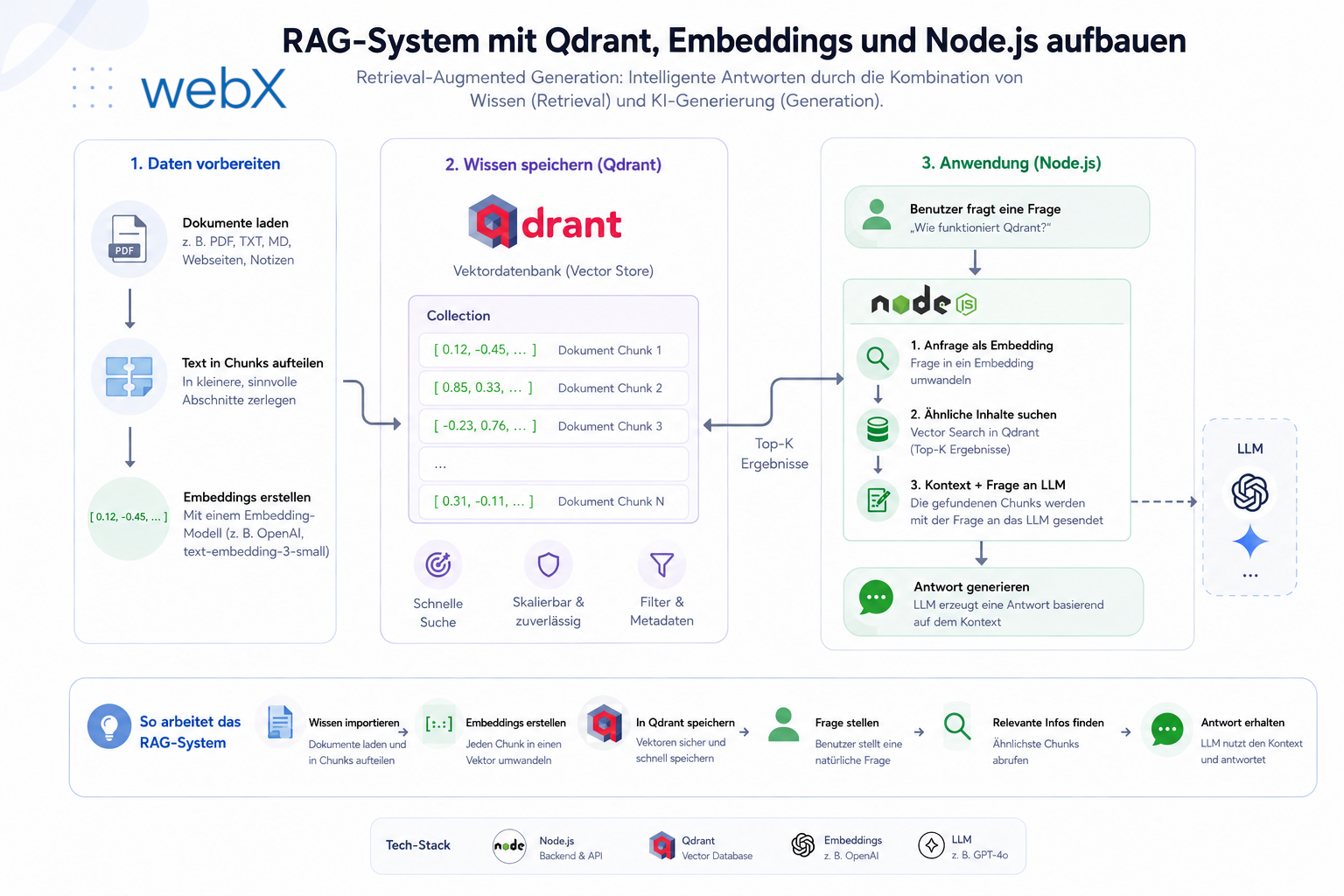
- Building a RAG system: Qdrant, embeddings and cosine similarity in TypeScript: Read article
- AI provider abstraction: Ollama vs. OpenAI, interface design and no vendor lock-in: Read article
- Chrome Extension MV3: Three isolated runtime contexts, message passing and Strategy Pattern: Read article
- Docker Compose strategy: The override pattern, from local development to Azure: Read article
- Ollama locally vs. Docker: The decision and its consequences: Read article
- Ollama auto-pull entrypoint: Automated model setup at container startup: Read article
- tsconfig and Vite:
Node16vs.bundler, and why Vite has its own rules: Read article - Load complete Instagram captions with MutationObserver: Read article
- Chrome Extension foundation with health indicator and retry queue: Read article
- Phase 2 features: Shadow DOM overlay, Tailwind v4 and duplicate detection: Read article
- Race condition in platform detection: How a UI event breaks Instagram detection: Read article
- Extracting PostId in two Instagram layouts: querySelector vs. ancestor traversal: Read article
- Capture a complete Instagram carousel with MutationObserver: Lazy loading, observer-before-click and timeout fallback: Read article
- Notes and tags when saving screenshots: Read article
- Instagram keyboard shortcuts block Chrome Extension input: Read article
- Lowercase normalization and duplicate detection in tag input: Read article
- Zitadel Login V2 in Docker Compose with three hidden errors: Read article
- PKCE OAuth in a Chrome MV3 extension: Read article
- React frontend with react-oidc-context and Zitadel: Read article
- Vite build-time environment variables in Docker: Read article
- Event-driven ingestion with BullMQ and Redis: Read article
- MinIO instead of Azurite: S3-compatible object storage locally and on Hetzner: Read article
- access_token, id_token and the Userinfo endpoint: Which belongs where: Read article
- Qdrant multi-tenancy with one collection per user: Read article
- When backend and frontend know different types: Read article
- Removing Zitadel bootstrap: Host header bug and manual setup: Read article
- Backend code review with six problems fixed before launch: Read article
- Traefik instead of NGINX: Reverse proxy for a growing Docker Compose stack: Read article
- Two-layer rate limiting: Traefik and express-rate-limit with Redis: Read article
- Implementing GDPR Article 17 correctly: Promise.allSettled and export batching: Read article
- Embedding model lock-in: Why mxbai-embed-large is a permanent production decision: Read article
- Docker volumes in production: Named volumes, bind mounts and the Hetzner volume approach: Read article
- Two vulnerabilities before launch: Redis without authentication and an exposed Qdrant admin port: Read article
- Traefik as the single entry point in the Docker Compose stack: Read article
- Connecting Zitadel behind Traefik with issuer, JWKS and Login V2: Read article
- Fixing the frontend when the nginx healthcheck fails on localhost: Read article
- Observability for my Docker Compose stack with Bull Board and Dozzle: Read article
- Open the Qdrant dashboard securely with local Traefik and an SSH tunnel: Read article
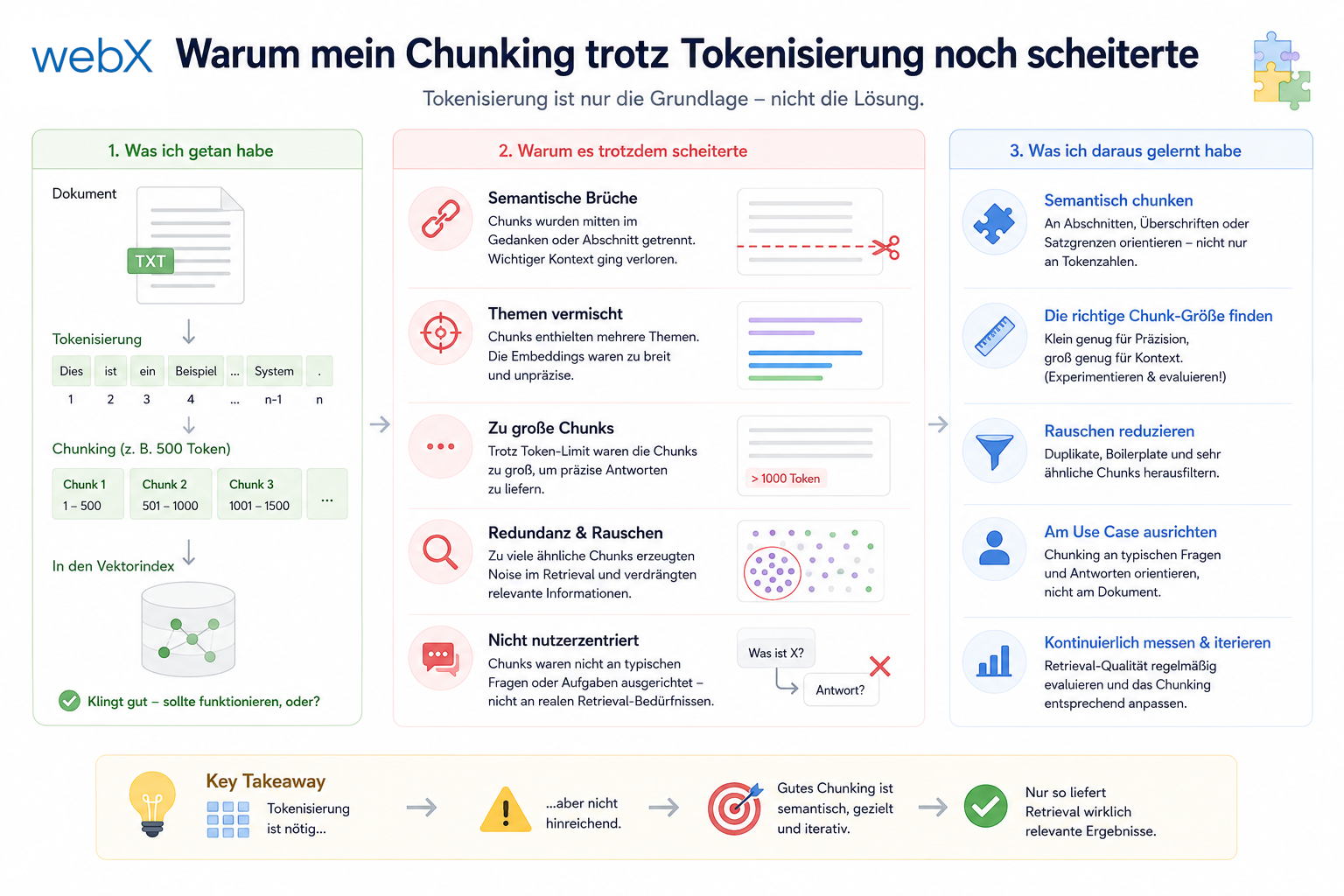
- Diagnosis of chunking failures despite tokenization: Read article
- Why I set the chunk size to 1500 tokens: (this article)
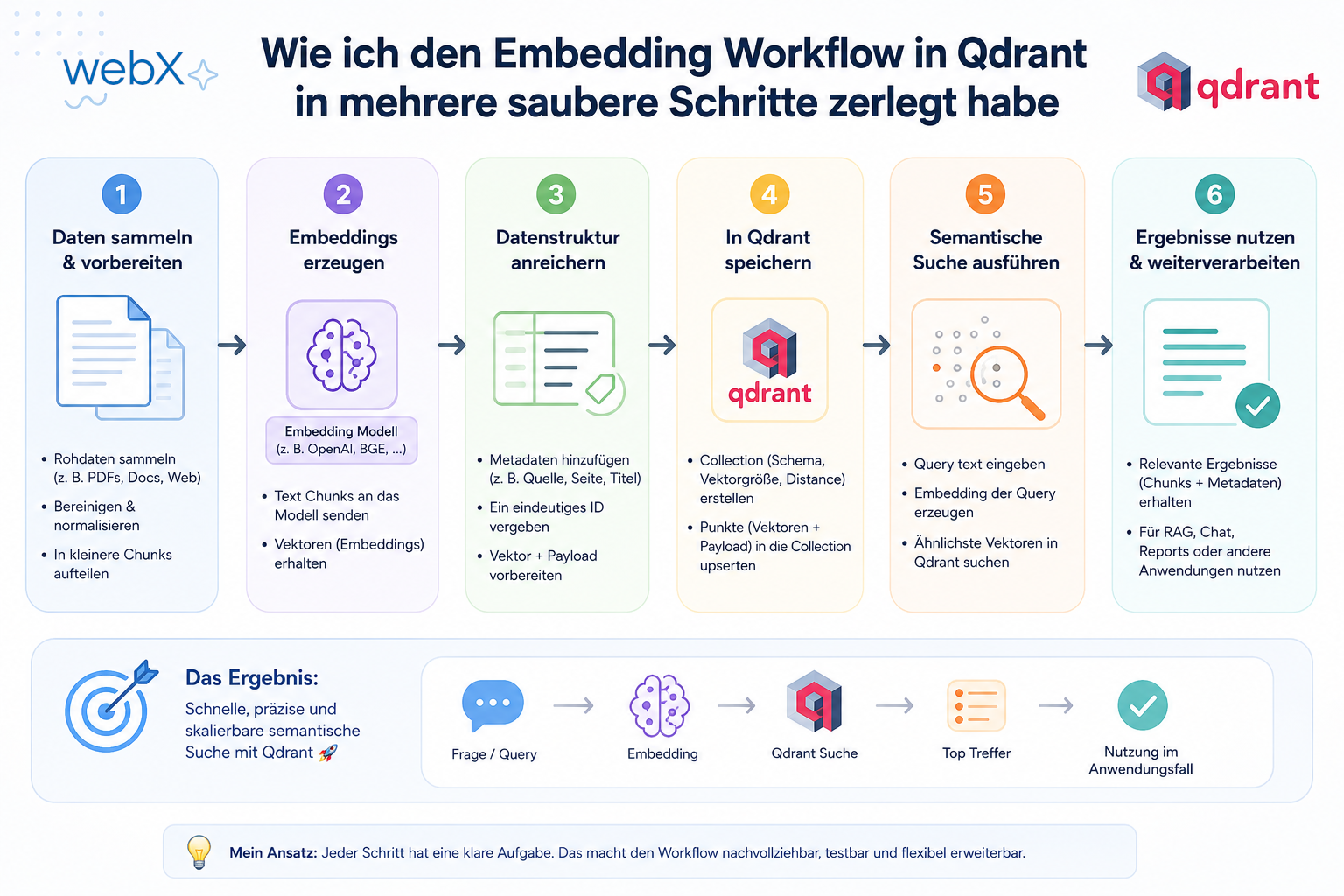
- Splitting the embedding workflow into clear steps: Read article
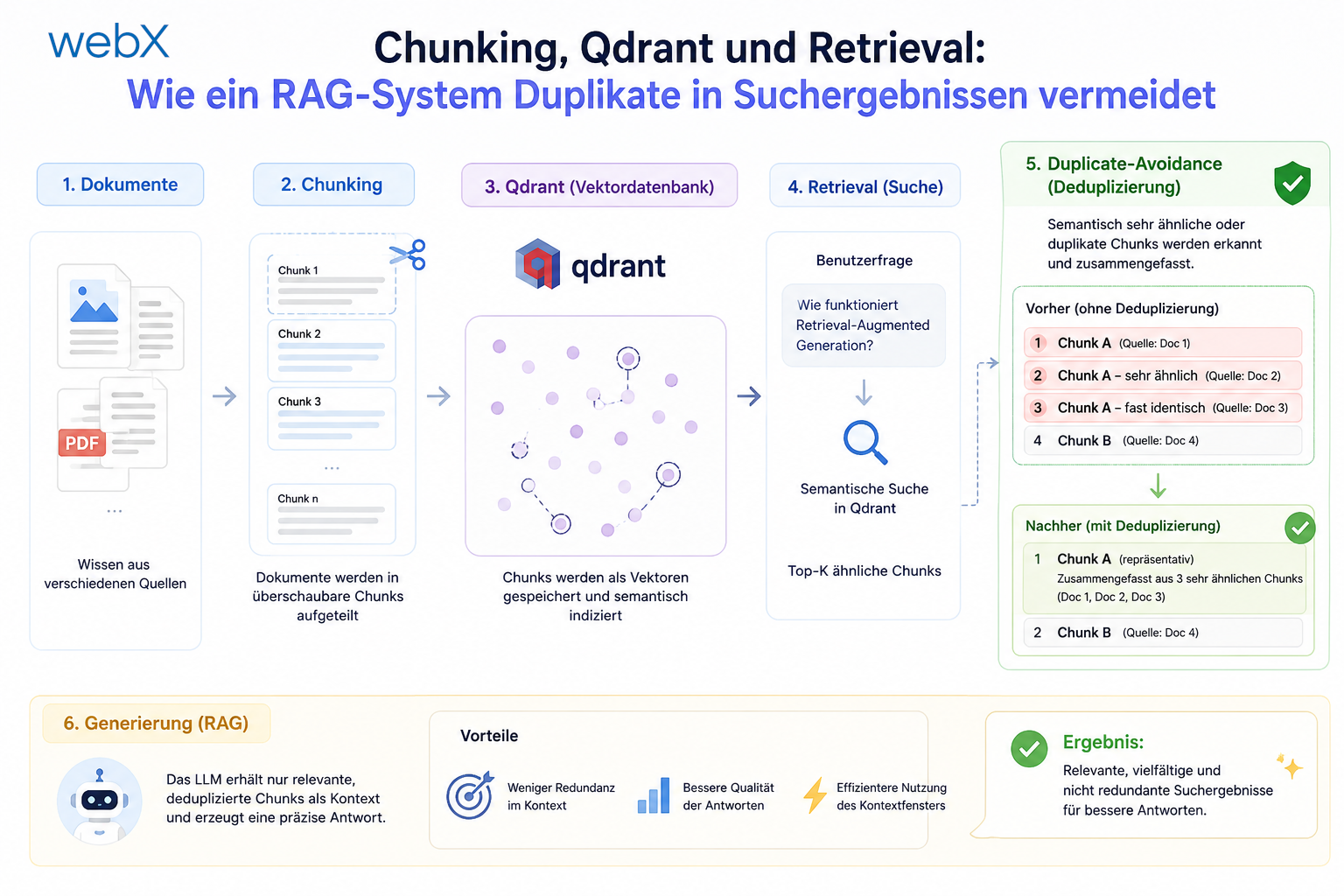
- Bringing chunking, storage and search back together: Read article
- Capture Intake as a separate module, less orchestration in the Express endpoint: Read article
Working on a similar system and want to evaluate the same structure for your project? Let us assess it together.