Event-driven ingestion with BullMQ and Redis
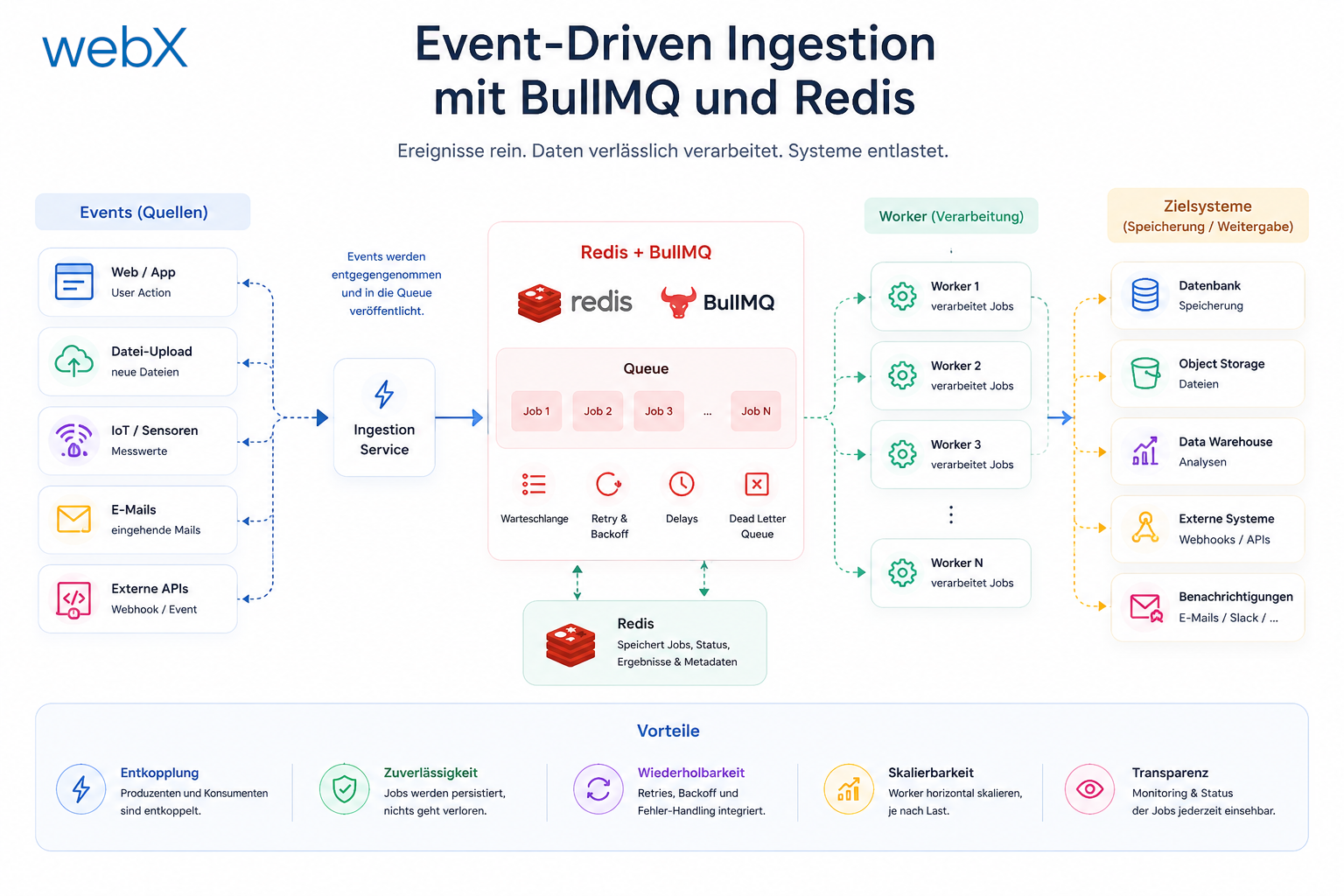
POST /ingest blocked the extension until embedding generation and the Qdrant upsert finished. BullMQ and Redis make ingestion asynchronous: an immediate 202, background processing and status queries through GET /captures/:id/status.
Contents
- The problem with synchronous ingestion
- What I wanted instead
- Why BullMQ rather than setImmediate
- Add Redis to the Docker Compose stack
- Queue configuration in the backend
- The ingestion worker
- The new ingestion route
- The status endpoint
- The extension side
- Graceful shutdown
- What this changes in practice
- All articles in the series
The problem with synchronous ingestion
I had a working system. In the Chrome Extension, pressing Ctrl+Q detects the post, crops the screenshot and then sends POST /ingest. The backend performs three steps in sequence: upload the image to Azure Blob Storage, generate an embedding through Ollama or OpenAI, and store the vector in Qdrant.
It works. But it had a problem I had ignored for too long.
OpenAI embedding generation takes between 300 ms and 1,500 ms, depending on load. Local Ollama is slower still. While the backend works through this chain, it keeps the HTTP connection to the extension open. The extension hangs. The user waits. If the backend restarts while a capture is in the pipeline, that capture is lost.
This is not an edge case. It is poor design.
What I wanted instead
The extension should fire and forget. POST /ingest returns 202 Accepted as soon as the image has been uploaded. The response contains a captureId. A background worker handles the rest: embedding generation and the Qdrant upsert.
Extension sends POST /ingest
API returns 202 { captureId } immediately

Backend worker (async):
  generateEmbedding(text)
  storePoint(vector, payload, captureId)
  job.state = "completed"

Extension sends GET /captures/:captureId/status
API returns { status: "completed" }
That is the event-driven principle: producer and consumer are decoupled. The producer, the API, does not know how long processing takes. It puts a job on a queue and is done.
Why BullMQ rather than setImmediate
The simplest approach would be setImmediate(() => processInBackground(...)). HTTP responds immediately, the worker runs in the same Node.js process and no new dependency is needed.
The problem is that a process crash loses every unfinished job. There is no retry logic, monitoring or external visibility into what is being processed.
BullMQ solves this with Redis as a persistent queue. A job remains in Redis until the worker marks it completed or failed. A server restart does not lose a single job.
Kafka would be overkill for this use case. It makes sense from several million events per day when multiple independent consumer groups need to read the same stream. BullMQ with Redis scales to 100,000 jobs per day without configuration changes. Starting more worker containers is enough.
Add Redis to the Docker Compose stack
A single service in docker-compose.yml is enough:
# Added in Phase 2: Redis as BullMQ queue broker
redis:
  image: redis:7-alpine
  container_name: redis_local
  ports:
    - '6379:6379'
  healthcheck:
    test: ['CMD', 'redis-cli', 'ping']
    interval: 10s
    timeout: 3s
    retries: 5
The backend service gets a new environment variable:
backend:
  environment:
    - REDIS_URL=redis://redis:6379
  depends_on:
    - redis
In docker-compose.override.yml, redis is also added to the backend service’s depends_on list so the local stack starts in the correct order.
Queue configuration in the backend
The BullMQ queue singleton lives in src/services/queue.ts:
// src/services/queue.ts
import { Queue } from 'bullmq';
import type { IngestJobData } from '../types';

function parseRedisUrl(url: string): { host: string; port: number } {
  const parsed = new URL(url);
  return { host: parsed.hostname, port: parseInt(parsed.port || '6379', 10) };
}

export const connection = parseRedisUrl(process.env.REDIS_URL || 'redis://localhost:6379');

export const ingestionQueue = new Queue<IngestJobData>('ingestion', {
  connection,
  defaultJobOptions: {
    attempts: 3,
    backoff: { type: 'exponential', delay: 2000 },
    removeOnComplete: { count: 500 },
    removeOnFail: { count: 100 },
  },
});
attempts: 3 with exponential backoff at 2 s, 4 s and 8 s covers temporary Ollama or OpenAI failures. Most embedding errors are transient.
removeOnComplete and removeOnFail prevent Redis from filling up with expired job entries. I retain 500 successful and 100 failed jobs for status queries.
The ingestion worker
// src/workers/ingest-worker.ts
import { Worker, type Job } from 'bullmq';
import type { IngestJobData } from '../types';
import { generateEmbedding } from '../services/ai-provider';
import { storePoint } from '../services/qdrant';
import { connection, INGESTION_QUEUE_NAME } from '../services/queue';

async function processIngestJob(job: Job<IngestJobData>): Promise<void> {
  const { captureId, qdrantPayload, embeddingText } = job.data;
  const vector = await generateEmbedding(embeddingText);
  await storePoint(vector, qdrantPayload, captureId);
}

export function createIngestWorker() {
  const worker = new Worker<IngestJobData>(INGESTION_QUEUE_NAME, processIngestJob, {
    connection,
    concurrency: 3,
  });

  worker.on('failed', (job, err) => {
    if (job && job.attemptsMade >= (job.opts?.attempts ?? 3)) {
      console.error(`[IngestWorker] DEAD LETTER — captureId ${job.data.captureId}:`, err.message);
    }
  });

  return worker;
}
concurrency: 3 means the worker processes up to three jobs simultaneously. That helps when several captures arrive in quick succession. This is unproblematic for OpenAI embeddings. For local Ollama, concurrency: 1 may be preferable to avoid overloading the model.
The storePoint function in services/qdrant.ts receives an optional ID:
export async function storePoint(vector: number[], payload: QdrantPayload, id?: string): Promise<string> {
  const pointId = id ?? crypto.randomUUID();
  // ...
}
This is the crucial detail: the captureId received by the extension in 202 { captureId } is the same UUID later stored as the Qdrant document ID. No separate ID mapping is needed.
The new ingestion route
// src/routes/ingest.ts (simplified)
router.post("/", async (req, res) => {
  const payload = req.body as PlatformAnalysisPayload;
  if (!payload?.platform || !payload?.image?.base64) {
    res.status(400).json({ error: "Invalid payload" });
    return;
  }
  if (req.auth?.userId) payload.capturedBy.userId = req.auth.userId;

  const captureId = crypto.randomUUID();
  const embeddingText = buildEmbeddingText(payload);

  // Upload image synchronously (fast), then immediately return
  const blobName = await uploadImage(payload.image.base64, payload.image.mimeType);

  const qdrantPayload = { ...payload, image: { blobName, ... }, embeddingText };

  // Enqueue with captureId as BullMQ job ID
  await ingestionQueue.add("ingest", { captureId, qdrantPayload, embeddingText }, { jobId: captureId });

  res.status(202).json({ captureId });
});
The image is still uploaded synchronously, typically in under 200 ms. That is not a blocking problem. The expensive part, embedding generation, is fully offloaded.
The status endpoint
// src/routes/captures.ts
router.get('/:captureId/status', async (req, res) => {
  const job = await statusQueue.getJob(req.params.captureId);
  if (!job) {
    res.json({ captureId: req.params.captureId, status: 'unknown' });
    return;
  }
  const state = await job.getState();
  res.json({
    captureId: req.params.captureId,
    status: state,
    ...(state === 'failed' ? { failedReason: job.failedReason } : {}),
  });
});
Possible states are waiting, active, completed, failed, delayed and unknown.
The extension side
In background/main.ts, the 202 response is now processed:
if (response.status === 202) {
  const { captureId } = (await response.json()) as { captureId: string };
  await appendAsyncCapture(captureId, payload);
}
appendAsyncCapture stores { captureId, channel, platform, capturedAt, status: "waiting" } in chrome.storage.local.asyncCaptures.
When the popup opens, it loads these entries and queries the backend status for each one that is not yet completed:
const updatedAsync = await refreshAsyncStatuses(asyncCaptures);
await chrome.storage.local.set({ asyncCaptures: trimmed });
renderAsyncCaptures(trimmed);
The popup shows a new processing panel with color-coded states: yellow for queued or delayed, blue for processing and red for failed. The original German labels are Verarbeitung, warteschlange, verzögert, verarbeitung and fehlgeschlagen.
Graceful shutdown
There is now a proper shutdown handler in src/index.ts:
const worker = createIngestWorker();

const shutdown = async () => {
  console.log('Shutting down worker...');
  await worker.close(); // Wait until the running job has finished
  process.exit(0);
};

process.on('SIGTERM', shutdown);
process.on('SIGINT', shutdown);
worker.close() lets the currently running job finish before the process exits. No data is lost during docker compose down.
What this changes in practice
Before Phase 2, POST /ingest held up the extension for 300 ms to 3 s. A backend restart during embedding generation lost the job.
After Phase 2, POST /ingest responds in under 300 ms, covering image upload and queue insertion. A backend restart does not lose a single job. Redis retains the queue. The worker resumes the job after restarting.
The architecture is already prepared for the next phase, multi-tenancy and quota enforcement. Workers can scale horizontally by starting additional backend containers. No code changes are needed.
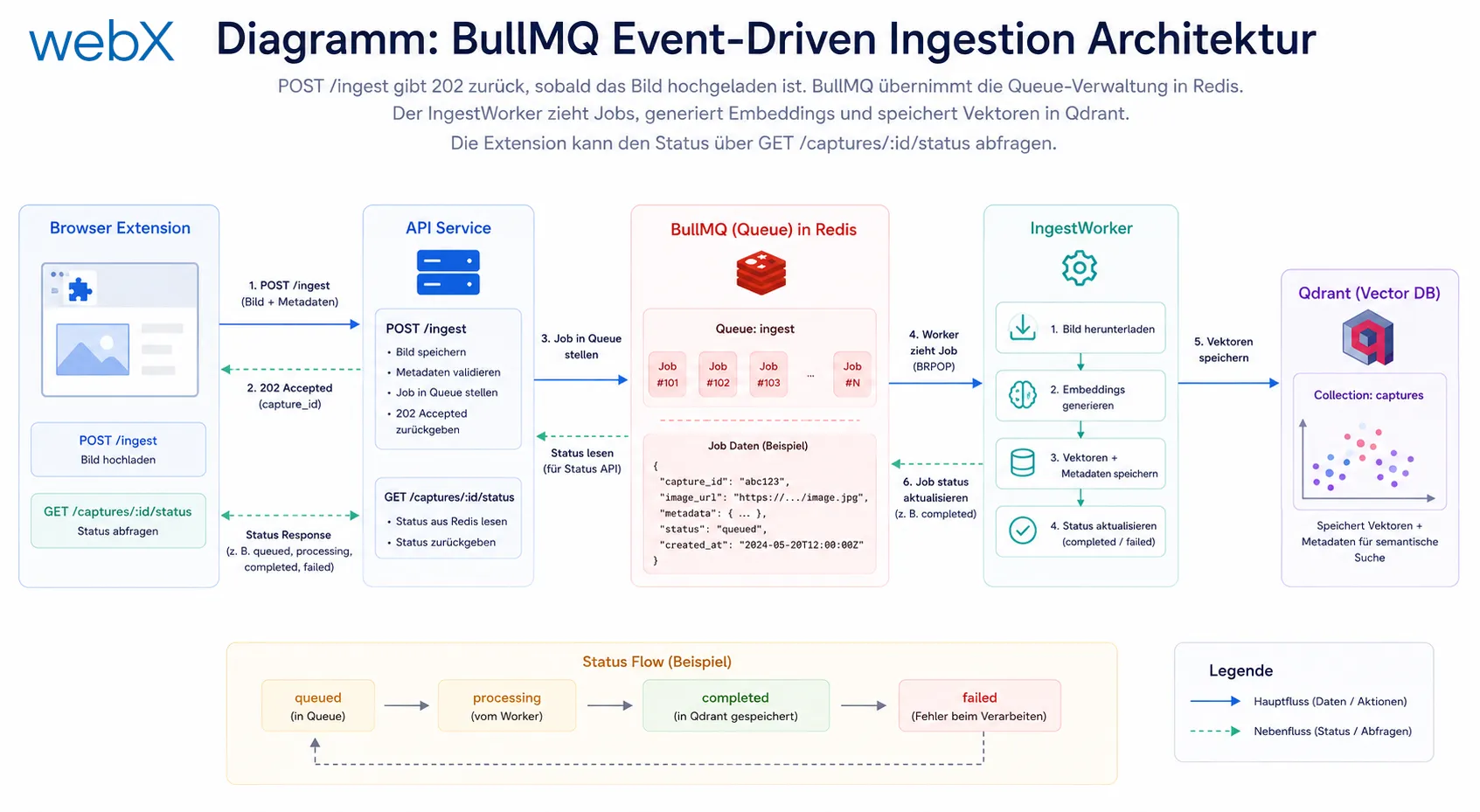 Figure: POST /ingest returns 202 as soon as the image is uploaded. BullMQ manages the queue in Redis. The IngestWorker retrieves jobs, generates embeddings and stores vectors in Qdrant. The extension can query status through GET /captures/:id/status. The original diagram is retained and may contain German labels.
All articles in the series
- Vision and system overview: Chrome Extension, RAG architecture and project background: Read article
- Building a RAG system: Qdrant, embeddings and cosine similarity in TypeScript: Read article
- AI provider abstraction: Ollama vs. OpenAI, interface design and no vendor lock-in: Read article
- Chrome Extension MV3: Three isolated runtime contexts, message passing and Strategy Pattern: Read article
- Docker Compose strategy: The override pattern, from local development to Azure: Read article
- Ollama locally vs. Docker: The decision and its consequences: Read article
- Ollama auto-pull entrypoint: Automated model setup at container startup: Read article
- tsconfig and Vite:
Node16vs.bundler, and why Vite has its own rules: Read article - Load complete Instagram captions with MutationObserver: Read article
- Chrome Extension foundation with health indicator and retry queue: Read article
- Phase 2 features: Shadow DOM overlay, Tailwind v4 and duplicate detection: Read article
- Race condition in platform detection: How a UI event breaks Instagram detection: Read article
- Extracting PostId in two Instagram layouts: querySelector vs. ancestor traversal: Read article
- Capture a complete Instagram carousel with MutationObserver: Lazy loading, observer-before-click and timeout fallback: Read article
- Notes and tags when saving screenshots: Read article
- Instagram keyboard shortcuts block Chrome Extension input: Read article
- Lowercase normalization and duplicate detection in tag input: Read article
- Zitadel Login V2 in Docker Compose with three hidden errors: Read article
- PKCE OAuth in a Chrome MV3 extension: Read article
- React frontend with react-oidc-context and Zitadel: Read article
- Vite build-time environment variables in Docker: Read article
- Event-driven ingestion with BullMQ and Redis: (this article)
- MinIO instead of Azurite: S3-compatible object storage locally and on Hetzner: Read article
- access_token, id_token and the Userinfo endpoint: Which belongs where: Read article
- Qdrant multi-tenancy with one collection per user: Read article
- When backend and frontend know different types: Read article
- Removing Zitadel bootstrap: Host header bug and manual setup: Read article
- Backend code review with six problems fixed before launch: Read article
- Traefik instead of NGINX: Reverse proxy for a growing Docker Compose stack: Read article
- Two-layer rate limiting: Traefik and express-rate-limit with Redis: Read article
- Implementing GDPR Article 17 correctly: Promise.allSettled and export batching: Read article
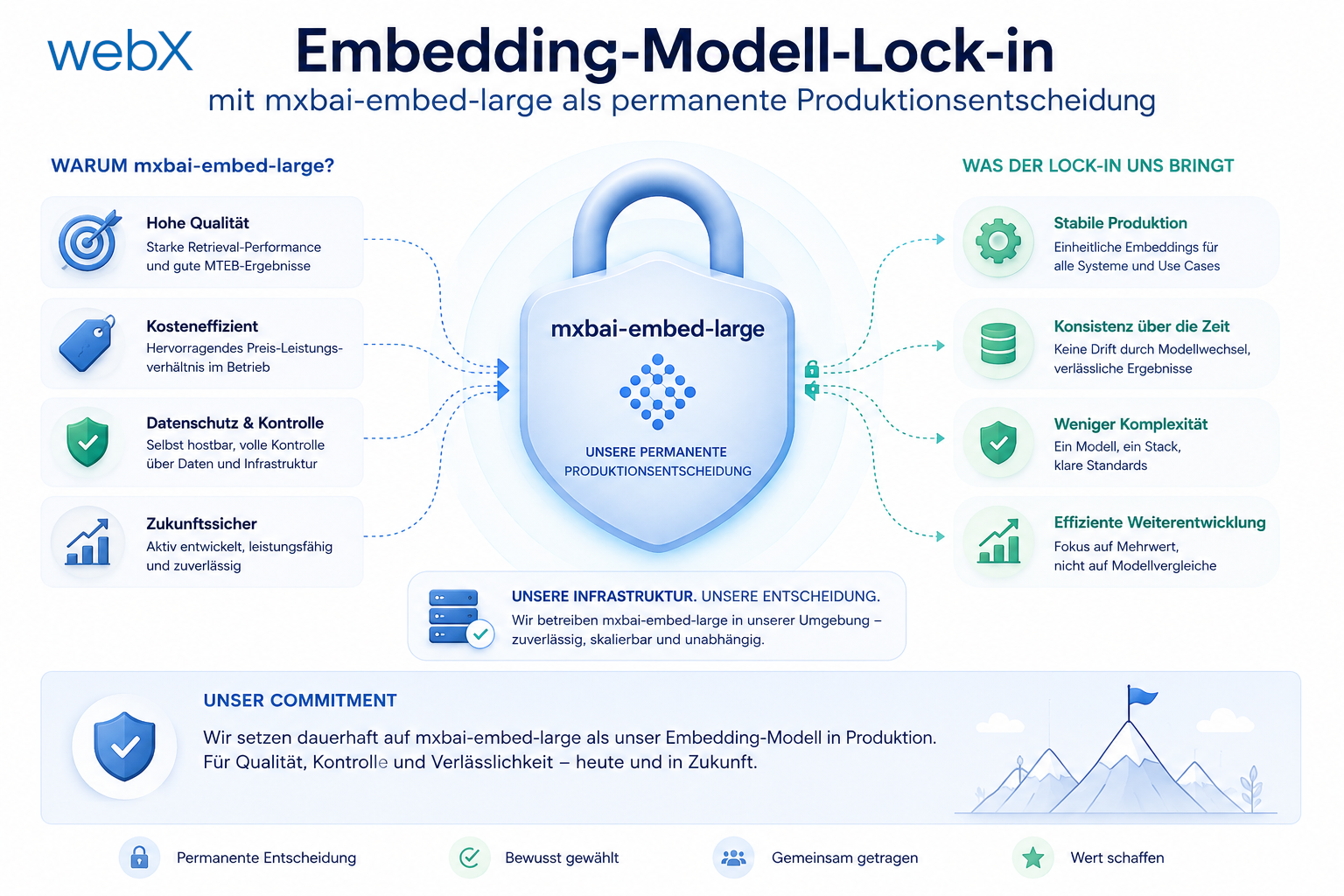
- Embedding model lock-in: Why mxbai-embed-large is a permanent production decision: Read article
- Docker volumes in production: Named volumes, bind mounts and the Hetzner volume approach: Read article
- Two vulnerabilities before launch: Redis without authentication and an exposed Qdrant admin port: Read article
- Traefik as the single entry point in the Docker Compose stack: Read article
- Connecting Zitadel behind Traefik with issuer, JWKS and Login V2: Read article
- Fixing the frontend when the nginx healthcheck fails on localhost: Read article
- Observability for my Docker Compose stack with Bull Board and Dozzle: Read article
- Open the Qdrant dashboard securely with local Traefik and an SSH tunnel: Read article
- Diagnosis of chunking failures despite tokenization: Read article
- Why I set the chunk size to 1500 tokens: Read article
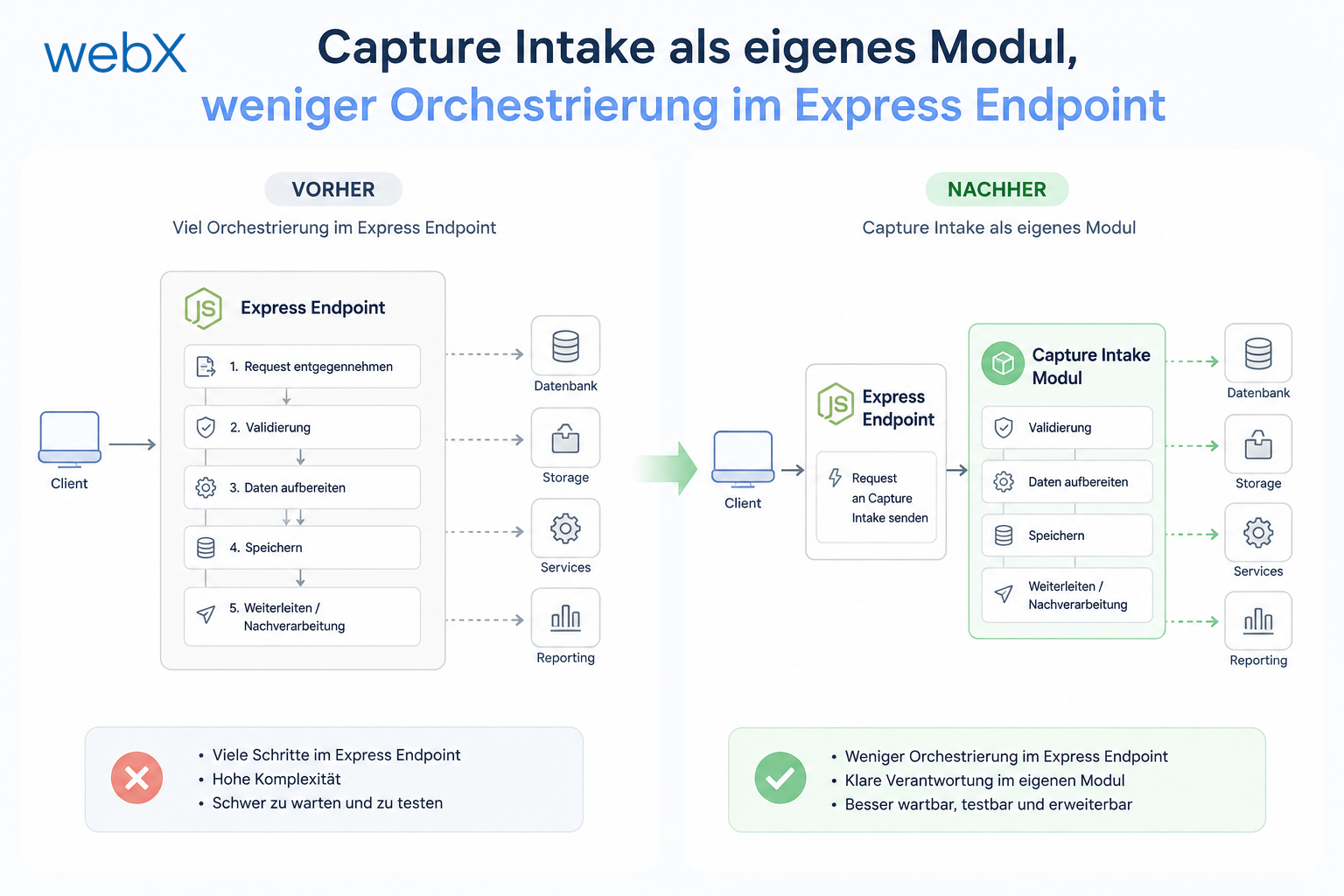
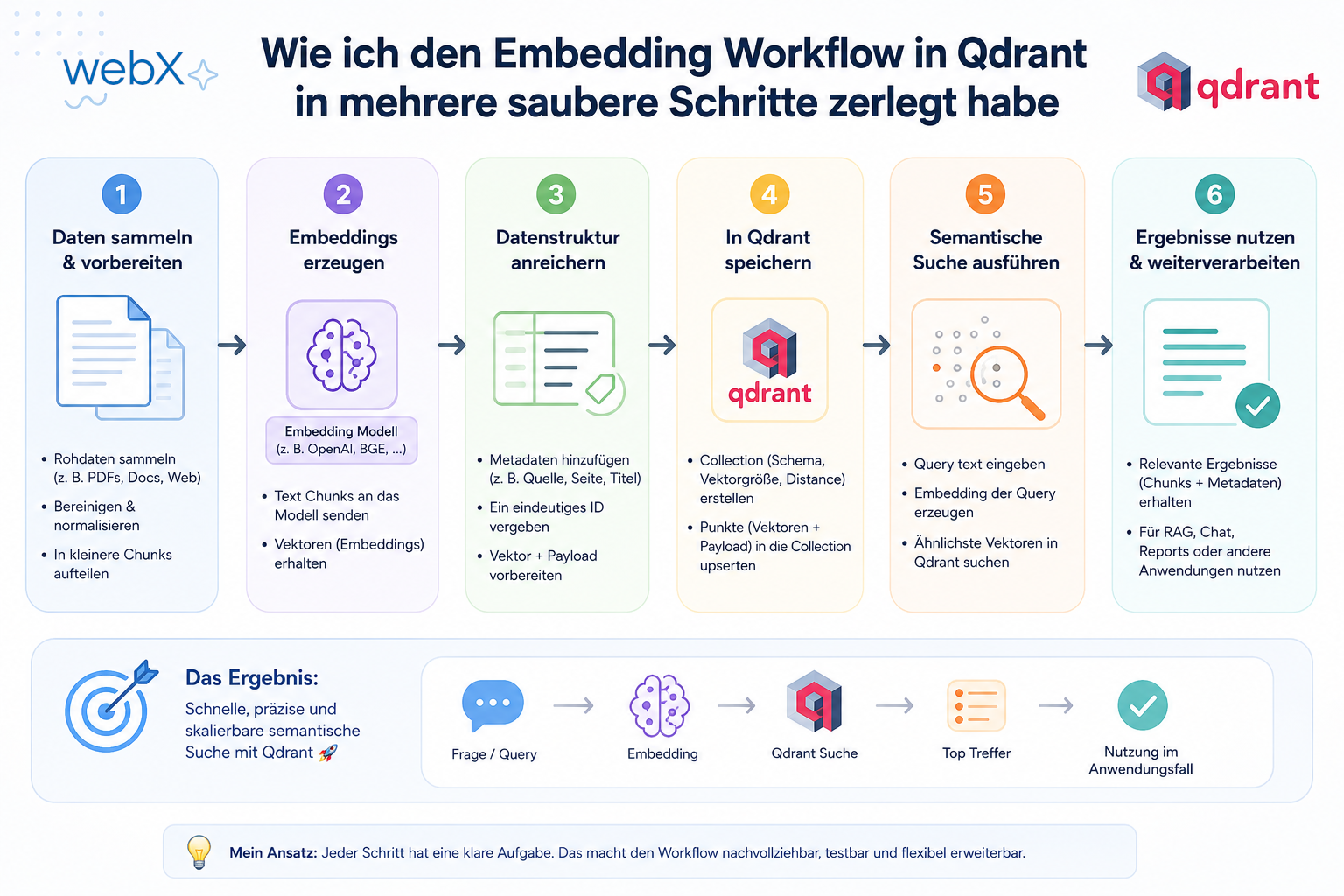
- Splitting the embedding workflow into clear steps: Read article
- Bringing chunking, storage and search back together: Read article
- Capture Intake as a separate module, less orchestration in the Express endpoint: Read article
Building an event-driven backend with BullMQ and Redis and stuck on worker configuration or error handling? Let us assess it together.