Ollama locally or in Docker? Why this decision affects the entire architecture
When I received "Ollama is not reachable", I faced a real architectural decision: install Ollama on the host or run it as a Docker container? The answer changed my entire deployment strategy.
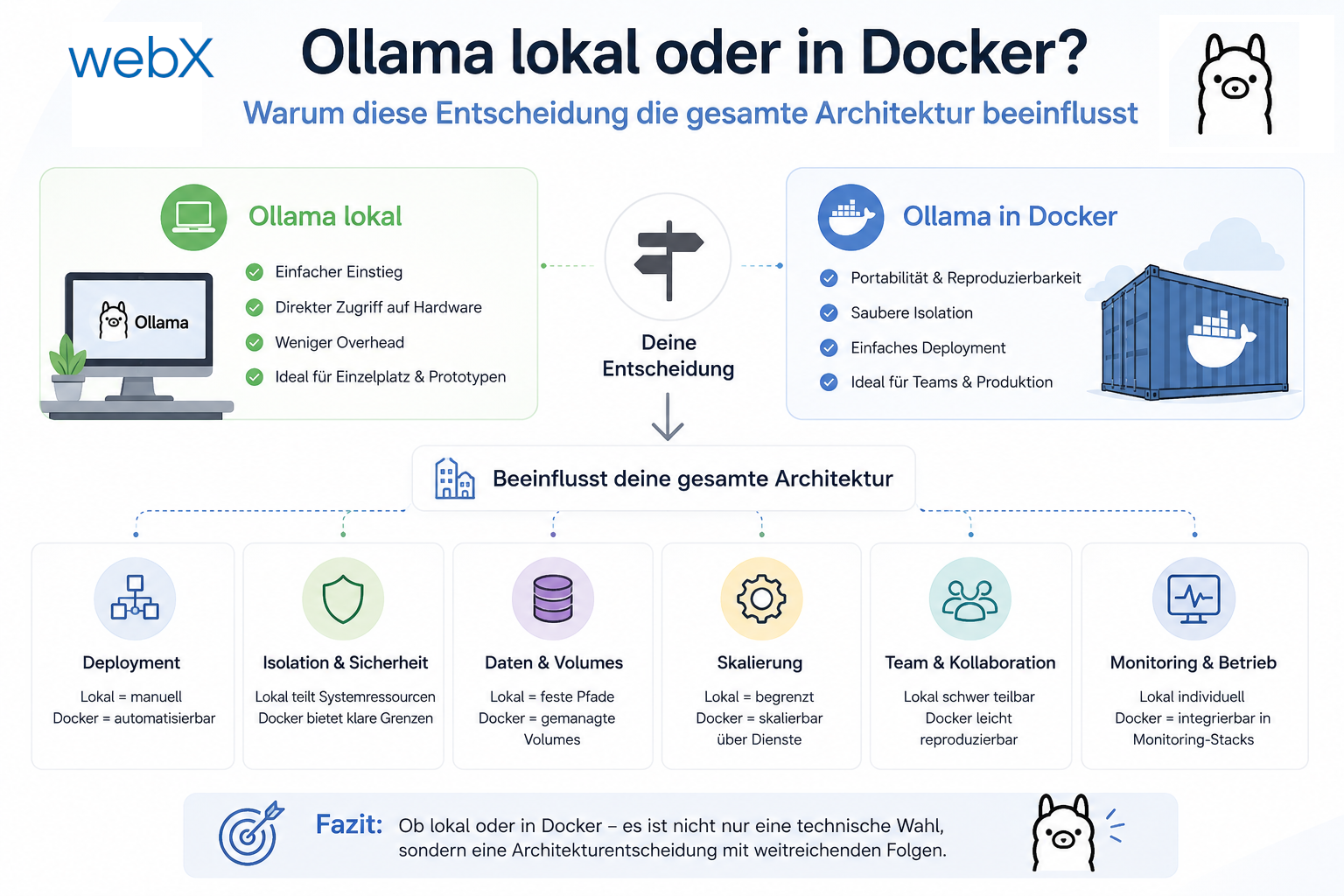
Contents
- The moment that called everything into question
- Comparing the two options
- Why the question was framed incorrectly
- The consequence
- The first start
- What this decision means in practice
- The GPU question for later
- All articles in the series
The moment that called everything into question
The backend was finished. Qdrant was running. The extension was sending payloads. And then:
Fehler: Ollama is not reachable. Make sure Ollama is running on port 11434.The original error retains its German prefix, Fehler, meaning “Error”. My first instinct: install Ollama, start it, done.
But I paused and asked the question that actually mattered:
Where is the right place for Ollama, and what does this decision say about the entire system?
That question occupied me longer than expected. And the result influenced the whole architecture.
Comparing the two options
Ollama on the host
curl -fsSL https://ollama.com/install.sh | sh
systemctl start ollama
ollama pull nomic-embed-text
ollama pull llama3.2
The backend container in Docker then connects to the host through host.docker.internal:11434 or 172.17.0.1:11434.
Advantages:
- GPU access without configuration: Ollama on the host can use NVIDIA GPUs directly. Docker requires the NVIDIA Container Toolkit and explicit GPU passthrough configuration.
- Less Docker overhead: No volumes for model data, no container overhead for inference.
- Simpler initial setup: Three commands, immediately running.
Disadvantages:
- Host clutter: Software on the host means managing updates, systemd services and potential conflicts with other projects.
- Not portable: A new colleague, a new system and a CI/CD pipeline all have to install Ollama separately. The project is no longer
git clone && docker-compose up. - No clear deployment path: In the cloud, there is no “host”. The production environment looks fundamentally different from development.
Ollama in Docker
services:
  ollama:
    image: ollama/ollama:latest
    volumes:
      - ollama_data:/root/.ollama
    # No host port mapping: backend communicates via the internal Docker network.
    # Only enable if no local Ollama service is running on port 11434
    # and Ollama needs to be reachable from the host:
    # ports:
    #   - "11434:11434"
Advantages:
- Full reproducibility:
docker-compose upstarts everything. On every system. Always the same. - Clean isolation: Ollama runs in its own sandbox. No effects on the host.
- Clear deployment path: The same
docker-compose.ymldescribes local development and, with overrides, the cloud. - GPU passthrough available: With the NVIDIA Container Toolkit and a single
composeconfiguration.
Disadvantages:
- More involved GPU setup: The NVIDIA Container Toolkit must be installed on the host.
- Slightly higher overhead: Container layer and volume mounting for models.
- Port conflict if Ollama already runs on the host: Docker attempts to expose host port 11434 by default. If an Ollama system service is already running,
docker-compose upfails withaddress already in use. The solution is to omit theportsmapping because the backend already communicates through Docker’s internal network.
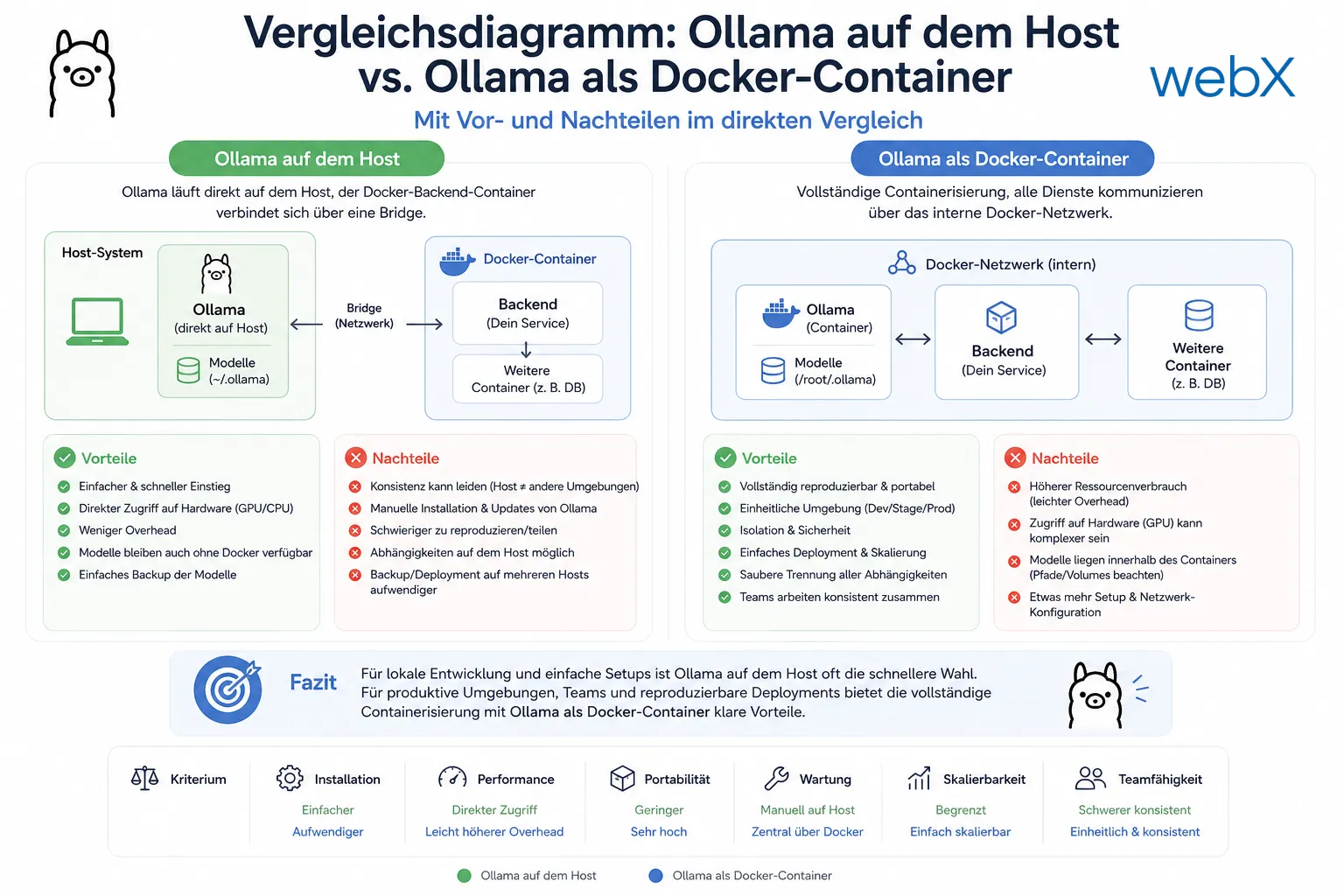 Figure: On the left, Ollama runs directly on the host and the Docker backend container connects through a bridge. On the right, full containerization lets all services communicate through the internal Docker network. The original illustration retains its German labels.
Why the question was framed incorrectly
I realized I had approached “Ollama locally or in Docker?” from the wrong perspective. The actual question is:
Who am I building this system for?
If the answer is “only for me, on this one machine”, a host installation is pragmatic and sufficient.
If the answer is “I eventually want to deploy it, share it or run it on another system”, a host installation is technical debt.
I am building a system I want to make publicly available. The answer was clear.
The consequence
Choosing Docker triggered a series of further decisions:
1. Provider abstraction becomes necessary
If Ollama runs in Docker, that is perfect locally. But in the cloud? Running a GPU-optimized Ollama container in Azure or AWS is expensive, or unavailable in the cheapest tier.
So I needed an abstraction: Ollama runs locally as a container, while OpenAI is used in the cloud. The same codebase, the same architecture, a different implementation. That is the provider abstraction underpinning the entire RAG system.
2. Docker Compose override pattern
If Ollama is included locally but not in production, how do I manage that without two completely different docker-compose.yml files?
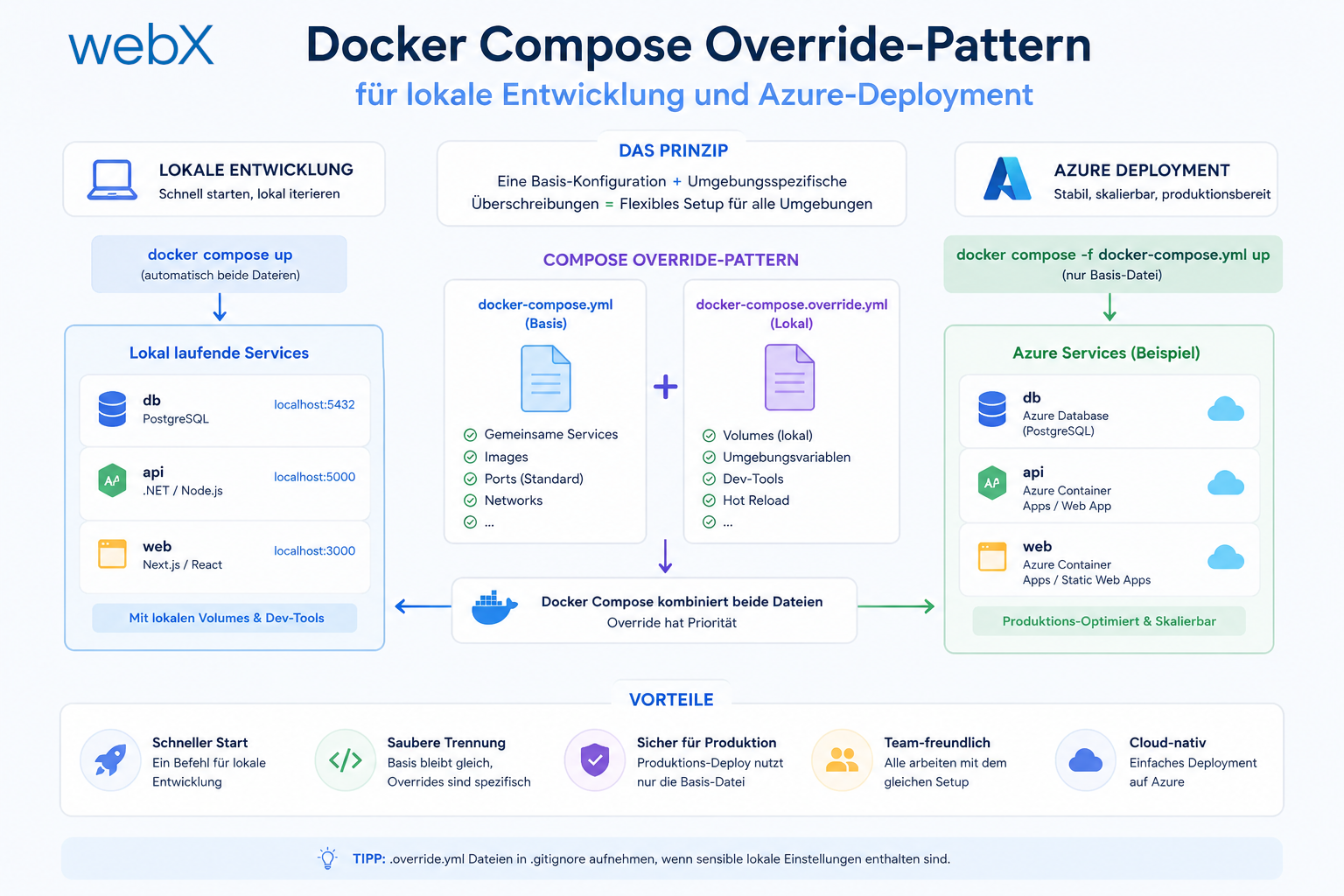
The override pattern: one base file, a local override loaded automatically, and a production override specified explicitly. Three files, clear responsibilities.
3. Persistent volume for models
Models are large. nomic-embed-text is ~270MB and llama3.2 is ~2GB. They must not be downloaded again on every docker-compose down && docker-compose up.
volumes:
  ollama_data:
    # Named volume: survives docker-compose down
    # Deleted only with docker-compose down -v (explicit)
Docker named volumes persist beyond container restarts. Without the -v flag on down, model data remains. That is the correct behavior.
The first start
For anyone cloning and starting the project for the first time:
docker-compose up --build -dDone. No second step.
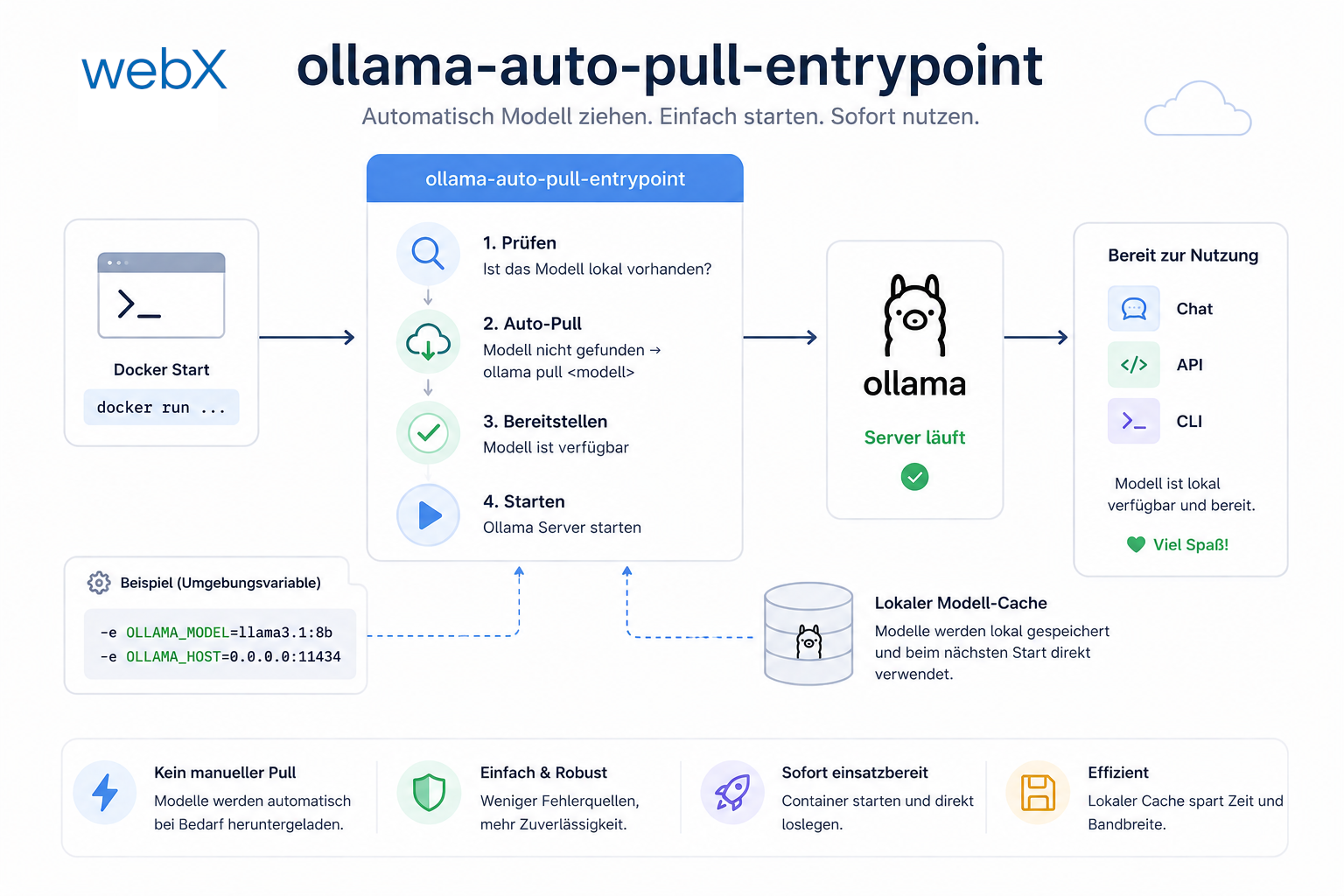
On its first start, the Ollama container automatically downloads nomic-embed-text (~274 MB) and llama3.2 (~2 GB). That takes a few minutes, depending on the connection. On the next docker-compose up, the container recognizes the existing models in the volume and starts immediately.
A custom ollama/Dockerfile with an entrypoint script makes this possible: start the server, wait for the API, check models and pull them if needed. The models persist in a named volume.
The result: anyone cloning the repository types one command. Everything runs.
What this decision means in practice
This decision cost me approximately three extra hours. In return, I have:
- A system that works on every computer with Docker, without setup documentation.
- A clear separation of local development and production through the override pattern.
- The foundation for a cloud deployment strategy that does not start from scratch.
When I build a system for a client and hand it over, I do not want the next developer to work through hours of setup documentation. docker-compose up should be enough.
And when I move the same system to the cloud, I do not want to start from scratch. The override pattern reduces the switch to one flag.
This is not overengineering. It is the foundation of sustainable software development.
The GPU question for later
For anyone with an NVIDIA GPU, Docker and Ollama can use GPU acceleration. The setup:
# Install NVIDIA Container Toolkit
sudo apt install nvidia-container-toolkit
sudo systemctl restart docker
# docker-compose.override.yml
services:
ollama:
deploy:
resources:
reservations:
devices:
- driver: nvidia
count: 1
capabilities: [gpu]This is commented out in my override file. Anyone who wants it enables one block.
For production without a GPU, llama3.2 on CPU is slower but usable for moderate request volumes. nomic-embed-text, the embedding model, is fast enough even on CPU.
All articles in the series
- Vision and system overview: Chrome Extension, RAG architecture and project background: Read article
- Building a RAG system: Qdrant, embeddings and cosine similarity in TypeScript: Read article
- AI provider abstraction: Ollama vs. OpenAI, interface design and no vendor lock-in: Read article
- Chrome Extension MV3: Three isolated runtime contexts, message passing and Strategy Pattern: Read article
- Docker Compose strategy: The override pattern, from local development to Azure: Read article
- Ollama locally vs. Docker: The decision and its consequences: (this article)
- Ollama auto-pull entrypoint: Automated model setup at container startup: Read article
- tsconfig and Vite:
Node16vs.bundler, and why Vite has its own rules: Read article - Load complete Instagram captions with MutationObserver: Read article
- Chrome Extension foundation with health indicator and retry queue: Read article
- Phase 2 features: Shadow DOM overlay, Tailwind v4 and duplicate detection: Read article
- Race condition in platform detection: How a UI event breaks Instagram detection: Read article
- Extracting PostId in two Instagram layouts: querySelector vs. ancestor traversal: Read article
- Capture a complete Instagram carousel with MutationObserver: Lazy loading, observer-before-click and timeout fallback: Read article
- Notes and tags when saving screenshots: Read article
- Instagram keyboard shortcuts block Chrome Extension input: Read article
- Lowercase normalization and duplicate detection in tag input: Read article
- Zitadel Login V2 in Docker Compose with three hidden errors: Read article
- PKCE OAuth in a Chrome MV3 extension: Read article
- React frontend with react-oidc-context and Zitadel: Read article
- Vite build-time environment variables in Docker: Read article
- Event-driven ingestion with BullMQ and Redis: Read article
- MinIO instead of Azurite: S3-compatible object storage locally and on Hetzner: Read article
- access_token, id_token and the Userinfo endpoint: Which belongs where: Read article
- Qdrant multi-tenancy with one collection per user: Read article
- When backend and frontend know different types: Read article
- Removing Zitadel bootstrap: Host header bug and manual setup: Read article
- Backend code review with six problems fixed before launch: Read article
- Traefik instead of NGINX: Reverse proxy for a growing Docker Compose stack: Read article
- Two-layer rate limiting: Traefik and express-rate-limit with Redis: Read article
- Implementing GDPR Article 17 correctly: Promise.allSettled and export batching: Read article
- Embedding model lock-in: Why mxbai-embed-large is a permanent production decision: Read article
- Docker volumes in production: Named volumes, bind mounts and the Hetzner volume approach: Read article
- Two vulnerabilities before launch: Redis without authentication and an exposed Qdrant admin port: Read article
- Traefik as the single entry point in the Docker Compose stack: Read article
- Connecting Zitadel behind Traefik with issuer, JWKS and Login V2: Read article
- Fixing the frontend when the nginx healthcheck fails on localhost: Read article
- Observability for my Docker Compose stack with Bull Board and Dozzle: Read article
- Open the Qdrant dashboard securely with local Traefik and an SSH tunnel: Read article
- Diagnosis of chunking failures despite tokenization: Read article
- Why I set the chunk size to 1500 tokens: Read article
- Splitting the embedding workflow into clear steps: Read article
- Bringing chunking, storage and search back together: Read article
- Capture Intake as a separate module, less orchestration in the Express endpoint: Read article
Planning a system with local AI inference and considering how to represent it cleanly in Docker? Let us assess it together.