Fixing the frontend when the nginx healthcheck fails on localhost
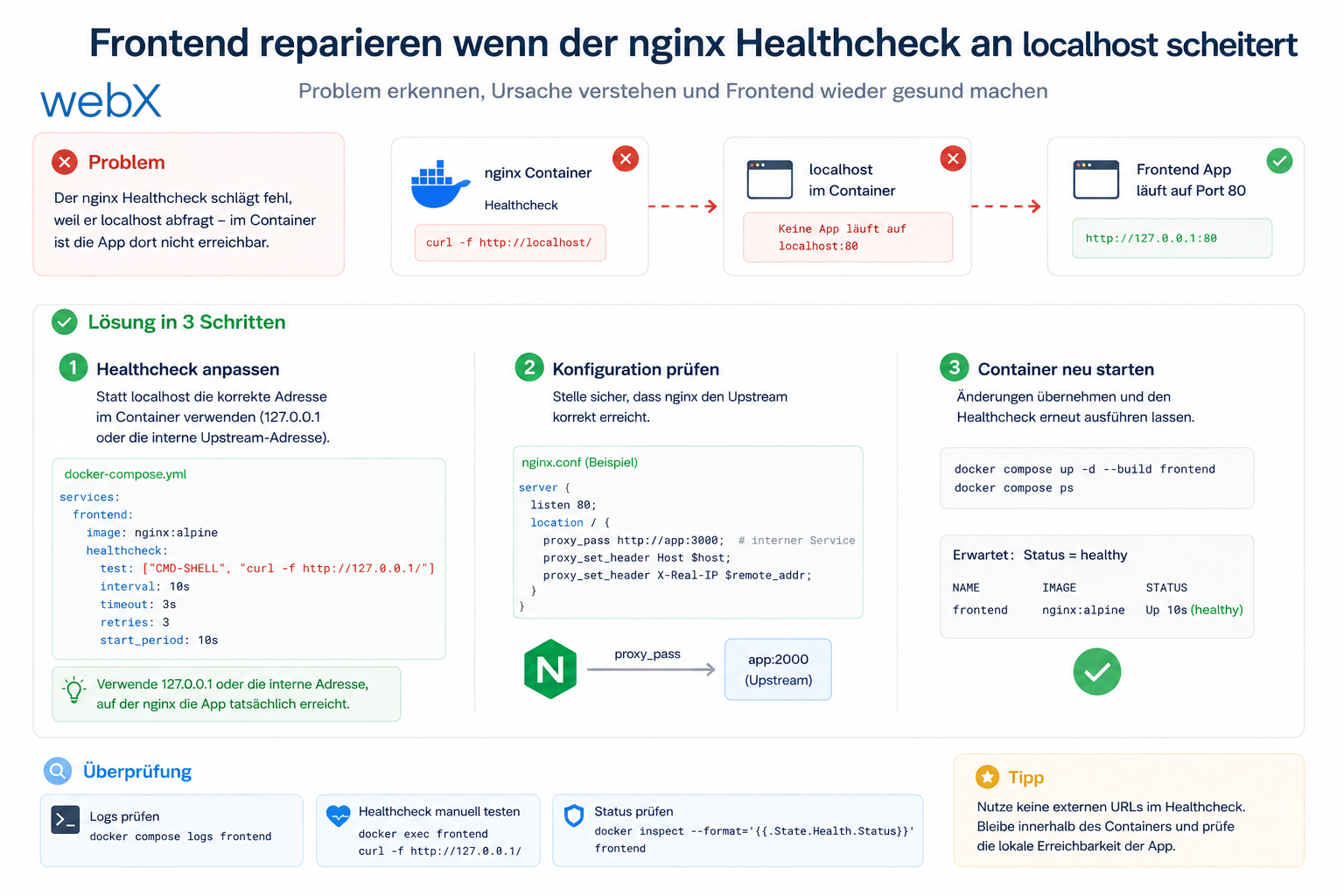
The frontend container was built and running, yet still unhealthy. The cause was a small Alpine pitfall: BusyBox Wget resolved localhost over IPv6 first, while nginx listened only on IPv4.
Contents
- Fixing an nginx healthcheck in Docker when localhost resolves to IPv6
- Why localhost was wrong here
- The clean correction
- Why I use curl instead of wget
- What I learned from the nginx healthcheck and IPv6 problem
- All articles in the series
Fixing an nginx healthcheck in Docker when localhost resolves to IPv6
The frontend container was running. The build had succeeded. Yet Docker reported the container as unhealthy.
The log message was unremarkable.
wget: can't connect to remote host: Connection refusedErrors like this are annoying precisely because they look so small. The actual problem is often not in nginx itself, but in how the healthcheck is invoked.
Why localhost was wrong here
The container was based on nginx:alpine. That includes BusyBox wget. And BusyBox does not always handle localhost as you expect.
Inside the container, localhost could resolve to ::1 first, meaning IPv6. But nginx was listening only on IPv4.
server {
    listen 80;
    root /usr/share/nginx/html;
    index index.html;
}
That did not matter to the browser. It did to the healthcheck.
The clean correction
I made two small changes.
- The healthcheck now uses
127.0.0.1instead oflocalhost. - nginx also listens on IPv6.
healthcheck:
  test: ['CMD', 'curl', '-sf', 'http://127.0.0.1/']
server {
listen 80;
listen [::]:80;
root /usr/share/nginx/html;
index index.html;
}This makes the check robust enough for the container while keeping it simple enough to understand later.
Why I use curl instead of wget
curl is available in nginx:alpine and behaves more reliably in this case.
There is no magic here. It is just the less error-prone option for a healthcheck whose only job is to find out whether the web server responds.
I do not want extra logic in a healthcheck. I only want a clear answer:
- Does nginx respond on
127.0.0.1? - Then the container is healthy.
- If not, something is genuinely broken.
What I learned from the nginx healthcheck and IPv6 problem
A healthcheck is not a minor detail. It is part of the architecture.
If it is built incorrectly, it produces false signals. A functioning container then looks broken, and the investigation goes in the wrong direction.
For me, the rule is now clear.
- Prefer explicitly using
127.0.0.1in Alpine containers. - Also enable IPv6 in nginx if the stack should later support dual stack properly.
- Always keep a healthcheck as simple as possible.
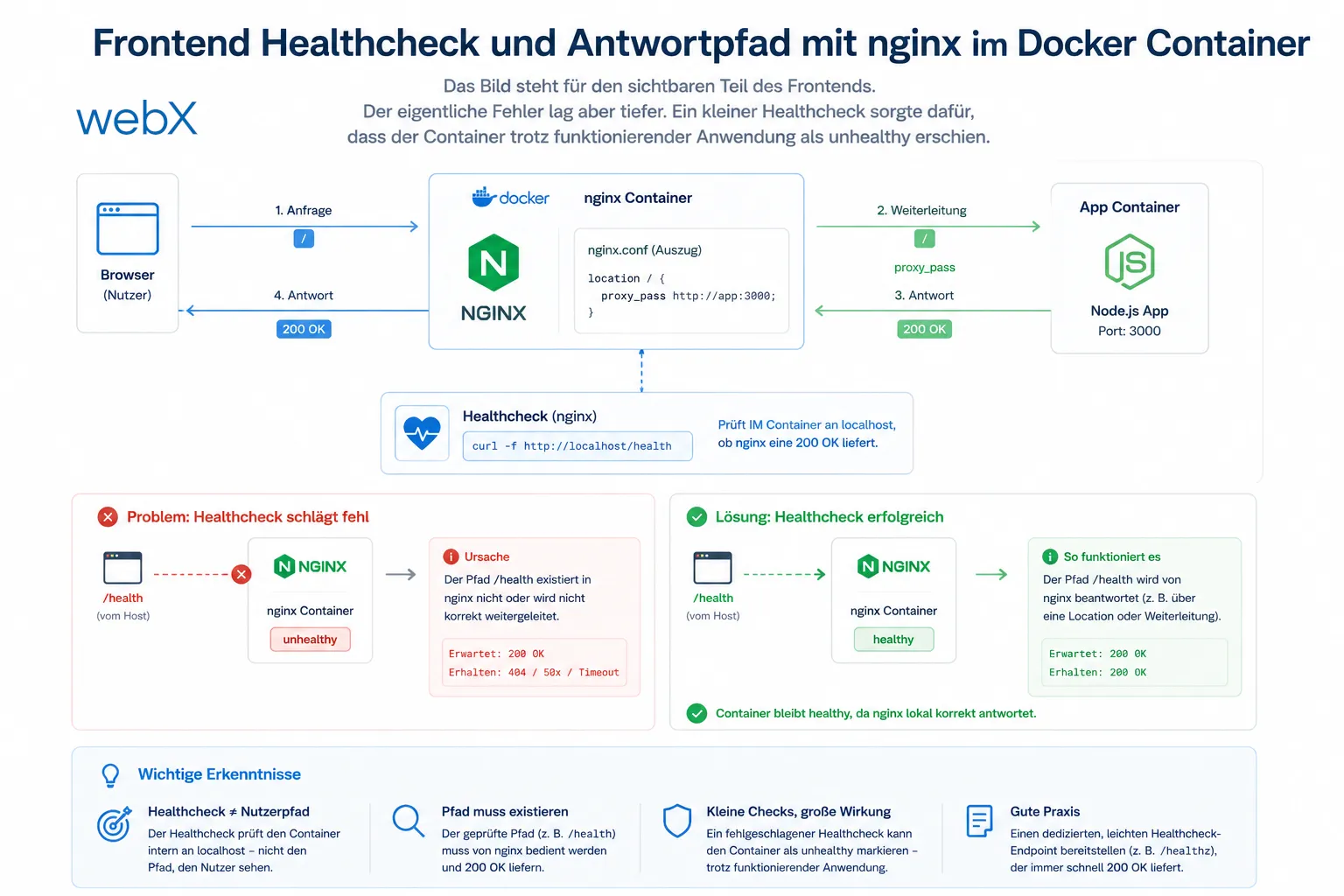
The image represents the visible part of the frontend. The actual error was deeper. A small healthcheck caused the container to appear unhealthy despite a functioning application. The original image is retained, including any German-interface text.
All articles in the series
- Vision and system overview: Chrome Extension, RAG architecture and project background: Read article
- Building a RAG system: Qdrant, embeddings and cosine similarity in TypeScript: Read article
- AI provider abstraction: Ollama vs. OpenAI, interface design and no vendor lock-in: Read article
- Chrome Extension MV3: Three isolated runtime contexts, message passing and Strategy Pattern: Read article
- Docker Compose strategy: The override pattern, from local development to Azure: Read article
- Ollama locally vs. Docker: The decision and its consequences: Read article
- Ollama auto-pull entrypoint: Automated model setup at container startup: Read article
- tsconfig and Vite:
Node16vs.bundler, and why Vite has its own rules: Read article - Load complete Instagram captions with MutationObserver: Read article
- Chrome Extension foundation with health indicator and retry queue: Read article
- Phase 2 features: Shadow DOM overlay, Tailwind v4 and duplicate detection: Read article
- Race condition in platform detection: How a UI event breaks Instagram detection: Read article
- Extracting PostId in two Instagram layouts: querySelector vs. ancestor traversal: Read article
- Capture a complete Instagram carousel with MutationObserver: Lazy loading, observer-before-click and timeout fallback: Read article
- Notes and tags when saving screenshots: Read article
- Instagram keyboard shortcuts block Chrome Extension input: Read article
- Lowercase normalization and duplicate detection in tag input: Read article
- Zitadel Login V2 in Docker Compose with three hidden errors: Read article
- PKCE OAuth in a Chrome MV3 extension: Read article
- React frontend with react-oidc-context and Zitadel: Read article
- Vite build-time environment variables in Docker: Read article
- Event-driven ingestion with BullMQ and Redis: Read article
- MinIO instead of Azurite: S3-compatible object storage locally and on Hetzner: Read article
- access_token, id_token and the Userinfo endpoint: Which belongs where: Read article
- Qdrant multi-tenancy with one collection per user: Read article
- When backend and frontend know different types: Read article
- Removing Zitadel bootstrap: Host header bug and manual setup: Read article
- Backend code review with six problems fixed before launch: Read article
- Traefik instead of NGINX: Reverse proxy for a growing Docker Compose stack: Read article
- Two-layer rate limiting: Traefik and express-rate-limit with Redis: Read article
- Implementing GDPR Article 17 correctly: Promise.allSettled and export batching: Read article
- Embedding model lock-in: Why mxbai-embed-large is a permanent production decision: Read article
- Docker volumes in production: Named volumes, bind mounts and the Hetzner volume approach: Read article
- Two vulnerabilities before launch: Redis without authentication and an exposed Qdrant admin port: Read article
- Traefik as the single entry point in the Docker Compose stack: Read article
- Connecting Zitadel behind Traefik with issuer, JWKS and Login V2: Read article
- Fixing the frontend when the nginx healthcheck fails on localhost: (this article)
- Observability for my Docker Compose stack with Bull Board and Dozzle: Read article
- Open the Qdrant dashboard securely with local Traefik and an SSH tunnel: Read article
- Diagnosis of chunking failures despite tokenization: Read article
- Why I set the chunk size to 1500 tokens: Read article
- Splitting the embedding workflow into clear steps: Read article
- Bringing chunking, storage and search back together: Read article
- Capture Intake as a separate module, less orchestration in the Express endpoint: Read article
Building a similar multi-service stack and considering how to handle routing and TLS cleanly? Let us assess it together.