
Frontend limitations in Power Pages
Standard Power Pages provides functional components, but older Bootstrap structures and fixed templates limit its design options.
A modern web application as the goal
Deliver modern usability with a current CSS framework without bypassing Power Pages or its security model.
Technical feasibility study
Demonstrating that e-commerce, payment integration and usage analytics can be implemented cleanly within Power Pages.
Exploring platform limits
Targeted investigation of the Web API, form engine, authentication and cloud connections in an enterprise context.
E-commerce on Power Pages.
Technical showcase with Stripe payments, a Web API cart and Application Insights.
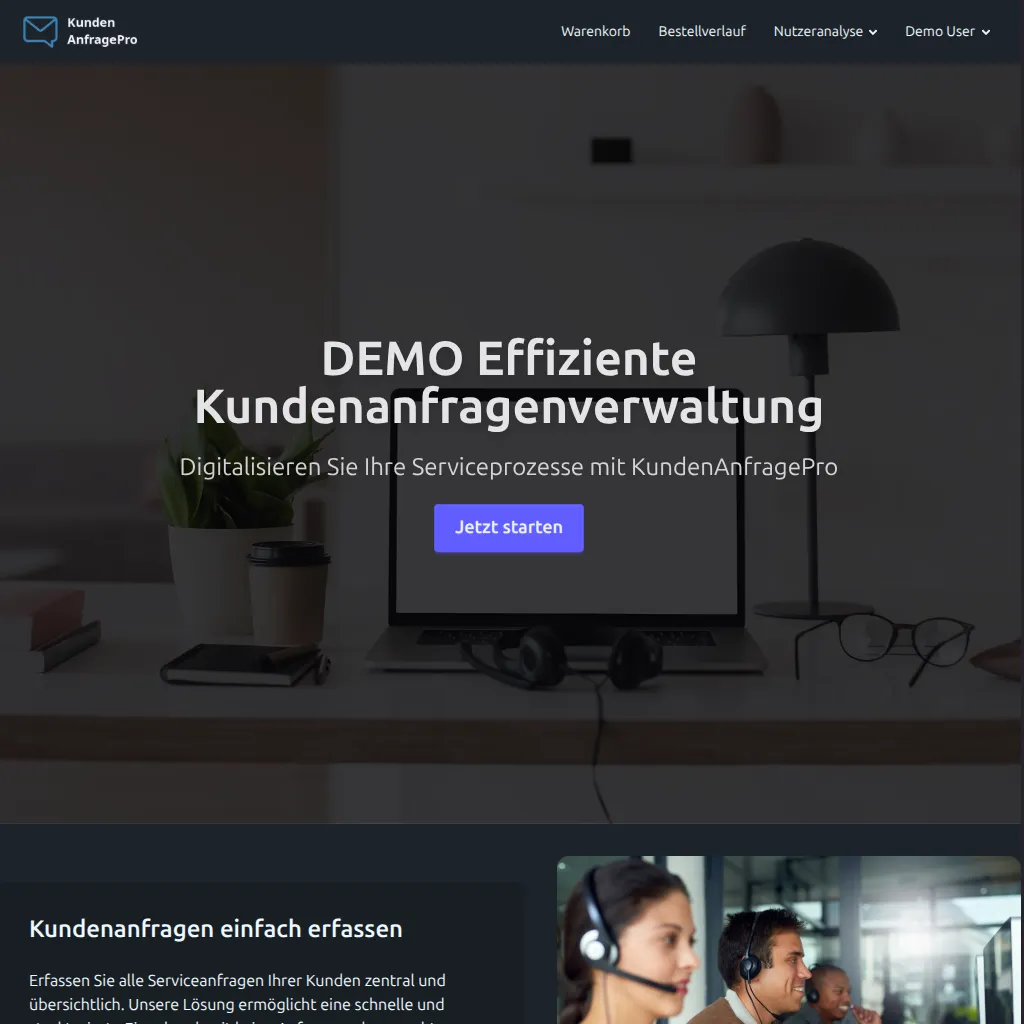
An independently developed reference project combining modern frontend architecture, end-to-end e-commerce processes and usage analytics on Microsoft Power Pages.
On this page
Why this project
Demonstrating that a low-code platform can support demanding web applications with the right frontend and cloud architecture.
Workflow in action
From anonymous visitor through sign-in, cart validation and Stripe Checkout to a personal analytics dashboard.
The user journey
From product search to reporting in five coordinated steps.
Anonymous access and product search
Visitors browse the product catalogue without signing in and view product details directly in the portal.
Authentication and personalisation
Sign-in through the Power Pages identity system, followed by synchronisation of the cart and order history.
Cart management and validation
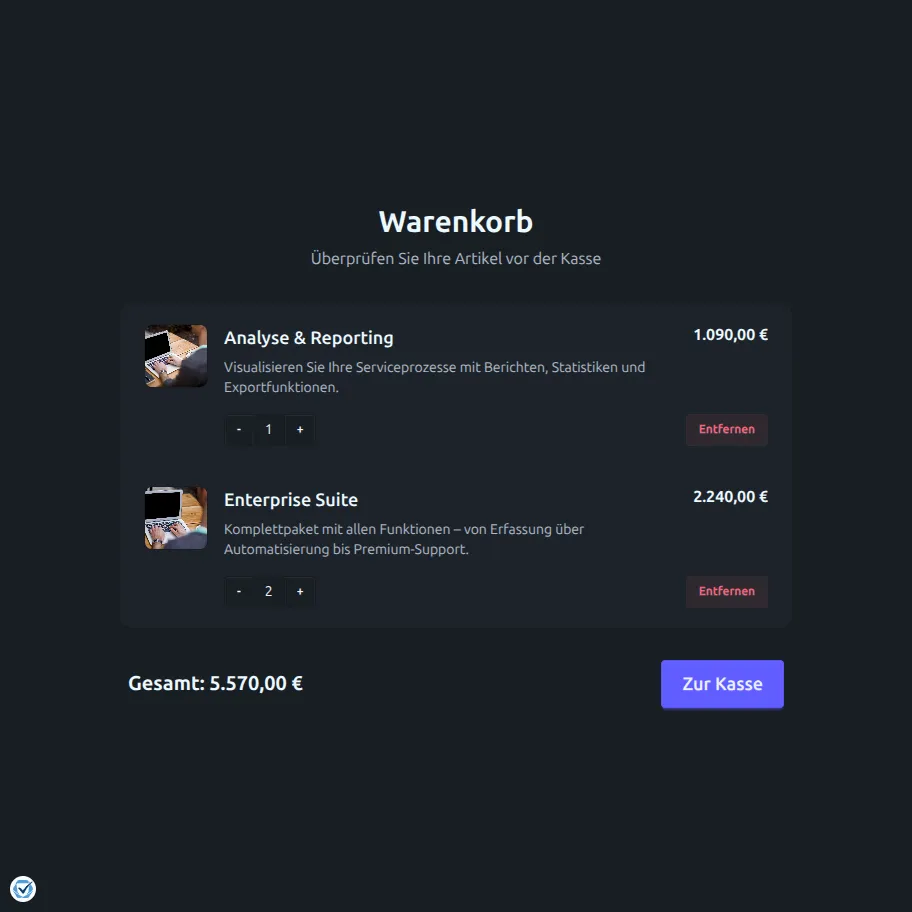
A dynamic cart with real-time checks through the Power Pages Web API and immediate visual feedback.
Stripe Checkout and payment
A server-generated Stripe Checkout session with feedback and automatic synchronisation to Dataverse.
Analytics and reporting
Application Insights records interactions after consent and feeds aggregated reports back into the portal.

E-commerce platform
Product catalogue, real-time cart and order history based on Microsoft Dataverse.
Product catalogue
Custom Dataverse tables for products with categories, prices, images and structured descriptions.
Real-time cart
A Web API cart with live updates and user-bound storage without caching delays.
Clear sign-in prompts
Targeted notifications for visitors who add products without signing in, without a forced page redirect.
Immediate status feedback
Visible confirmations for all cart actions through structured toast notifications.
Stripe Checkout
A server-side payment flow through Power Automate for secure creation of Checkout sessions.
Order history
A grouped order overview with status tracking directly in the personal portal area.
Cart validation
Validation rules through the Power Pages Web API with immediate browser feedback.
Targeted validation without unnecessary page changes
Sign-in checks without forced redirects
Anonymous visitors receive an immediate sign-in prompt when adding a product.
Duplicate detection
Before saving, the Web API checks whether the product is already in the cart and prevents duplicate entries.
Contextual feedback
Clear status messages immediately report success, notices or rejected actions.
Payment integration
Server-controlled payment process with Power Automate, Stripe and Dataverse.
Server-side session creation
A Power Automate flow processes cart and user data, creates the Stripe session and returns the Checkout URL.
Success and cancellation pages
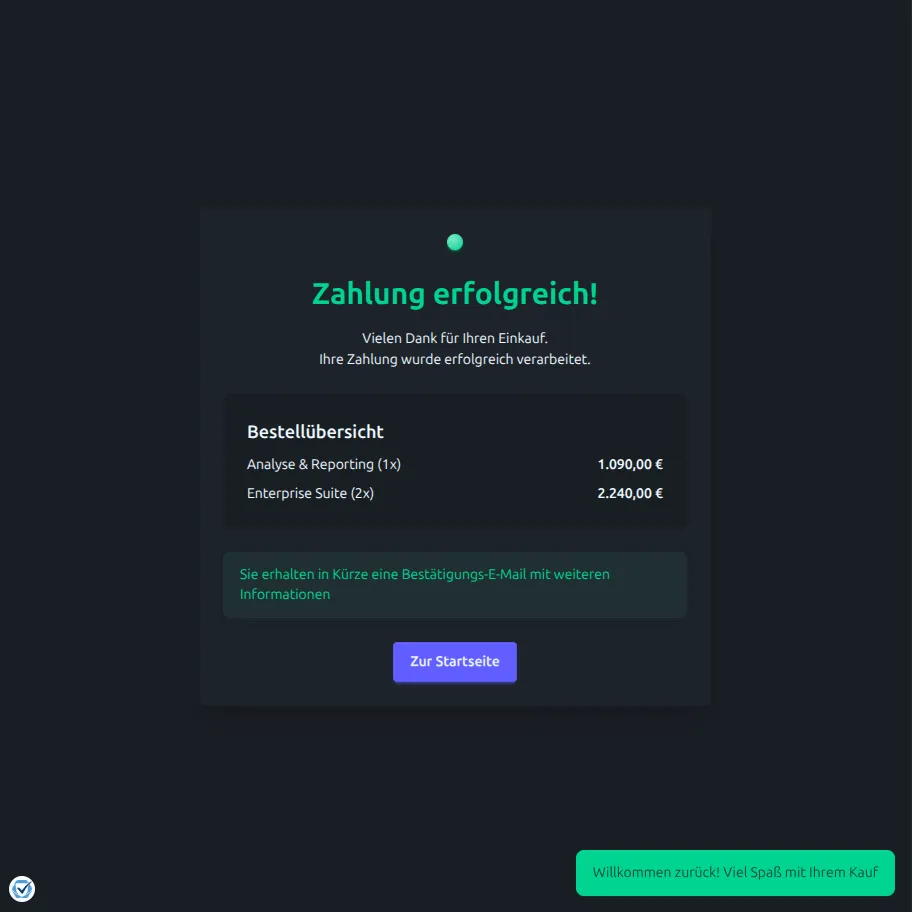
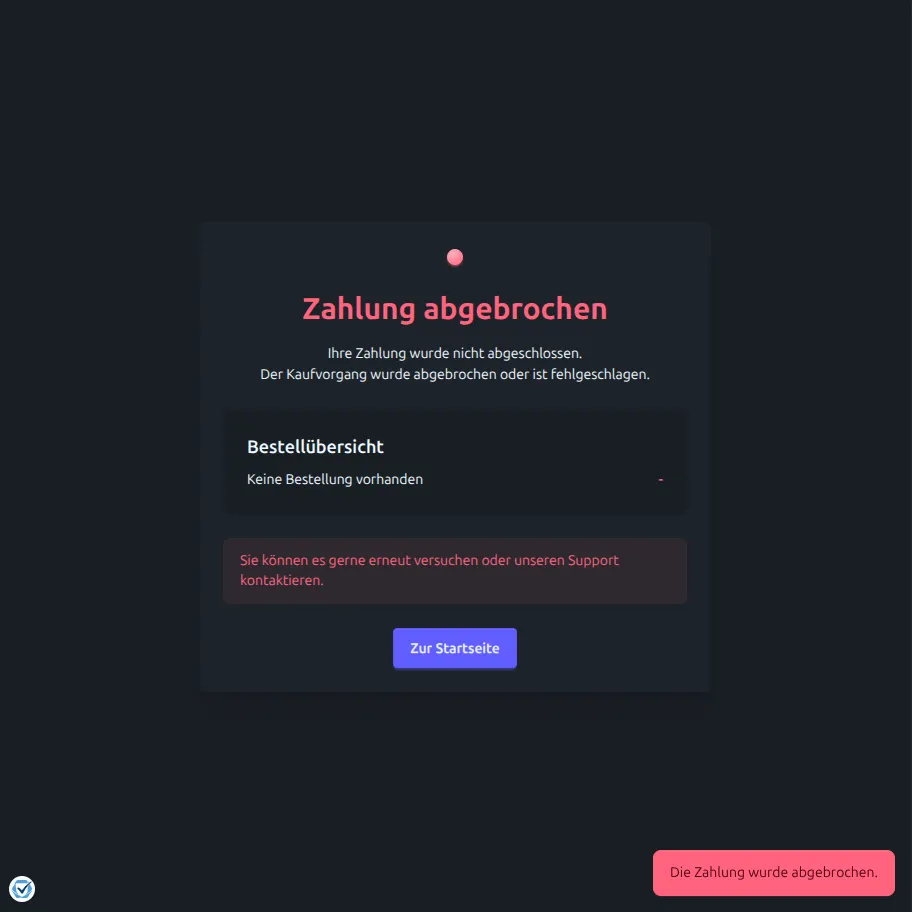
Custom return pages in the portal process the payment status and update the user display.
Order confirmation in Dataverse
All completed order data is stored in structured Dataverse tables for history and reporting.
Subsequent order workflow
A successful purchase is followed by clearing the cart, an email confirmation with a product overview and a status update.
Application Insights
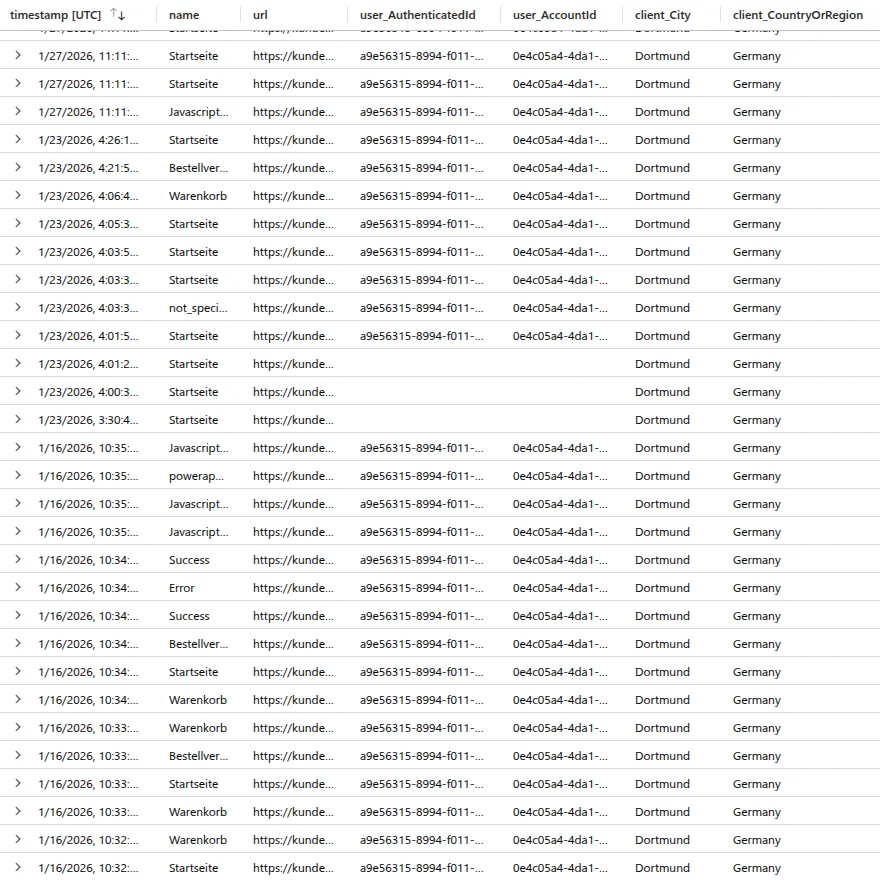
Consent-based telemetry and automated data aggregation through Azure Functions into Dataverse.
Full instrumentation
Page views, clicks and Checkout steps are recorded after consent and sent to Azure Application Insights.
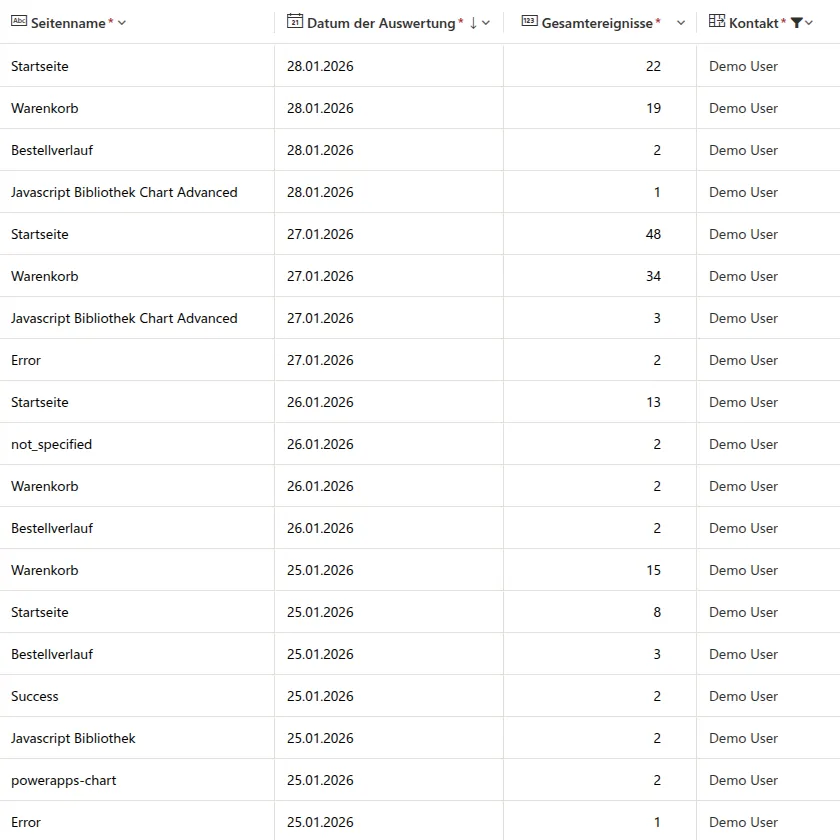
Daily data aggregation
Azure Functions and Logic Apps process telemetry data and store structured summaries in Dataverse.
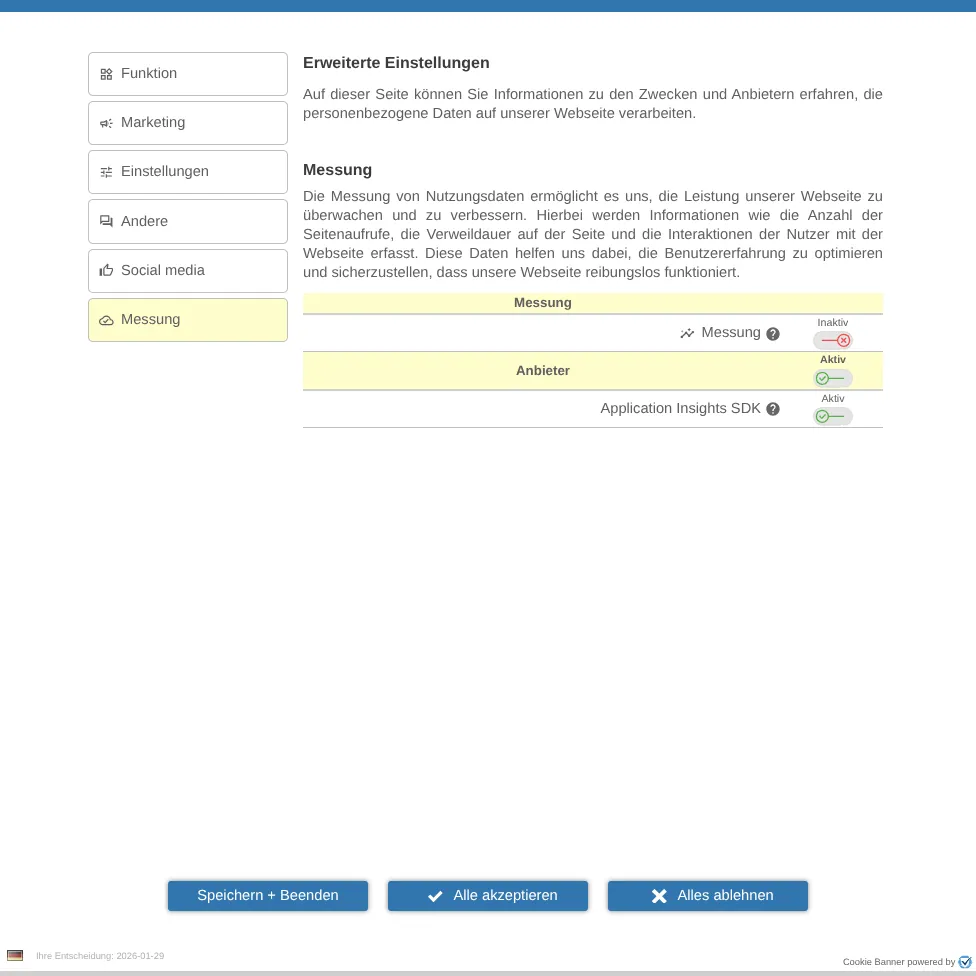
Consent and lifecycle
The adapter loads the Application Insights SDK only after consent and terminates the instance when consent is withdrawn.
Application Insights consent lifecycle
Analytics dashboard
Interactive analysis of aggregated usage data directly within Power Pages.
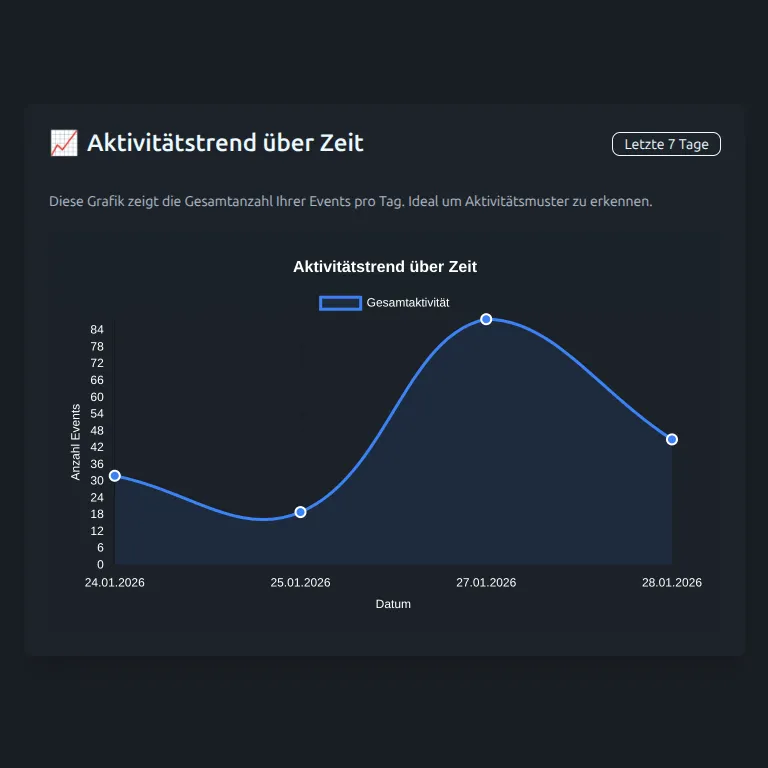
Activity trend over time
The total number of recorded events per day over time.
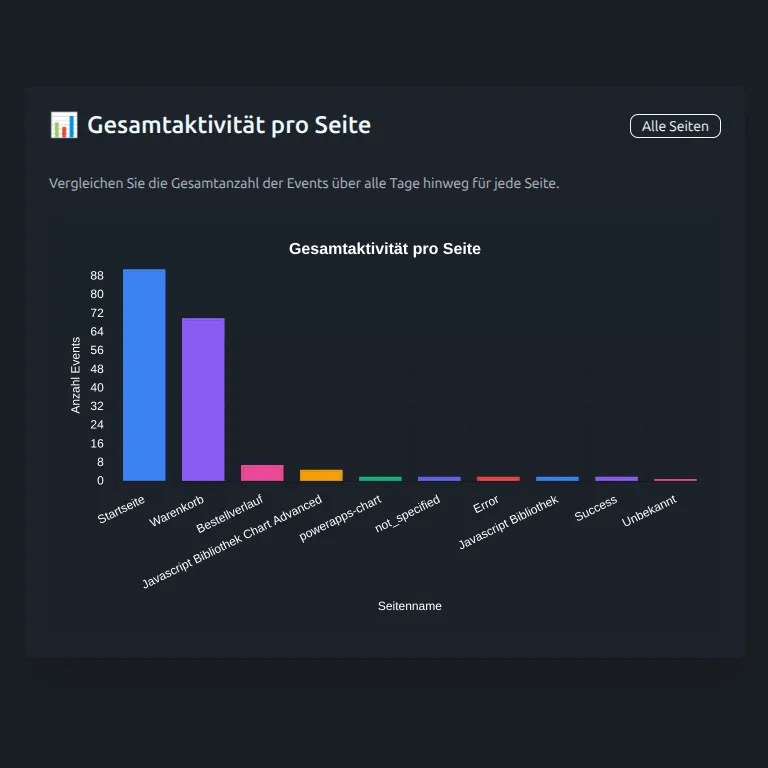
Total activity per page
A comparison of interactions across all visited portal pages.
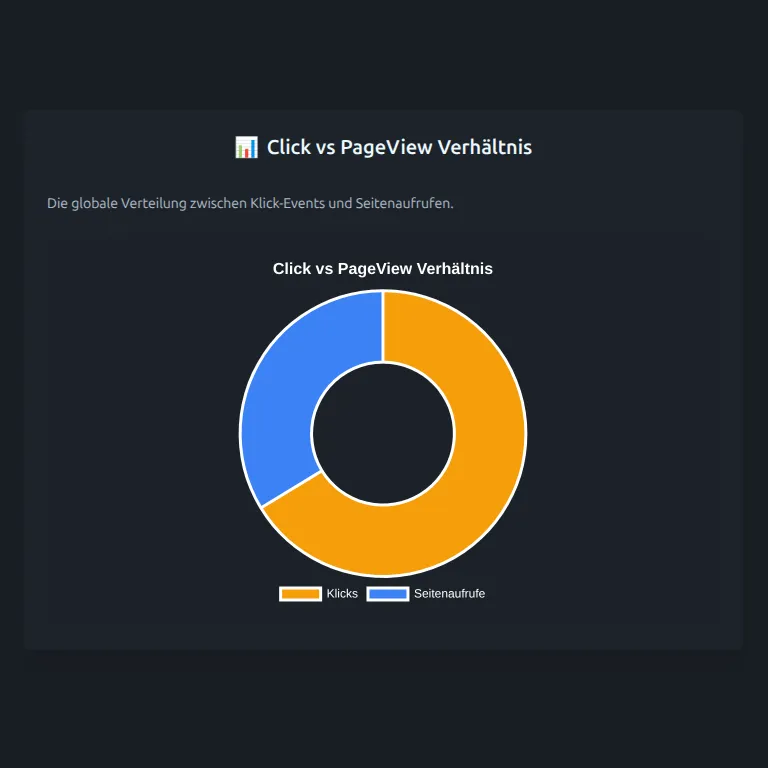
Clicks and page views
A comparison of click events and page views to assess interaction depth.
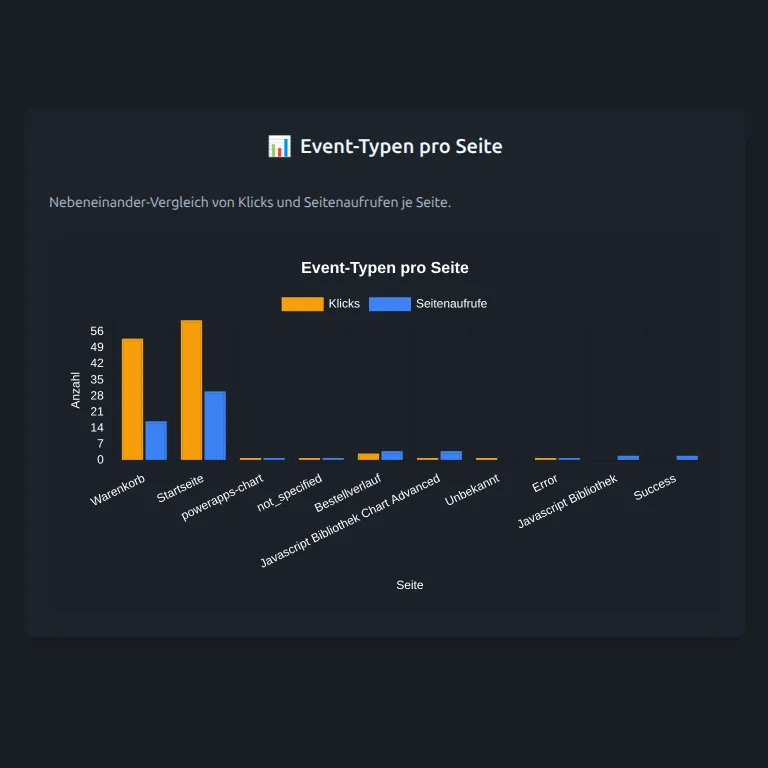
Event types per page
A breakdown of clicks and views for each individual portal page.
Detailed event distribution
An overview of specific user actions on the most important showcase pages.
Authentication
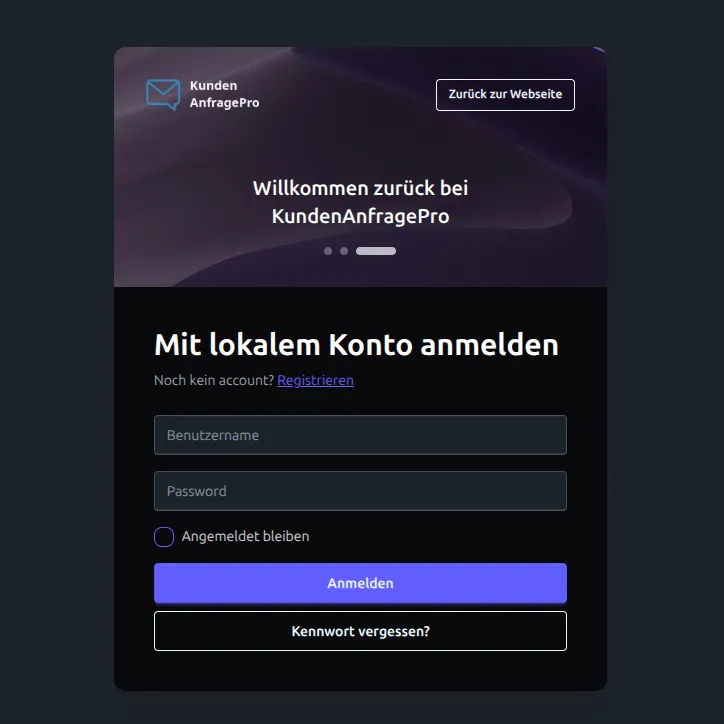
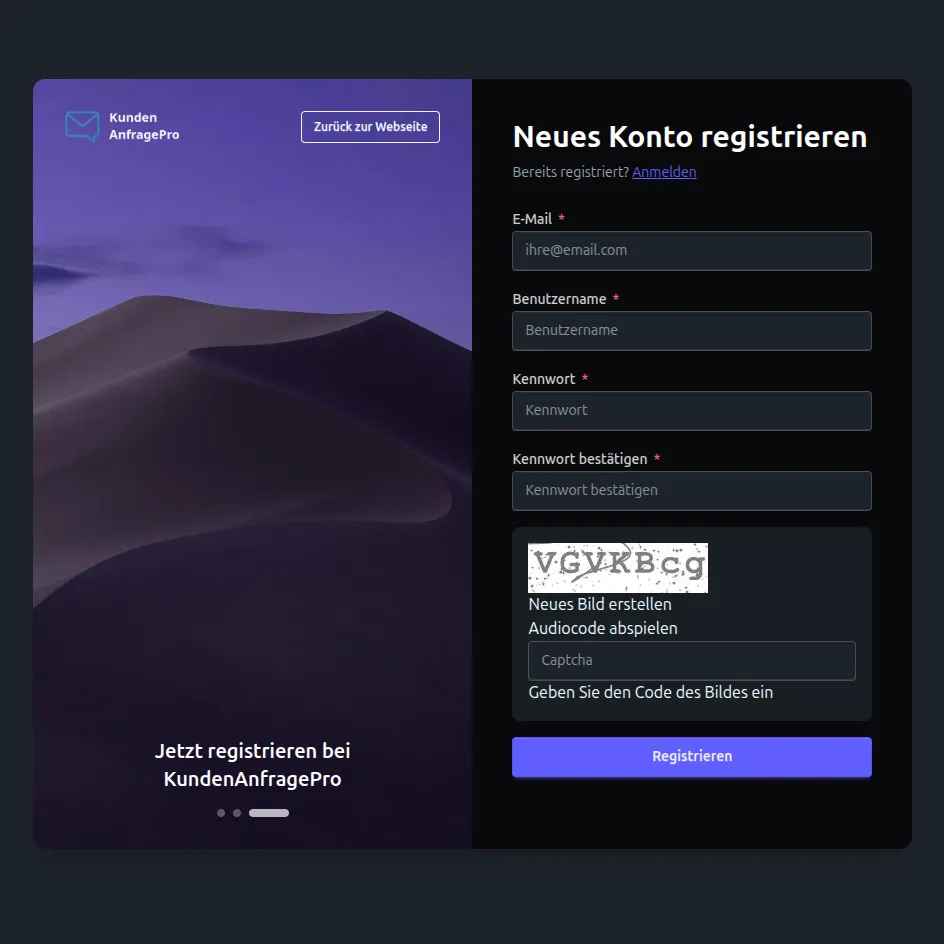
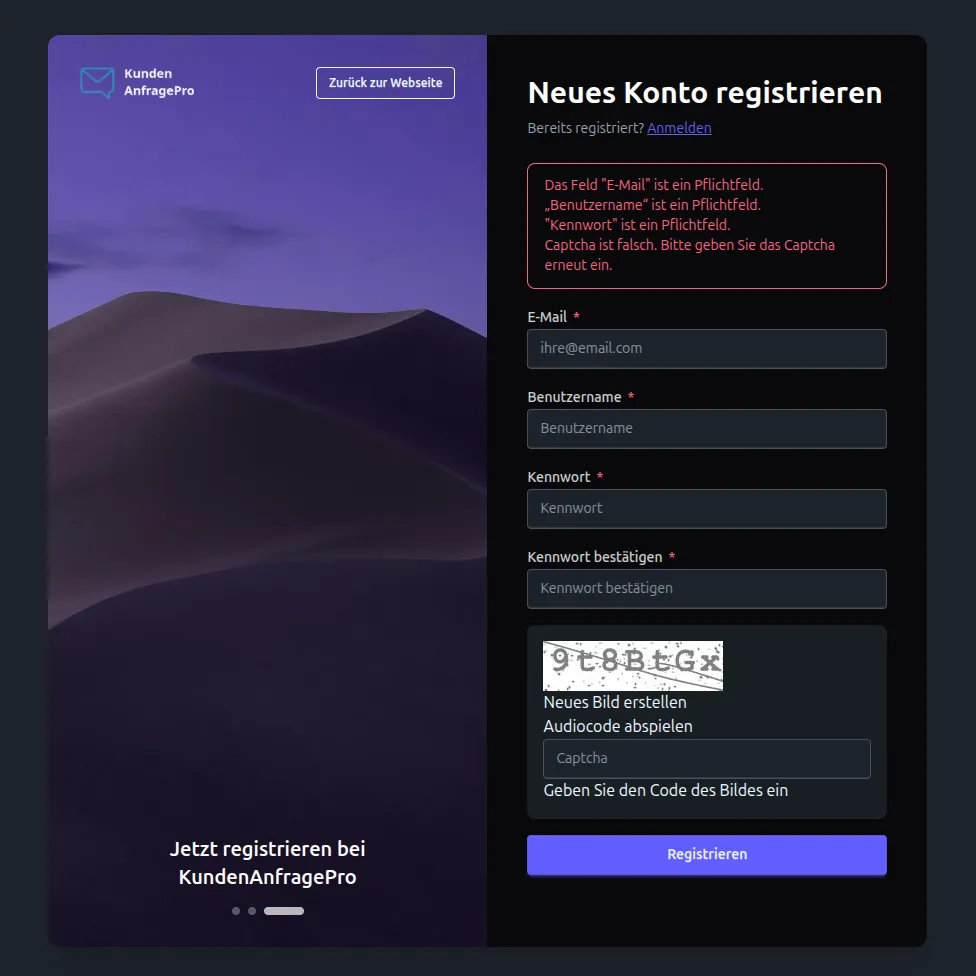
Redesigned sign-in and registration pages with full compatibility with the Power Pages identity system.
Modernised interfaces
The standard sign-in and registration pages were completely rebuilt with TailwindCSS and DaisyUI.
Inline validation
Immediate form validation with clear feedback supports users as they type.
Full platform security
Power Pages Captcha, email confirmation, password rules and session management are fully retained.

Technical implementation
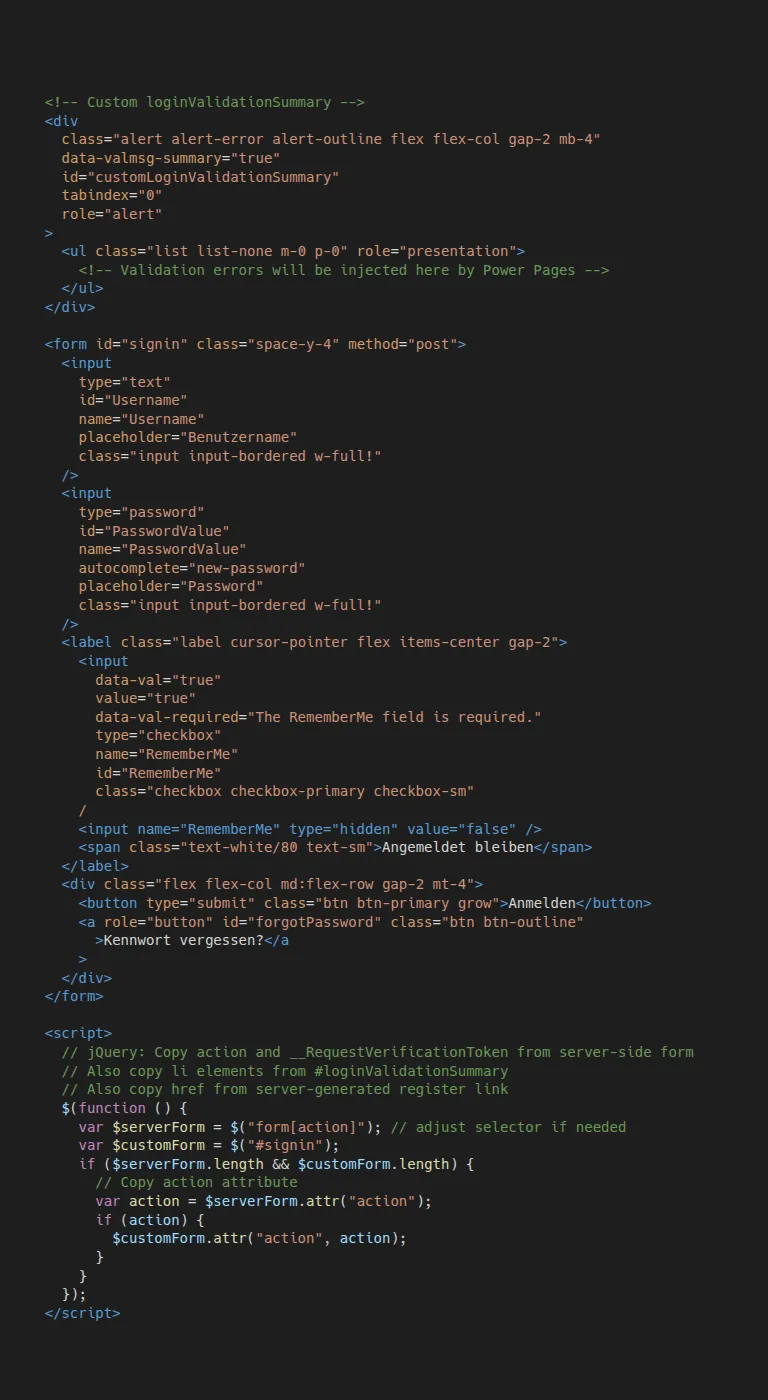
Connecting custom form interfaces to the native Power Pages authentication engine.
Analysis of the Power Pages form engine
Investigating native form logic to connect event handlers, validation rules and server communication cleanly.
Reusing server-side security tokens
Extracting server-generated anti-forgery tokens, action URLs and validation messages for the new interface.
Accessible Captcha integration
Redesigning the Captcha component with audio output, a reload function and ARIA attributes.
Session and cookie compatibility
Full retention of RequestVerificationToken and session handling within the Power Pages architecture.
Frontend redesign
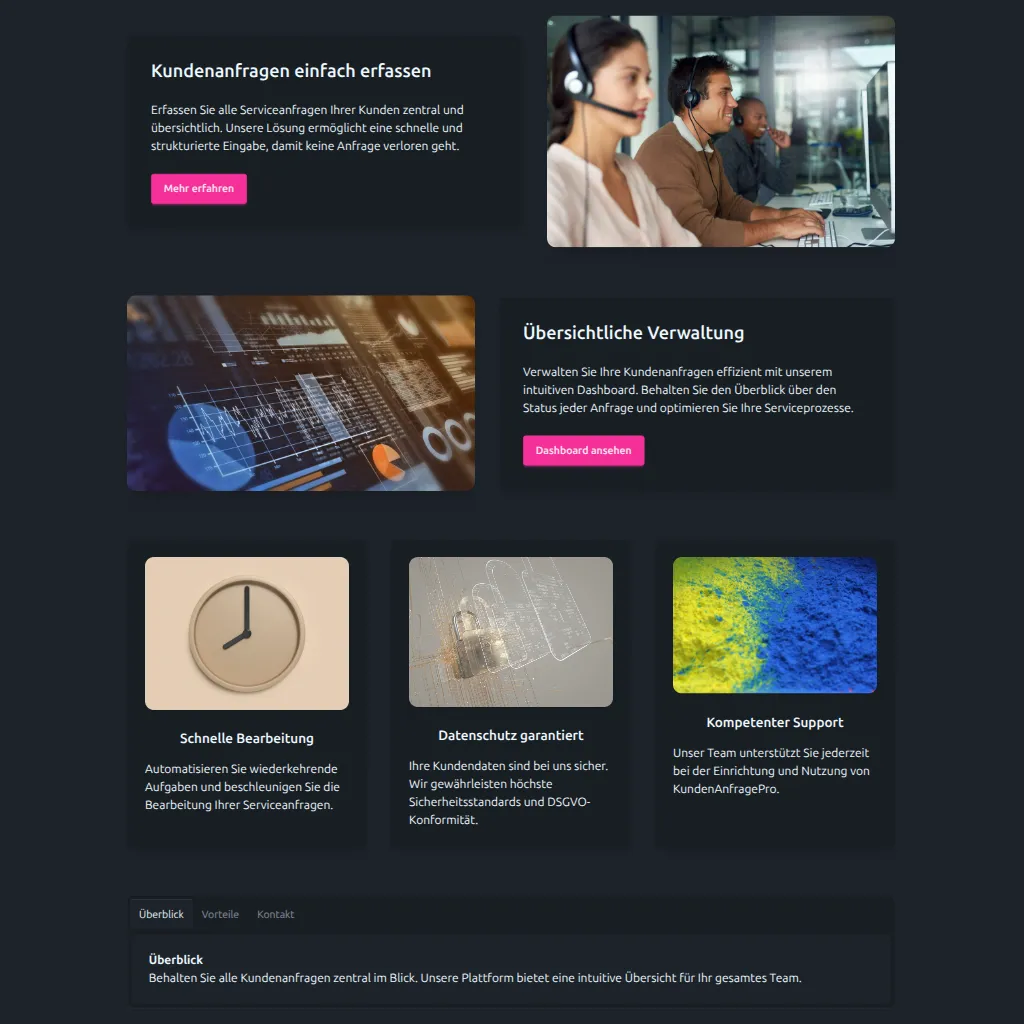
Independent interface layer with TailwindCSS v4 and DaisyUI v5 over the Power Pages backend.
Replacing standard styles
Bundled standard stylesheets such as Bootstrap and theme CSS were removed to avoid styling conflicts.
TailwindCSS v4 and DaisyUI v5
Building a consistent, responsive component structure independent of the standard templates.
Preserving platform features
Power Pages authentication, permissions and routing continue to work unchanged beneath the new interface.
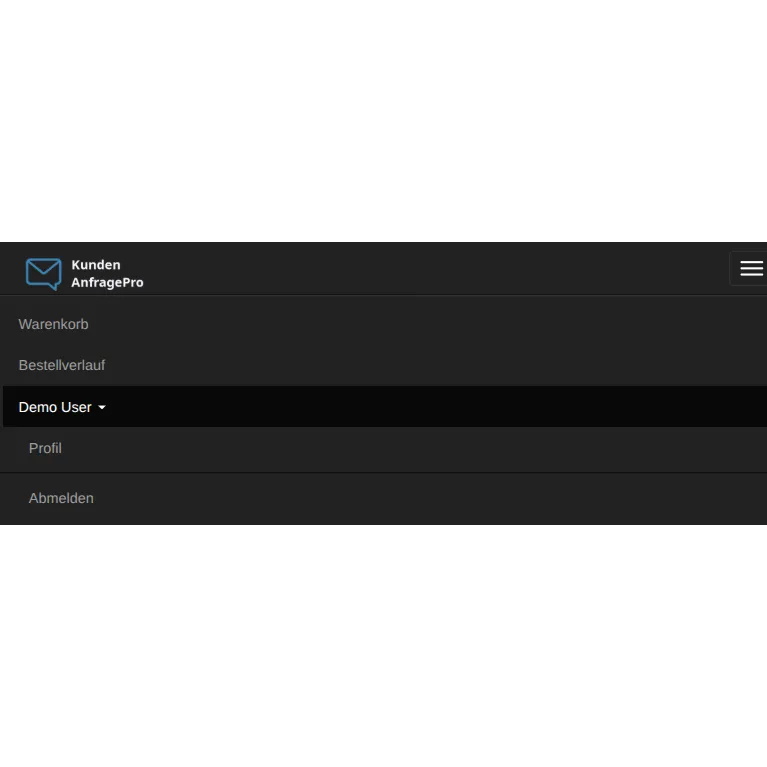
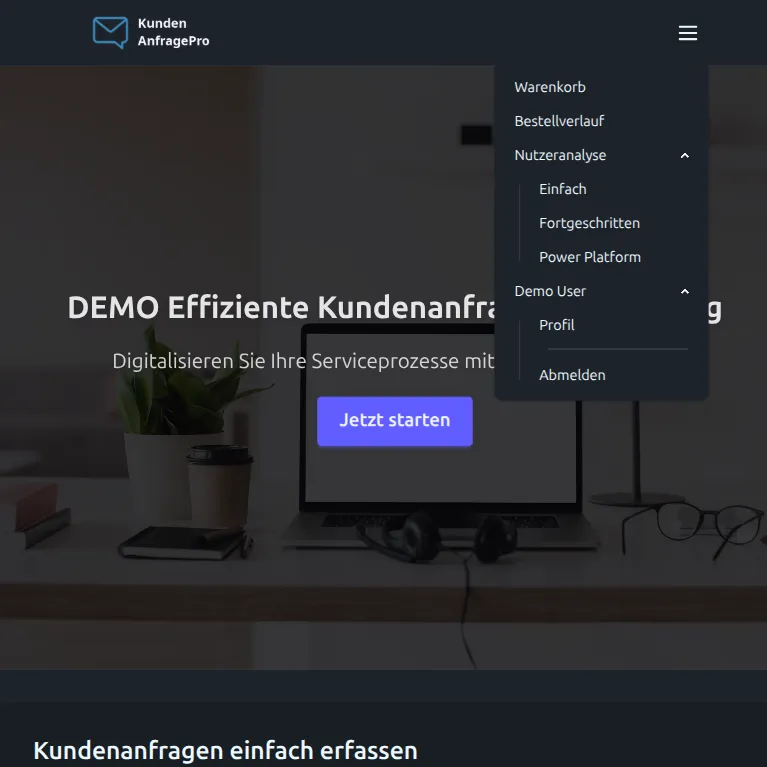
Header and navigation
Rebuilding portal navigation with dynamic link synchronisation and keyboard support.
Same functionality, new design
Sign-in status, the user menu and dynamic page links were rebuilt without depending on Bootstrap classes.
Automatic synchronisation
Navigation links maintained in Power Pages continue to appear automatically in the header.
Accessible mobile navigation
Clear mobile menu with predictable keyboard navigation and appropriate ARIA attributes.
Technology stack
Frameworks, cloud services and interfaces used in the showcase project.
TailwindCSS v4
Utility-first CSS framework for lean, maintainable interface styling.
DaisyUI v5
Component foundation for consistent forms, dialogs and status messages.
Chart.js
JavaScript library for interactive canvas-based charts.
Stripe API
Payment service for secure Checkout sessions.
Power Automate
Workflow engine for payment processing and order workflows.
Azure Functions
Serverless processing for data aggregation and transformation.
Application Insights
Telemetry and monitoring service for usage data.
Microsoft Dataverse
Central data storage for products, carts and reports.
Power Pages Web API
Interface for direct read and write operations from the browser.
Consent Management
Consent control before loading external telemetry services.
Azure Logic Apps
Scheduled transfer of aggregated telemetry data to Dataverse.
Liquid and FetchXML
Server-side data queries within Power Pages templates.
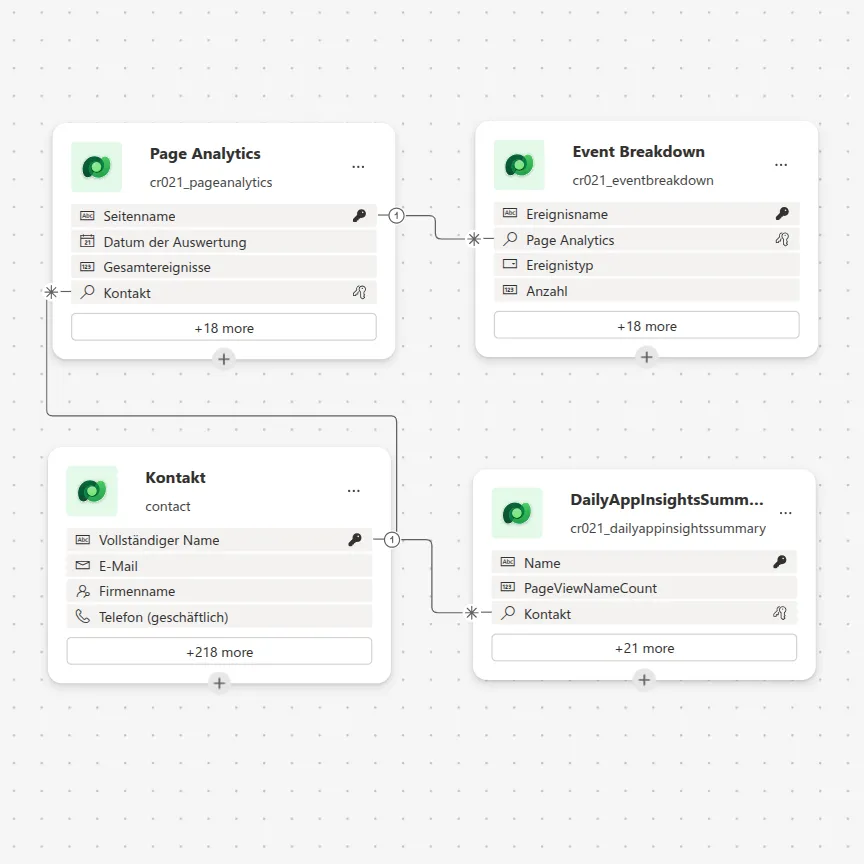
Dataverse data model
Normalised table model for the product catalogue, cart, orders and aggregated telemetry.
Custom data model based on Power Pages
E-commerce entities
Tables for products, carts, cart history and order confirmations are modelled with clear relationships.
Analytics entities
Custom tables for daily summaries, event distributions and page views enable fast reporting.
Automated workflows
Power Automate flows and Azure services connect the cart, payment status and daily data aggregation.
Lessons learned
Architectural findings from implementing a complete e-commerce and analytics solution on Power Pages.
Modern UX on a low-code foundation
A thorough understanding of the platform enables modern web applications on Power Pages without switching platforms.
Independent frontend layer
Power Pages handles authentication and data storage, while TailwindCSS v4, DaisyUI v5 and Chart.js drive the interface.
End-to-end business processes
The cart, Stripe payments, Application Insights, Azure Functions and Dataverse work together as an end-to-end process.
Web API for real-time interaction
Direct API calls provide immediate cart feedback without a full page reload.
Hybrid cloud architecture
Azure Functions and Logic Apps complement Power Pages where background aggregation and external services are needed.
Control over standard forms
Detailed knowledge of the native form engine enables custom sign-in and registration pages while fully retaining platform security.
Similar requirements for your portal?
Describe your workflow. Together, we will identify the right next step.
Discuss your workflow