Load Application Insights in Power Pages only after consent
Load Application Insights in Power Pages only after consent: the SDK lifecycle, withdrawal, renewed consent and an important technical limitation.
Contents
- Why static SDK scripts bypass control
- How the adapter activates telemetry
- What happens to user context and cookies
- What withdrawal actually ends
- Where a race arises during SDK download
- How rejection, consent and withdrawal affect behavior
Why static SDK scripts bypass control
I load Application Insights only after positive consent. The adapter adds both SDK scripts dynamically and creates the instance only once they have loaded. If an SDK script was added statically beforehand, the browser may already have sent network requests. Later withdrawal does not undo those requests.
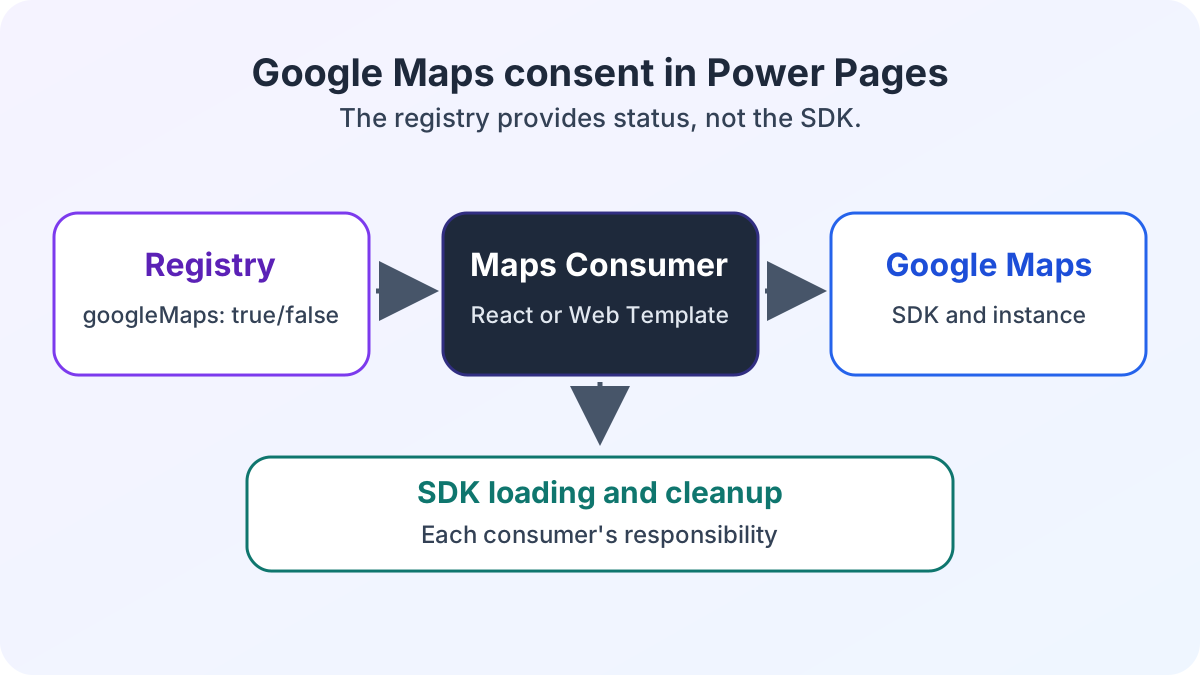
The adapter controls only its own loading process. Any inclusion outside this adapter remains unaffected. Consent and the technical runtime are separate states.
How the adapter activates telemetry
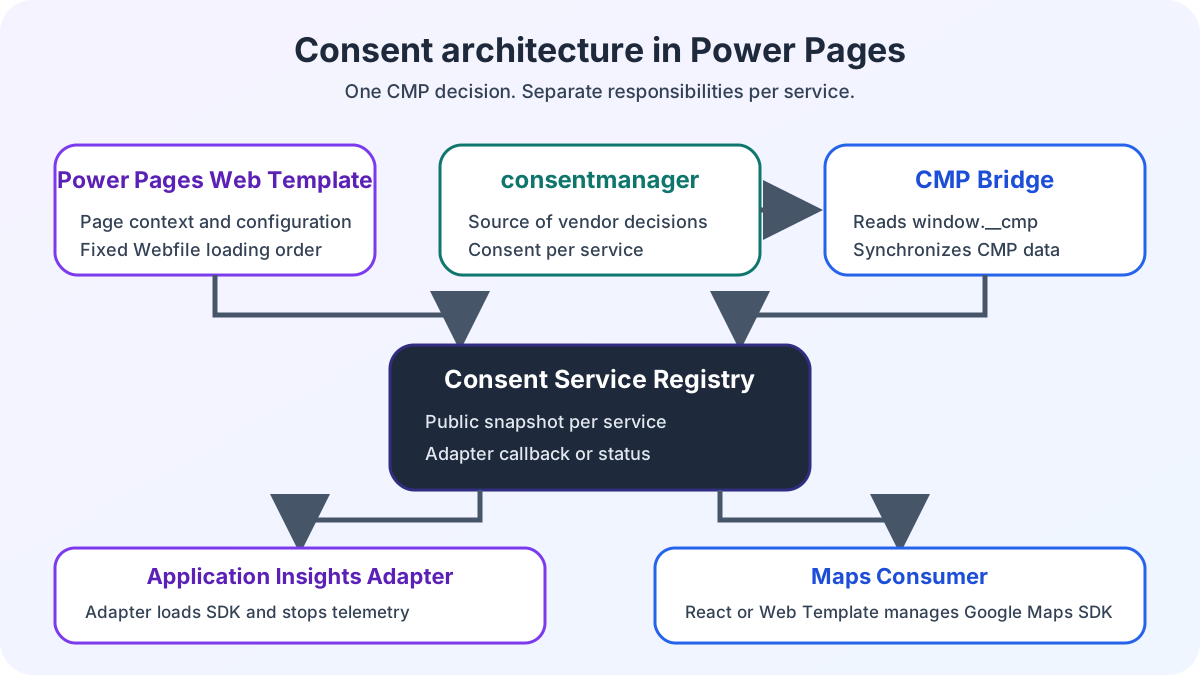
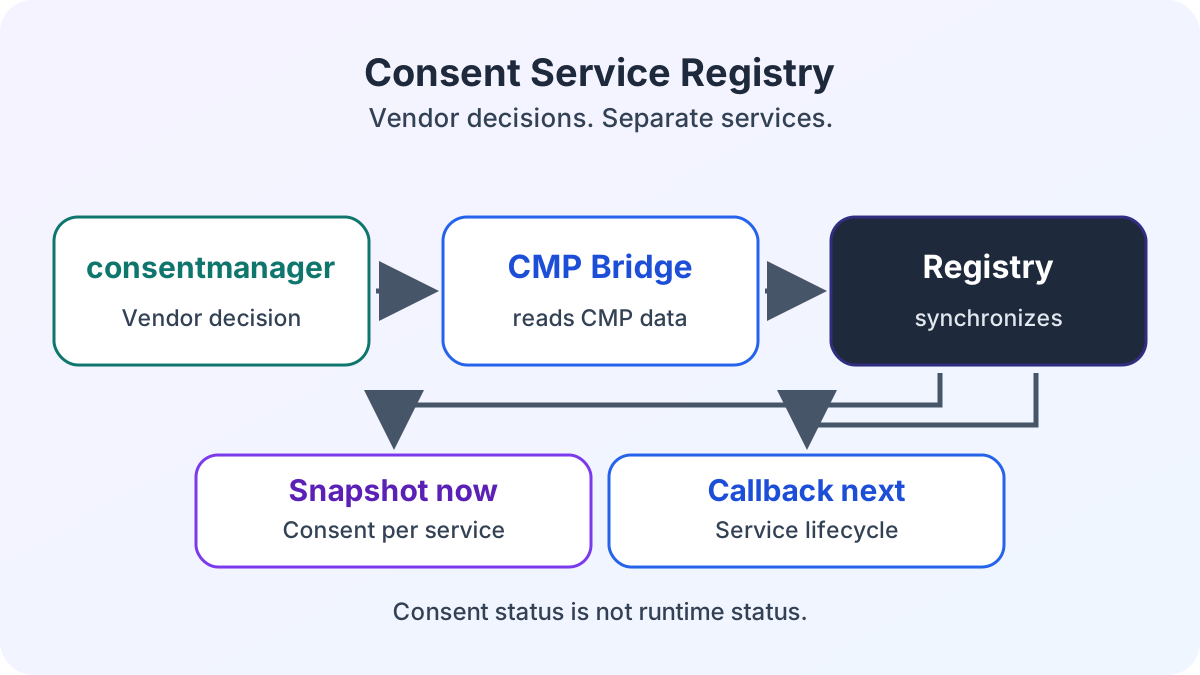
The CMP bridge synchronizes consent with the consent service registry. When consent is positive, the registry queues the Application Insights adapter’s enable callback. This callback loads both SDK scripts in sequence:
https://js.monitor.azure.com/scripts/b/ai.3.gbl.min.jshttps://js.monitor.azure.com/scripts/b/ext/ai.clck.3.gbl.min.js
ensureApplicationInsightsSdk() shares an in-flight loading Promise between concurrent calls. If both SDKs are already available, no further download starts. If loading fails, the adapter resets the Promise. A later synchronization can retry loading.
Only after both scripts have loaded does initializeTelemetry() create the Application Insights instance. The adapter loads it with loadAppInsights(), registers the telemetry initializer and sends the first page view. It then exposes tracking functions through window.telemetry.
The registry publishes the consent snapshot before lifecycle callbacks finish. A value of true therefore confirms consent, not an active telemetry lifecycle. The architecture overview for Power Pages and React explains these responsibilities in context.
What happens to user context and cookies
The adapter sets user context only if the configuration contains an authenticatedUserId. It uses setAuthenticatedUserContext() and passes an optional account ID. The third argument allows the SDK to store user context in a cookie for the current session. Actual identities and configuration values do not belong in a public example.
After initialization, window.telemetry provides functions for events, page views, exceptions and traces. On withdrawal, the adapter removes this global interface again. It is therefore available only while a telemetry instance exists.
What withdrawal actually ends
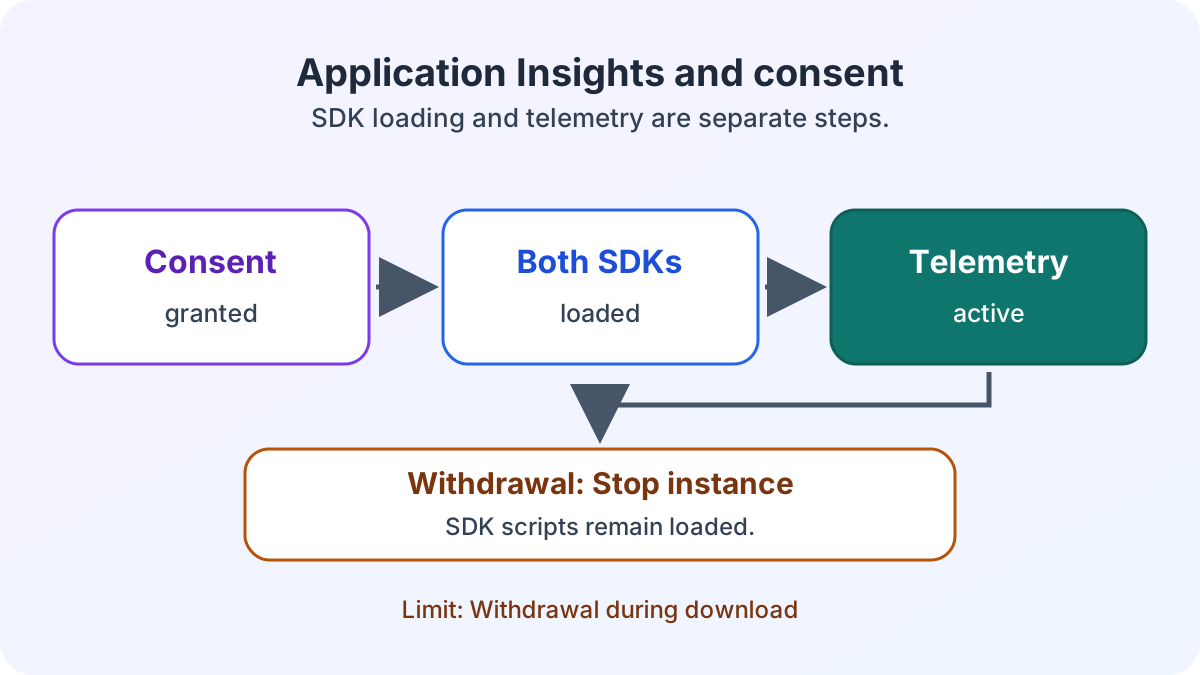
unloadTelemetry() first calls flush(). The adapter then clears the authenticated user context, ends the instance with unload(true), removes the ai_user and ai_session cookies and deletes window.telemetry.
The SDK scripts already loaded remain in the DOM. On renewed consent, the adapter recognizes the available SDK globals and does not download the scripts again. It creates a new telemetry instance.
Where a race arises during SDK download
If a user withdraws consent during SDK download, the disable callback waits behind the running enable callback. The download is not aborted. Afterward, initializeTelemetry() does not check consent again. As a result, trackPageView() can still execute before disable ends the instance. Immediate blocking requires another consent check before creating the instance.
How rejection, consent and withdrawal affect behavior
On rejection, getSnapshot().applicationInsights is false. Without prior consent, the adapter does not request either SDK. After consent, it loads the scripts in the order described. The snapshot describes consent. By contrast, window.isTelemetryInitialized() reports whether an instance already exists. While a callback is running, these values can differ.
The ECE case study on Power Pages enterprise search shows the project context for the Application Insights adapter.
Once the disable callback has completed, window.telemetry is removed. The adapter also deletes the ai_user and ai_session cookies. The script elements nevertheless remain in the DOM. On renewed consent, the adapter creates a new instance without requesting the already available SDK scripts again. Withdrawal during an ongoing SDK download remains subject to the race described.
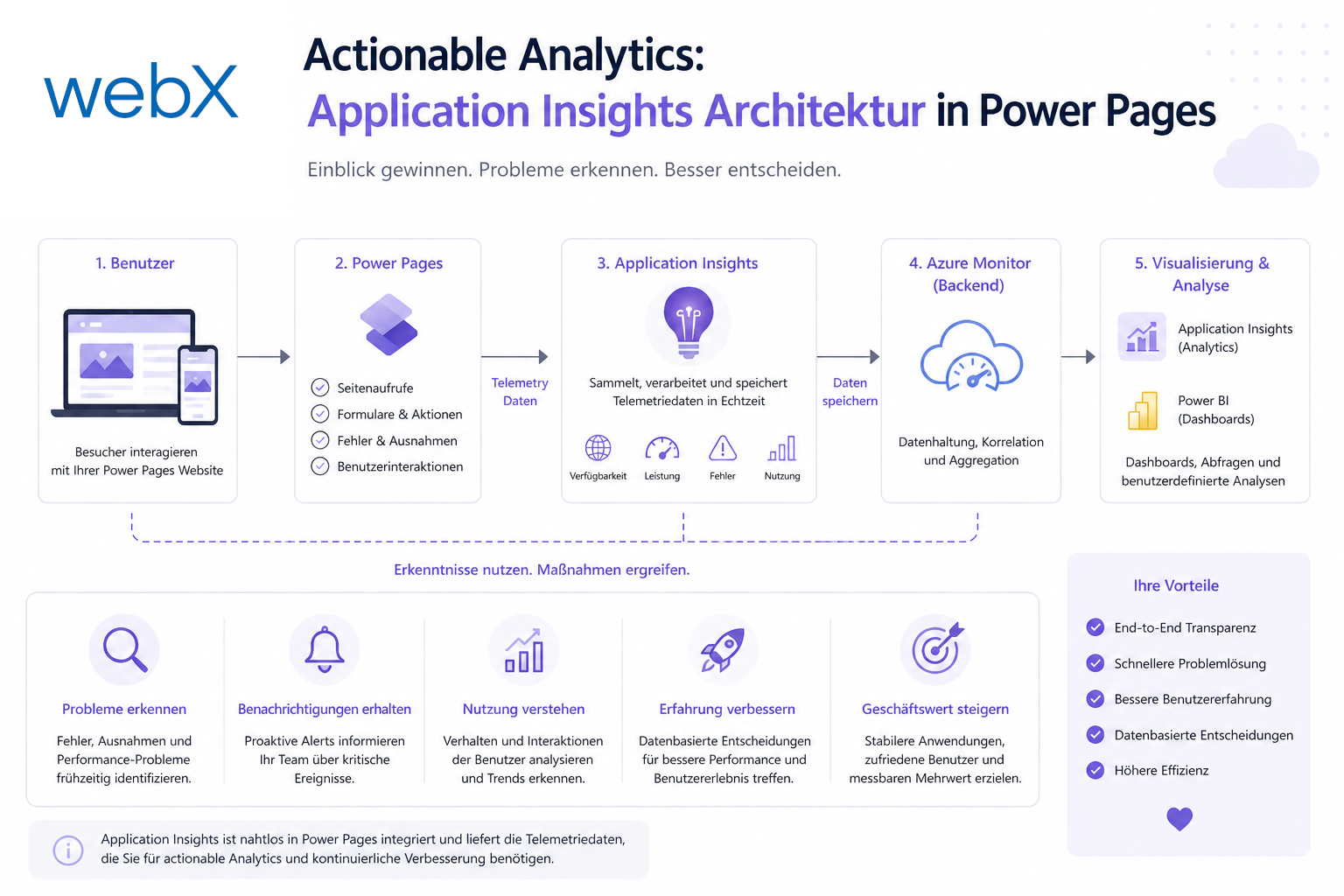
For enterprise portals, this separation makes responsibility traceable. The CMP provides the decision, the registry publishes the status, and the adapter controls Application Insights. This is a technical architecture decision, not a guarantee of legal compliance. The existing analytics architecture with Application Insights covers analysis and dashboards. If you want to review your Power Pages portal’s consent lifecycle, let us assess the responsibilities together.