Google Maps in Power Pages with React and Web Templates
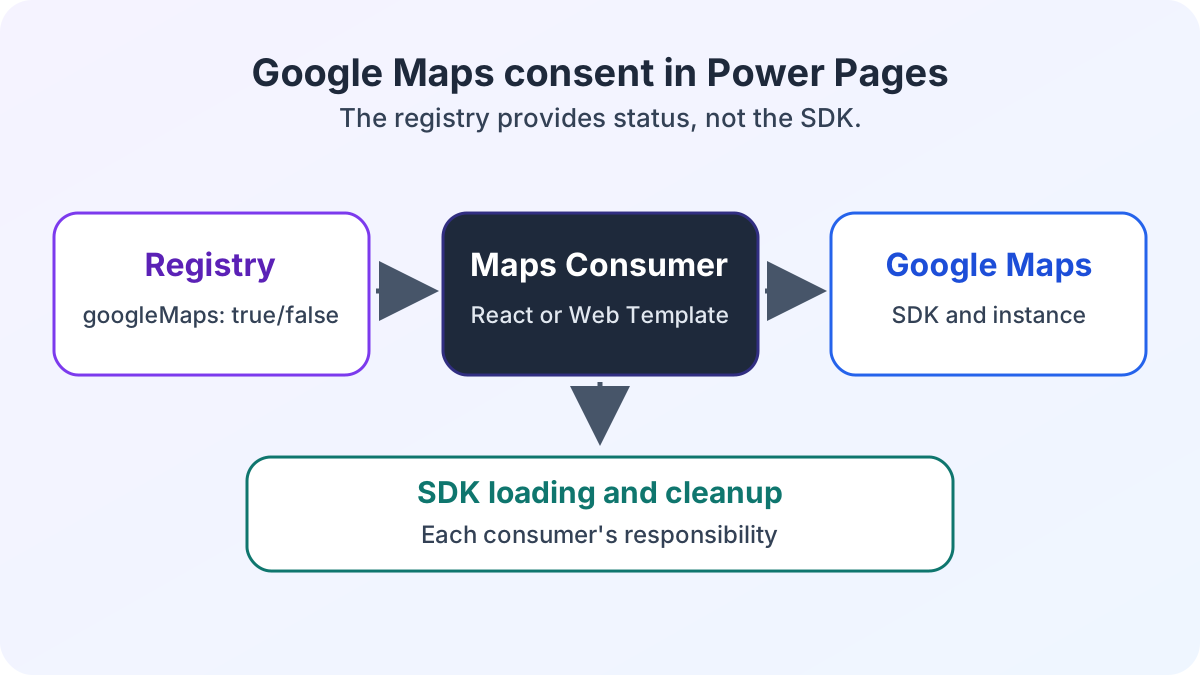
Load Google Maps in Power Pages only after consent. React and Web Templates on detail pages share the same consent status for the SDK and Google Maps instance.
Contents
- How Google Maps starts in React and on Power Pages detail pages
- How React and the Web Template read consent status
- Who manages the Google Maps lifecycle
- Which limits remain after withdrawal
- When the architecture is worthwhile for other services
How Google Maps starts in React and on Power Pages detail pages
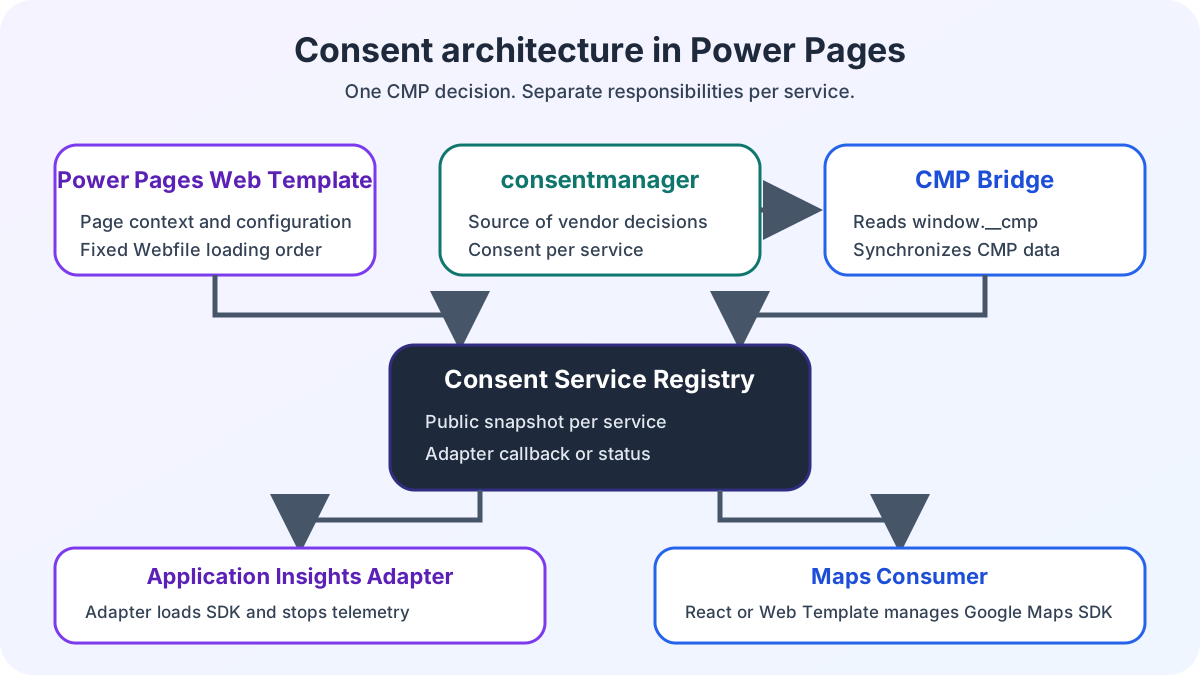
I embed Google Maps both in a React application and through a Power Pages Web Template on a detail page. Both variants use the same consent status from the registry. Only after consent is granted does the respective consumer load the Google Maps SDK and display Google Maps.
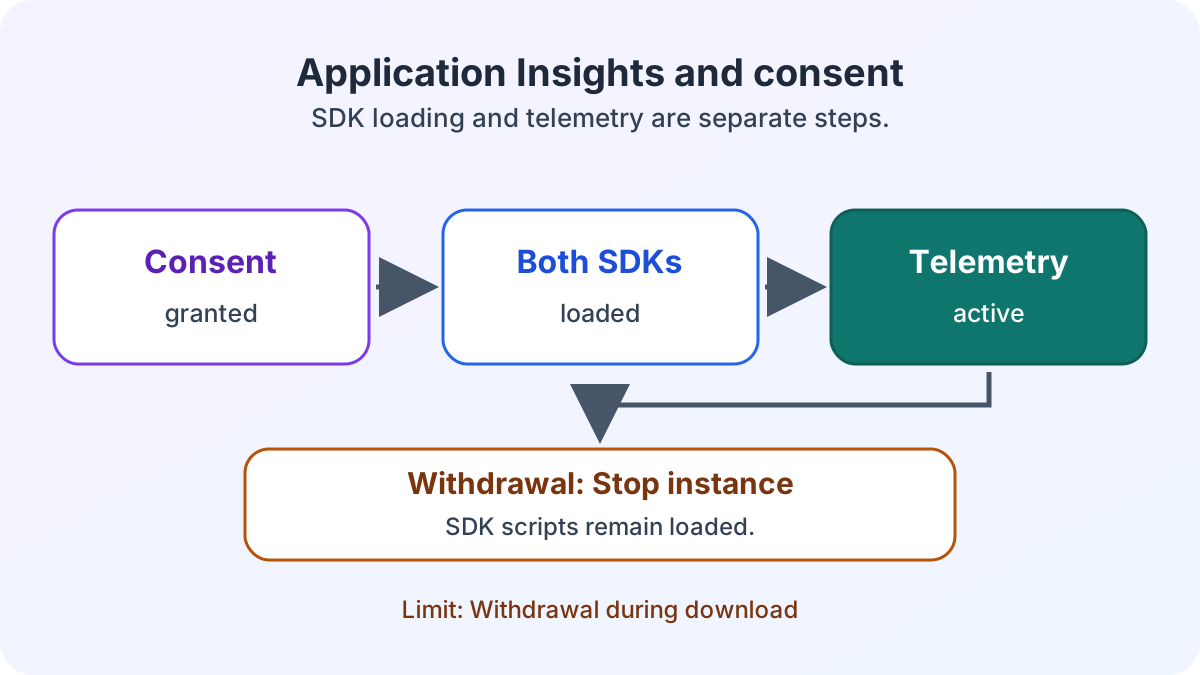
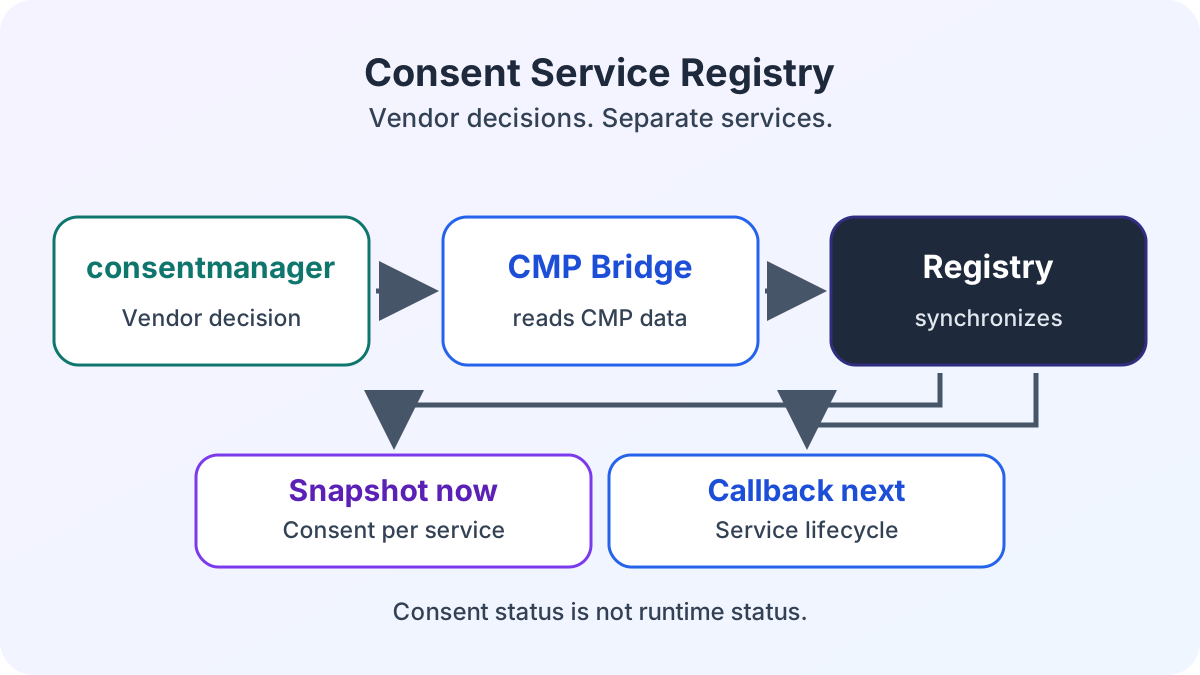
The consent service registry publishes only consent status for Google Maps. Unlike the Application Insights adapter, Google Maps has no enable and disable callbacks in the registry. Loading the SDK and managing the Google Maps instance remain the responsibility of each consumer.
The Power Pages Web Template maps googleMaps to a vendor ID. consentmanager remains the source of the consent decision. The registry translates that decision into a Boolean. It neither loads a Google Maps SDK nor cleans up a Google Maps instance.
The consent service registry and its browser methods describe the status contract. The Application Insights article shows the other case, in which an adapter manages the SDK lifecycle.
How React and the Web Template read consent status
window.consentServices.getSnapshot() returns a frozen snapshot with a Boolean for each service. googleMaps describes only consent. Until CMP data has synchronized, the value is false. The following excerpt shows the shared browser API for both consumers:
const currentConsent = window.consentServices.getSnapshot().googleMaps;
window.addEventListener('consentserviceschange', (event) => {
  console.log(event.detail.googleMaps);
});
At startup, the consumer reads the snapshot and adopts subsequent values from event.detail.googleMaps into its local state. The registry can dispatch the event again even when the snapshot is unchanged. Therefore, replace the local value from event.detail rather than treating every event as a change.
A value of true confirms only consent, not completion of SDK loading or an active Google Maps instance. The article on React Web Template configuration explains how the React application is embedded in Power Pages. That app configuration does not replace vendor mapping in the consent Web Template.
Who manages the Google Maps lifecycle
In the React application, the component connects consent status to its lifecycle. On mount, it reads the snapshot and registers the event listener. After consent, it loads the SDK and creates the Google Maps instance. On unmount, it removes the listener and cleans up that instance.
On the detail page, JavaScript in the Power Pages Web Template takes this role. The template provides the container for Google Maps. The consumer reads the same snapshot and reacts to the same change event as React. The detail page does not need a React component for this.
On withdrawal, each consumer responds to the changed status and stops further use of its Google Maps instance. The registry publishes the decision but handles neither loading nor cleanup of Google Maps.
Which limits remain after withdrawal
Withdrawal does not undo requests already sent. Removing a Google Maps container also does not mean that a loaded SDK has been unloaded from the browser. Consent status, Google Maps instance and SDK therefore remain separate states.
The ECE Power Pages enterprise search case study places this implementation in the portal context. Google Maps displays locations in the React application and on a detail page with a Power Pages Web Template.
If you use this approach in your own Power Pages portal, check rejection, acceptance and withdrawal in both variants. When consent is denied, the consumer must not start an SDK request. After consent, it loads the SDK and displays Google Maps. On withdrawal, inspect consent status, the Google Maps instance and network traffic separately.
When the architecture is worthwhile for other services
When Power Pages uses several external services through Liquid, JavaScript and React, the shared browser contract provides a consistent source of consent. Responsibility for the runtime lifecycle still remains with the relevant adapter or consumer. For Google Maps, this is the React application or the detail page Web Template’s JavaScript. For Application Insights, the separate adapter shows how registry callbacks start and stop the service.
The Power Pages consent management architecture overview places both responsibilities in context. If you would like to assess the consent boundary and cleanup in your portal, let us review the implementation together.