Building a consent service registry in Power Pages
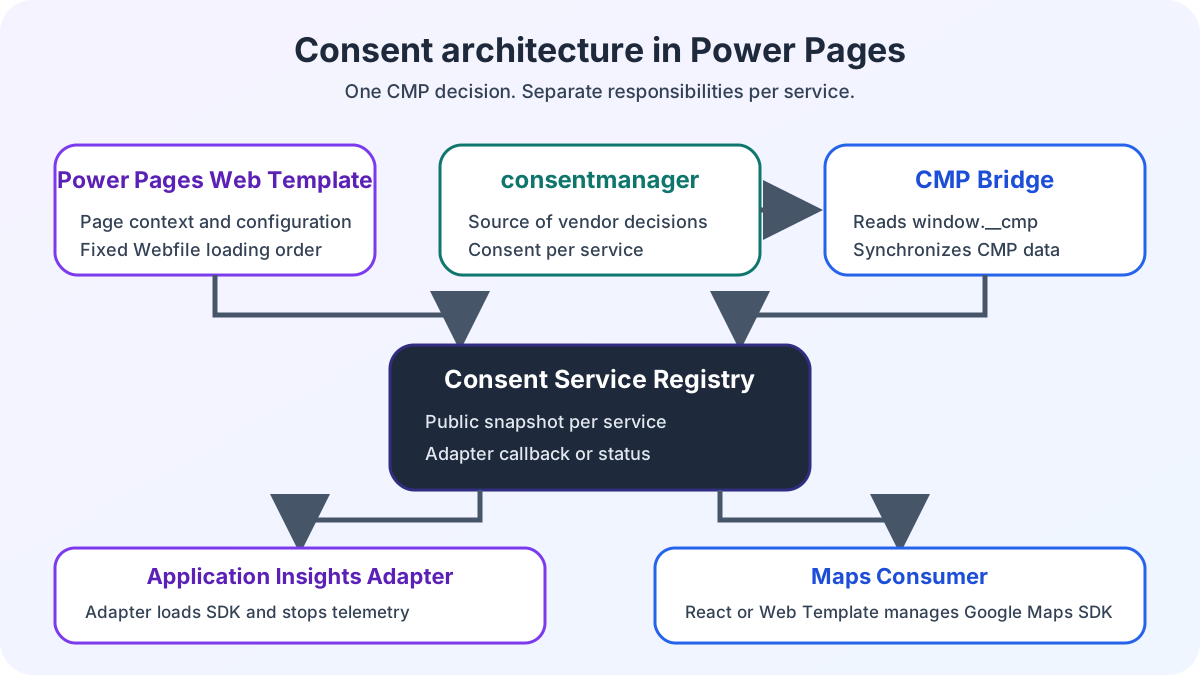
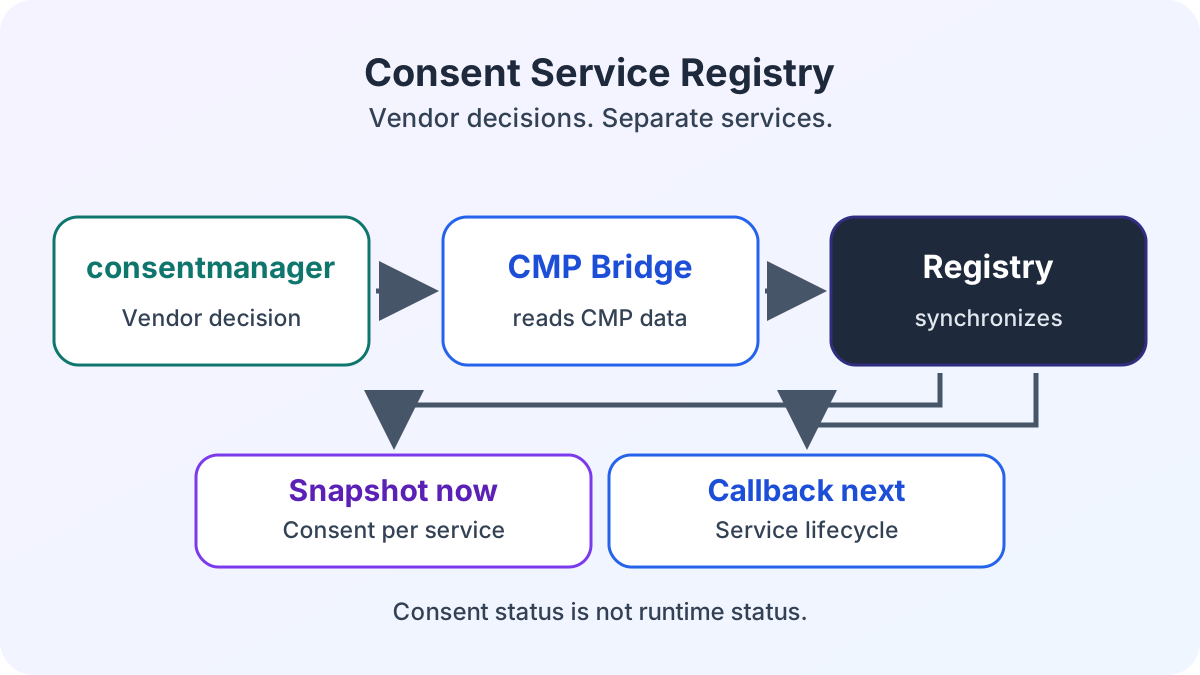
A consent service registry connects consentmanager to Power Pages and React. Vendor IDs, snapshots and events control each service separately.
Contents
- Why individual scripts have no shared consent state
- Which configuration the web template provides
- How the registry publishes decisions
- How consentmanager synchronizes the registry
- When setConsent may save a decision
- What happens on errors and late registration
Why individual scripts have no shared consent state
I connect consentmanager and Power Pages through window.consentServices. The web template maps each service to a vendor ID. The CMP bridge synchronizes consent data with the registry. React and ordinary JavaScript read the same Boolean snapshot, while each service retains its own lifecycle.
If every script queries CMP state independently, separate checks emerge in Liquid, browser JavaScript and React. A shared contract reduces this coupling. The architecture overview for Power Pages and React places the registry within the other responsibilities.
Which configuration the web template provides
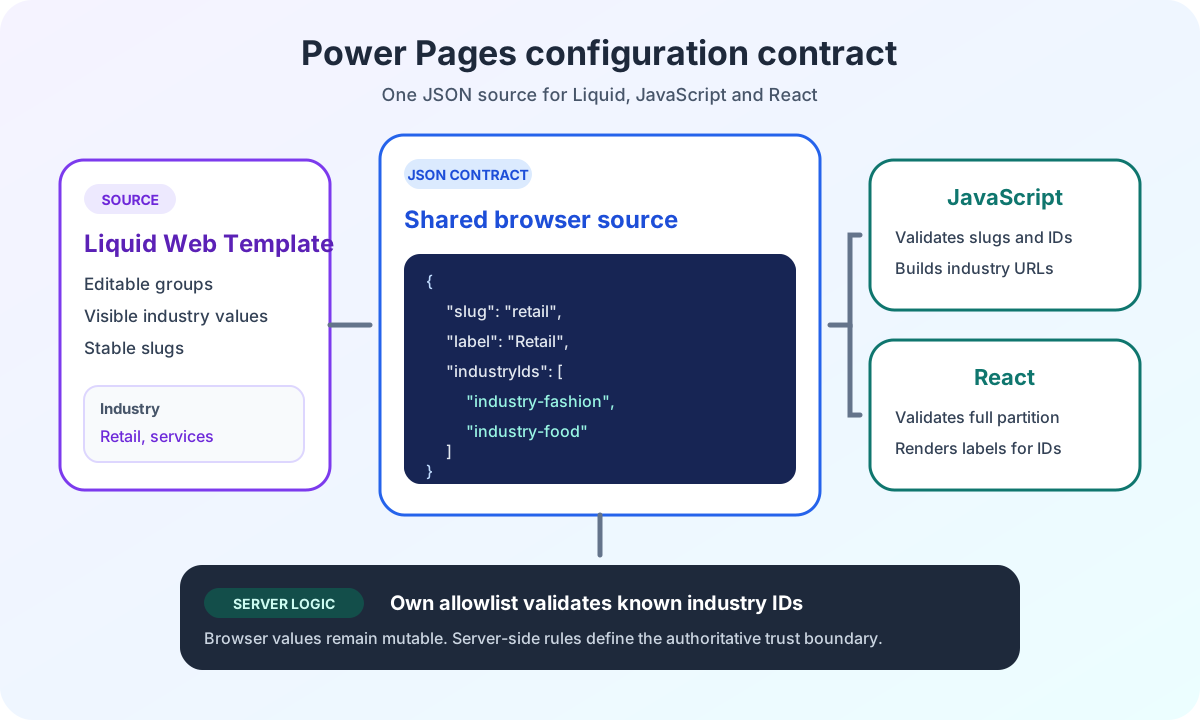
The web template keeps the mapping between registry key and vendor ID outside the React bundle. The following IDs are anonymized examples:
window.__CONSENT_SERVICES_CONFIG__ = {
  applicationInsights: { vendorId: 'vendor-analytics' },
  googleMaps: { vendorId: 'vendor-maps' },
};
The Power Pages React web template configuration describes the host contract. Consent configuration remains separate from it.
The key applicationInsights names the service in the browser contract. The vendorId refers to the associated entry in consentmanager. Mapping vendors and cookies to purposes in the CMP is a separate configuration. The documentation on vendor configuration in consentmanager describes this CMP side.
After the inline context, the web template loads the three web files in this order:
<script src="~/consent-services.js"></script>
<script src="~/application-insights-consent.js"></script>
<script src="~/consentmanager-bridge.js"></script>
The registry first registers configured services. The Application Insights adapter then adds its lifecycle callbacks. Only afterward does the bridge start CMP synchronization.
How the registry publishes decisions
An adapter registers its responsibility through the registry. This example uses neutral configuration from the web template:
window.consentServices.registerService({
  key: 'applicationInsights',
  vendorId: window.__CONSENT_SERVICES_CONFIG__.applicationInsights.vendorId,
  enable: window.initializeTelemetry,
  disable: window.unloadTelemetry,
});
getSnapshot() returns a frozen Boolean snapshot for all registered services. The custom consentserviceschange event contains the complete snapshot in event.detail. Missing vendor consent or consent not yet read is treated as false. The registry can emit the event again even when the snapshot has not changed. Consumers should therefore replace their state from event.detail rather than toggle a value on every event.
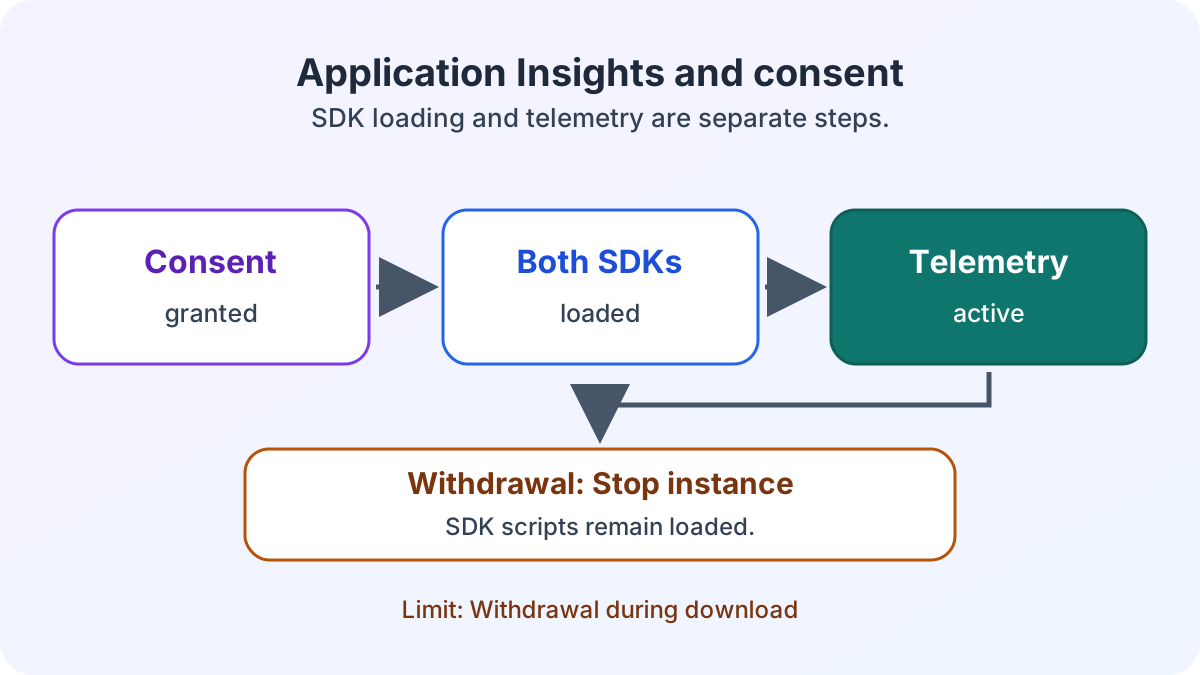
A callback controls the technical lifecycle. By contrast, the snapshot describes consent only. A value of true does not confirm that an SDK has loaded or that a service is active.
The ECE case study on Power Pages enterprise search places the developed consent service registry within the surrounding portal. The vendor IDs in this article remain anonymized examples.
How consentmanager synchronizes the registry
The CMP bridge polls for window.__cmp at an interval of 100 milliseconds. It has no timeout. As soon as the public API becomes available, the bridge registers listeners for settings and consent and starts an initial synchronization. The consentmanager event documentation describes these listeners and events. The public consentmanager JavaScript API documents __cmp and the available commands.
During the initial synchronization and later events, the bridge calls window.__cmp("getCMPData") once and passes the result to window.consentServices.synchronize(cmpData). The registry checks vendorConsents[vendorId] === true, immediately publishes the complete snapshot and then waits for lifecycle callbacks.
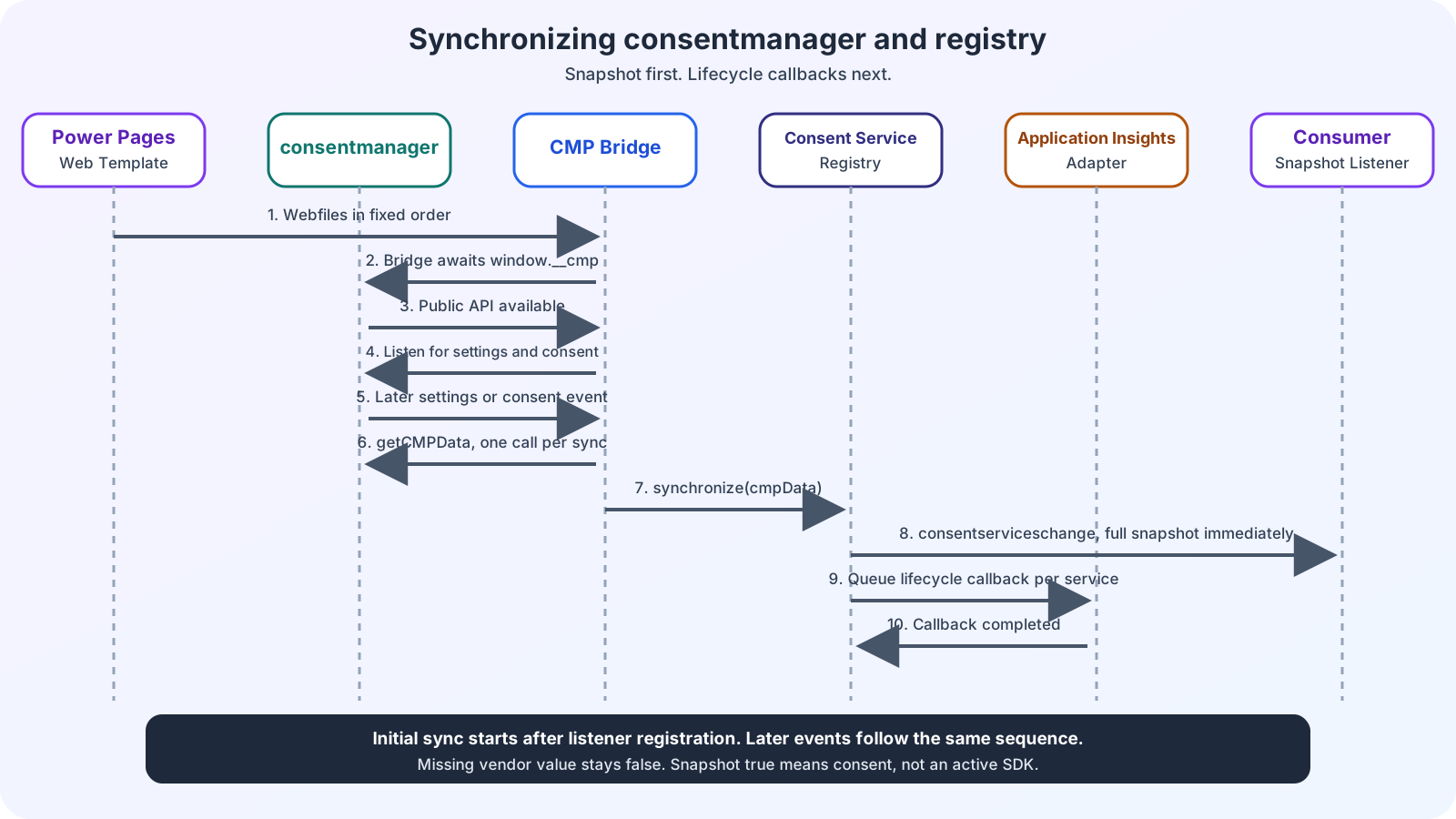
The diagram shows the initial synchronization after listener registration and the same sequence for later CMP events. A missing vendor value remains false. A published true still describes consent status only. It does not prove that an SDK has started.
When setConsent may save a decision
setConsent() is intended for an explicit user action. Call the method only after a person has selected a consent option. Calling it automatically at page startup would no longer tie the decision to that action.
The registry calls setVendorConsent through the public __cmp API for this purpose. It passes the vendor ID and 1 or 0, then reads window.__cmp("getCMPData") again and synchronizes the registry. A manually dispatched consentserviceschange event does not save a CMP decision and is not a substitute for setConsent().
What happens on errors and late registration
Invalid registrations, unknown service keys and invalid CMP data cause errors. If a lifecycle callback fails, the registry logs the error to the console. It does not change the CMP decision as a result. A snapshot can therefore remain true even though the service is not running.
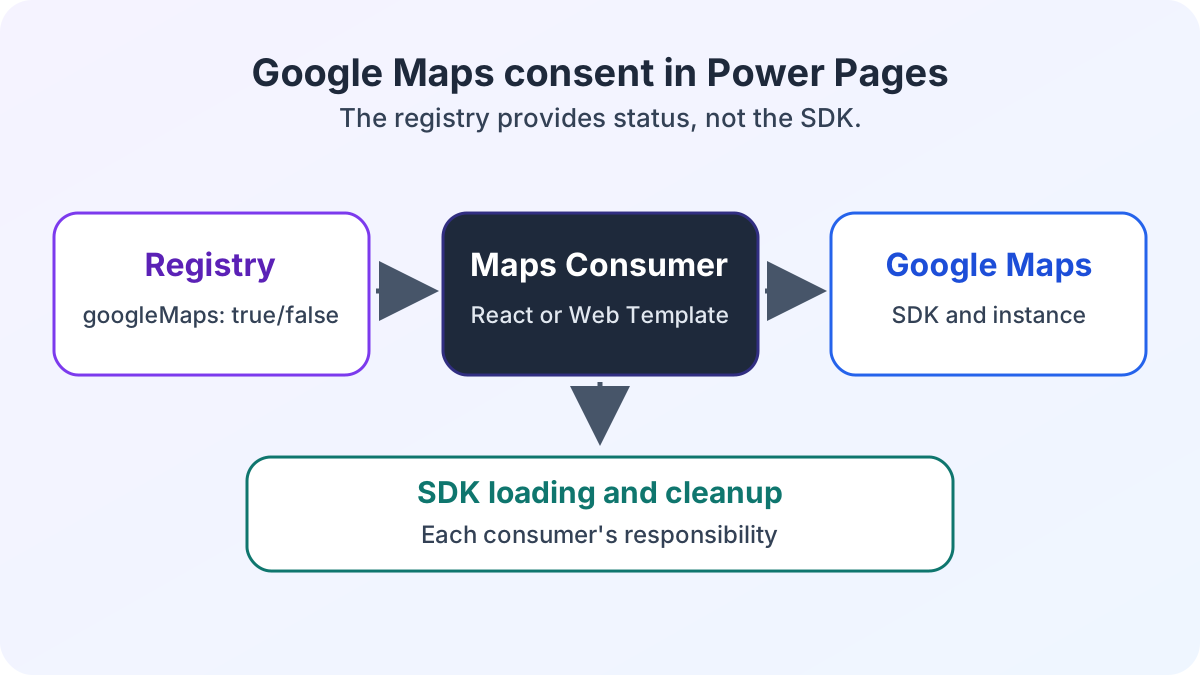
If a service registers after the bridge has already read CMP data, the registry evaluates it again using that current data. React widgets loaded later can therefore use the same contract. The article on Google Maps in Power Pages with React and web templates shows how the React application and JavaScript on a detail page use this status without registry lifecycle callbacks.
This separation gives each team a clear interface without repeating CMP queries and service lifecycles in every component. In the next deep dive, I describe the Application Insights lifecycle and withdrawal. Are you extending a Power Pages portal with external services? Let us review the responsibilities together.