Actionable Analytics with an Application Insights architecture in Power Pages
Why conventional logging approaches often fall short in low-code portals and how asynchronous Azure Functions and Dataverse generate GDPR-compliant user dashboards.
Contents
- Data silos with no practical value
- From raw data to actionable insights in Power Pages
- The architectural aggregation pipeline
- Data needs a clear purpose
Data silos with no practical value
Adding Azure Application Insights provides a solid foundation for professional monitoring in Power Pages. While older portals using the classic standard data model still offered a native connection, the modern enhanced data model requires an explicit architectural step. To capture tracking data at all, the Application Insights SDK and its specific configuration must be added through a central content snippet.
For an overview of the official capabilities and limitations of analytics in Power Pages, the Microsoft documentation on Power Pages Analytics is a reliable reference.
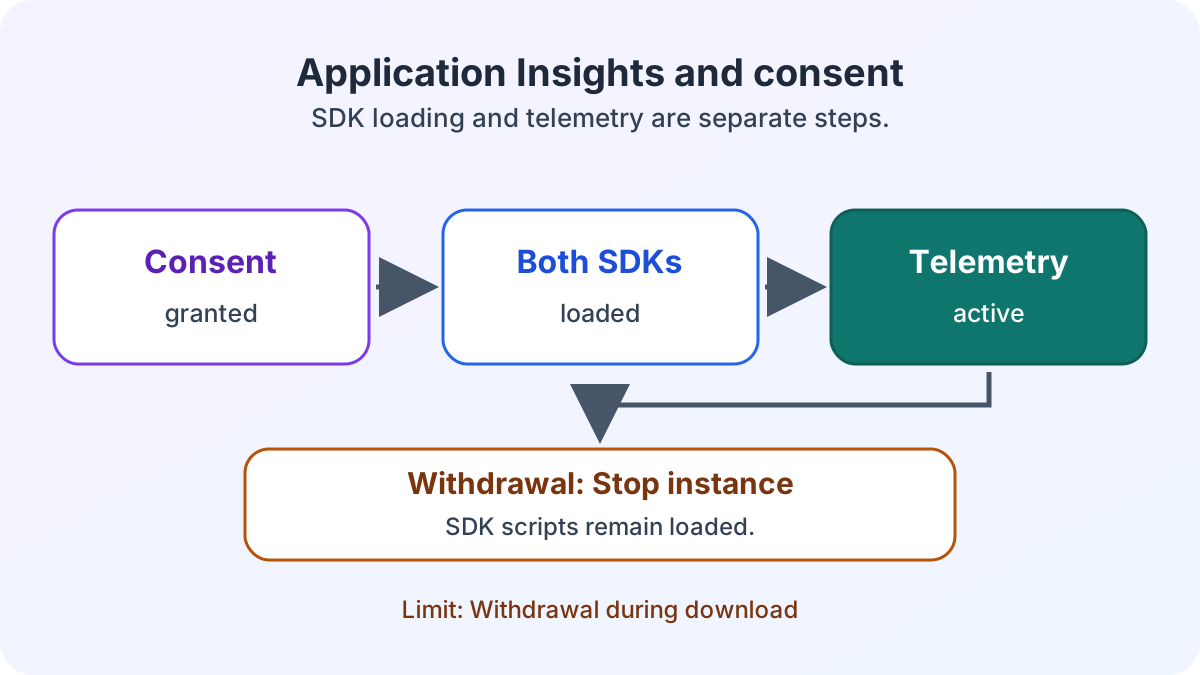
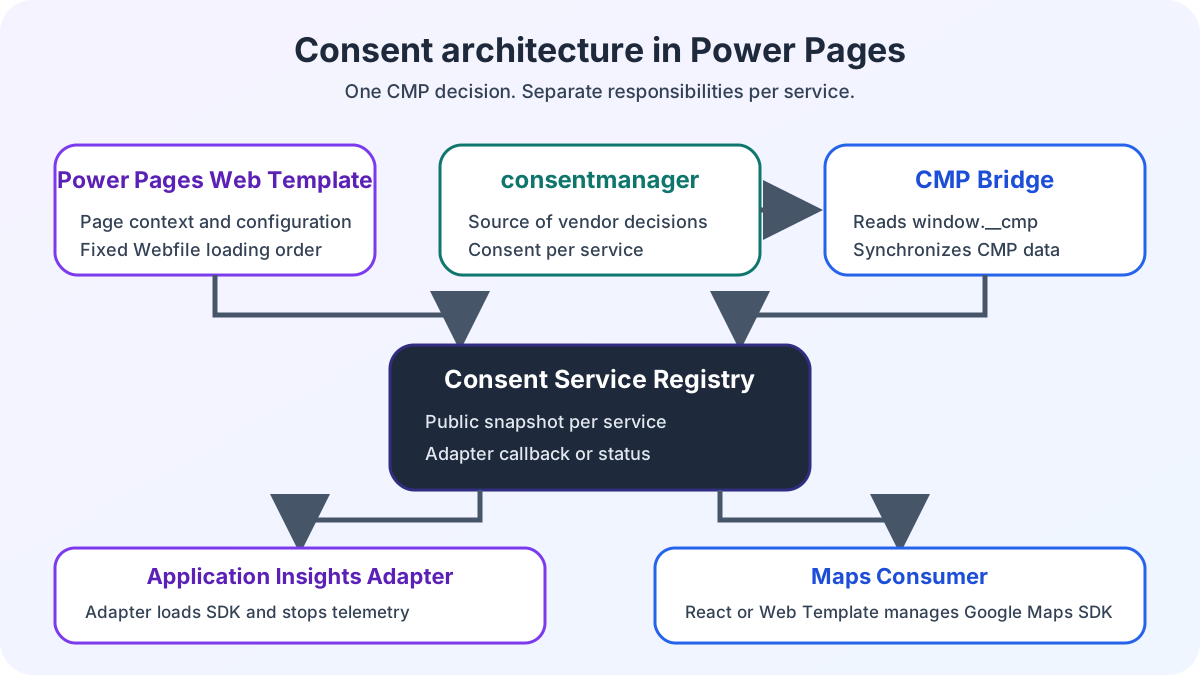
Although data is collected, it is usually used only by IT infrastructure teams to troubleshoot acute problems. The strategic level, analyzing portal users, remains unused. Without targeted processing, valuable click paths and logs become an unused data collection. The case study on web tracking in Power Pages with consent describes the technical architecture. Consent control alone does not demonstrate legal compliance. The Application Insights consent lifecycle explains why the SDK is loaded only after consent and what technical limitation applies to withdrawal.
From raw data to actionable insights in Power Pages
For our current e-commerce showcase, the objective was therefore not to build another abstract telemetry hub. Instead, we developed an interactive approach. Every portal user should be able to derive valuable insights for their own business process directly from individual sessions.
Rather than confronting system administrators with Kusto queries, we return the data to where it originates. It flows directly into the Power Pages application’s user interface. To render these demanding data volumes efficiently in the frontend, we use a hybrid Power Pages architecture with React that enables asynchronous rendering at enterprise level.
The architectural aggregation pipeline
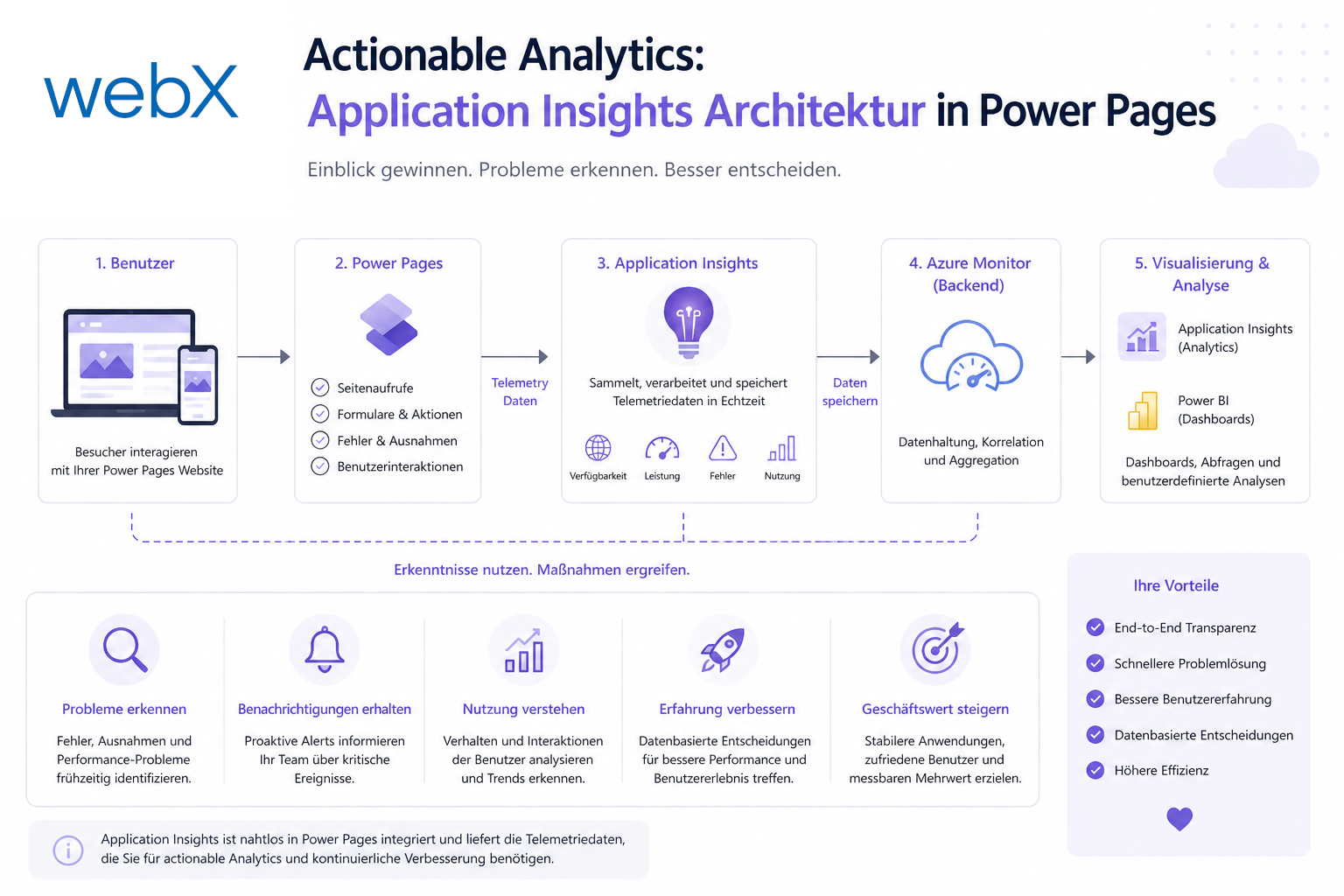
To turn large volumes of telemetry data into understandable metrics, we established a decoupled middleware layer. The process strictly separates capture from presentation:
- Detailed capture: We continuously log every important API request and every cart abandonment precisely in Application Insights.
- Asynchronous transformation: Dedicated Azure Functions retrieve this raw data nightly, calculate important totals and clean up the records.
- GDPR-compliant storage: The processed and anonymized statistics are written back to dedicated Microsoft Dataverse Analytics tables.
- Personal reporting: The frontend displays this data asynchronously as personal dashboards. Our detailed Power Pages portal project documentation provides concrete insights into this user interface in its extensive analytics section.
The project documentation for the Dataverse model explains in detail how Application Insights data is assigned to individual users and protected through table permissions in new Dataverse tables. Each signed-in user can therefore transparently view only their own usage data.
Data needs a clear purpose
The architectural principle of this project can scale to any enterprise portal. Collecting data without processing it afterward primarily creates unnecessary costs. Only by feeding insights back into daily processes do plain logs become a strategic tool for Power Pages.
Processing data intelligently with Azure Functions and adding clearly structured dashboards to your Power Pages ecosystem takes the portal to a new level. Securely connecting other business processes, such as payment processing through Stripe, also benefits greatly from this holistic monitoring approach.
Looking for a way to put your portal data to strategic use? Take a look at my reference projects, or let us discuss how to optimize your analytics architecture for the future.