Enterprise payment integration with secure Stripe checkouts through Power Automate in Power Pages
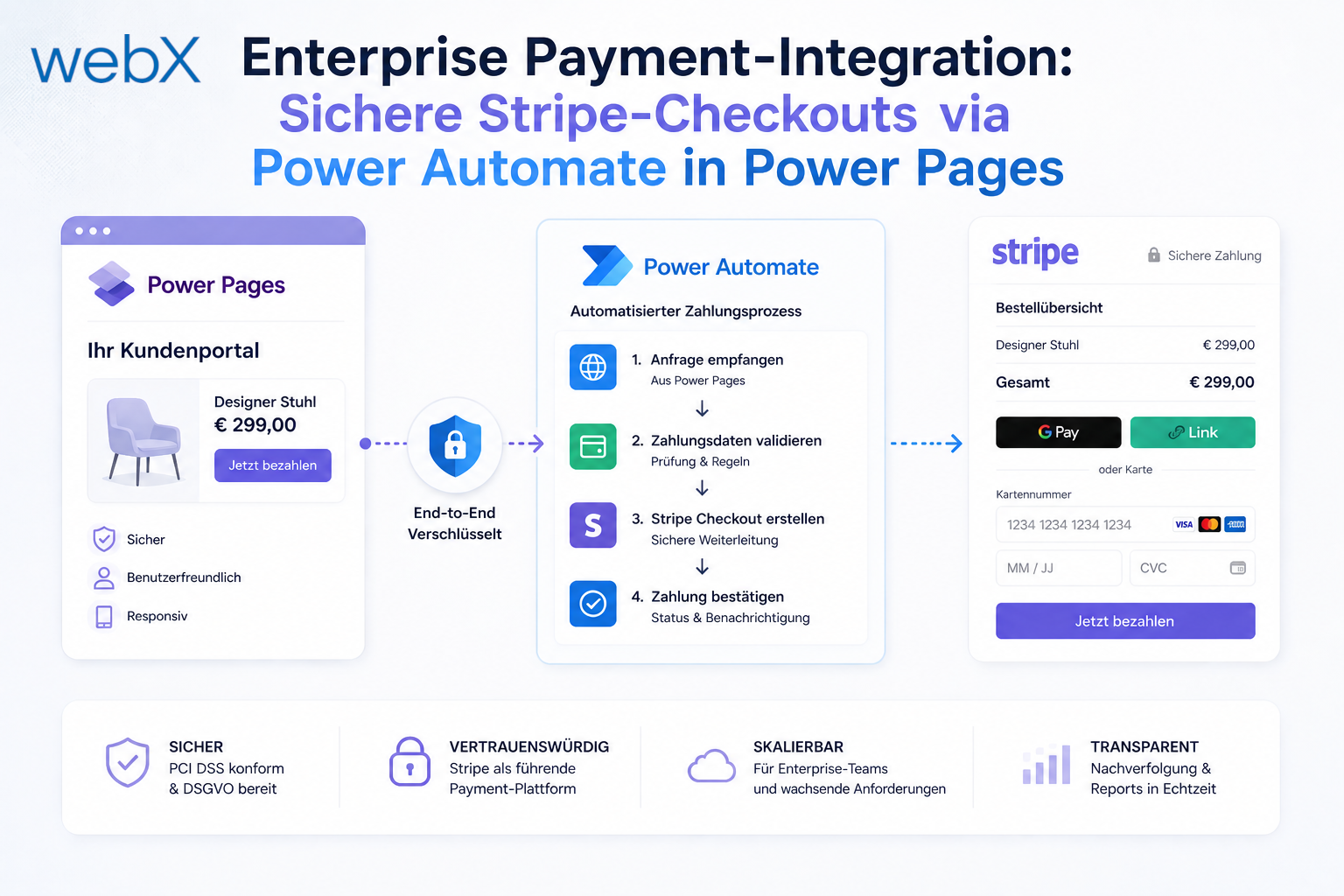
How to implement PCI-compliant payment processes in low-code platforms. An architectural deep dive into server-side Stripe orchestration through Power Automate.
Contents
- The security-critical question in low-code payments
- Server-side orchestration through Power Automate
- Webhook synchronization and ERP simulation
- System separation for maximum security
The security-critical question in low-code payments
As soon as business processes in a Power Pages portal move into e-commerce, the IT architecture faces a decisive question. Can PCI-compliant (Payment Card Industry), secure payment processes be implemented reliably on a low-code platform?
The short answer is yes. The practical answer is also yes, but under no circumstances through a simple set of client-side JavaScript snippets.
Our latest e-commerce showcase required native credit card processing through Stripe. Microsoft offers a native payments integration through multistep forms, but this standard approach quickly reaches its limits in complex enterprise processes. Injecting sensitive API keys or checkout routines into the portal’s open frontend would also create a catastrophic security risk. Enterprise security requires strict separation between frontend logic and payment authorization.
Server-side orchestration through Power Automate
To maintain this security boundary, we established a decoupled middleware architecture. Protection operates at two levels: the architecture itself and the granular permissions model in Power Pages.
The initiating Power Automate flow is configured so that only users with a specific web role, such as “E-Commerce User”, can trigger it. This server-side role check ensures that only verified identities can initiate the payment process.
The complete payment flow is orchestrated server-side through this dedicated Power Automate cloud flow, which acts as a secure connection between Dataverse and the Stripe API.
The process runs as follows:
- Trigger: clicking the “Buy” button initiates an API call that triggers the flow.
- Validation and session creation: Power Automate securely retrieves the cart records from Dataverse, communicates with Stripe server-side and creates a protected, temporary checkout session.
- Secure handshake: the Power Pages frontend receives only the authorized, secure Stripe URL in the response and redirects the user to it. The checkout and payment section shows this step. Critical payment keys never reach the browser.
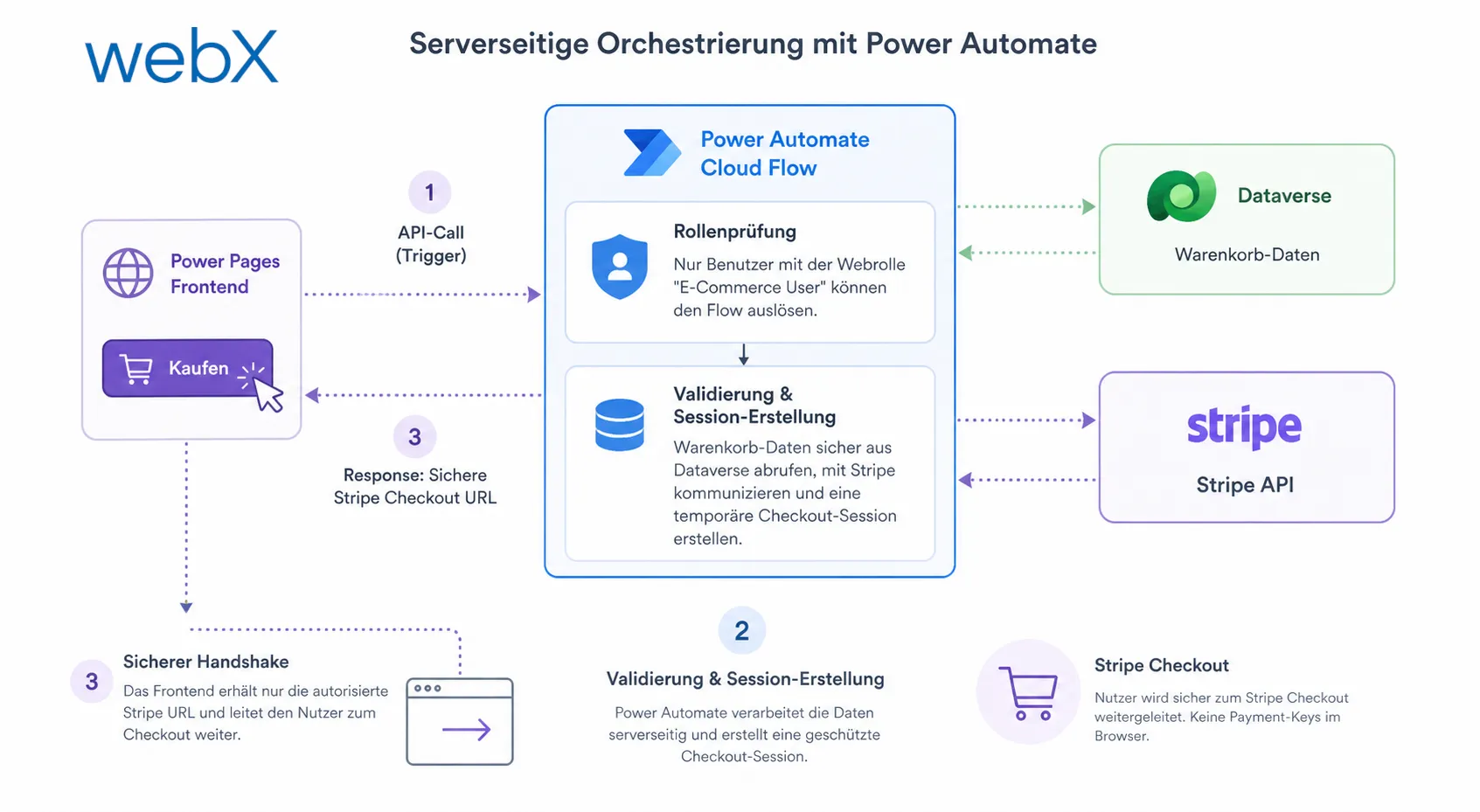 Figure: The architecture clearly separates the frontend, Power Automate, Dataverse and Stripe. The browser receives only the checkout URL, while sensitive payment logic remains server-side. The original illustration is retained, including its German labels.
Webhook synchronization and ERP simulation
The complexity of an enterprise checkout does not end with payment. We use Stripe webhooks received through HTTP triggers in Power Automate to evaluate payment status. Whether payment succeeds or is cancelled, Power Automate synchronizes that state back to the Dataverse backend in real time.
Successful transactions automatically clear the live session’s cart and convert its data into persistent order entities in Dataverse. This relies on clean real-time synchronization to avoid caching problems. To simulate enterprise processes, such as forwarding data to SAP or Dynamics 365 Finance & Operations, the architecture also implements an asynchronous 30-minute processing delay before the final invoice is delivered to the customer.
Decoupling the entire process through Power Automate lets us model individual business processes flexibly. This goes far beyond the capabilities of standardized forms. Our analysis of Tailwind CSS and DaisyUI in Power Pages explains how we incorporated these interfaces into the modern design.
System separation for maximum security
The central architectural lesson is strict separation of responsibilities in enterprise environments. Use Power Pages and Microsoft Dataverse for identity management, secure data storage and business logic orchestration.
For the highly sensitive payment process itself, certified, specialized microservices must always be connected through secure middleware such as Power Automate. A consistently decoupled architecture provides the foundation for scalability and full security compliance on the web.