Rethinking Power Pages with hybrid React architecture for scalable portals
Learn why Power Pages portals reach their limits and how professional React web development creates a scalable hybrid architecture with a low-code backend and high-end frontend.
Contents
- Low-code is a good starting point, not the destination
- Where standard low-code portals reach their limits
- A better approach with a low-code backend and high-end frontend
- The hybrid architecture with Power Pages and React
- Code where it is needed
Low-code is a good starting point, not the destination
Microsoft Power Pages is an excellent platform for bringing business processes to the web quickly and in line with data protection requirements. Its deep connection to Microsoft Dataverse and Dynamics 365 makes it a logical choice for many enterprise portals. Yet production use often reveals that the standard templates and features do not meet modern web portal requirements.
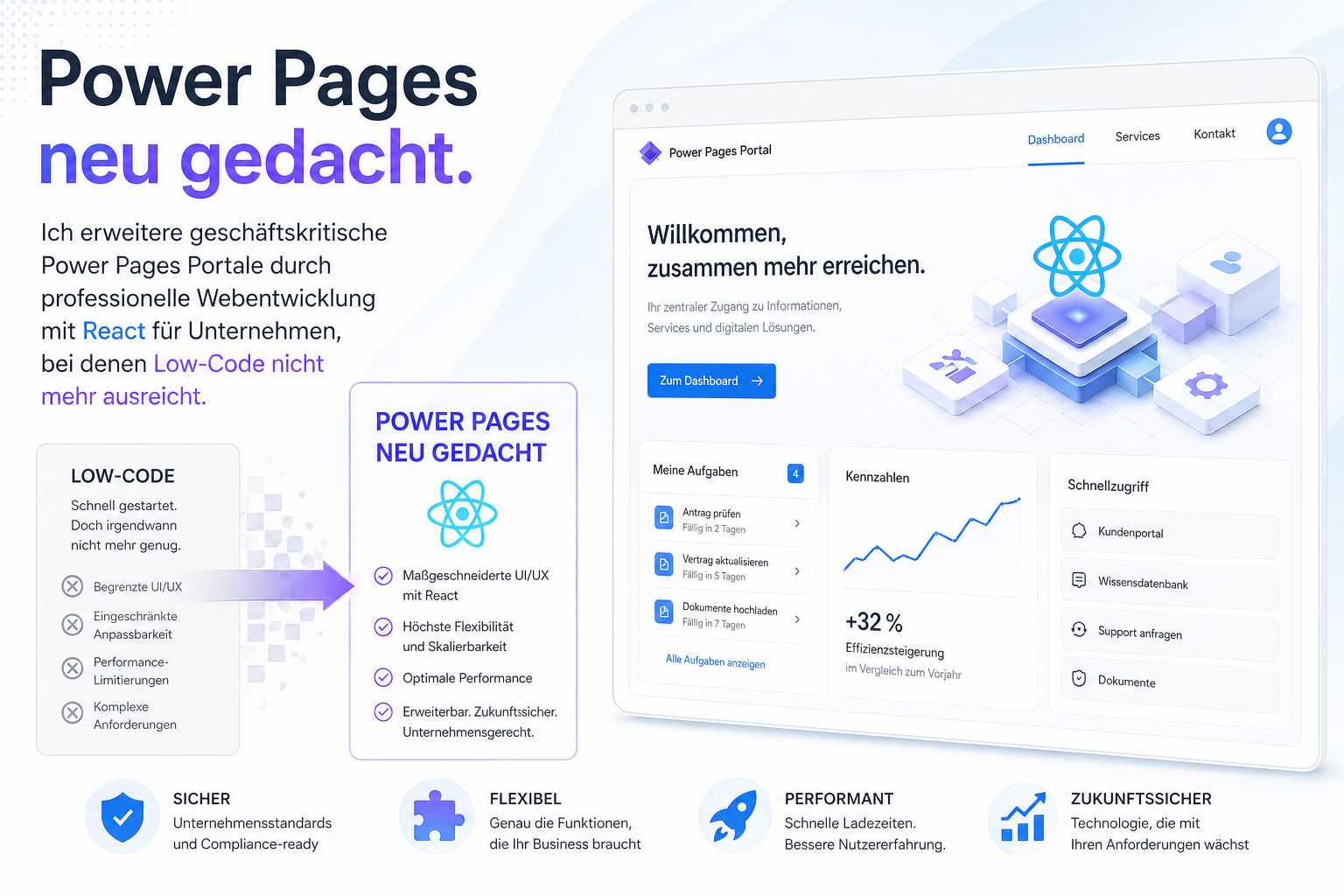
Many companies eventually find that the standard Power Pages configuration has architectural and design limits. The interface feels rigid, complex use cases cannot be represented, and the portal becomes noticeably slow.
The consequence? Developers try to recreate missing features through countless isolated JavaScript workarounds. This is a risky approach that creates technical debt.
Where standard low-code portals reach their limits
As soon as hundreds of customers, partners or employees use a portal in production, requirements increase rapidly. These are the typical problems for which no-code or low-code tools alone are no longer sufficient:
1. Growing technical debt from workarounds
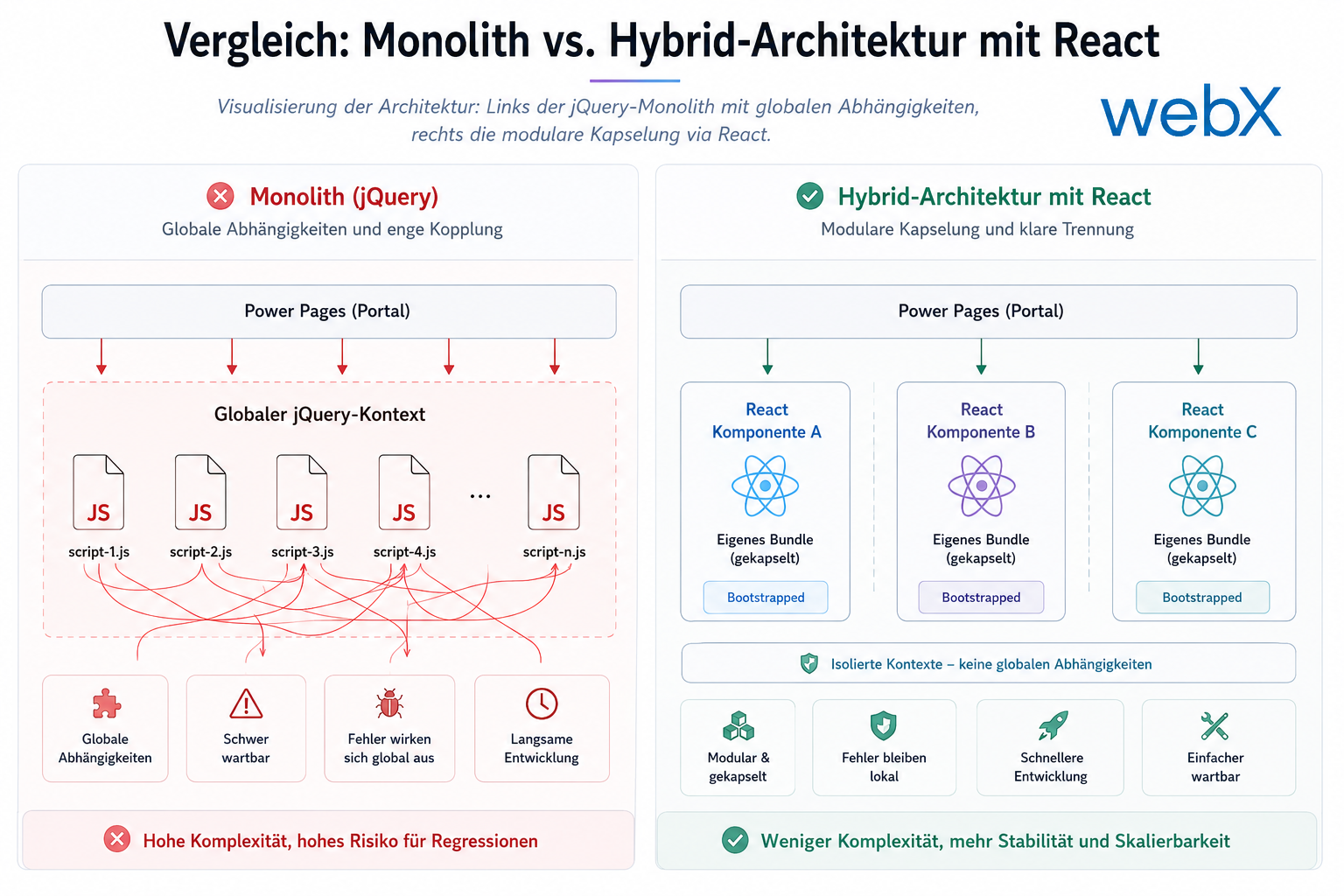
Large numbers of jQuery snippets and Liquid scripts are injected into web templates to implement custom features. These script collections are difficult to maintain and error-prone. Standard files that always load cause layout problems, standard CSS conflicts with corporate design, and customizations become unstable.
2. Complex data logic cannot be represented
Standard forms and lists provide an excellent foundation. But what happens with dynamic queries across several entities? Requirements such as intelligent taxonomy filters, Excel bulk editing or real-time calculations go far beyond standard components’ capabilities.
3. Missing transparency
Out of the box, Power Pages provides little insight into user behavior, click paths or specific client-side JavaScript errors. Without professional monitoring with Azure Application Insights and visual analytics dashboards, business departments make decisions without a valid data basis.
Read this Azure cost optimization case study to see how we implemented exactly this successfully and cost-effectively for a client.
A better approach with a low-code backend and high-end frontend
The first reaction of many IT managers is often: “We need to replace the entire system and rebuild it.” This is frequently an expensive mistake. The solution is not replacing the platform but selectively extending it.
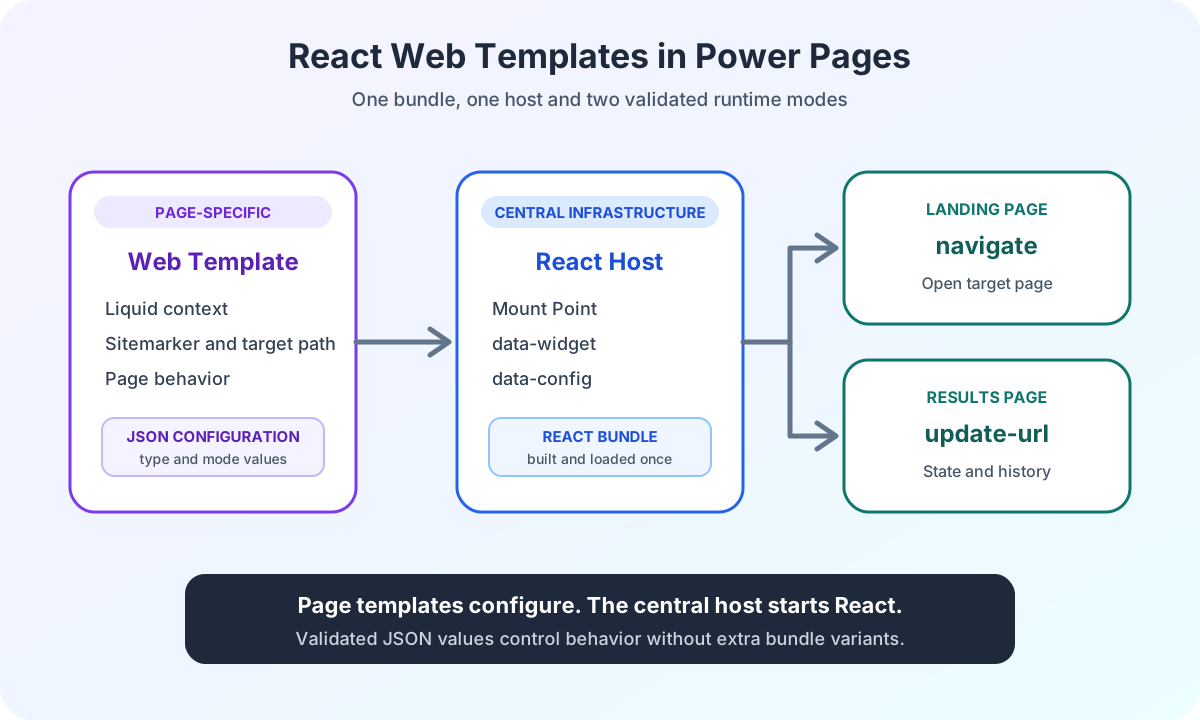
Using Power Pages as a stable, secure backend and bringing the frontend architecture to enterprise standards with modern web technologies such as React and TypeScript creates a hybrid architecture that combines the strengths of both.
Rather than replacing the system, we extend it where needed to protect the existing Microsoft platform investment. Dataverse, the role and permission model, and the Power Pages Web API remain a secure, stable backend. The user interface is decoupled and brought to enterprise standards.
The hybrid architecture with Power Pages and React
Extending Power Pages with modern frontend technologies such as React and TypeScript makes it possible to build portals that not only look like modern single-page applications (SPAs) but also feel like them.
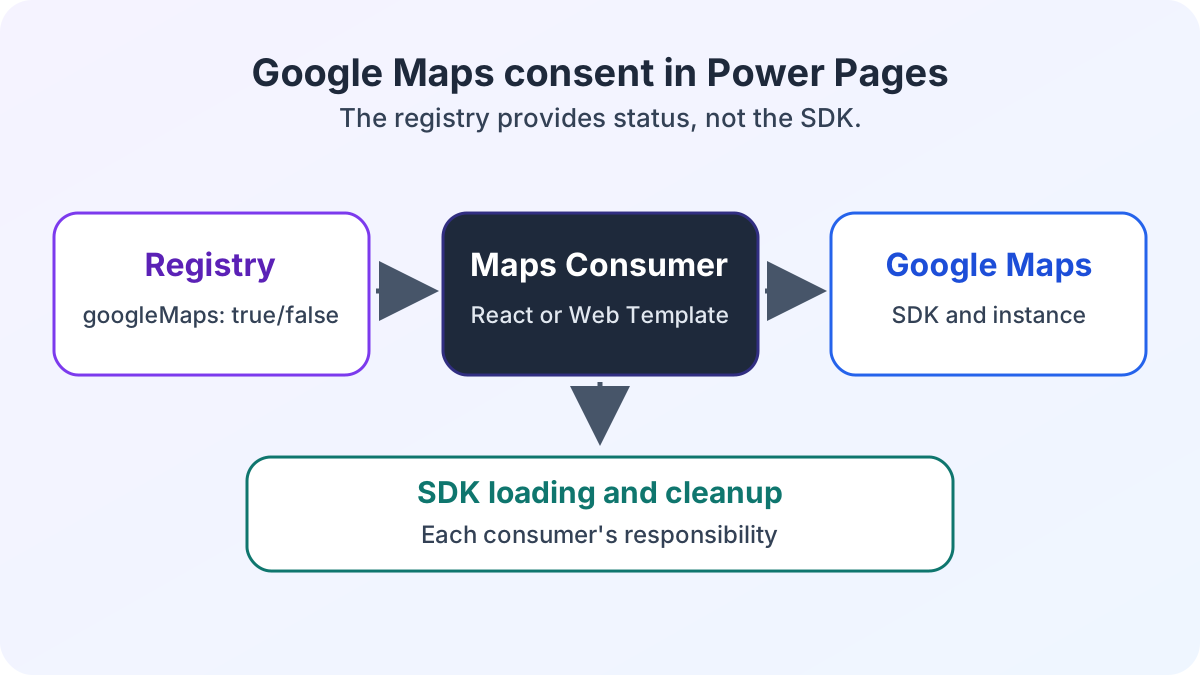
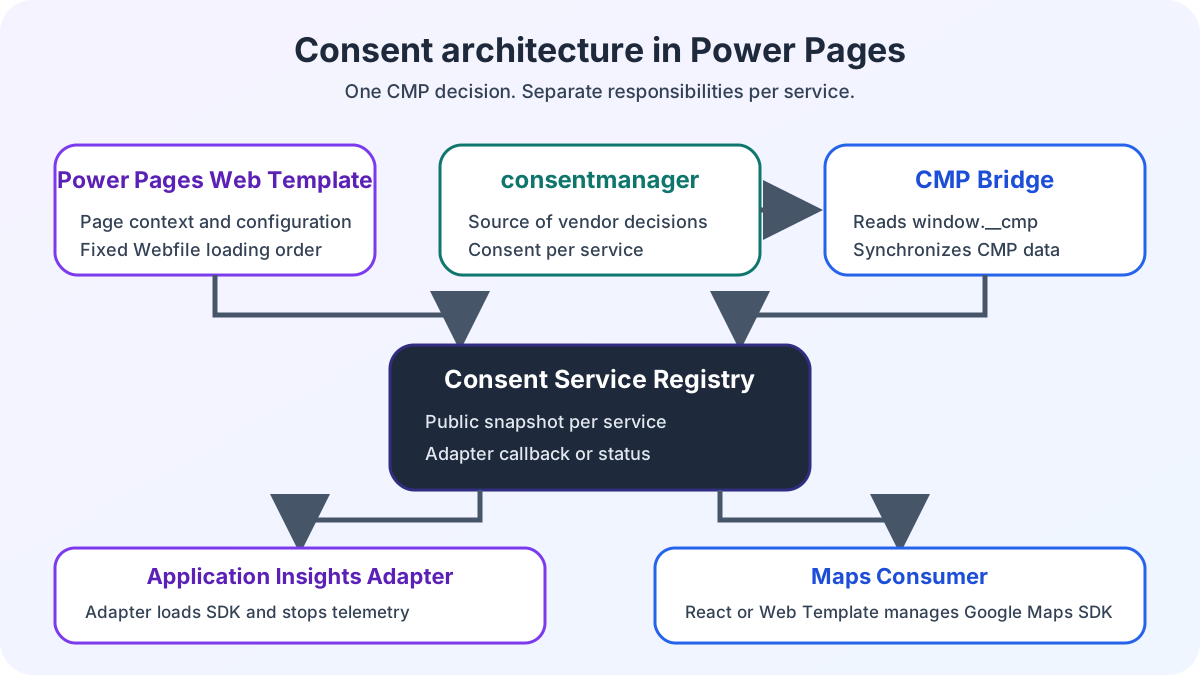
Shared browser services also need a clear consent boundary, as the consent architecture for Power Pages and React shows.
- Custom UI and UX instead of standard Bootstrap: No more broken layouts. Interfaces are built precisely to Figma specifications and provide users with a consistent, modern experience.
- Clear structure even for complex flows: Instead of unstructured code in the header, we establish a clean, component-based frontend architecture. This makes the code maintainable, testable and ready for future changes.
- Optimal performance: Virtual DOM rendering and asynchronous data processing through the Web API remove disruptive page reloads. Everything responds in real time.
- Unlimited extensibility: Whether you need real payment processing and e-commerce workflows with Stripe, external APIs or complex configuration wizards, a professional frontend stack removes technical barriers.
Our Power Pages e-commerce showcase with Stripe and Analytics explains how we implemented this in a project with Stripe payments, analytics and modern UX.
Code where it is needed
Power Pages does not restrict you to one approach. If your portal does not perform as your business requires, the cause is often not the underlying platform but the missing frontend architecture.
Extending business-critical Power Pages portals with React moves beyond the limitations of the low-code builder without giving up the Microsoft ecosystem’s security and connectivity.
Low-code where it fits. Code where it is needed.
Is your Power Pages portal also reaching its limits? Explore my reference projects, or let us discuss how web development can extend your portal.