Developing a design system for Power Pages
Do global Power Pages styles conflict with your design system? Learn the three-layer CSS isolation strategy and avoid collisions.
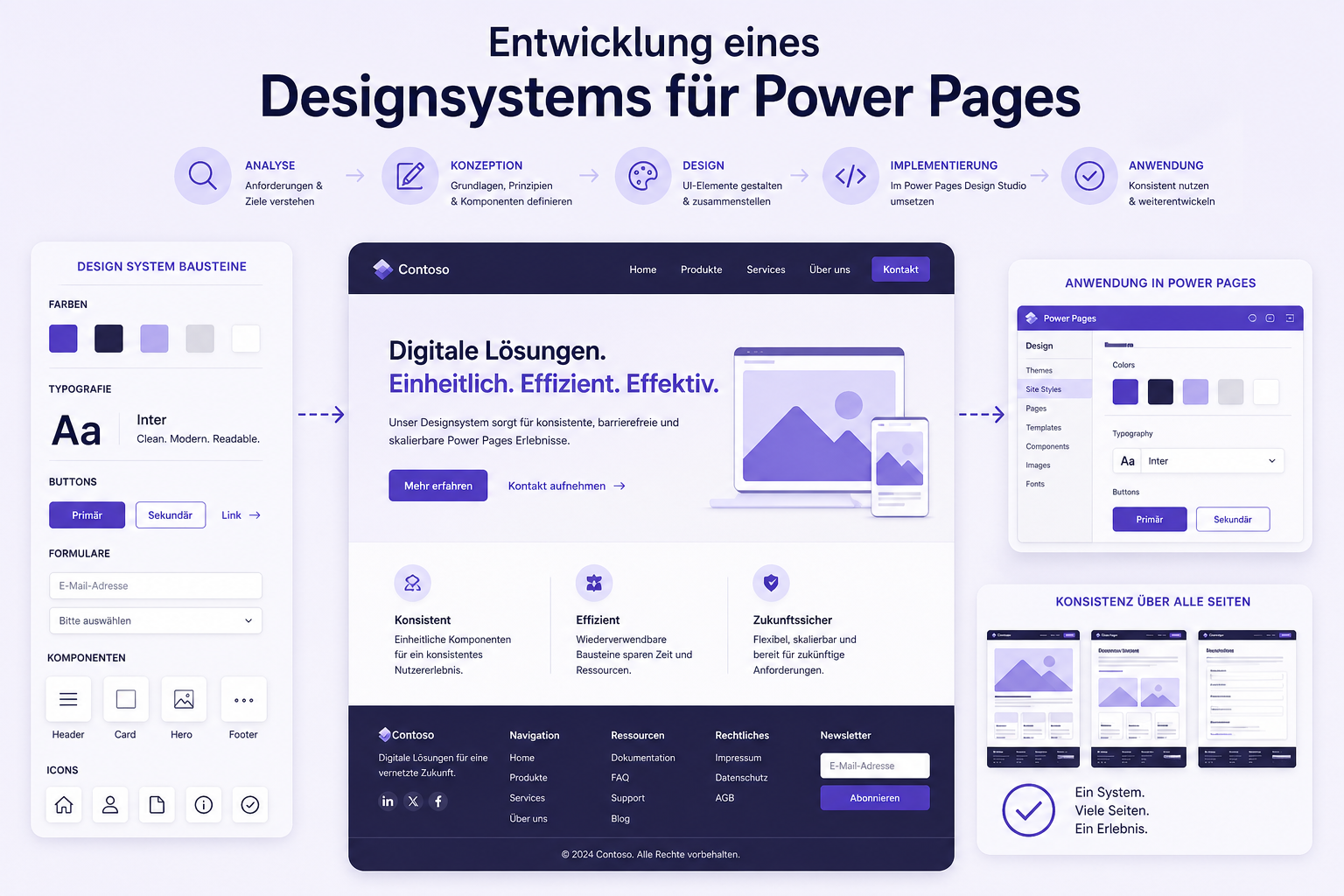
Note: This is the third and final part of our series on Power Pages design.
Contents
- The problem with global styles in Power Pages
- The challenge of global CSS collisions in Power Pages
- The three-layer strategy for safe Power Pages CSS
- Practical example of adding a custom design system to Power Pages
- CSS isolation is essential for your Power Pages project
The problem with global styles in Power Pages
Power Pages is an excellent low-code platform, but adding your own modern design system quickly reveals limits. The fundamental problem is that the platform injects numerous global stylesheets at runtime, including Bootstrap, jQuery UI and theme styles, which often conflict with your own definitions.
How do you prevent a carefully designed button from suddenly taking on the portal’s styling? The answer is a consistent CSS isolation strategy.
The challenge of global CSS collisions in Power Pages
By default, Power Pages loads several stylesheets that override global classes such as .btn, .card or .form-control. Because these styles often have higher specificity or priority in the cascade, they almost always take precedence over your custom design.
Using !important alone is not enough to avoid constant CSS specificity conflicts. You need an architectural solution.
The three-layer strategy for safe Power Pages CSS
In my projects, I use a three-layer strategy to decouple the design system completely from the host system.
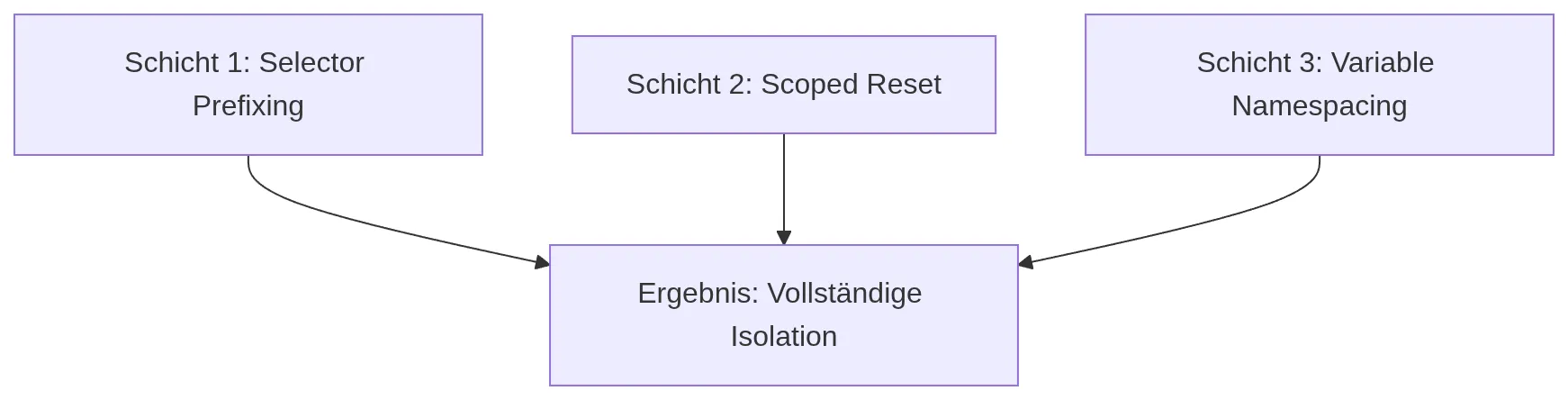 Figure: The diagram shows three isolation layers using prefixing, a scoped reset and custom variable names. Together, they separate the design system from global Power Pages styles. The original illustration retains its German labels.
Layer 1 with selector prefixing and namespaces
The first step is strict encapsulation of all styles through a namespace. Instead of automatic transformation, for example with PostCSS, you write CSS rules directly so that they apply only inside a specific container.
| Original selector | Transformed selector |
|---|---|
.btn | .custom-ds .btn |
:root | .custom-ds |
body | .custom-ds |
* | .custom-ds, .custom-ds * |
Why this works: A selector such as .custom-ds .btn has the specificity of two classes. It therefore reliably overrides Power Pages’ global .btn class, which is based on only one class.
Layer 2 with a scoped reset
Sometimes prefixing is not enough to stop unwanted inheritance from global styles. A scoped reset helps here. We define a specific root class that selectively interrupts the CSS cascade within our area:
/* Root-Element for Design-System-Scope */
.ds-scope-root {
  all: initial; /* Reset all inherited styles */
  display: block;
  font-family: system-ui;
}
This ensures that your design system starts in a clean scope, unaffected by the portal’s global line-height, margin or font-family settings.
Layer 3 with variable namespacing
Modern design systems are based on CSS variables. If you use Bootstrap variables, they conflict with Power Pages’ internal --bs- variables.
Best practice: Change your variable prefix. Use --ds-bs-primary instead of --bs-primary. This keeps your system independent and prevents it from accidentally overriding the portal’s colors or spacing.
Practical example of adding a custom design system to Power Pages
<style>
  /* Root-Element for Design-System-Scope */
  .ds-scope-root {
    all: initial; /* Reset all inherited styles */
    display: block;
    font-family: system-ui;
  }

  .custom-ds {
    /* Design variables to define the look of your design system */
    --ds-btn-primary-bg: #ffb300;
    --ds-btn-primary-color: #222;
    --ds-btn-primary-font-family: system-ui;

    /* Map design system variables to Bootstrap button variables */
    --bs-btn-bg: var(--ds-btn-primary-bg);
    --bs-btn-color: var(--ds-btn-primary-color);
    --bs-btn-border-radius: 0.25rem;
    --bs-btn-font-weight: 600;
  }

  /* Style the button using the mapped Bootstrap variables */
  .custom-ds .btn {
    background: var(--bs-btn-bg);
    color: var(--bs-btn-color);
    border-radius: var(--bs-btn-border-radius);
    font-weight: var(--bs-btn-font-weight);
    border: none;
  }
</style>

<h2>Bootstrap v5 Standard</h2>
<button class="btn btn-primary">Standard Bootstrap Button</button>

<h2 style="margin-top: 2rem;">Custom Design-System</h2>
<div class="ds-scope-root">
  <button class="custom-ds btn">Button</button>
</div>
The result of isolation
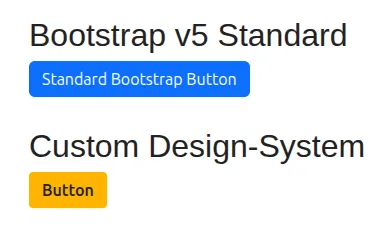 Figure: The comparison shows the isolated button in its own scope beside the standard button. The custom design remains stable even though Power Pages also loads global Bootstrap styles. The original screenshot retains its German interface.
These three isolation layers let you run a design system in Power Pages without global styles affecting it. Your button remains a button, and you retain full control over your website’s appearance. Our ECE project demonstrates how this CSS isolation works with complex React components in Power Pages.
CSS isolation is essential for your Power Pages project
Adding a design system to Power Pages requires more than a CSS file. Building professional, maintainable client solutions requires clear encapsulation. Prefixing, scoped resets and variable isolation provide the stability needed to operate your design system reliably and without errors over the long term.
Would you like to review these concepts from the beginning? Here are the previous parts:
Power Pages design series
- Part 1: Why standard files always load
- Back to part 2: Override CSS cleanly
- CSS isolation and the three-layer strategy (you are here)