Power Pages architecture beyond the jQuery monolith
Why traditional Power Pages frontends with a global jQuery context reach their limits over time, and how a hybrid React architecture enables reliability.
Contents
- The limits of traditional frontend structures
- Why Power Pages frontends become unstable
- Structural problems with global jQuery approaches
- The hybrid approach with React
- Why modular frontends scale better
- Combining Power Pages and React
The limits of traditional frontend structures
Microsoft Power Pages provides a stable backend foundation. Dataverse, role models and identity management supply the basis for business-critical applications. The real challenges, however, often arise in the frontend.
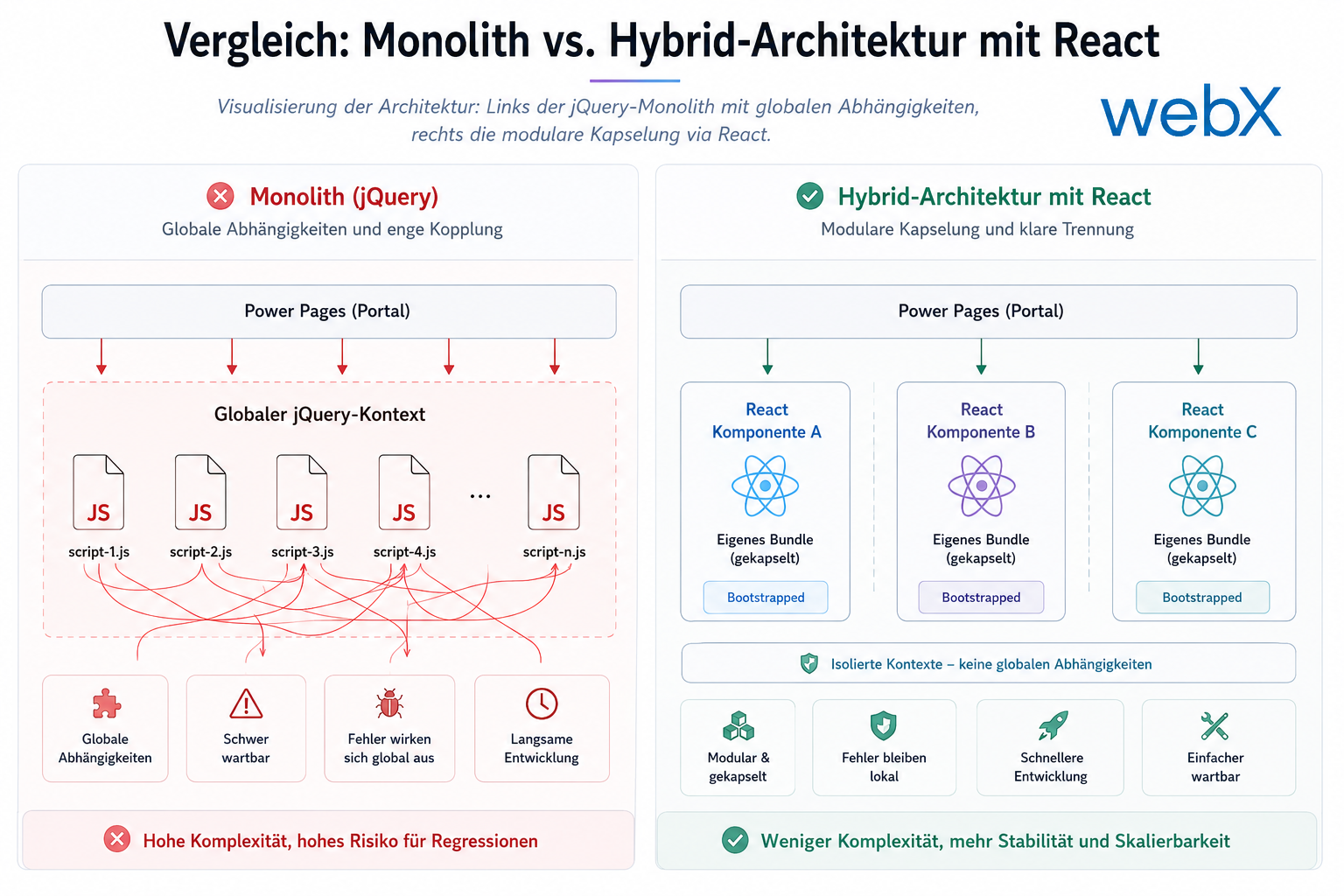
Many portals have historically relied on a global jQuery architecture. Scripts access each other’s global state, components share implicit dependencies, and every new feature increases technical complexity. When the backend scales but the frontend stagnates, long-term inefficiencies follow.
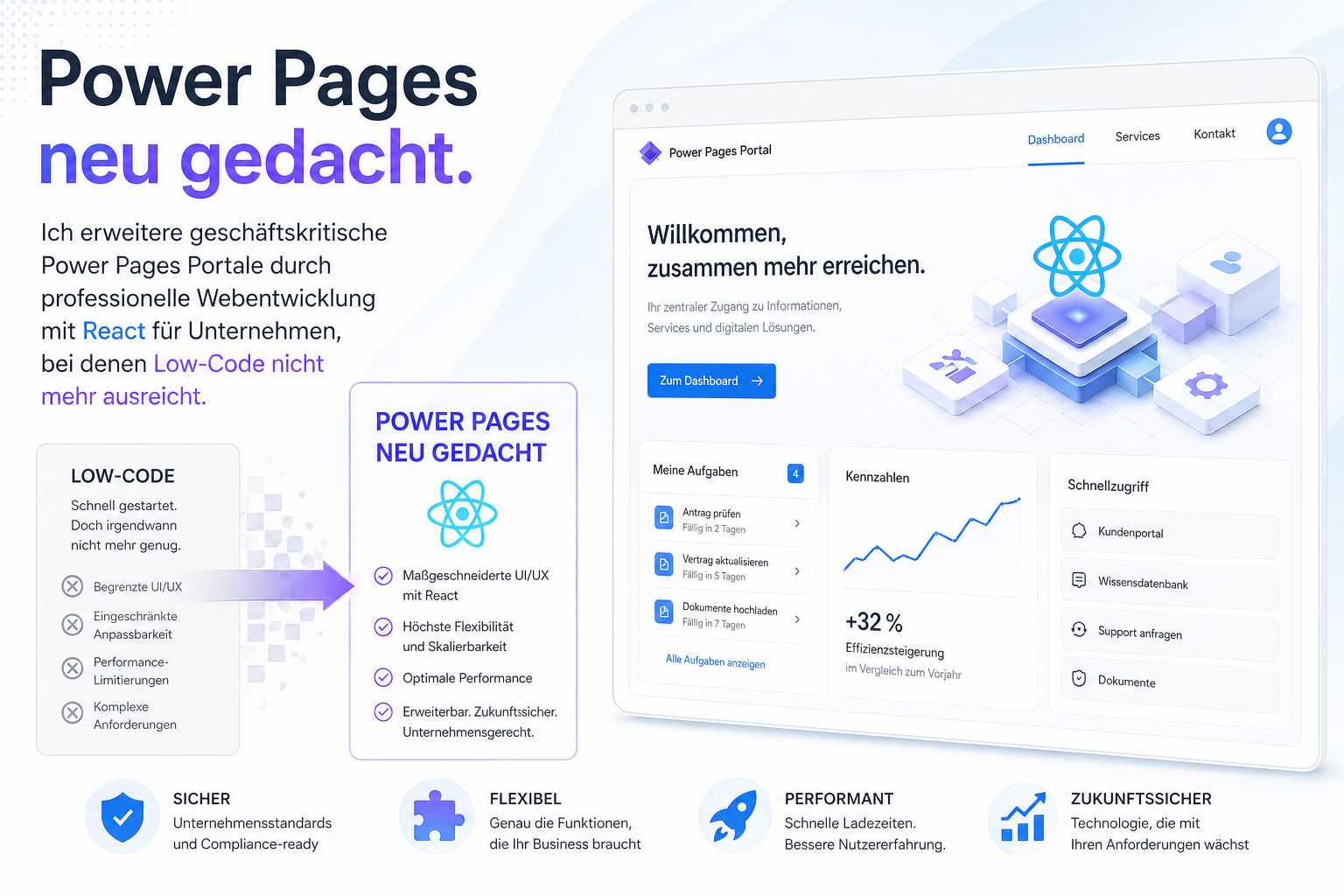
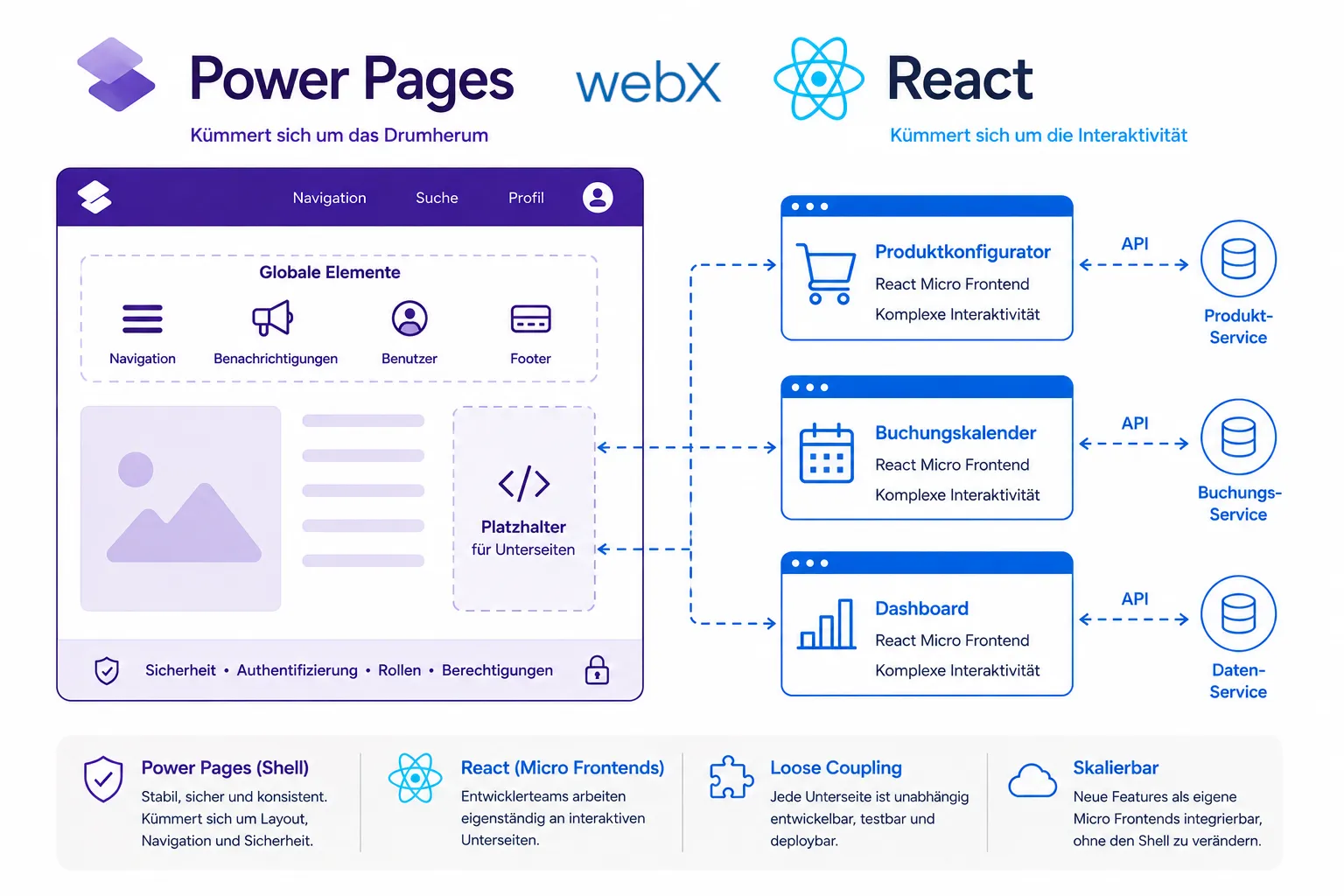 Figure: As the shell, Power Pages handles global tasks such as navigation, authentication and layout. Interactive and complex business areas are added as independent React microfrontends. The original illustration retains its German labels.
Why Power Pages frontends become unstable
In many projects, user-interface customization follows a similar pattern:
- Multiple global JavaScript files without clear separation.
- Shared state through the global
windowobject. - Direct DOM manipulation with jQuery.
- Highly specific CSS overrides.
- Individual functions without encapsulation.
When more complex business processes or dynamic dashboards are added, familiar enterprise problems emerge. Changes cause unpredictable errors in other areas, and maintenance costs keep rising. The cause is usually not Power Pages itself but the chosen frontend architecture.
Structural problems with global jQuery approaches
Traditional solutions often work within a single global runtime context. This tightly couples functions that should be independent. A typical example of this uncontrolled growth:
// Example of problematic global state
window.customerData = {};
window.portalState = {};

$(document).ready(function () {
  loadCustomerData();
  initShoppingCart();
  initializeFilters();
});
This approach initially looks pragmatic, but it makes state and side effects difficult to trace. Isolated tests are barely possible because the components are not clearly separated. New features are often inserted into existing logic rather than added as modular extensions.
The hybrid approach with React
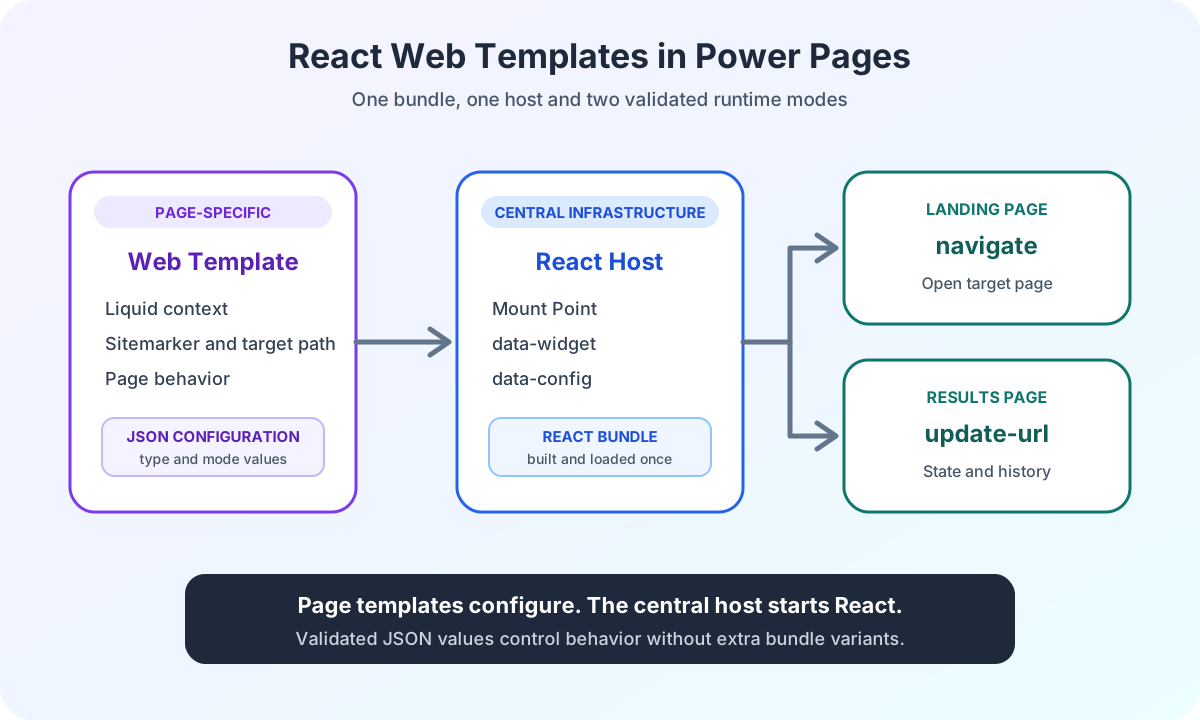
A hybrid approach makes sense in many enterprise projects. Power Pages remains responsible for authentication, web roles and the connection to Dataverse. React components selectively extend complex areas of the user interface.
These components own their isolated state and avoid global side effects. Our implementation of this frontend approach in a current client project illustrates the stability of this strategy.
// Example of an isolated React component
export function CustomerDashboard() {
  const [customer, setCustomer] = useState(null);

  useEffect(() => {
    // Fetching data via Power Pages Web API
    loadCustomer().then(setCustomer);
  }, []);

  return <Dashboard customer={customer} />;
}
The component manages only its own context. This keeps the overall architecture manageable and allows modular extensions.
Why modular frontends scale better
A modular architecture improves not only technical quality but also team processes. Teams can work independently on individual components, minimizing the risk of errors elsewhere in the system.
React also enables modern standards such as state management, reusable components and TypeScript. This helps companies avoid long-term dependence on legacy structures. An automated deployment workflow with PAC CLI makes this development process more efficient by reducing manual work for local developers.
Combining Power Pages and React
React does not replace Power Pages. It selectively extends the platform where standard components reach technical limits. The real strength is the combination of a secure enterprise backend and a modern frontend layer.
Planning for modern principles such as isolation and clear responsibilities makes stable Power Pages operation possible even in complex portals. Especially for existing systems, the hybrid approach is often the most economical path between standard software and custom development.
Are you planning to modernize a portal? Let us assess how to establish a stable frontend architecture together.