Power Pages detail search with GUIDs, Server Logic and Liquid
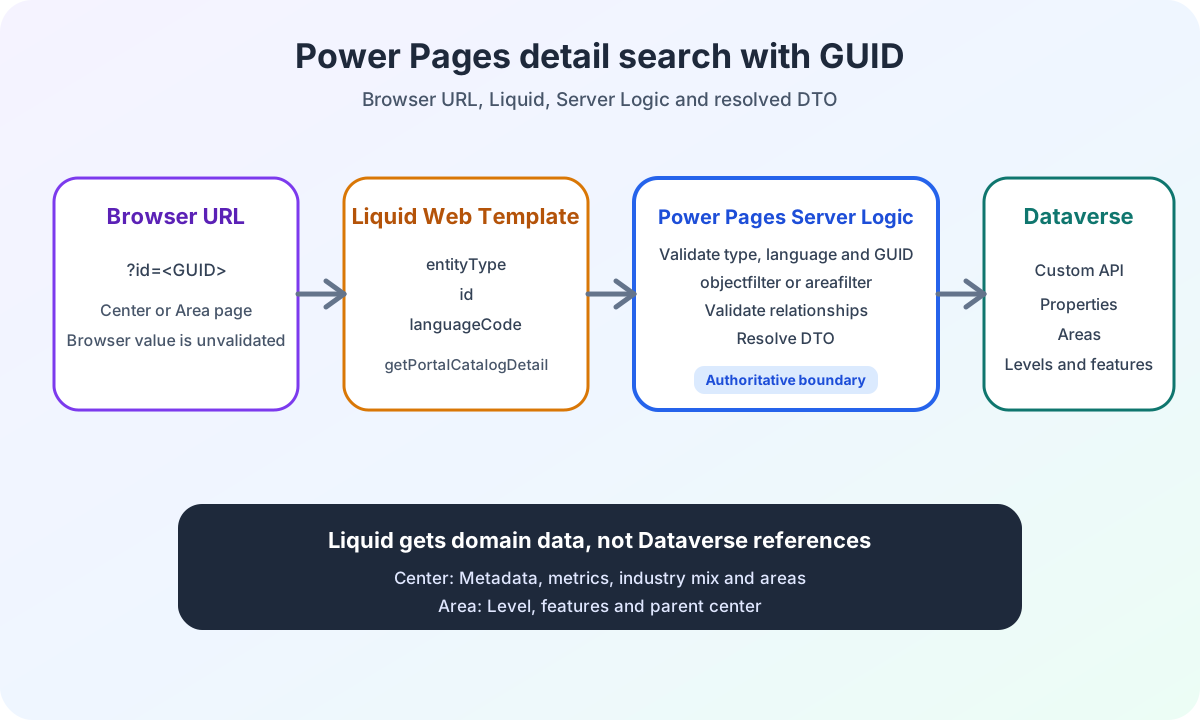
Power Pages detail search uses a GUID, entity type and Server Logic. Resolved DTOs make center and area data directly usable in Liquid.
Contents
- Why a GUID does not describe the detail type
- How the browser passes the GUID to Liquid
- How Microsoft calls Server Logic from Liquid
- How Server Logic validates a single-record request
- How centers and areas receive different OData filters
- Why the Dataverse response is not yet a Liquid contract
- How Server Logic resolves the Dataverse response graph
- The shape of center and area DTOs
- How Liquid separates three result states
- Why resolved DTOs simplify web templates
- Power Pages detail search in the enterprise project
Why a GUID does not describe the detail type
A results list supplies a GUID. A detail page also needs to know whether that GUID identifies a center or an area.
{
  "entityType": "area",
  "id": "674f37ec-5494-ea11-a811-000d3abae3d9",
  "languageCode": "de-DE"
}
A GUID identifies the record. It does not describe which results list the Custom API should search.
My Server Logic therefore also requires entityType. The value center creates a filter for objects. The value area creates a filter for areas.
This separation is required by the domain. The same technical GUID format can occur in different Dataverse tables. The browser must not infer the type from an incidental match.
How the browser passes the GUID to Liquid
The browser supplies only the query parameter id. The web template owns the page context and adds area or center. The active Power Pages language is also read on the server.
{% assign detail_id = request.params['id'] | url_escape %}
{% assign detail_language = website.selected_language.code %}
{% capture detail_input -%}
{"entityType":"area","id":"{{ detail_id }}","languageCode":"{{ detail_language }}"}
{%- endcapture %}

{% serverlogic name: 'server-logic-query', operation: 'getPortalCatalogDetail', input: detail_input, output: detail_result %}
url_escape keeps the query value inside a controlled JSON string. Server Logic decodes the value again and only then validates it as a GUID.
The center web template uses the same contract. It only sets entityType to center. This keeps the two templates clearly separated by their domain responsibilities.
How Microsoft calls Server Logic from Liquid
Microsoft documents the Liquid serverlogic tag with name, operation, optional input and output. The result includes success, status_code, data and raw_result.
Calling Server Logic from Liquid
requires neither a client-side HTTP request nor a CSRF token. It runs during server-side rendering. Slow Dataverse calls therefore directly increase the page’s response time.
This execution differs from the React search widget. React calls the shared HTTP endpoint with a CSRF-protected POST. Liquid calls a named Server Logic function while generating the page.
How Server Logic validates a single-record request
Server Logic reads the Liquid input as a JSON string. It then decodes the values, validates entity type and language, and normalizes a valid GUID.
function parseDetailRequest(input) {
  const payload = JSON.parse(input);
  const entityType = decodeDetailInputValue(payload.entityType, 'entityType');
  const languageCode = decodeDetailInputValue(payload.languageCode, 'languageCode').toLowerCase();
  const id = decodeDetailInputValue(payload.id ?? '', 'id');

  if (entityType !== 'area' && entityType !== 'center') {
    throw new Error('Detail entityType must be "area" or "center".');
  }

  return {
    entityType,
    lcid: DETAIL_LANGUAGE_LCIDS[languageCode],
    ...(isGuid(id) ? { id: id.toLowerCase() } : {}),
  };
}
An incorrect entity type or an unsupported language ends the call with an error. By contrast, a syntactically invalid GUID in a single-record request is treated as a record not found.
Server Logic does not call the Custom API in this case. The web template receives { found: false, entityType }.
How centers and areas receive different OData filters
The Custom API expects different filter fields for objects and areas. Server Logic sets only the field that matches the validated entity type.
if (request.entityType === 'center') {
  apiPayload.objectfilter = '$filter=(id eq ' + request.id + ')';
}

if (request.entityType === 'area') {
  apiPayload.areafilter = '$filter=(id eq ' + request.id + ')';
}Aspect | center | area |
|---|---|---|
Custom API filter | objectfilter | areafilter |
Root record | Center or object | Area |
Resolved relationships | Areas and characteristics | Level, characteristics and parent center |
Why the Dataverse response is not yet a Liquid contract
The Custom API returns separate lists of objects, areas, levels and characteristics. This shape is suitable for data transport. For Liquid, it would be unnecessarily complex.
A web template would have to compare IDs across multiple lists. Invalid references would only become visible during rendering. The same lookups would be repeated on every detail page.
Server Logic performs this work once. Liquid then receives the domain view rather than the normalized response graph.
How Server Logic resolves the Dataverse response graph
Server Logic builds unique, lowercase IDs for all four lists. It then validates every relationship before passing a DTO to Liquid.
- Unique, lowercase IDs for all four lists.
- Each area references an existing level.
- Each characteristic belongs to the expected area.
- Each area in a center points back to that same center.
- An area detail response has an existing parent center.
- Option sets become
{ code, name }. - Missing optional values become
null. - Unsupported URL schemes are discarded.
- The Dataverse sentinel date
0001-01-01becomesnull.
Resolution happens before Liquid rendering. The web template does not process parallel Dataverse lists or decide relationships itself.
The shape of center and area DTOs
The detail responses are domain DTOs. A center contains its resolved areas. An area contains its level, characteristics and associated parent center.
type PortalCatalogDetail =
  | {
      readonly found: true;
      readonly entityType: 'center';
      readonly id: string;
      readonly name: string | null;
      readonly areas: readonly PortalCatalogArea[];
    }
  | {
      readonly found: true;
      readonly entityType: 'area';
      readonly id: string;
      readonly name: string | null;
      readonly level: PortalCatalogLevelDetail;
      readonly characteristics: readonly PortalCatalogCharacteristic[];
      readonly object: PortalCatalogAreaParent;
    };
These DTOs are not completely flat. They still contain lists and objects that make sense for the domain.
Resolved means something different here. Liquid does not have to join external lists by GUID. detail.areas, detail.characteristics, detail.level and detail.object are directly accessible.
How Liquid separates three result states
The web template distinguishes a technical error, domain data not found and a found detail response.
{% if detail_result.success == false %}
  <section role="status">
    <h1>{{ snippets['CATALOG DETAIL UNAVAILABLE TITLE'] | escape }}</h1>
  </section>
{% elsif detail_result.data.found != true %}
  <section role="status">
    <h1>{{ snippets['CATALOG DETAIL NOT FOUND TITLE'] | escape }}</h1>
  </section>
{% else %}
  {% assign detail = detail_result.data %}
  <h1>{{ detail.name | escape }}</h1>
{% endif %}
success == falsemeans a technical Server Logic error.found != truemeans a valid call without a matching record.- Only the third branch renders domain detail data.
Values from DTOs and snippets are output with escape. This keeps presentation separate from server-side resolution.
Why resolved DTOs simplify web templates
A web template should own page structure and output. It should not reconstruct relationships between four Dataverse lists.
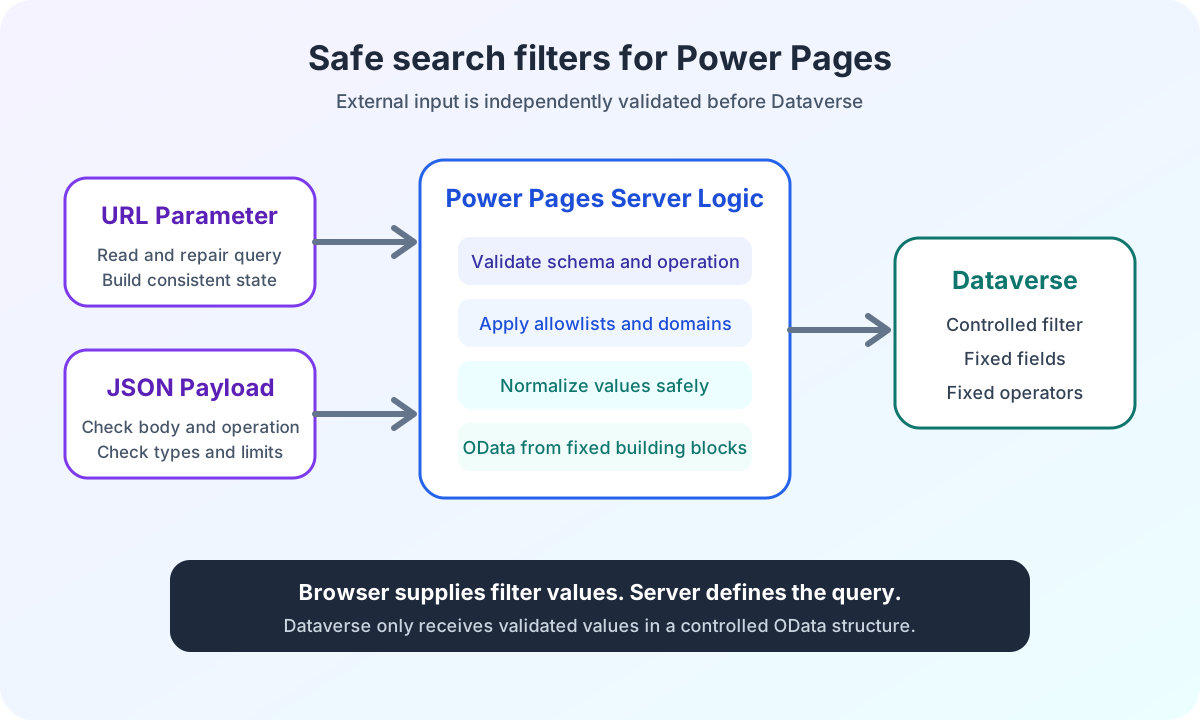
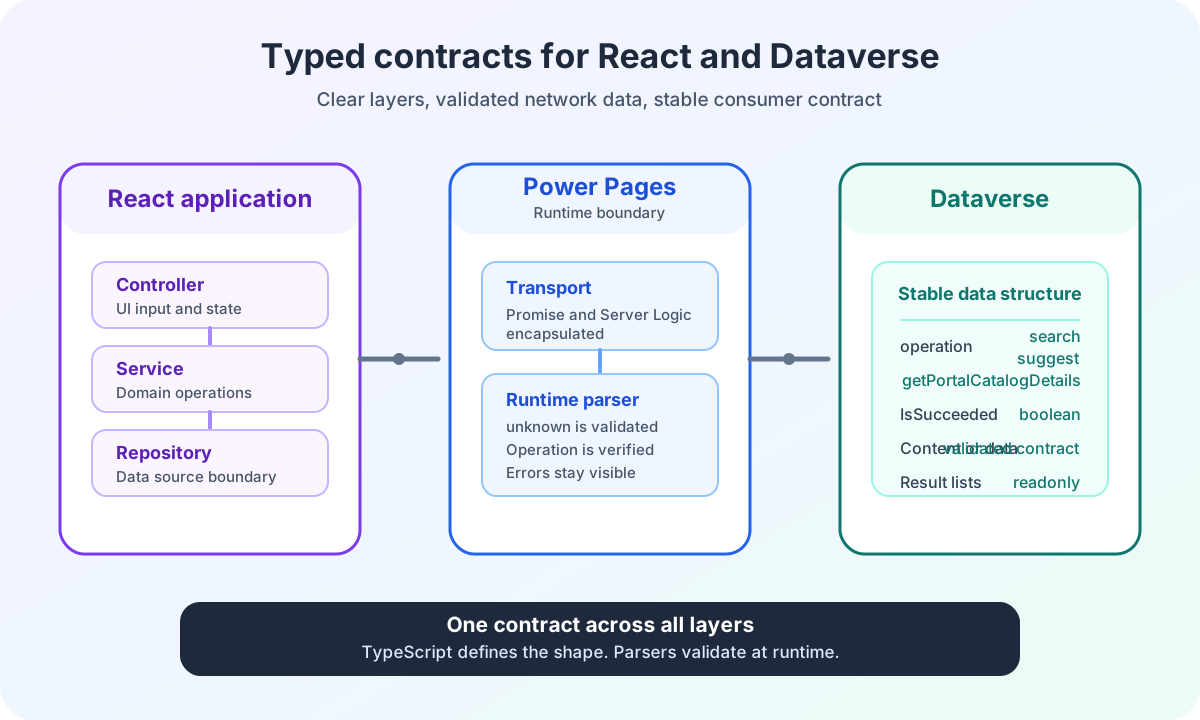
The article on the Power Pages Server Logic security boundary shows why browser values are validated again. The article on typed React and Dataverse interfaces explains the separate request and response contracts.
Resolved DTOs therefore do not reduce domain information. They move validation and mapping to the place where both the Dataverse response and the Server Logic contract are known.
Power Pages detail search in the enterprise project
I deliberately did not rebuild the detail query in Liquid. Liquid renders. Server Logic validates, loads data and resolves relationships.
This keeps center and area pages small. Error states remain visible. The Dataverse Custom API remains the domain data source.
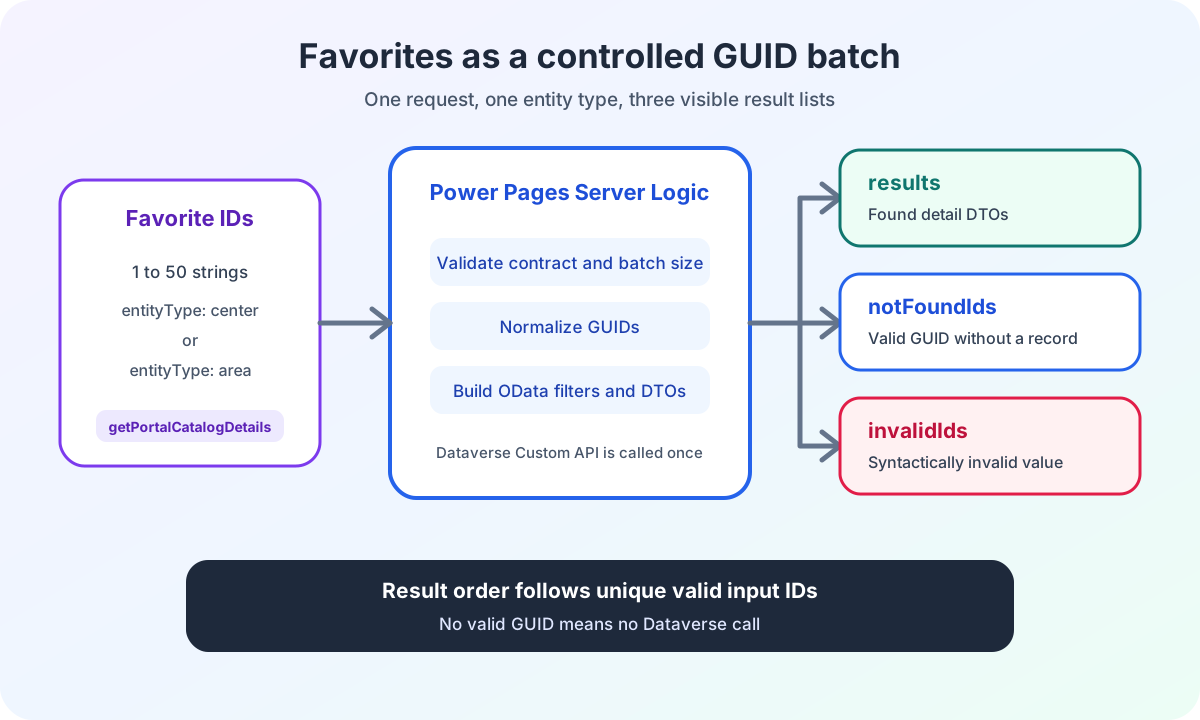
The next article in the series shows how the same mapper processes multiple GUIDs for a Power Pages favorites page.
The deep dive on Power Pages favorites with batch GUIDs and Server Logic documents validation, deduplication and partial failures.
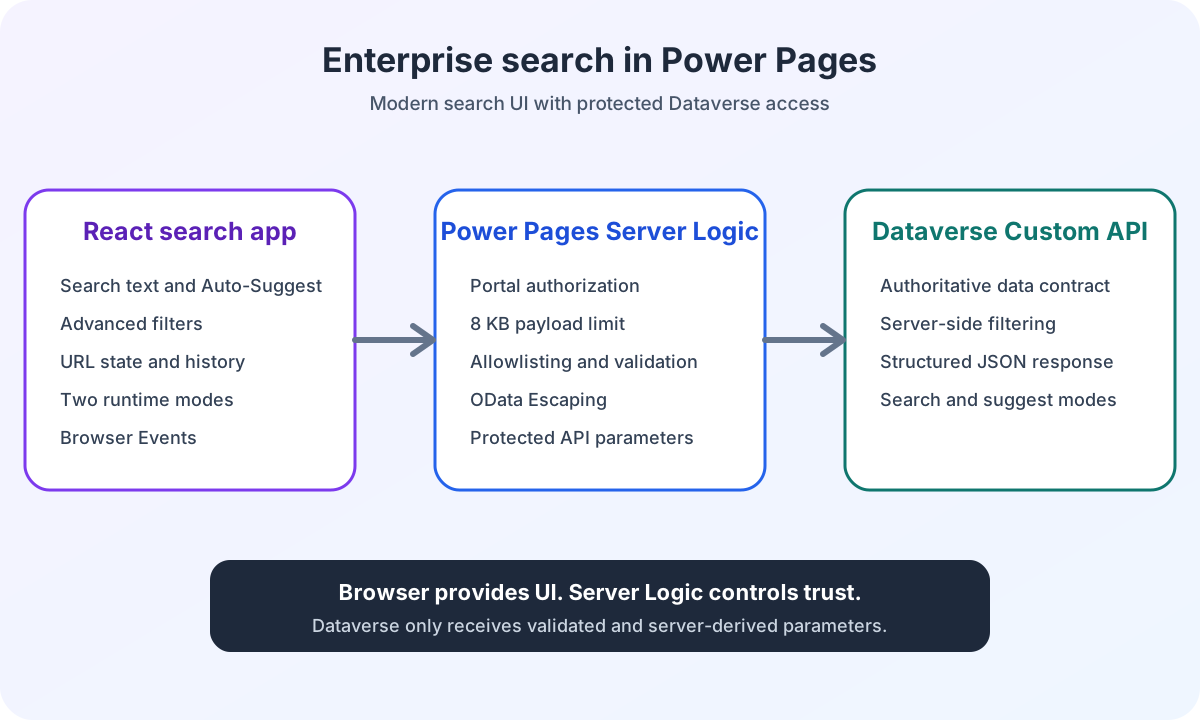
The ECE case study on Power Pages enterprise search shows the project context. Here, the focus is on GUID validation, DTO resolution and output in Liquid.
Are you working on a Power Pages search with custom detail pages and Dataverse logic? In Power Pages Pro-Code, I show how I separate data contracts, security boundaries and rendering before implementation.