GDPR-compliant web tracking in Power Pages with Application Insights
How companies combine Application Insights and consent managers to build meaningful user analytics in Power Pages without compromising data protection.
Contents
- Limited detail in standard tracking
- Connecting Application Insights and Dataverse
- GDPR compliance through consent management
- From data to informed decisions
- Deeper analysis with KQL and Power BI
- A solid data basis for strategic portal operation
Limited detail in standard tracking
Microsoft already provides a basic tracking dashboard for a Power Pages portal out of the box. It supplies figures such as daily or monthly active users (DAU, MAU). As Microsoft explains in the official documentation on monitoring website traffic, these metrics are available directly in the Power Platform Admin Center.
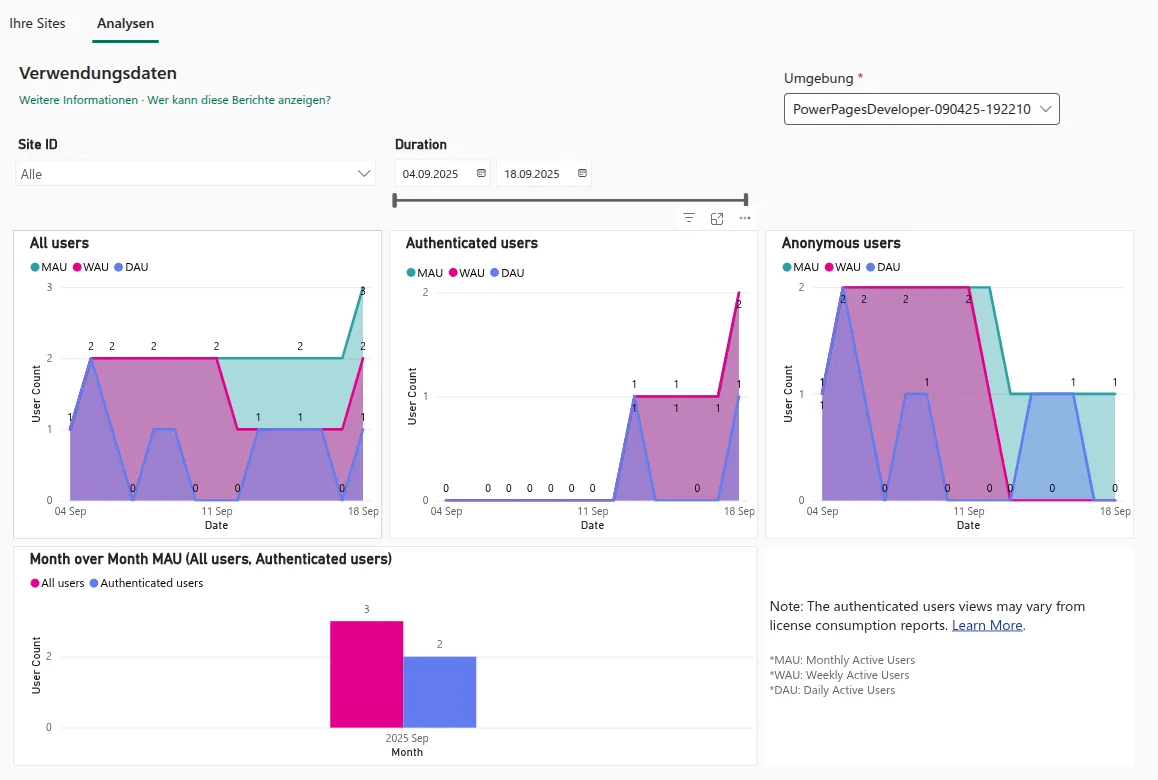 Figure: The standard Power Pages dashboard provides an aggregate overview of active users (MAU/WAU/DAU), but no detailed click paths or user journeys. The original screenshot retains its German interface.
This dashboard is not enough for informed business decisions. As soon as companies want to understand which paths users actually follow or how web data correlates with profiles in Microsoft Dataverse, they reach a technical limit.
To close this gap, our extended analytics approach shows how to turn raw data into actionable insights and which architecture automated user dashboards require.
In practice, a complete user journey from the first click to checkout can only be captured through targeted extensions to the standard infrastructure.
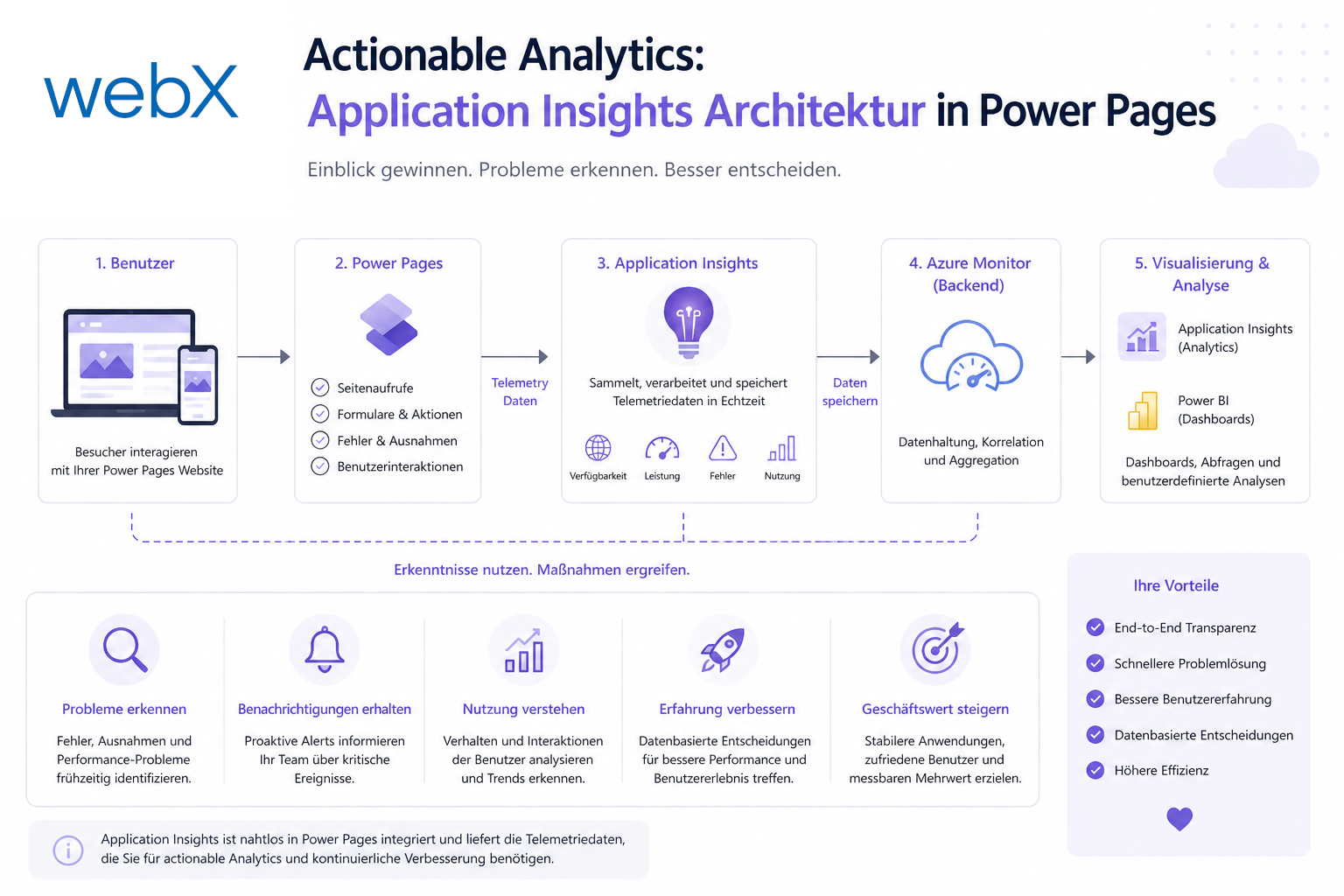
Analyzing user behavior precisely while meeting data protection requirements requires a considered architecture. We consistently use Azure Application Insights as its central component.
Connecting Application Insights and Dataverse
Application Insights provides comprehensive infrastructure in Azure for recording user behavior, page views and frontend errors. A ready-made JavaScript snippet (SDK) connects it to Power Pages. The fact that choosing the right pricing plan, pay-as-you-go or a commitment tier, already determines cost efficiency at this stage is often underestimated. This agent adjusts automatically. It handles a small number of visits as reliably as heavy traffic.
The greatest benefit comes from the direct connection to Microsoft Dataverse. All tracking data can be linked directly to existing company or user profiles. A signed-in portal user therefore generates useful data that feeds directly into the context of their customer profile. Our current showcase projects demonstrate that these enterprise features are also possible in a low-code environment with modern frontend technologies. At the same time, the platform monitors errors and immediately gives development teams information to help resolve them.
The project documentation on the Dataverse model explains in detail how the new Dataverse tables link Application Insights data to individual users and how table permissions protect them so that signed-in users can only view their own behavioral data.
GDPR compliance through consent management
The legal requirements for web tracking in Europe are extremely strict. Although Application Insights already meets Azure’s high security standards, this alone is not enough for a data protection-compliant architecture.
First, IP addresses are only processed temporarily by default. Application Insights uses an address for geolocation, discards it afterward and sets client_IP to 0.0.0.0. However, the derived fields client_City, client_StateOrProvince and client_CountryOrRegion remain in the telemetry. The Microsoft documentation on IP address handling in Application Insights explains this process.
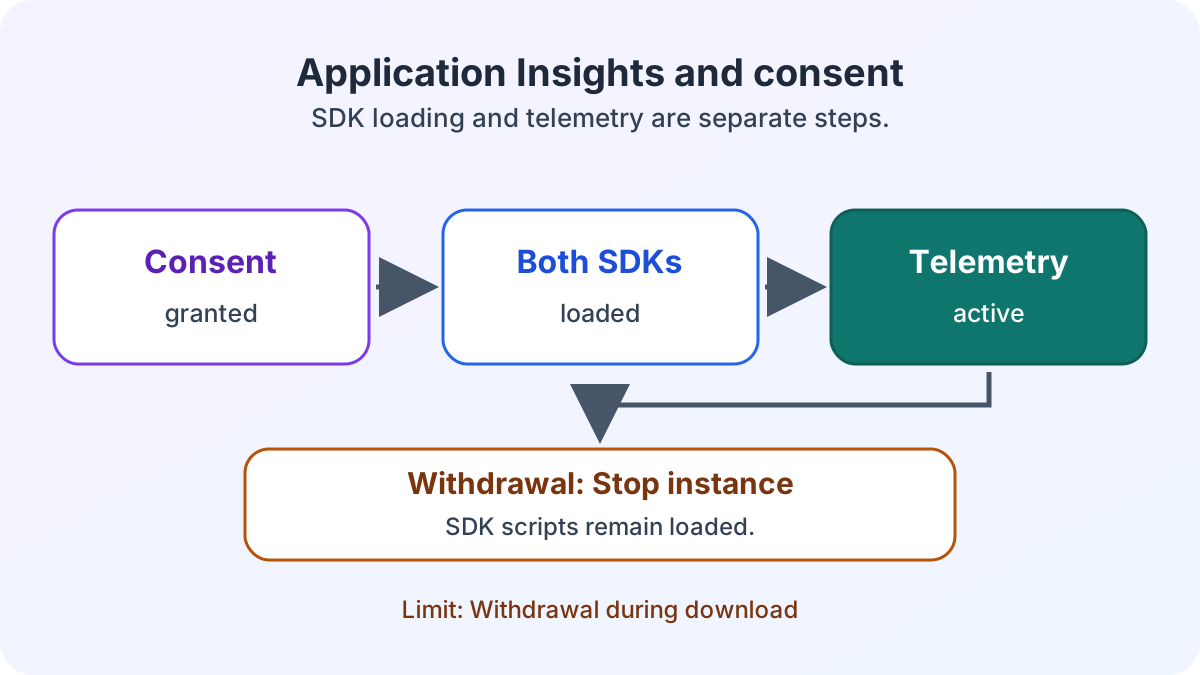
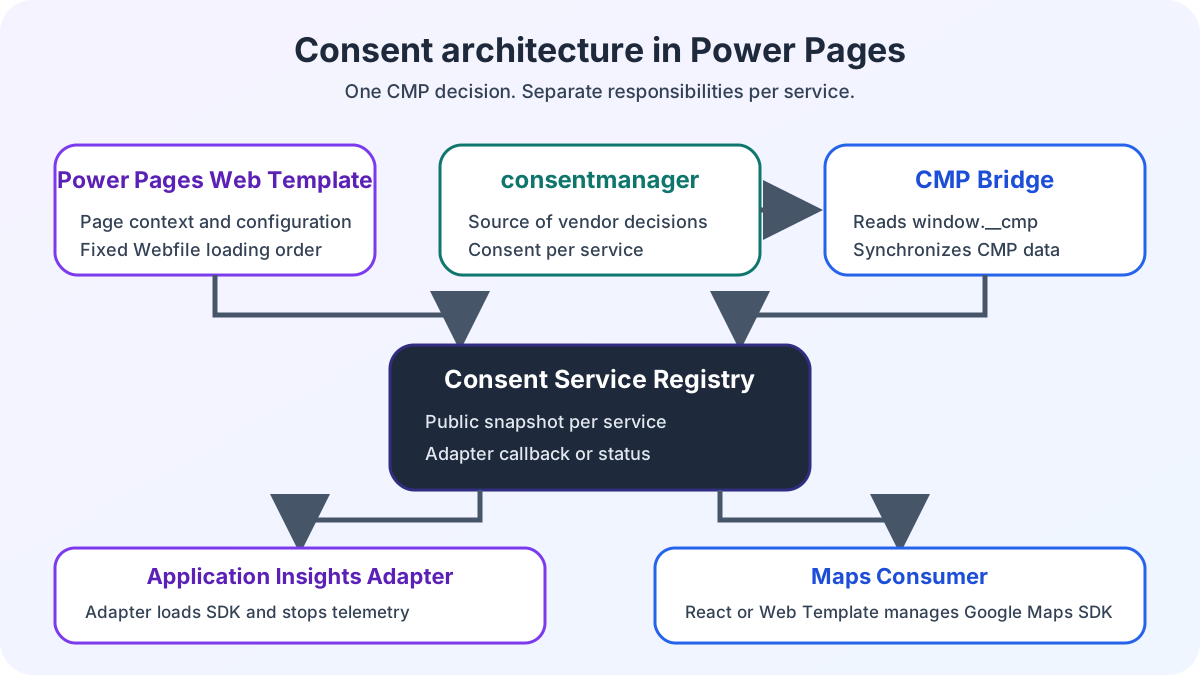
Second, we consistently add a consent management platform (CMP). The tracking snippet loads only after the user has explicitly consented. We define the relevant script information in the Power Pages web template. This gives the consent manager full control over loading these scripts. On withdrawal, the registry queues the disable callback. If the SDK is still downloading, initialization can proceed as far as trackPageView() before the adapter ends the telemetry instance. The Application Insights consent lifecycle explains this sequence and the limitation during withdrawal in detail.
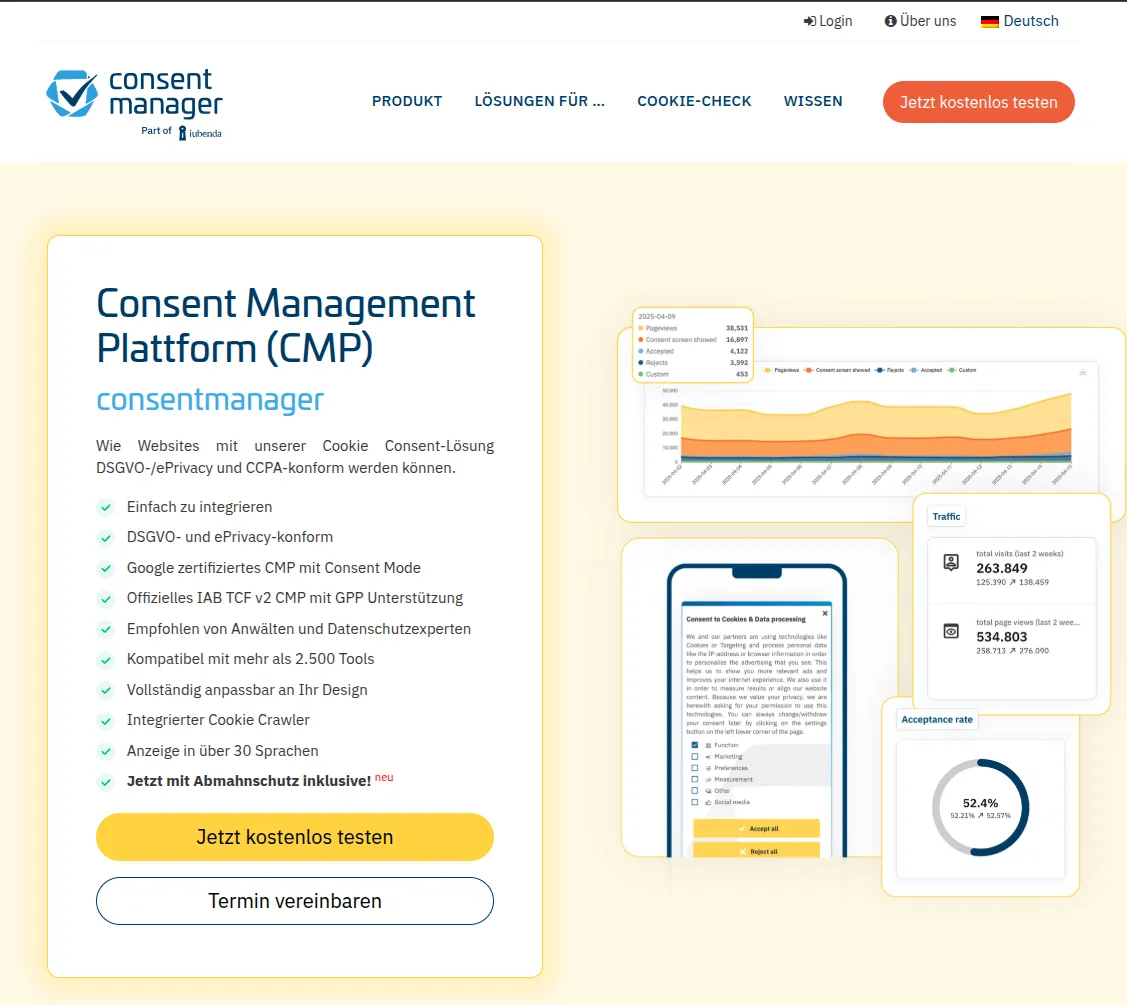 Figure: A standardized consent management platform, such as consentmanager, transparently controls cookies and user-related data. The original screenshot retains its German interface.
From data to informed decisions
Application Insights offers several graphical views for making practical use of the collected data. These dashboards turn complex raw data into clear figures for IT decision-makers. We use these views extensively in our analytics approach for Power Pages.
1. Page views and usage trends
Detailed page-view analysis immediately shows which information or services are used most.
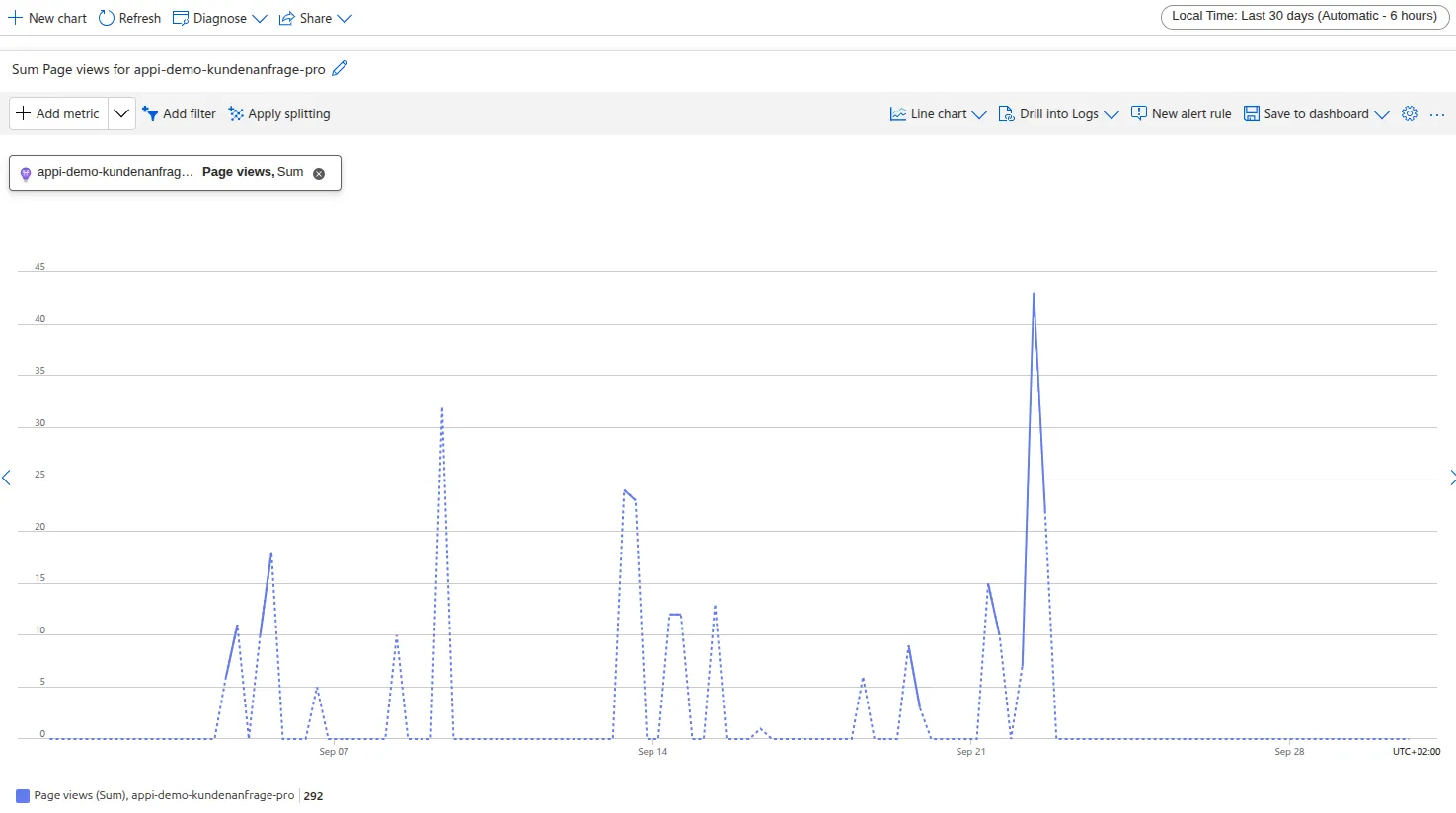 Figure: A line chart of aggregate website views over 30 days, with clear usage peaks. The original screenshot retains its German interface.
2. User flows for conversion optimization
Visualizing user flows is particularly useful. It shows the routes users take through the portal and the specific points where they unexpectedly abandon a process. These insights are essential when you want to improve the user journey in complex enterprise portals or the conversion rate of payment processes.
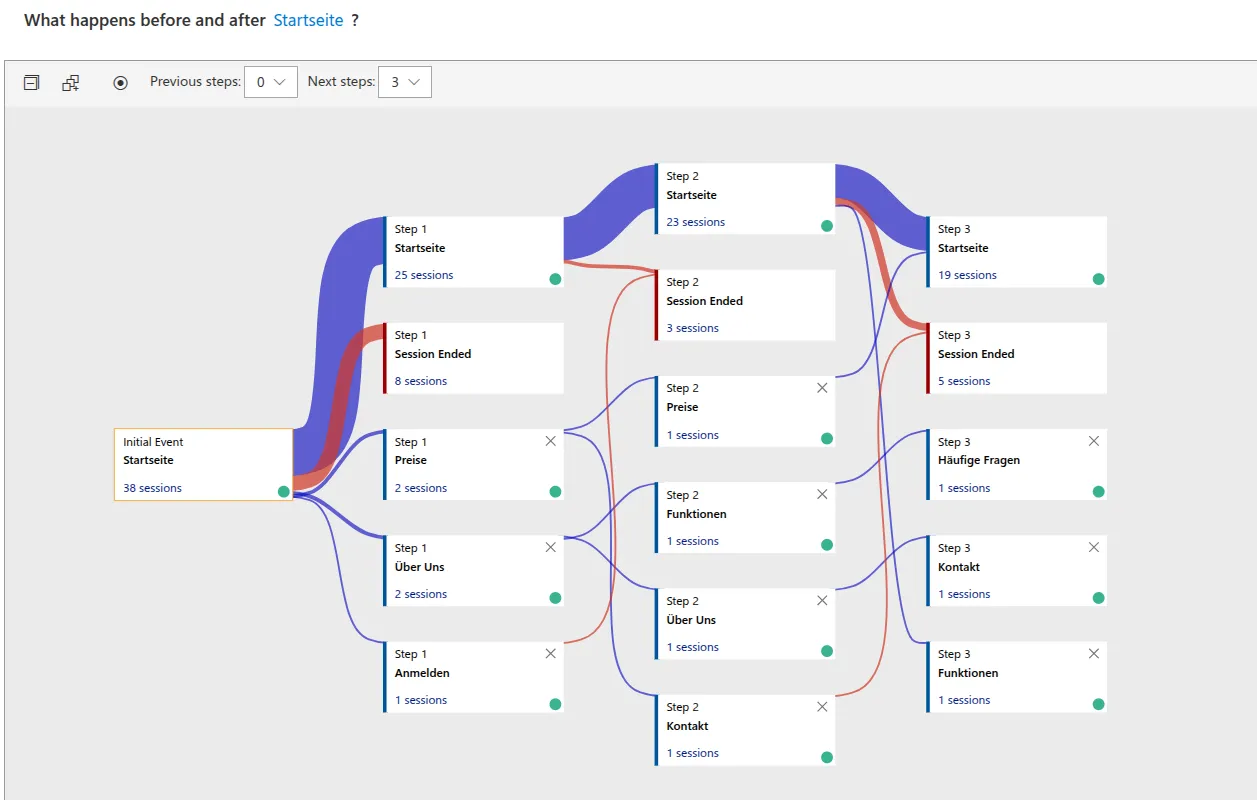 Figure: An interactive user-flow graph visualizes click paths starting from the home page and provides useful information about drop-off rates. The original screenshot retains its German interface and the label “Startseite”.
3. Application dashboards and workbooks
Combined views bring metrics and log queries together. They provide an overall system view in one central report. The specific Log Analytics tables we use for this monitoring vary by use case. Development teams and business departments therefore work from the same information. This monitoring is essential for international companies with multilingual portals, such as the React-based solutions we implemented for retailers.
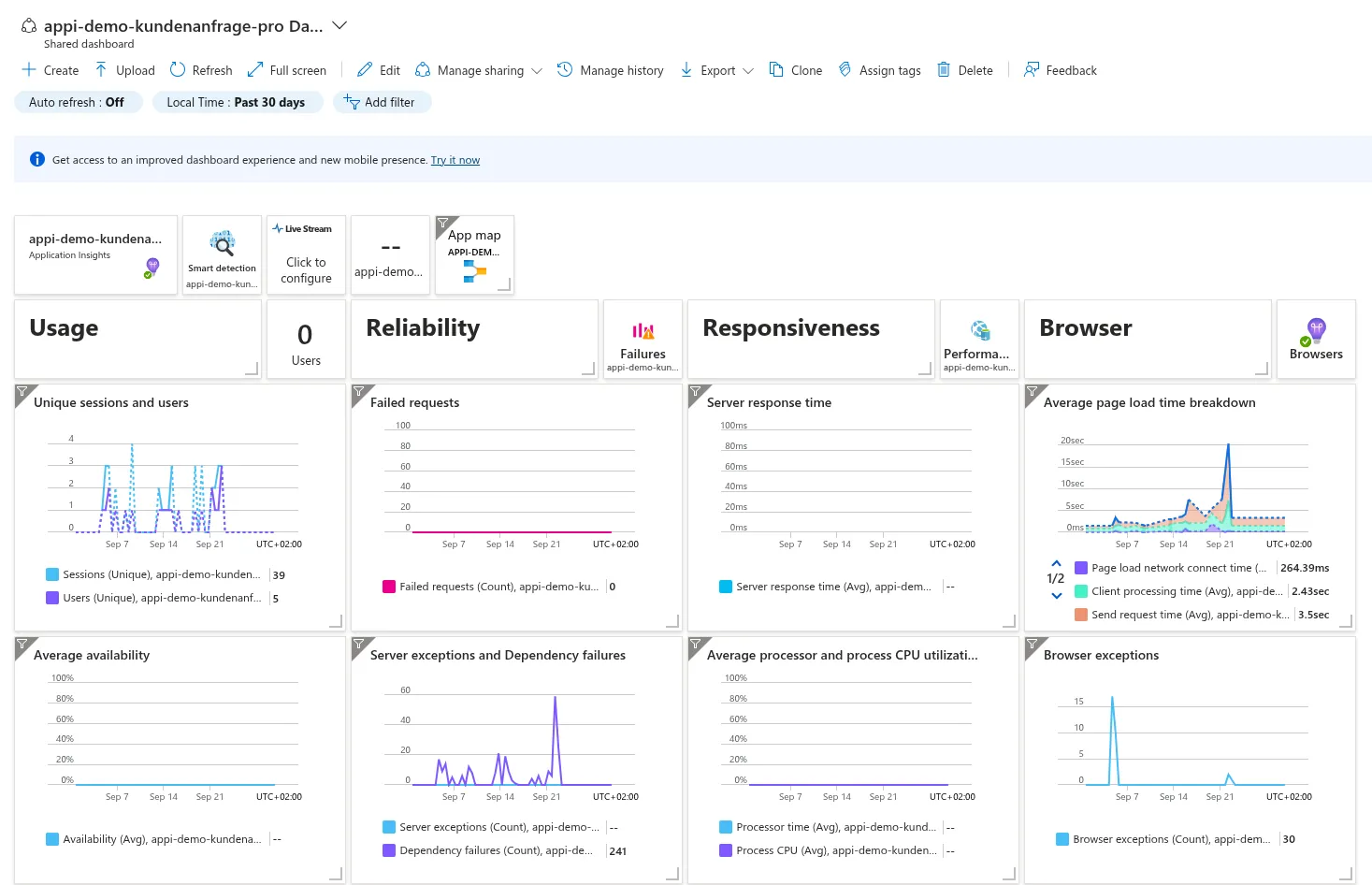 Figure: A custom application dashboard consolidates performance indicators such as response times, error rates and usage. The original screenshot retains its German interface.
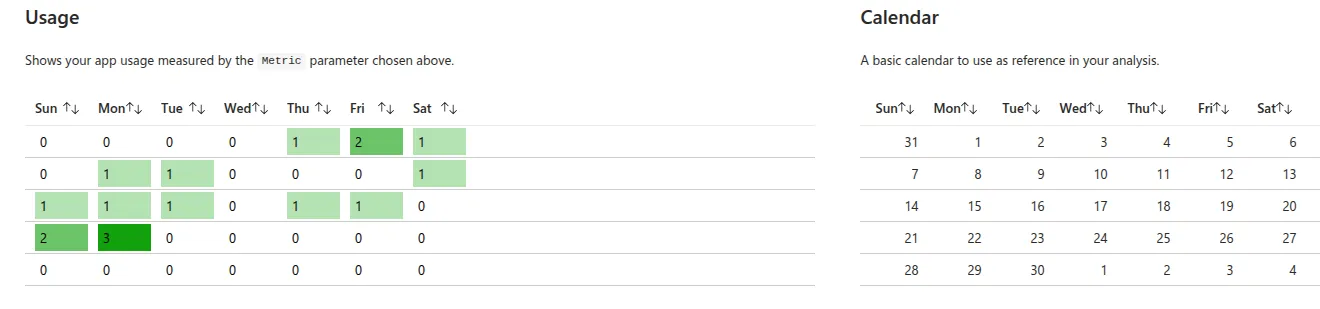 Figure: Analysis of Usage Calendar data shows usage frequency on particular days of the week. The original screenshot retains its German interface.
Deeper analysis with KQL and Power BI
For highly customized analysis, we use Microsoft’s Kusto Query Language (KQL). This query language lets us establish complex relationships between different data sources. The following example shows how easily active visits and their associated user IDs from the last 12 hours can be isolated:
pageViews
| where timestamp > ago(12h)
| project name, url, user_AuthenticatedId, user_AccountId Figure: Evaluating the “user_AuthenticatedId” and “user_AccountId” columns directly correlates web events with Dataverse identities, distinguishing anonymous, authenticated and company-associated users. The original screenshot retains its German interface.
Strategic value through Dataverse enrichment
The strength of Application Insights combined with Power Pages is not merely counting clicks. It is linking web metrics to business-critical identities in Dataverse. In the query above, we see the transition from an anonymous visitor to an authenticated user associated with a specific company (user_AccountId).
This gives IT decision-makers precise strategic use cases:
- Key-account monitoring: Identify which decision-makers at a specific company regularly visit service pages so that support or upselling can be offered proactively.
- Conversion analysis by customer segment: Determine the success rate of the sales process, such as the checkout rate, filtered by company association to validate B2B terms.
- Targeted feature adoption: Analyze whether the “premium customers” target group actually uses newly released portal features or abandons them during the process.
- Churn prediction in self-service: Provide early warning by comparing declining login frequency among existing customers with their support-ticket history in Dataverse.
- A personalized UX roadmap: Prioritize development resources based on the click paths of the highest-revenue user groups rather than aggregate traffic figures.
Once this raw data is structured, we export it to systems such as Power BI or Excel. This lets us create specific reports tailored to the requirements of different internal stakeholders.
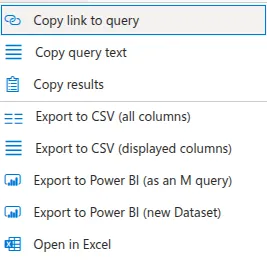 Figure: Direct export options transfer processed KQL results into Power BI dashboards or local Excel workbooks. The original screenshot retains its German interface.
A solid data basis for strategic portal operation
Basic dashboards provide an initial overview but cannot answer detailed business questions. Combining Power Pages, Azure Application Insights and a strict consent manager provides the essential foundation for strategically managed portal operation.
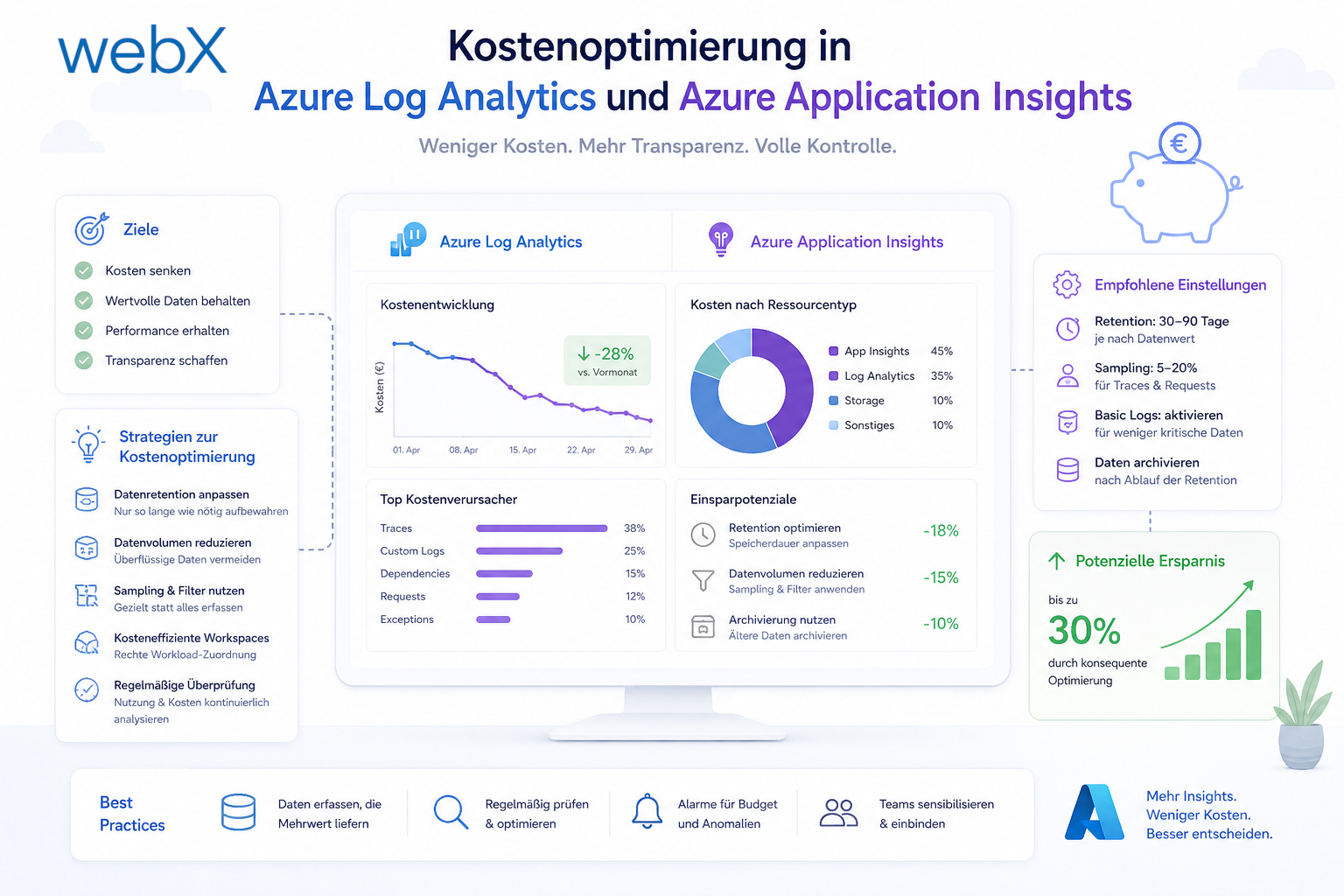
Decisions can then be based on validated user behavior rather than assumptions from business departments. To learn how to reduce the storage costs of this detailed data collection substantially, read our expert analysis of Azure Monitor Data Collection Rules or our article on cost optimization in Log Analytics.
Would you like to measure and analyze user behavior in your portal reliably? Explore our reference projects, or let us discuss how to design your analytics architecture in line with legal requirements.