Managing six authentication states in a React frontend with react-oidc-context and Zitadel
react-oidc-context handles the browser PKCE flow. The real challenge is not the login button, but correctly handling all six authentication states in App.tsx and backend JWT middleware using Zitadel’s JWKS endpoint.
Contents
- react-oidc-context as the OIDC client
- The six authentication states in App.tsx
- The login button
- JWT middleware in the backend
- AUTH_ENABLED=false for local development
- Verifying that auth-disabled is absent from the bundle
- All articles in the series
react-oidc-context as the OIDC client
The react-oidc-context library wraps oidc-client-ts and provides a React context. Setup is minimal:
// src/lib/auth.ts
export const AUTH_ENABLED = import.meta.env.VITE_AUTH_ENABLED === 'true';

const CLIENT_ID = import.meta.env.VITE_ZITADEL_CLIENT_ID;
const ZITADEL_DOMAIN = import.meta.env.VITE_ZITADEL_DOMAIN;

export const oidcConfig: AuthProviderProps = {
  authority: ZITADEL_DOMAIN,
  client_id: AUTH_ENABLED ? CLIENT_ID : 'auth-disabled',
  redirect_uri: `${window.location.origin}/callback`,
  scope: 'openid profile email',
  response_type: 'code',
};
The 'auth-disabled' placeholder matters. When AUTH_ENABLED=false, oidc-client-ts still expects a non-empty client_id. Without the placeholder, the library would throw an initialization error even with authentication completely disabled.
The provider is configured in main.tsx:
import { AuthProvider } from 'react-oidc-context';
import { oidcConfig } from './lib/auth';

ReactDOM.createRoot(document.getElementById('root')!).render(
  <AuthProvider {...oidcConfig}>
    <App />
  </AuthProvider>
);
AuthProvider automatically loads the OIDC configuration from Zitadel’s /.well-known/openid-configuration endpoint and manages the token lifecycle.
The six authentication states in App.tsx
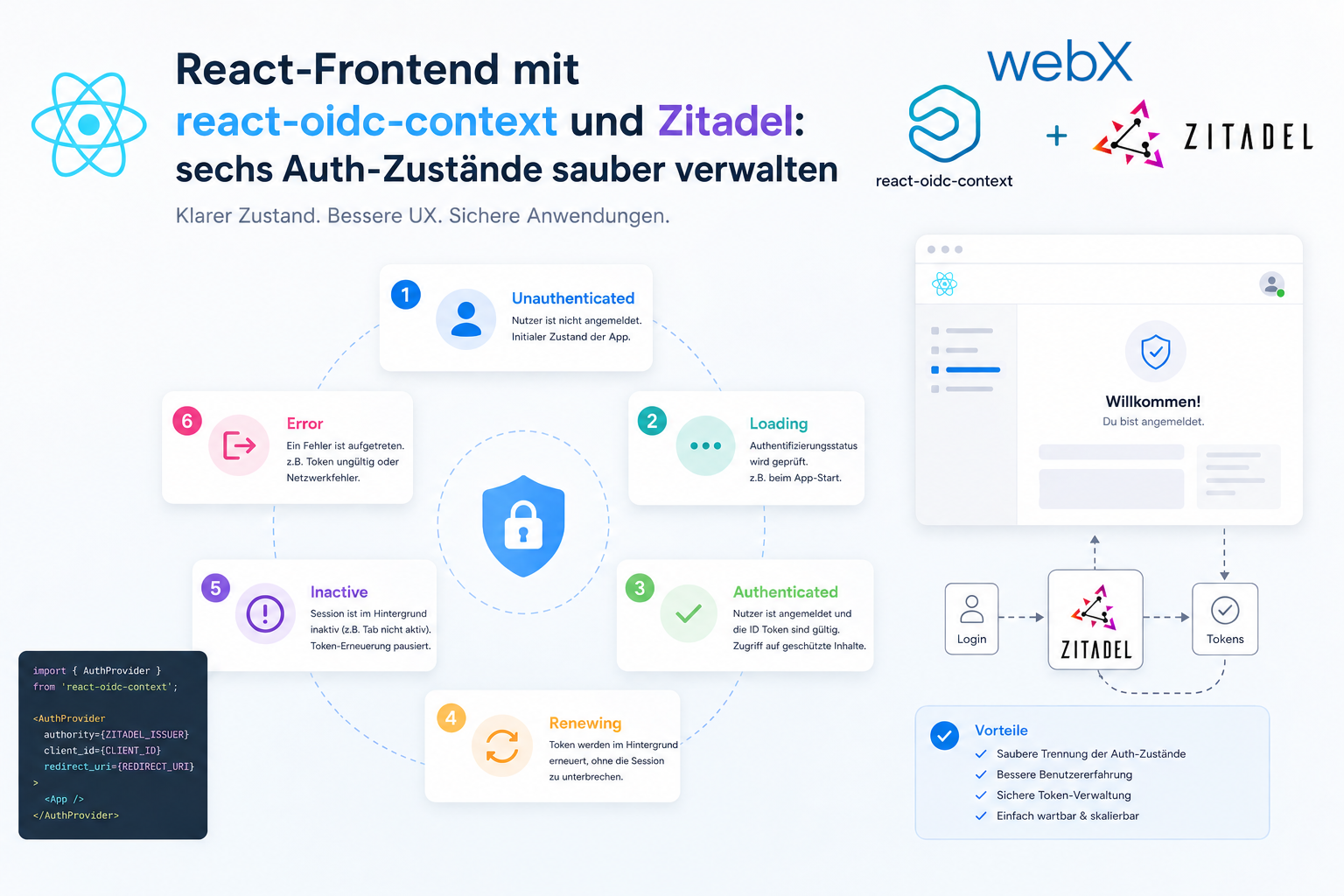
A common mistake when adding react-oidc-context is to distinguish only between signed in and signed out. In practice, there are six relevant states:
const App = () => {
  const auth = useAuth();

  // 1. Authentication disabled: go directly to the app
  if (!AUTH_ENABLED) {
    return <Dashboard />;
  }

  // 2. Authentication loading: fetch OIDC configuration from the server
  if (auth.isLoading) {
    return <LoadingSpinner />;
  }

  // 3. Authentication error: for example, Zitadel is unreachable
  if (auth.error) {
    return <ErrorPage message={auth.error.message} />;
  }

  // 4. Process callback: exchange code for tokens
  if (hasAuthParams()) {
    return <LoadingSpinner message="Completing sign-in..." />;
  }

  // 5. Not authenticated: show the login page
  if (!auth.isAuthenticated) {
    return <LoginPage />;
  }

  // 6. Authenticated: show the app
  return <Dashboard user={auth.user} />;
};
hasAuthParams() checks whether the current URL contains a code parameter, indicating that the redirect from Zitadel is being processed. Without this check, the app briefly flashes the login page before callback processing finishes.
const hasAuthParams = (): boolean => {
  const searchParams = new URLSearchParams(window.location.search);
  return searchParams.has('code') || searchParams.has('error');
};
The login button
With react-oidc-context, the login button takes two lines:
const LoginPage = () => {
  const auth = useAuth();
  return <button onClick={() => auth.signinRedirect()}>Sign in with Zitadel</button>;
};
signinRedirect() builds the PKCE authorization URL, including code_verifier and code_challenge, stores state in sessionStorage and redirects the browser to the Zitadel Login V2 UI. After sign-in, the user returns to the redirect_uri.
The callback is not a separate React Router route. AuthProvider processes it automatically when hasAuthParams() matches.
JWT middleware in the backend
The React frontend sends the access token as a bearer token with every API call:
// api-client.ts
const getAuthHeaders = async (): Promise<Record<string, string>> => {
  const auth = getAuthContext(); // from the React context
  if (!auth.isAuthenticated || !auth.user?.access_token) return {};
  return { Authorization: `Bearer ${auth.user.access_token}` };
};
The backend validates this token against Zitadel’s JWKS endpoint:
// backend/src/middleware/auth.ts
import { createRemoteJWKSet, jwtVerify } from 'jose';

const JWKS_URL = `${process.env.ZITADEL_DOMAIN}/oauth/v2/keys`;
const JWKS = createRemoteJWKSet(new URL(JWKS_URL));

export const authMiddleware = async (req, res, next) => {
  if (process.env.AUTH_ENABLED === 'false') {
    req.auth = { userId: 'dev-user-local', email: 'dev@localhost' };
    return next();
  }

  const authHeader = req.headers.authorization;
  if (!authHeader?.startsWith('Bearer ')) {
    return res.status(401).json({ error: 'Missing token' });
  }

  const token = authHeader.slice(7);

  try {
    const { payload } = await jwtVerify(token, JWKS, {
      issuer: process.env.ZITADEL_DOMAIN,
    });
    req.auth = {
      userId: payload.sub,
      email: payload.email as string,
    };
    next();
  } catch (error) {
    return res.status(401).json({ error: 'Invalid token' });
  }
};
createRemoteJWKSet caches the public key from Zitadel’s JWKS endpoint. The JWKS is not reloaded for every request. When keys rotate, jose automatically retrieves the new key.
The userId from the JWT sub claim is then used in every database operation. It does not come from the request body, but exclusively from the validated token. This prevents one user from manipulating another user’s data.
AUTH_ENABLED=false for local development
When AUTH_ENABLED=false in the backend, the middleware injects a synthetic identity:
req.auth = { userId: 'dev-user-local', email: 'dev@localhost' };All data created locally without authentication therefore belongs to dev-user-local. Once authentication is enabled, the real user has a different userId. Existing local test data is then invisible to the signed-in user. This is intentional.
Verifying that auth-disabled is absent from the bundle
After setup, there is a simple way to check whether authentication is actually enabled:
# During the Docker build or after npm run build:
grep -r "auth-disabled" dist/
If AUTH_ENABLED=true was set correctly, there are no matches. The 'auth-disabled' placeholder does not enter the bundle because Vite removes the branch at compile time when VITE_AUTH_ENABLED === 'true' always evaluates to false.
If there is a match, frontend/.env was not correctly included in the Docker build context. My article on Vite environment variables in Docker explains more.
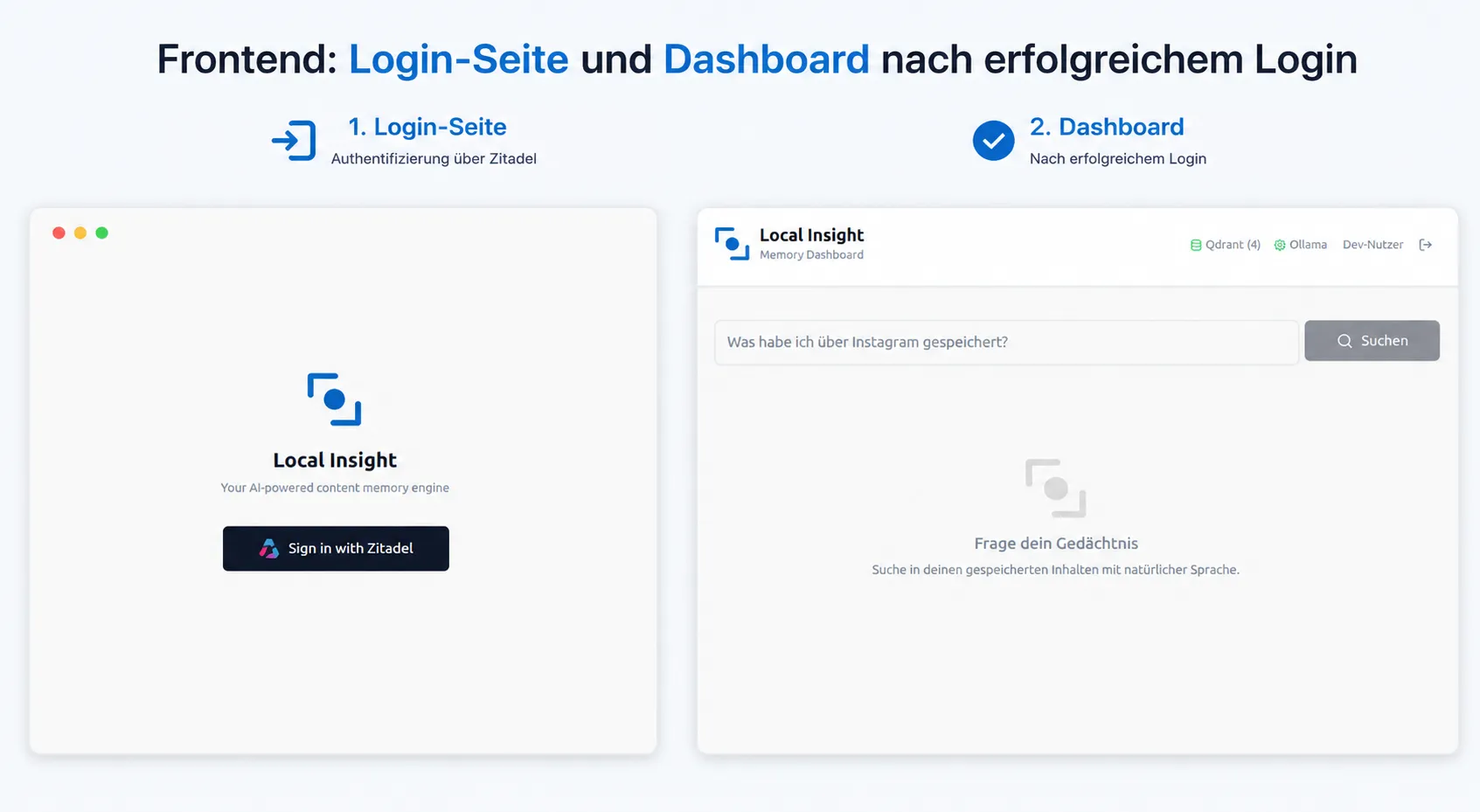 Figure: The login page with its Zitadel button is on the left. On the right is the dashboard after successful sign-in, with the real Zitadel username in the navigation. The original screenshot retains its German interface.
All articles in the series
- Vision and system overview: Chrome Extension, RAG architecture and project background: Read article
- Building a RAG system: Qdrant, embeddings and cosine similarity in TypeScript: Read article
- AI provider abstraction: Ollama vs. OpenAI, interface design and no vendor lock-in: Read article
- Chrome Extension MV3: Three isolated runtime contexts, message passing and Strategy Pattern: Read article
- Docker Compose strategy: The override pattern, from local development to Azure: Read article
- Ollama locally vs. Docker: The decision and its consequences: Read article
- Ollama auto-pull entrypoint: Automated model setup at container startup: Read article
- tsconfig and Vite:
Node16vs.bundler, and why Vite has its own rules: Read article - Load complete Instagram captions with MutationObserver: Read article
- Chrome Extension foundation with health indicator and retry queue: Read article
- Phase 2 features: Shadow DOM overlay, Tailwind v4 and duplicate detection: Read article
- Race condition in platform detection: How a UI event breaks Instagram detection: Read article
- Extracting PostId in two Instagram layouts: querySelector vs. ancestor traversal: Read article
- Capture a complete Instagram carousel with MutationObserver: Lazy loading, observer-before-click and timeout fallback: Read article
- Notes and tags when saving screenshots: Read article
- Instagram keyboard shortcuts block Chrome Extension input: Read article
- Lowercase normalization and duplicate detection in tag input: Read article
- Zitadel Login V2 in Docker Compose with three hidden errors: Read article
- PKCE OAuth in a Chrome MV3 extension: Read article
- React frontend with react-oidc-context and Zitadel: (this article)
- Vite build-time environment variables in Docker: Read article
- Event-driven ingestion with BullMQ and Redis: Read article
- MinIO instead of Azurite: S3-compatible object storage locally and on Hetzner: Read article
- access_token, id_token and the Userinfo endpoint: Which belongs where: Read article
- Qdrant multi-tenancy with one collection per user: Read article
- When backend and frontend know different types: Read article
- Removing Zitadel bootstrap: Host header bug and manual setup: Read article
- Backend code review with six problems fixed before launch: Read article
- Traefik instead of NGINX: Reverse proxy for a growing Docker Compose stack: Read article
- Two-layer rate limiting: Traefik and express-rate-limit with Redis: Read article
- Implementing GDPR Article 17 correctly: Promise.allSettled and export batching: Read article
- Embedding model lock-in: Why mxbai-embed-large is a permanent production decision: Read article
- Docker volumes in production: Named volumes, bind mounts and the Hetzner volume approach: Read article
- Two vulnerabilities before launch: Redis without authentication and an exposed Qdrant admin port: Read article
- Traefik as the single entry point in the Docker Compose stack: Read article
- Connecting Zitadel behind Traefik with issuer, JWKS and Login V2: Read article
- Fixing the frontend when the nginx healthcheck fails on localhost: Read article
- Observability for my Docker Compose stack with Bull Board and Dozzle: Read article
- Open the Qdrant dashboard securely with local Traefik and an SSH tunnel: Read article
- Diagnosis of chunking failures despite tokenization: Read article
- Why I set the chunk size to 1500 tokens: Read article
- Splitting the embedding workflow into clear steps: Read article
- Bringing chunking, storage and search back together: Read article
- Capture Intake as a separate module, less orchestration in the Express endpoint: Read article
Are you building an OIDC-secured React frontend with your own identity provider? Let us assess it together.