MinIO instead of Azurite for S3-compatible object storage locally and on Hetzner
Azurite ties the project to Azure Blob Storage. MinIO speaks the same S3 API as Hetzner Object Storage. Changing environment variables is enough to move to production. Alongside that: how the Zitadel bootstrap container creates OIDC apps automatically.
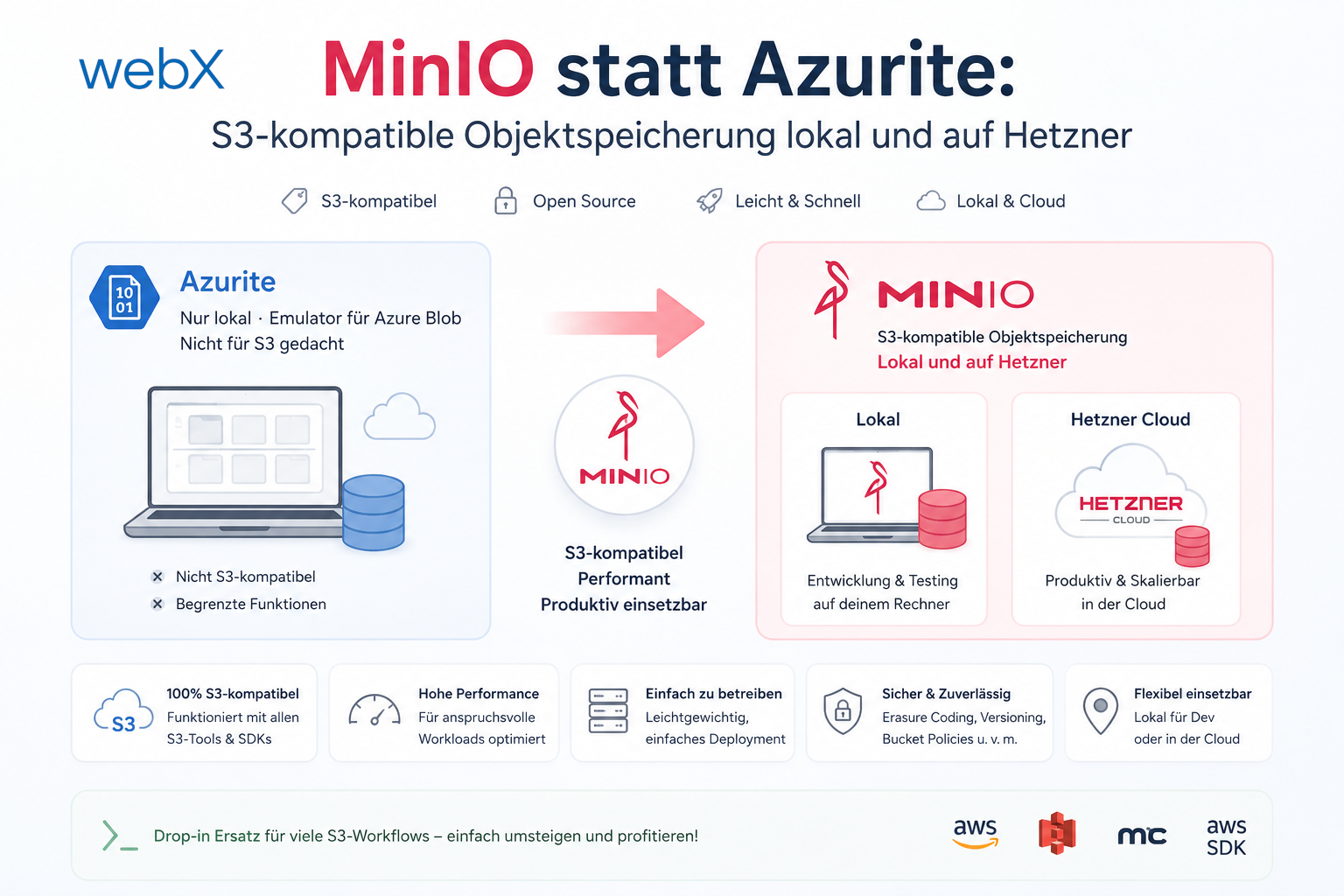
Contents
- The problem with Azurite
- Why MinIO is the right choice
- Why the AWS SDK instead of the MinIO SDK?
- Presigned URLs instead of SAS tokens
- Port conflict between MinIO 9000 and Zitadel Login V2
- Docker Compose setup for MinIO and bucket initialization
- Zitadel bootstrap to create the OIDC apps
- What had gone wrong
- The bootstrap mechanism
- The stable extension ID problem
- Why Vite embeds client IDs at build time
- Two hidden bugs after the migration
- MinIO returns 403 for presigned URLs
- Email address missing from the extension popup
- What changed in practice
- All articles in the series
The problem with Azurite
The system previously stored screenshots in Azurite, the local emulator for Azure Blob Storage. That was enough initially because Azurite is easy to start and the backend only needed an Azure SDK client.
The problem emerged when I started thinking about deployment. Production should run on Hetzner. Hetzner offers Object Storage compatible with the AWS S3 API, but not Azure Blob. That means the Azure SDK locally and the S3 SDK on Hetzner. Two code paths, two configuration systems, two sources of error.
That was not acceptable.
Why MinIO is the right choice
MinIO is self-hosted object storage fully compatible with the S3 API. Hetzner Object Storage is also S3-compatible. The only difference between local development and production is configuration:
| Parameter | Local (MinIO) | Hetzner Object Storage |
|---|---|---|
S3_ENDPOINT | http://minio:9000 | https://fsn1.your-objectstorage.com |
S3_ACCESS_KEY | minioadmin | Hetzner API key |
S3_SECRET_KEY | minioadmin | Hetzner secret key |
S3_BUCKET_NAME | screenshots | my-production-bucket |
S3_REGION | us-east-1 | eu-central |
No code difference. Change the .env values, restart, done.
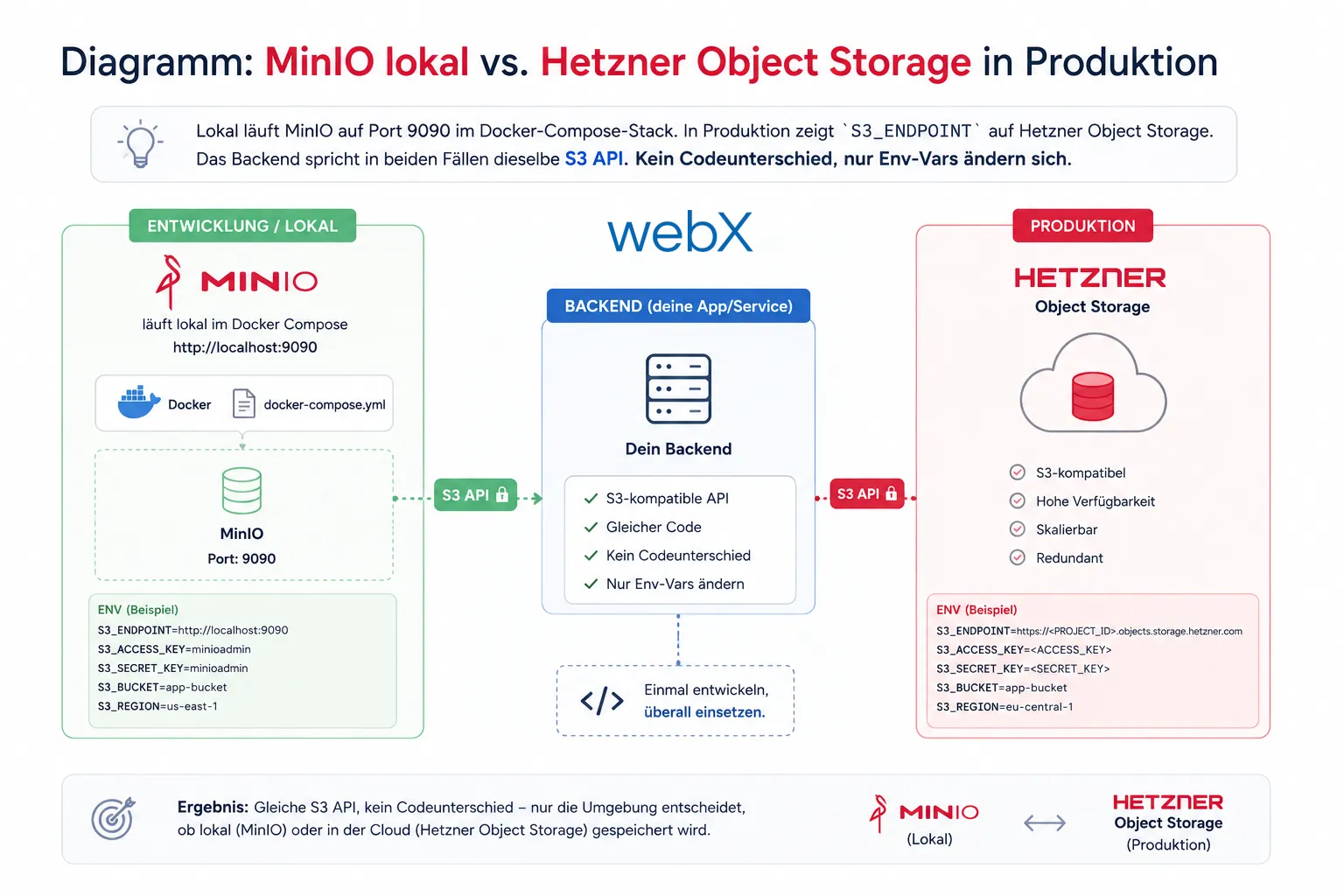 Figure: Locally, MinIO runs on port 9090 in the Docker Compose stack. In production,
 S3_ENDPOINT points to Hetzner Object Storage. The backend speaks the same S3 API in both cases. No code difference, only environment variables change. The original illustration retains its German labels.
Why the AWS SDK instead of the MinIO SDK?
The obvious question: why @aws-sdk/client-s3 rather than the native MinIO SDK?
The MinIO SDK is optimized for MinIO-specific features. The AWS SDK is the de facto standard for S3-compatible storage and is explicitly named in Hetzner’s documentation as the recommended client for its Object Storage. Every S3-compatible service, whether MinIO, Hetzner, Cloudflare R2 or Backblaze B2, works with the same AWS SDK client.
The only MinIO-specific parameter is forcePathStyle: true. By default, the AWS SDK expects virtual-hosted URLs: {bucket}.{endpoint}/{key}. MinIO and Hetzner instead use path-style URLs: {endpoint}/{bucket}/{key}. A single boolean solves that.
// src/services/blob-storage.ts
const s3 = new S3Client({
  endpoint: process.env.S3_ENDPOINT,
  region: process.env.S3_REGION ?? 'us-east-1',
  credentials: {
    accessKeyId: process.env.S3_ACCESS_KEY!,
    secretAccessKey: process.env.S3_SECRET_KEY!,
  },
  // Required for MinIO and Hetzner: path-style URLs instead of virtual-hosted
  forcePathStyle: true,
});
Presigned URLs instead of SAS tokens
Azure Blob Storage uses SAS tokens, Shared Access Signatures, for time-limited direct-access URLs. S3 has the same concept, but calls them presigned URLs.
The principle is identical: the backend generates a URL valid for a certain period, here 1 hour, allowing the browser to access the object directly without a backend proxy.
import { getSignedUrl } from '@aws-sdk/s3-request-presigner';
import { GetObjectCommand } from '@aws-sdk/client-s3';

async function getImageUrl(objectKey: string): Promise<string> {
  const command = new GetObjectCommand({
    Bucket: process.env.S3_BUCKET_NAME,
    Key: objectKey,
  });
  // URL is valid for 1 hour
  const url = await getSignedUrl(s3, command, { expiresIn: 3600 });

  // Rewrite internal Docker hostname to public host for browser access
  const publicUrl = process.env.S3_PUBLIC_URL;
  if (publicUrl) {
    const internalUrl = new URL(url);
    const externalUrl = new URL(publicUrl);
    internalUrl.hostname = externalUrl.hostname;
    internalUrl.port = externalUrl.port;
    internalUrl.protocol = externalUrl.protocol;
    return internalUrl.toString();
  }
  return url;
}
The S3_PUBLIC_URL approach is necessary locally because MinIO is available internally as http://minio:9000, while the browser expects http://localhost:9090. This is unnecessary in production. Hetzner is directly reachable from outside.
Port conflict between MinIO 9000 and Zitadel Login V2
MinIO runs on port 9000 by default. So does Zitadel Login V2, which uses Next.js. Only one can use that port on the same host.
The solution is a simple port mapping in docker-compose.override.yml:
minio:
  ports:
    - '9090:9000' # S3 API (host:container, avoids clash with Zitadel Login V2 on :9000)
    - '9091:9001' # MinIO web console
MinIO runs internally on port 9000, but the host reaches it only through 9090. The MinIO web console is available at http://localhost:9091 with login minioadmin / minioadmin.
Docker Compose setup for MinIO and bucket initialization
The stack consists of two services:
minio:
  image: minio/minio:latest
  container_name: minio_local
  ports:
    - '9090:9000'
    - '9091:9001'
  volumes:
    - minio_data:/data
  environment:
    - MINIO_ROOT_USER=minioadmin
    - MINIO_ROOT_PASSWORD=minioadmin
  command: server /data --console-address ":9001"
  healthcheck:
    test: ['CMD', 'mc', 'ready', 'local']
    interval: 10s

# One-shot container: creates the "screenshots" bucket on first start
minio-init:
  image: minio/mc:latest
  depends_on:
    minio:
      condition: service_healthy
  entrypoint: >
    sh -c "
      mc alias set local http://minio:9000 minioadmin minioadmin &&
      mc mb --ignore-existing local/screenshots &&
      echo 'MinIO bucket ready'
    "
  restart: 'no'
minio-init runs once, creates the bucket and is not restarted (restart: "no"). The --ignore-existing flag makes it idempotent. An existing bucket is not an error.
Zitadel bootstrap to create the OIDC apps
Alongside the MinIO migration, I solved the largest manual setup problem: the Zitadel OIDC apps previously had to be created by hand in the Zitadel console. Forgetting that after a volume reset causes login to fail with Errors.App.NotFound. Not a helpful error.
What had gone wrong
The client IDs in frontend/.env and extension/.env still came from a previous Zitadel instance. A volume reset creates a new instance. The IDs change. The old IDs are invalid.
Diagnosis through a database query:
-- Shows only: Management-API, Admin-API, Auth-API, Management Console
SELECT id, name FROM projections.apps7 WHERE is_deleted = false;
No frontend app, no extension app. The OAuth request therefore fails immediately.
The bootstrap mechanism
Zitadel v4 provides ZITADEL_FIRSTINSTANCE_PATPATH, an environment variable instructing Zitadel to write the IAM owner machine user’s PAT to a file on first startup:
zitadel:
  environment:
    # IAM_OWNER machine user, PAT written to shared volume on first init
    - ZITADEL_FIRSTINSTANCE_ORG_MACHINE_MACHINE_USERNAME=admin-service
    - ZITADEL_FIRSTINSTANCE_ORG_MACHINE_MACHINE_NAME=Admin Service
    - ZITADEL_FIRSTINSTANCE_ORG_MACHINE_PAT_EXPIRATIONDATE=2030-01-01T00:00:00Z
    - ZITADEL_FIRSTINSTANCE_PATPATH=/admin-pat/admin.pat
  volumes:
    - zitadel_admin_pat:/admin-pat
A zitadel-bootstrap container then reads this PAT and creates the OIDC apps through the Management API:
zitadel-bootstrap:
  image: python:3.12-alpine
  volumes:
    - zitadel_admin_pat:/admin-pat:ro
    - ./scripts:/scripts:ro
    - ./frontend:/frontend-env # bootstrap patches frontend/.env in-place
    - ./extension:/extension-env # bootstrap patches extension/.env in-place
  command: >
    sh -c "apk add --no-cache curl && sh /scripts/bootstrap-zitadel.sh"
  depends_on:
    - zitadel
  restart: 'no'
The scripts/bootstrap-zitadel.sh script waits for Zitadel, reads the PAT, creates the Local Insight project and both OIDC apps, and patches the .env files directly:
# Create frontend OIDC app (SPA / PKCE)
RESP=$(curl -sf -X POST \
  -H "Authorization: Bearer $PAT" \
  -H "Content-Type: application/json" \
  "$ZITADEL_URL/management/v1/projects/$PROJECT_ID/apps/oidc" \
  -d '{
    "name": "frontend",
    "redirectUris": ["http://localhost:5173/callback"],
    "appType": "OIDC_APP_TYPE_WEB",
    "authMethodType": "OIDC_AUTH_METHOD_TYPE_NONE",
    "grantTypes": ["OIDC_GRANT_TYPE_AUTHORIZATION_CODE"],
    "devMode": true
  }')
FRONTEND_CLIENT_ID=$(echo "$RESP" | python3 -c "import sys,json; print(json.load(sys.stdin)['clientId'])")

# Patch .env file directly on the host (mounted directory)
sed -i "s/^VITE_ZITADEL_CLIENT_ID=.*/VITE_ZITADEL_CLIENT_ID=$FRONTEND_CLIENT_ID/" "$FRONTEND_ENV"
devMode: true allows insecure redirect URIs, such as http://localhost. It does not disable checking whether the supplied redirect URI is in the registered list. This is exactly where the next error was.
After bootstrap, the frontend container must be rebuilt so Vite embeds the new client IDs:
docker compose build --no-cache frontend && docker compose up -d frontend
cd extension && npm run build
The stable extension ID problem
The Chrome Extension has its own OAuth flow through chrome.identity.launchWebAuthFlow. The problem: chrome.identity.getRedirectURL() does not return https://chromiumapp.org/, but https://<extension-id>.chromiumapp.org/, with the actual extension ID as a subdomain. Zitadel compares this URI exactly against the registered list. devMode: true does not help here.
For an unpacked extension, the ID is hashed from the directory path and changes when the extension is loaded from another path. This makes static registration impossible unless the ID is stabilized.
The solution: an RSA public key in the manifest. Chrome derives the extension ID from the SHA-256 hash of the DER-encoded public key. Same key, same ID, regardless of path or machine.
// extension/manifest.config.ts
export default defineManifest({
  // ...
  // Stable extension ID for PKCE OAuth (ID: gjmeppkmccnmkidjndcpfcealflcdmdg)
  // Redirect URI: https://gjmeppkmccnmkidjndcpfcealflcdmdg.chromiumapp.org/
  key: 'MIIBIjANBgkqhkiG9w0BAQEFAAOCAQ8AMIIBCgKCAQEAr+U5882h...',
});
With this key, the extension always loads with the same ID. The redirect URI can be permanently registered in Zitadel:
# bootstrap-zitadel.sh: Extension app with stable redirect URI
"redirectUris": ["https://gjmeppkmccnmkidjndcpfcealflcdmdg.chromiumapp.org/"]
Generate the key once:
openssl genrsa 2048 | openssl rsa -pubout -outform DER | base64 -w 0The extension ID can be calculated deterministically from the public key: SHA-256 of the DER-encoded key, first 128 bits, with each nibble becoming a letter from a to p. The Python script:
import hashlib, base64

pub_key_der = base64.b64decode(open("pub.b64").read())
digest = hashlib.sha256(pub_key_der).digest()
ext_id = "".join(chr(ord("a") + (b >> 4)) + chr(ord("a") + (b & 0xF)) for b in digest[:16])
print(ext_id)  # gjmeppkmccnmkidjndcpfcealflcdmdg
Why Vite embeds client IDs at build time
Vite reads VITE_* variables at build time, not runtime. This is a deliberate design decision: no server-side rendering, no runtime configuration endpoints for static SPAs. The downside: after a Zitadel reset, the container must be rebuilt. The advantage: no separate configuration API and no runtime errors caused by missing environment variables.
Two hidden bugs after the migration
The first complete run revealed two errors that only became visible after the basic migration.
MinIO returns 403 for presigned URLs
The backend generates presigned URLs for direct browser access to stored screenshots. The URL looked syntactically correct, but MinIO responded with 403 Forbidden.
The cause is subtle: the AWS SDK signs the URL with the endpoint known to the client. Inside the Docker network, MinIO is available as http://minio:9000. That is the internal hostname. The generated presigned URL then looks like this:
http://minio:9000/screenshots/posts/abc.png?X-Amz-Signature=...&X-Amz-SignedHeaders=hostRewriting the hostname afterward to localhost:9090 seems natural, but does not solve the problem. The AWS signature covers the host header, visible in X-Amz-SignedHeaders=host. As soon as the host changes after signing, HMAC verification fails.
The correct solution: create a separate S3 client for presigned URL generation that uses the public endpoint, S3_PUBLIC_URL, from the start:
// backend/src/services/blob-storage.ts

/** Client for internal operations (upload, bucket management) */
function getClient(): S3Client {
  return makeClient(S3_ENDPOINT); // http://minio:9000, Docker-internal hostname
}

/**
 * Client for presigned URLs.
 * Signs directly with S3_PUBLIC_URL so the generated URL already contains
 * the publicly reachable hostname. Post-signing rewriting would
 * break the HMAC signature and cause 403 errors.
 */
function getPresignClient(): S3Client {
  return makeClient(S3_PUBLIC_URL ?? S3_ENDPOINT);
}
In production, S3_PUBLIC_URL is not set. Hetzner Object Storage is directly reachable externally, so the endpoint is already public.
Email address missing from the extension popup
After login, the extension popup showed a green indicator, meaning logged in, but no email address.
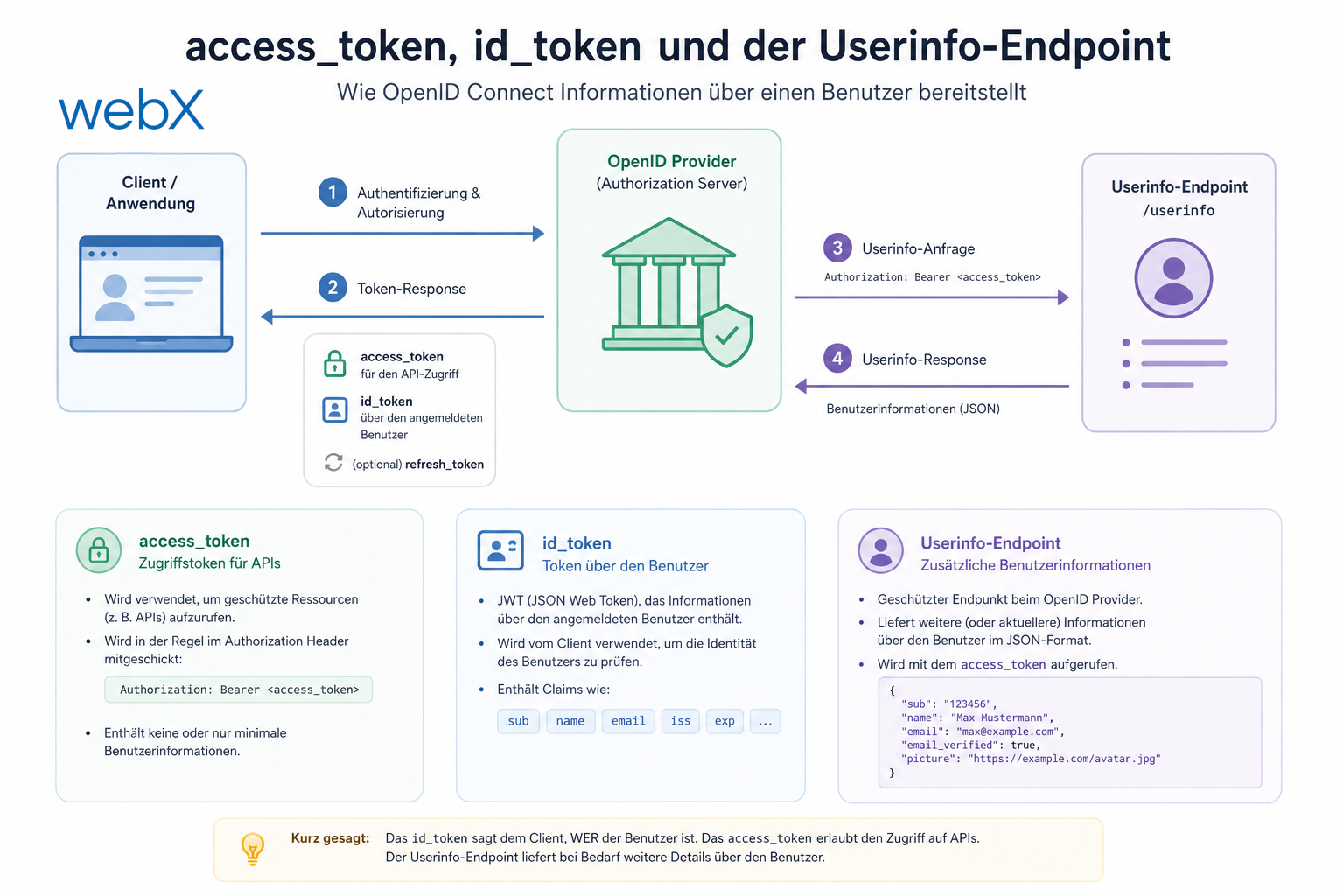
The reason: the code read email from the access token JWT. Zitadel places the user’s email address in the ID token, following the OIDC standard that deliberately separates authorization, the access token, from identity, the ID token.
// Before: reads email from wrong token (access token)
const payload = parseJwtPayload(data.access_token);
email: (payload.email as string) ?? "",

// After: reads email from ID token
const idPayload = data.id_token ? parseJwtPayload(data.id_token) : {};
email: (idPayload.email as string) ?? (idPayload.preferred_username as string) ?? "",
During a token refresh, Zitadel does not return a new ID token. The email is therefore carried forward from the previously stored token:
const existingTokens = await getStoredTokens();
email: (idPayload.email as string) ?? existingTokens?.email ?? "",
What changed in practice
| Before | After |
|---|---|
| Azurite (Azure-specific) | MinIO (S3-compatible) |
@azure/storage-blob SDK | @aws-sdk/client-s3 SDK |
| SAS tokens | Presigned URLs |
| Manual app creation in Zitadel | zitadel-bootstrap container |
| Stale client IDs after reset | Automatically updated .env files |
| Changing extension ID | Stable manifest key, fixed redirect URI |
| 403 for MinIO presigned URLs | Separate presign client with public endpoint |
| Empty email in popup | Email from ID token instead of access token |
Switching to Hetzner Object Storage in production now requires only:
S3_ENDPOINT=https://fsn1.your-objectstorage.com
S3_ACCESS_KEY=<hetzner-key>
S3_SECRET_KEY=<hetzner-secret>
S3_REGION=eu-central
S3_BUCKET_NAME=my-production-bucket
# S3_PUBLIC_URL not needed in production
No code, no build, no new dependency. Only .env.
All articles in the series
- Vision and system overview: Chrome Extension, RAG architecture and project background: Read article
- Building a RAG system: Qdrant, embeddings and cosine similarity in TypeScript: Read article
- AI provider abstraction: Ollama vs. OpenAI, interface design and no vendor lock-in: Read article
- Chrome Extension MV3: Three isolated runtime contexts, message passing and Strategy Pattern: Read article
- Docker Compose strategy: The override pattern, from local development to Azure: Read article
- Ollama locally vs. Docker: The decision and its consequences: Read article
- Ollama auto-pull entrypoint: Automated model setup at container startup: Read article
- tsconfig and Vite:
Node16vs.bundler, and why Vite has its own rules: Read article - Load complete Instagram captions with MutationObserver: Read article
- Chrome Extension foundation with health indicator and retry queue: Read article
- Phase 2 features: Shadow DOM overlay, Tailwind v4 and duplicate detection: Read article
- Race condition in platform detection: How a UI event breaks Instagram detection: Read article
- Extracting PostId in two Instagram layouts: querySelector vs. ancestor traversal: Read article
- Capture a complete Instagram carousel with MutationObserver: Lazy loading, observer-before-click and timeout fallback: Read article
- Notes and tags when saving screenshots: Read article
- Instagram keyboard shortcuts block Chrome Extension input: Read article
- Lowercase normalization and duplicate detection in tag input: Read article
- Zitadel Login V2 in Docker Compose with three hidden errors: Read article
- PKCE OAuth in a Chrome MV3 extension: Read article
- React frontend with react-oidc-context and Zitadel: Read article
- Vite build-time environment variables in Docker: Read article
- Event-driven ingestion with BullMQ and Redis: Read article
- MinIO instead of Azurite: S3-compatible object storage locally and on Hetzner: (this article)
- access_token, id_token and the Userinfo endpoint: Which belongs where: Read article
- Qdrant multi-tenancy with one collection per user: Read article
- When backend and frontend know different types: Read article
- Removing Zitadel bootstrap: Host header bug and manual setup: Read article
- Backend code review with six problems fixed before launch: Read article
- Traefik instead of NGINX: Reverse proxy for a growing Docker Compose stack: Read article
- Two-layer rate limiting: Traefik and express-rate-limit with Redis: Read article
- Implementing GDPR Article 17 correctly: Promise.allSettled and export batching: Read article
- Embedding model lock-in: Why mxbai-embed-large is a permanent production decision: Read article
- Docker volumes in production: Named volumes, bind mounts and the Hetzner volume approach: Read article
- Two vulnerabilities before launch: Redis without authentication and an exposed Qdrant admin port: Read article
- Traefik as the single entry point in the Docker Compose stack: Read article
- Connecting Zitadel behind Traefik with issuer, JWKS and Login V2: Read article
- Fixing the frontend when the nginx healthcheck fails on localhost: Read article
- Observability for my Docker Compose stack with Bull Board and Dozzle: Read article
- Open the Qdrant dashboard securely with local Traefik and an SSH tunnel: Read article
- Diagnosis of chunking failures despite tokenization: Read article
- Why I set the chunk size to 1500 tokens: Read article
- Splitting the embedding workflow into clear steps: Read article
- Bringing chunking, storage and search back together: Read article
- Capture Intake as a separate module, less orchestration in the Express endpoint: Read article
Migrating from Azure Blob Storage to an S3-compatible solution and have questions about SDK choice or presigned URLs? Let us look at it together.