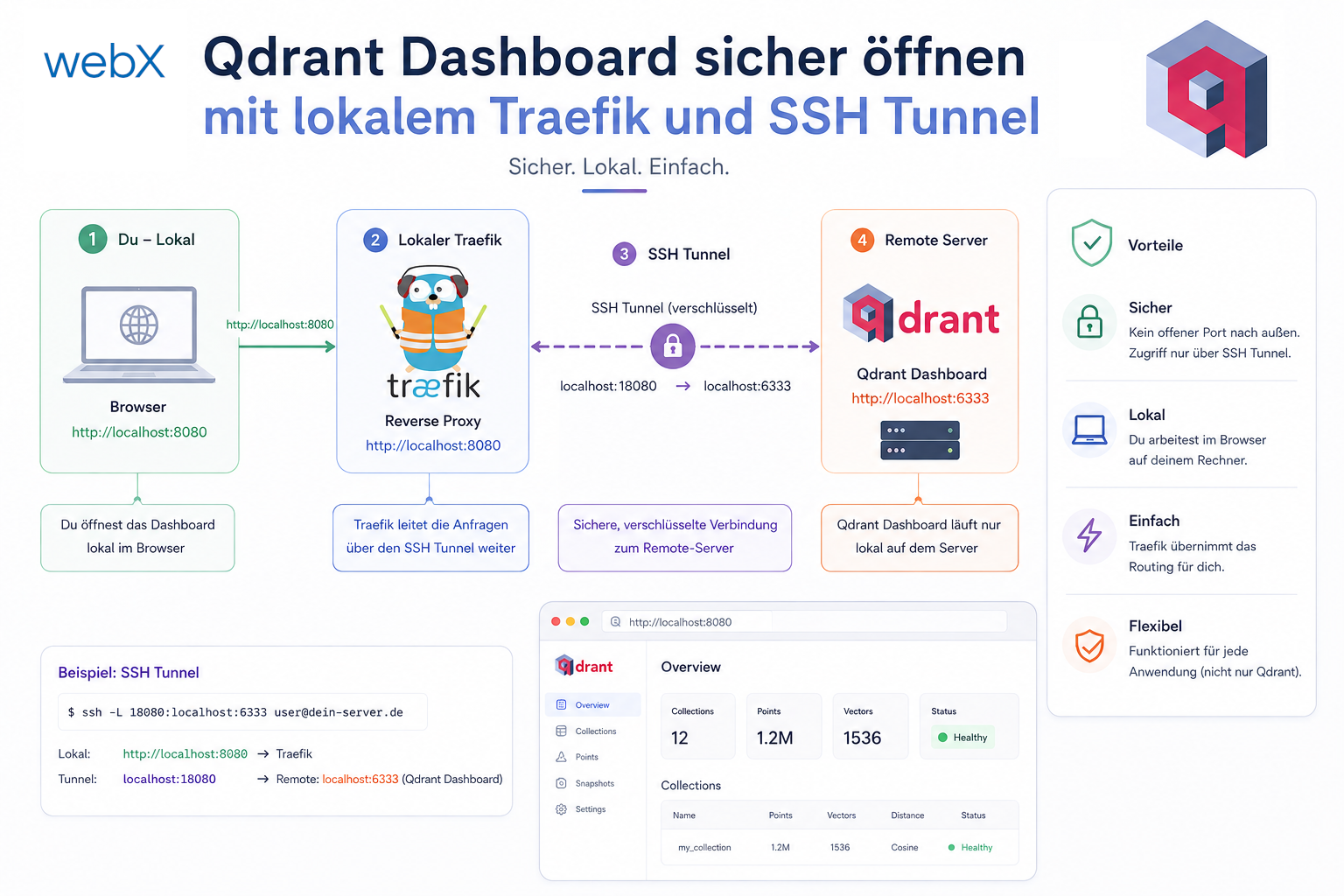
Open the Qdrant dashboard securely with local Traefik and an SSH tunnel
I wanted to inspect Qdrant data in the browser without making the database public. Locally I use Traefik; in production I open only an SSH tunnel and keep Qdrant internal.

I wanted to inspect Qdrant data in the browser without making the database public. Locally I use Traefik; in production I open only an SSH tunnel and keep Qdrant internal.
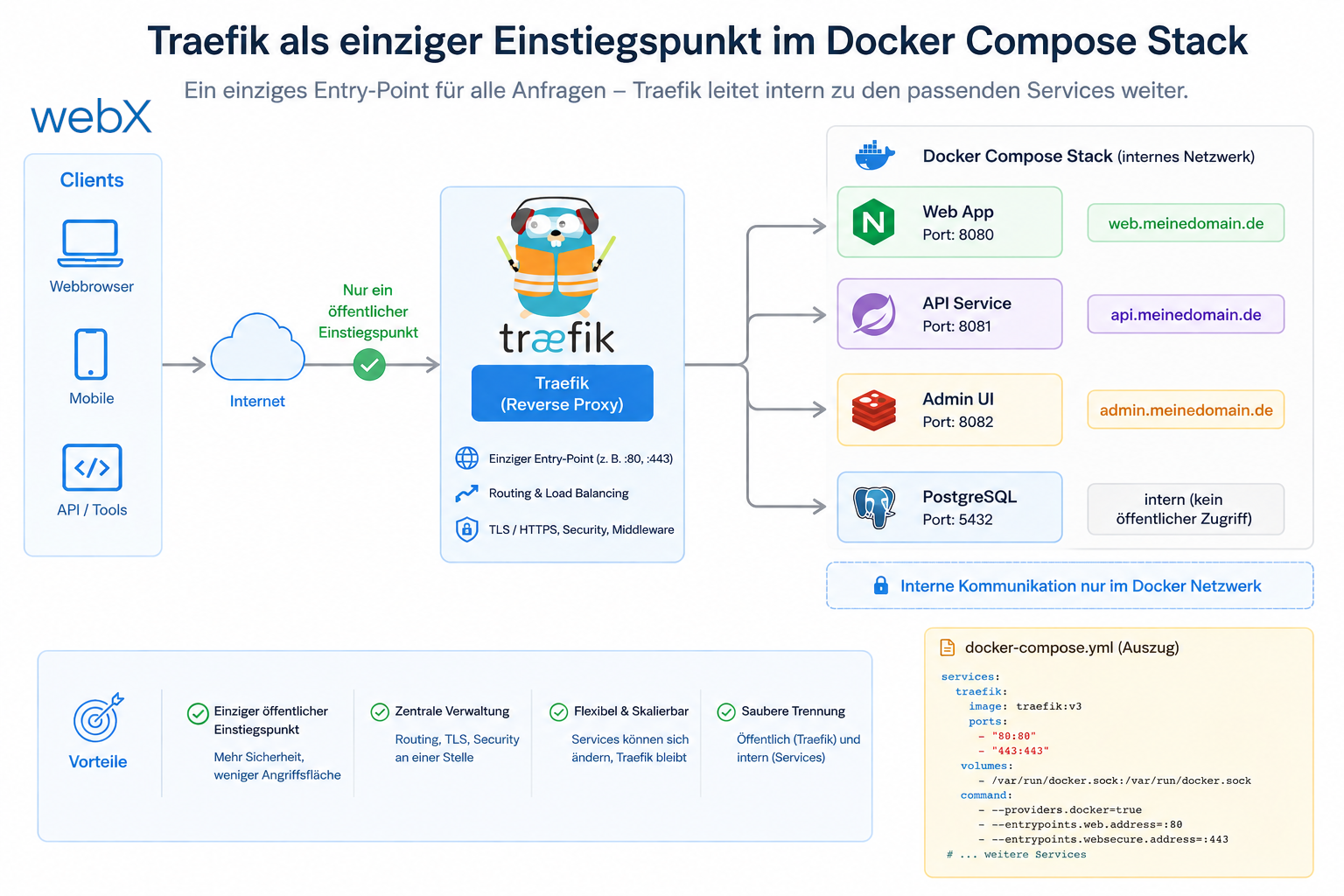
I restructured the stack so that browsers and the extension see only Traefik. Everything else runs through two Docker networks, explicit labels and no more direct host ports.
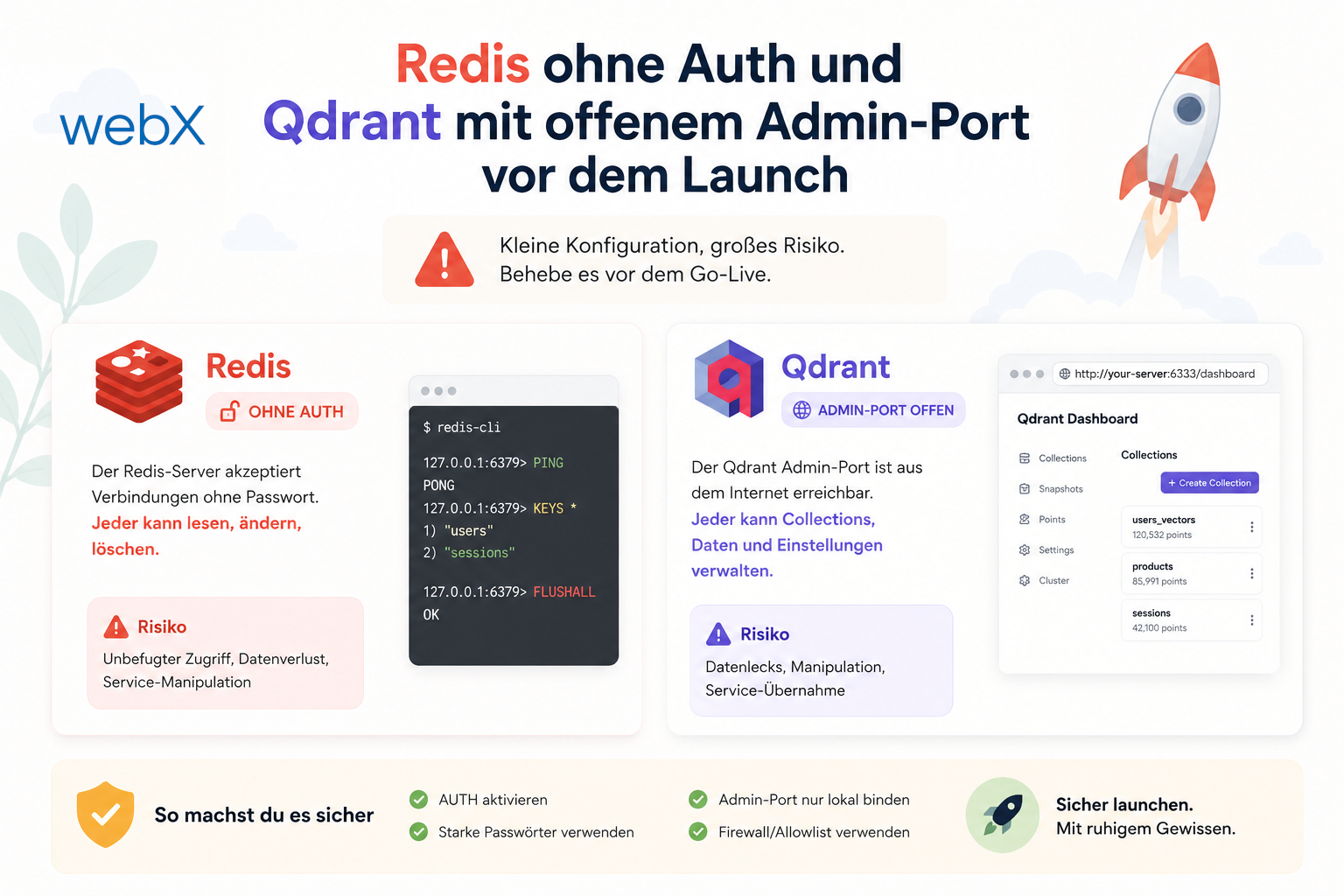
Before launch, I reviewed my architecture for more than scaling. I also examined implicit security assumptions and found two small gaps that could quickly become costly in production.
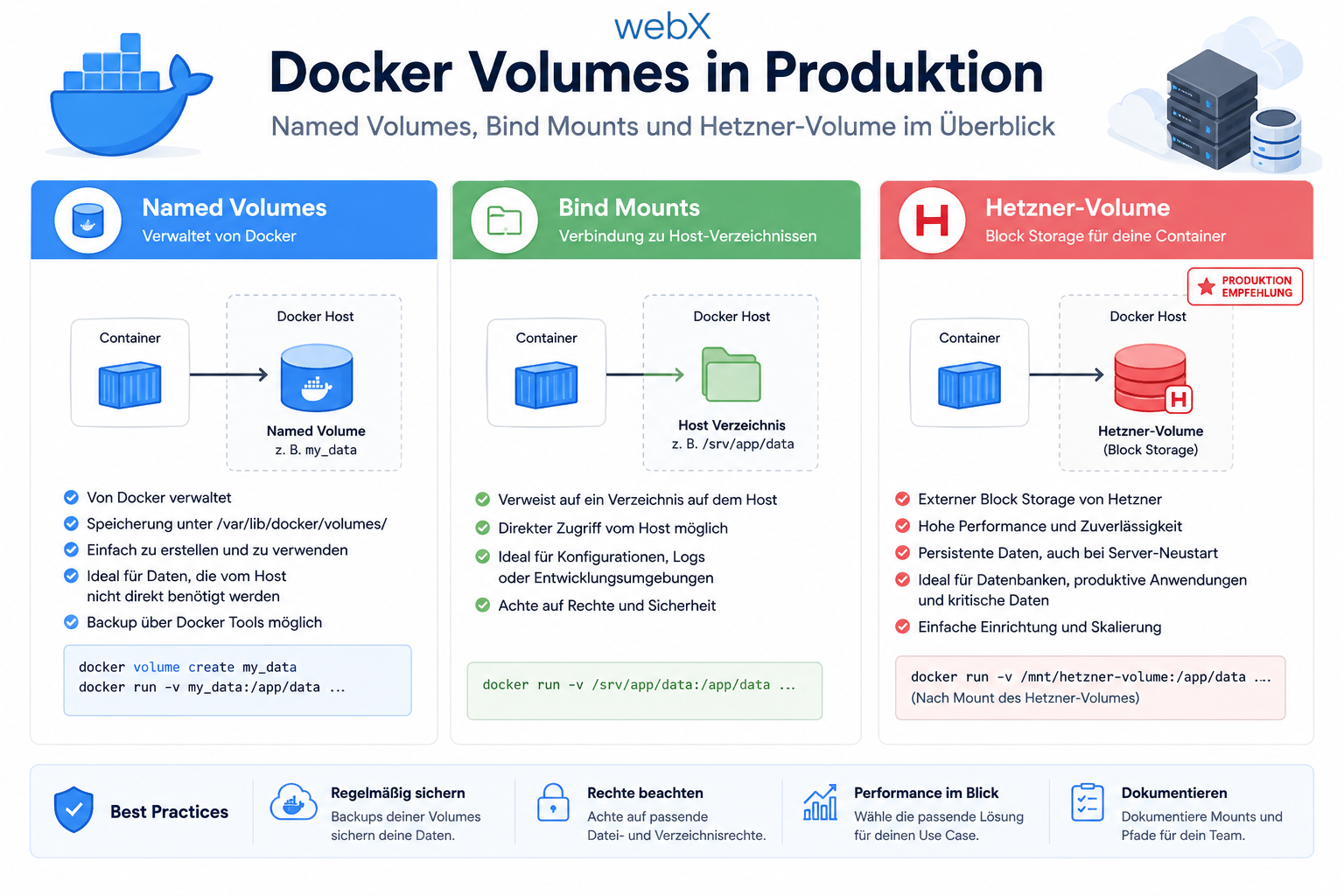
I learned that a Docker named volume does not automatically end up on a Hetzner volume in production. Only when I deliberately control the path do I really know where Qdrant, Redis and certificates are written.
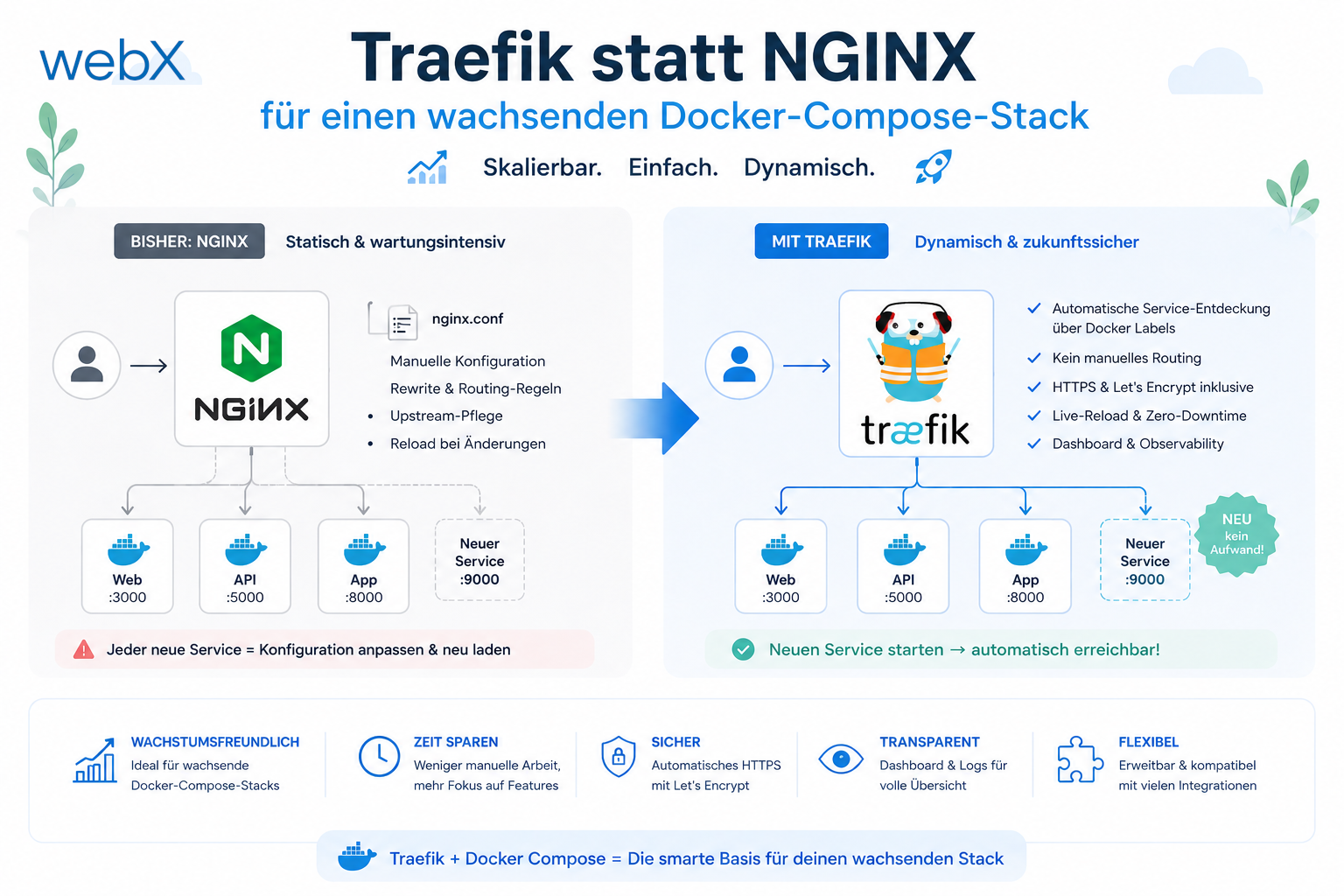
With eight services in a Docker Compose stack, nginx.conf becomes a maintenance burden. Traefik reads service configuration directly from Docker labels, terminates TLS automatically through ACME and needs no separate configuration file. Why I switched and what the configuration looks like.
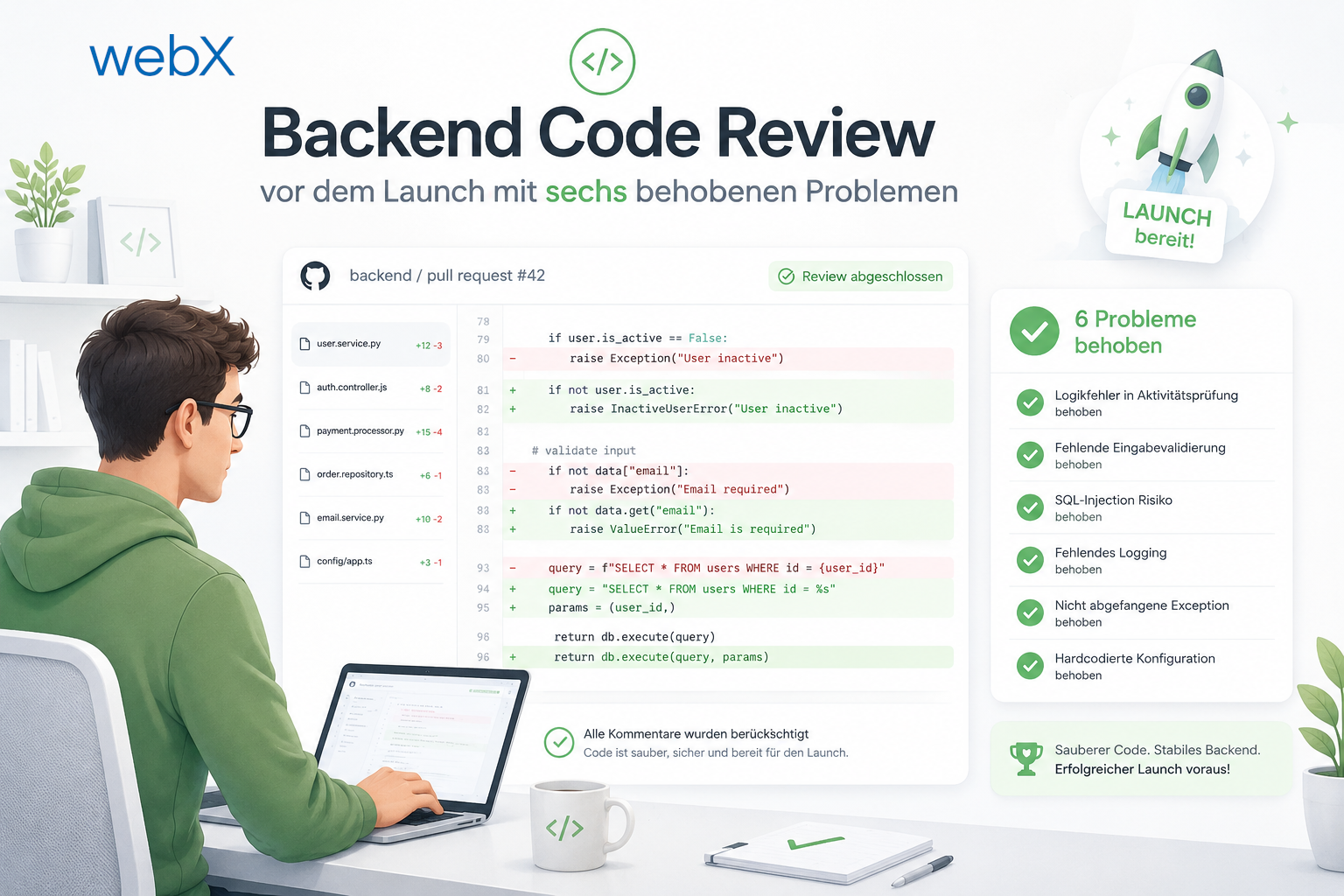
Before going live, I read through the entire backend again. I found six concrete problems and fixed them all. Here is what I found, where I found it and why each issue mattered.
Describe your workflow. Together, we will identify the right next step.
Discuss your workflow