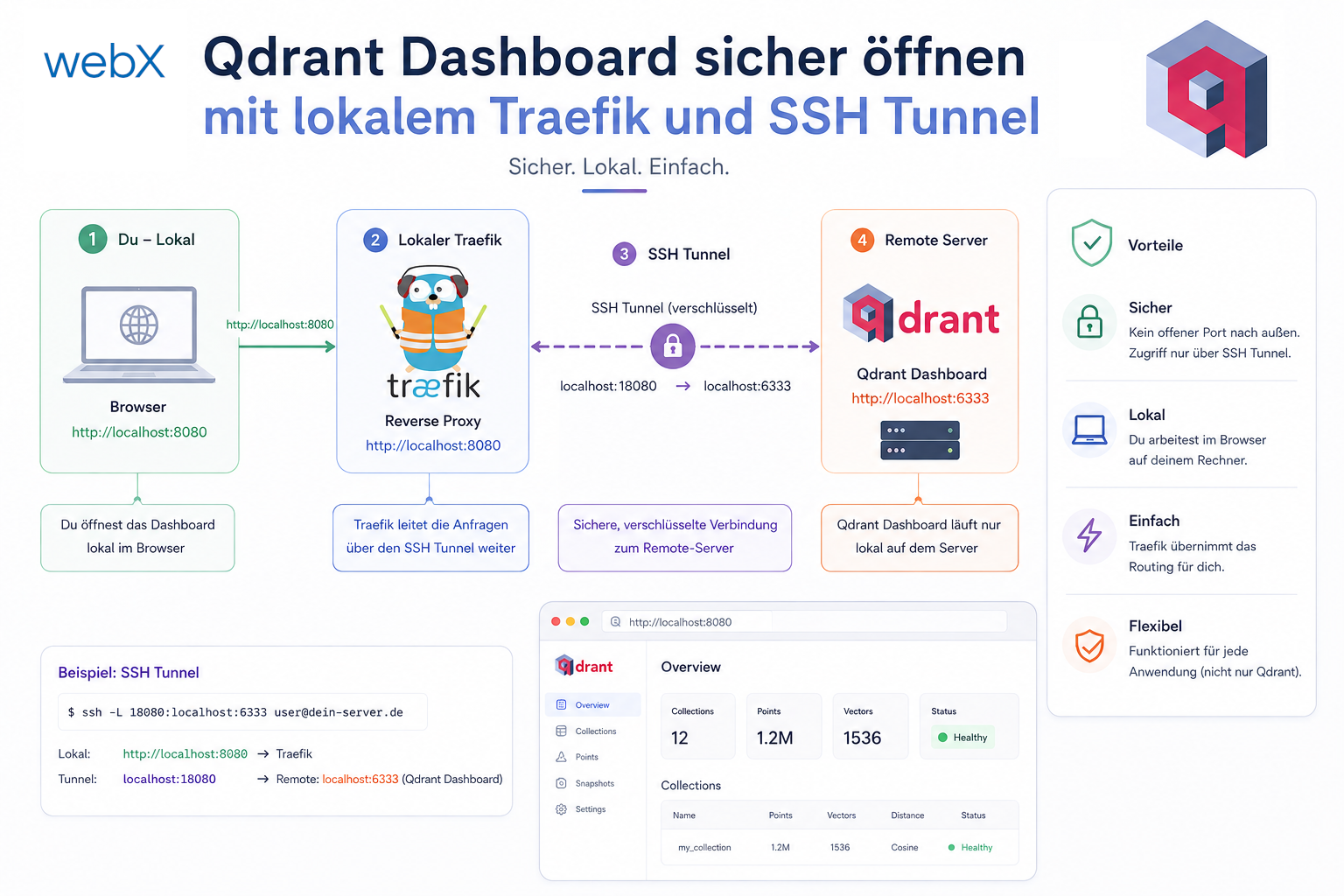
Open the Qdrant dashboard securely with local Traefik and an SSH tunnel
I wanted to inspect Qdrant data in the browser without making the database public. Locally I use Traefik; in production I open only an SSH tunnel and keep Qdrant internal.

Architecture, React and enterprise practice on Microsoft Power Pages.
Technical deep dives, security boundaries and proven implementation patterns from real client projects.
I wanted to inspect Qdrant data in the browser without making the database public. Locally I use Traefik; in production I open only an SSH tunnel and keep Qdrant internal.
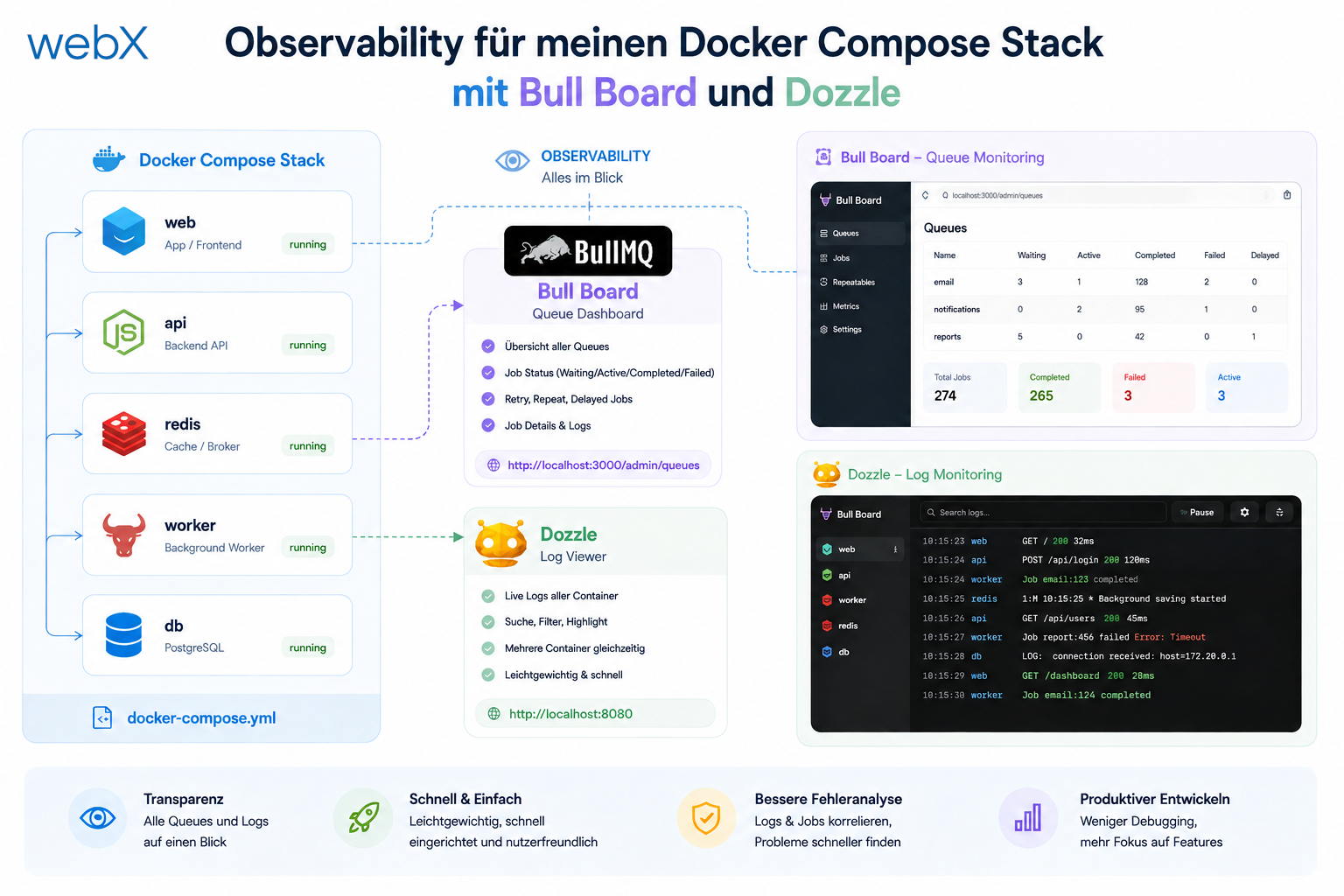
I wanted to make the path from the extension to storage visible. With Bull Board and Dozzle, I have queue status and container logs directly in the browser and can identify failures much faster.
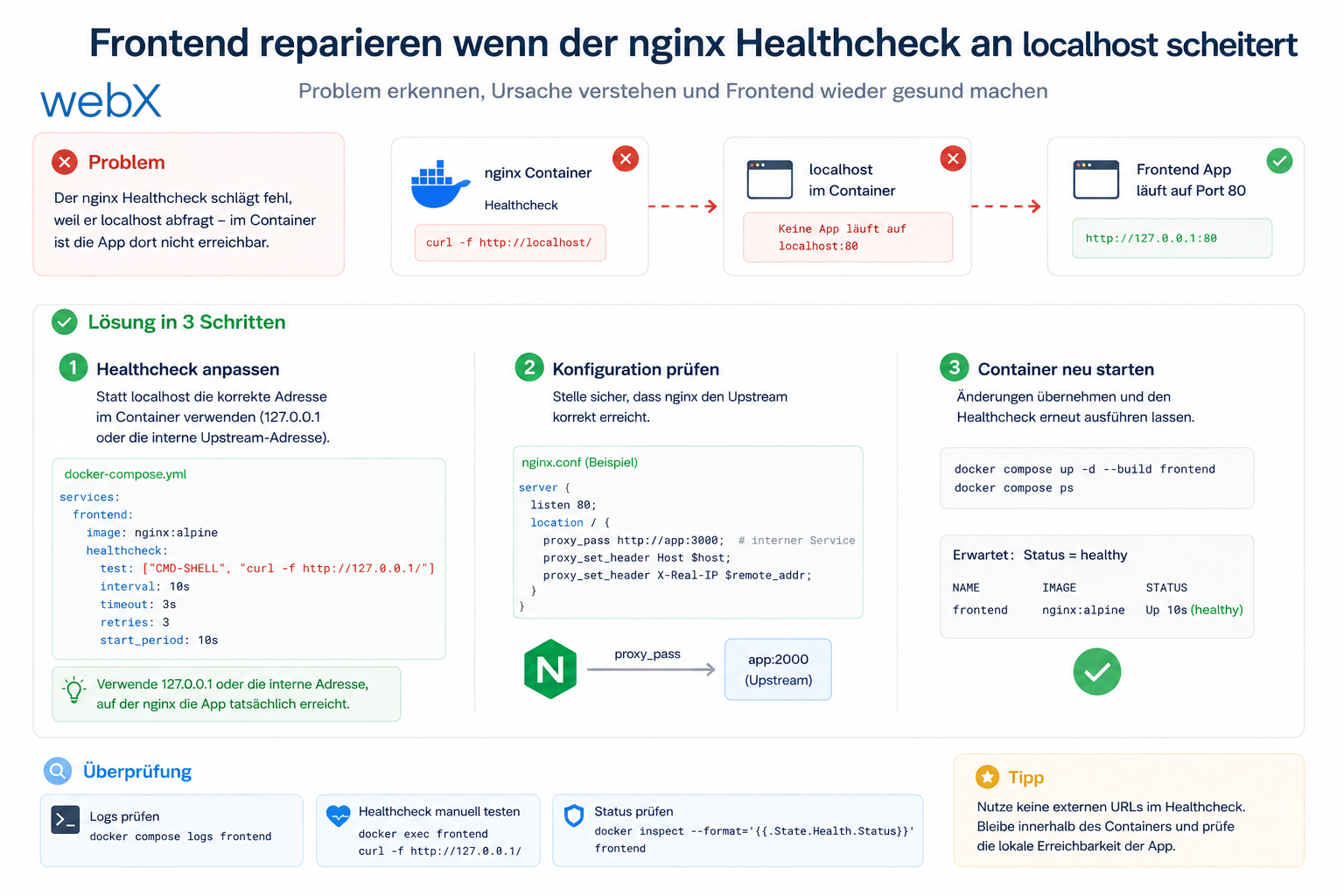
The frontend container was built and running, yet still unhealthy. The cause was a small Alpine pitfall: BusyBox Wget resolved localhost over IPv6 first, while nginx listened only on IPv4.
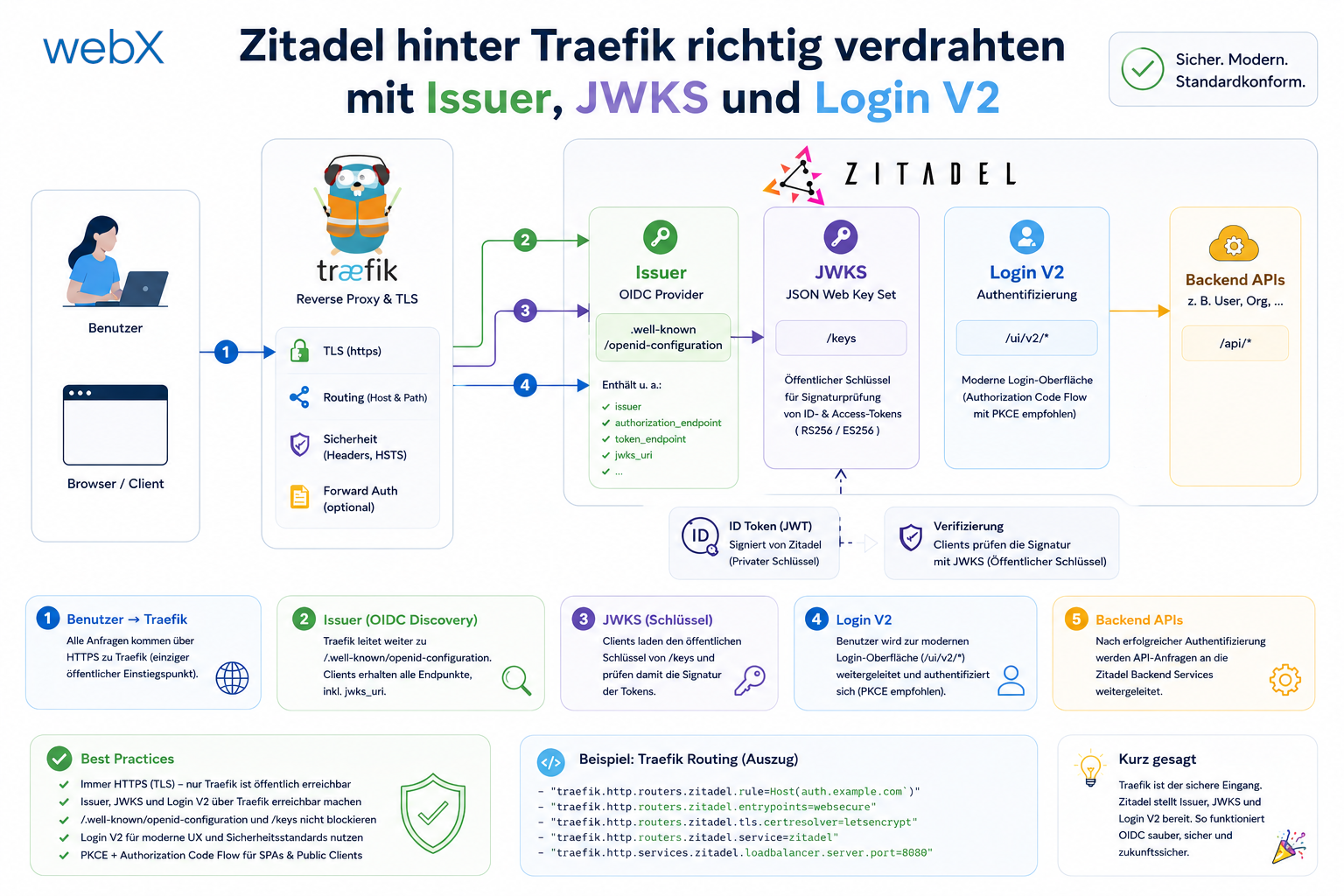
The ingest 401 error did not come from the JWT itself, but from a small architectural mismatch. Issuer, JWKS and Host headers needed the same public view of Zitadel.
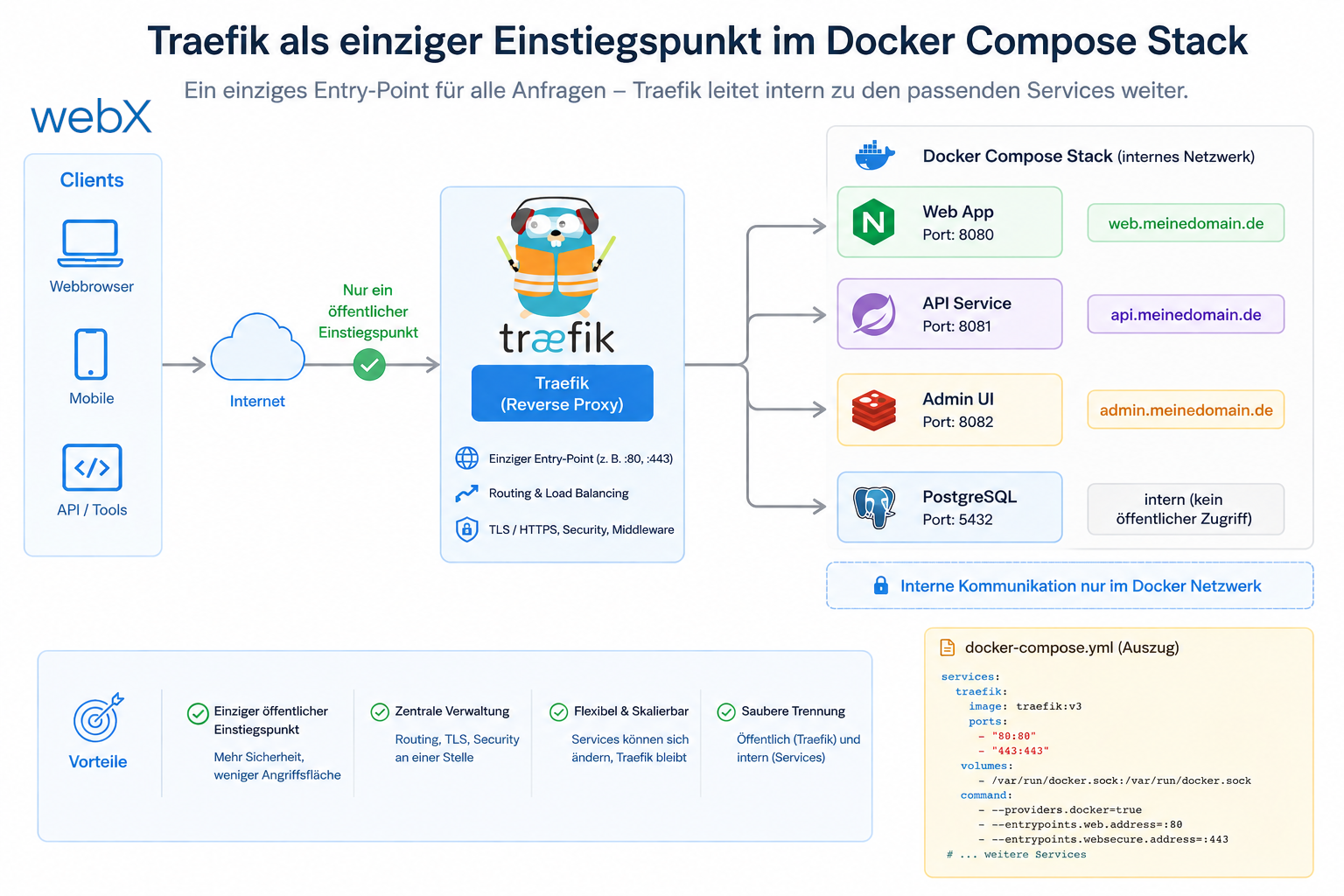
I restructured the stack so that browsers and the extension see only Traefik. Everything else runs through two Docker networks, explicit labels and no more direct host ports.
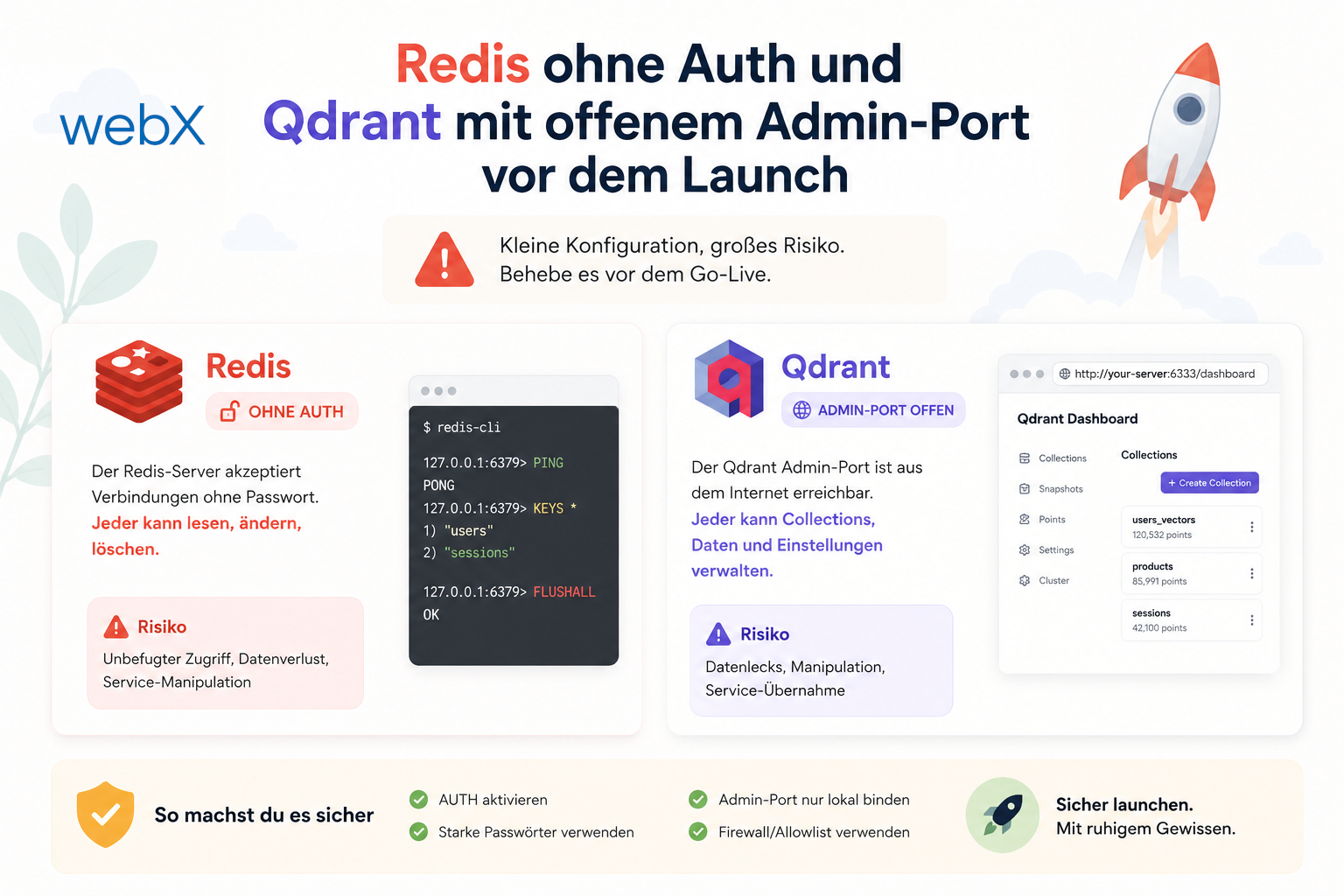
Before launch, I reviewed my architecture for more than scaling. I also examined implicit security assumptions and found two small gaps that could quickly become costly in production.
Describe your workflow. Together, we will identify the right next step.
Discuss your workflow