React in Power Pages and frontend architecture for enterprise portals
Why choose between low-code and React? Learn how to embed React components in Power Pages and deliver a modern user experience.
Contents
- Limits of standard components in Power Pages
- Strategic approaches to embedding React
- SSR compared with client-side hydration
- Comparing the solutions
- React as a strategic extension of Power Pages
Limits of standard components in Power Pages
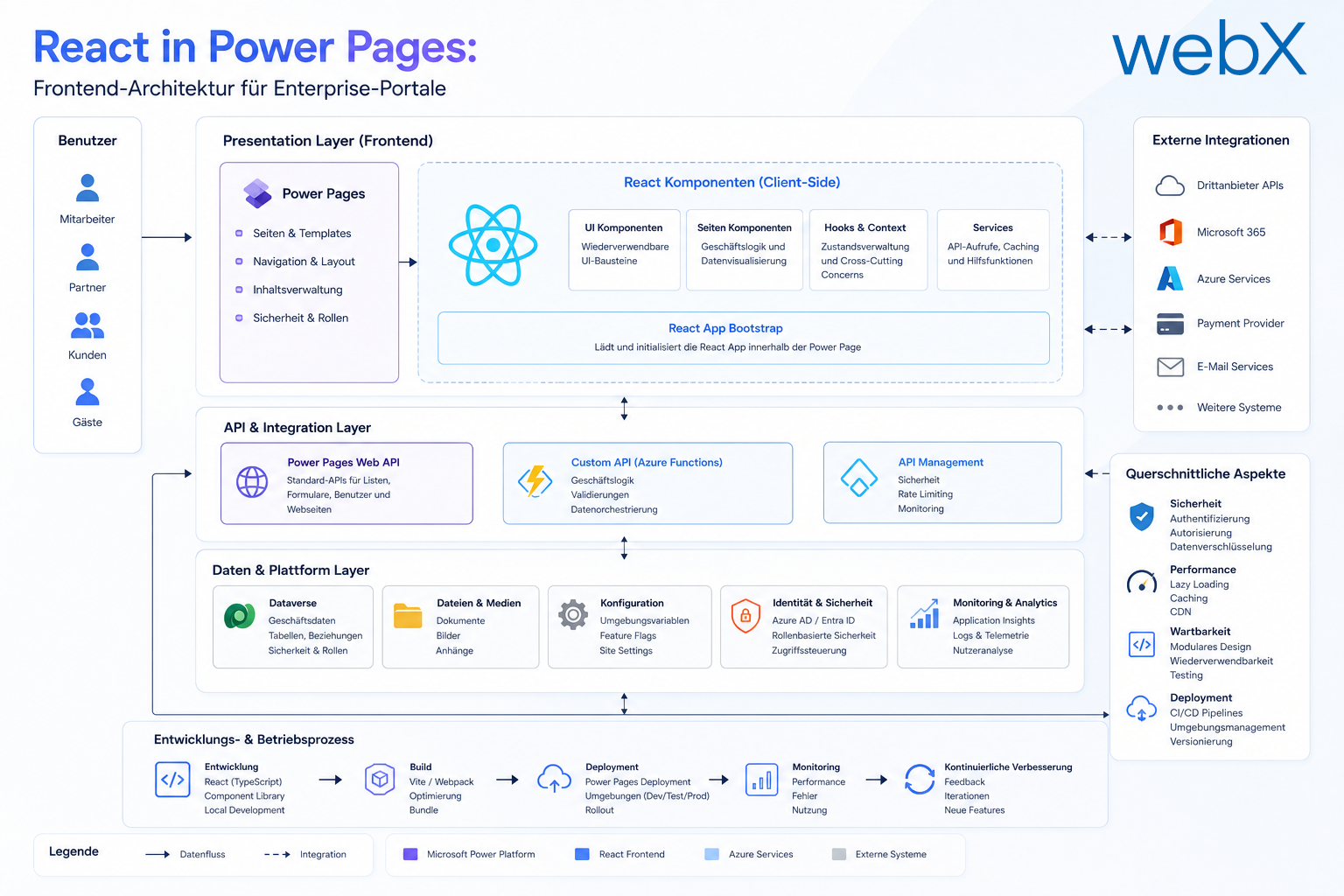
In complex enterprise environments, Power Pages’ standard forms and out-of-the-box components often reach technical limits. This might be an interactive configuration table for lease agreements or a dynamic dashboard for insurance processes. Low-code alone can hardly meet the requirements for a modern user experience.
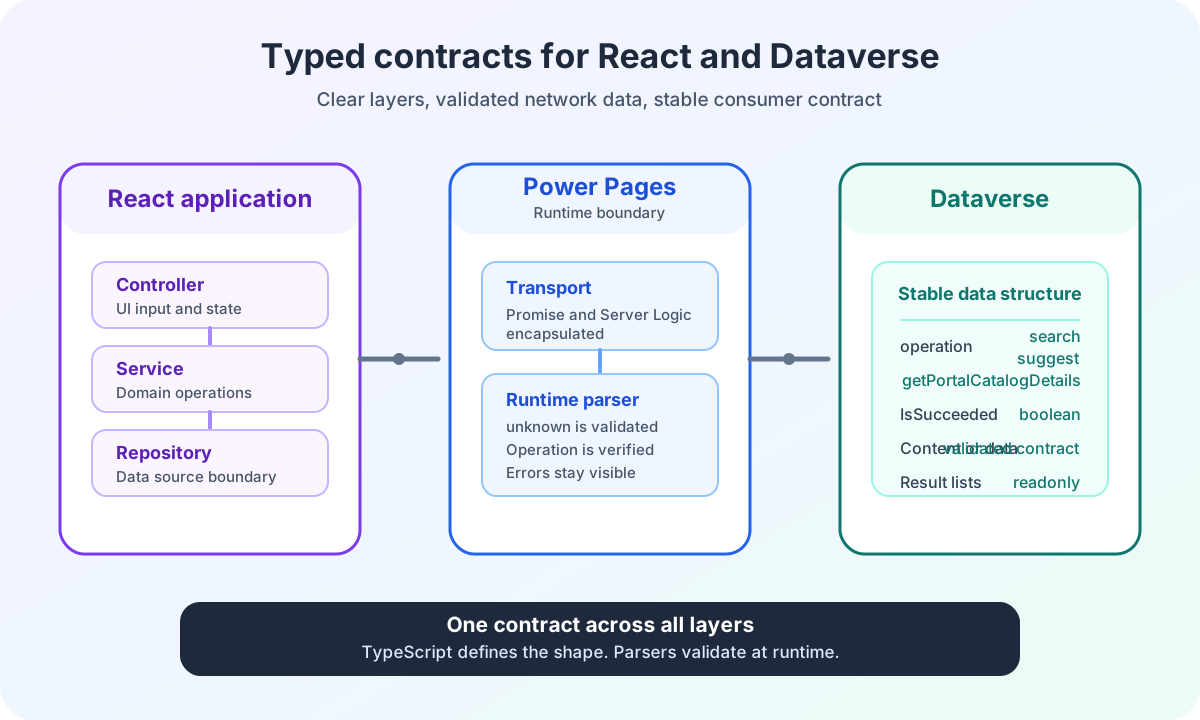
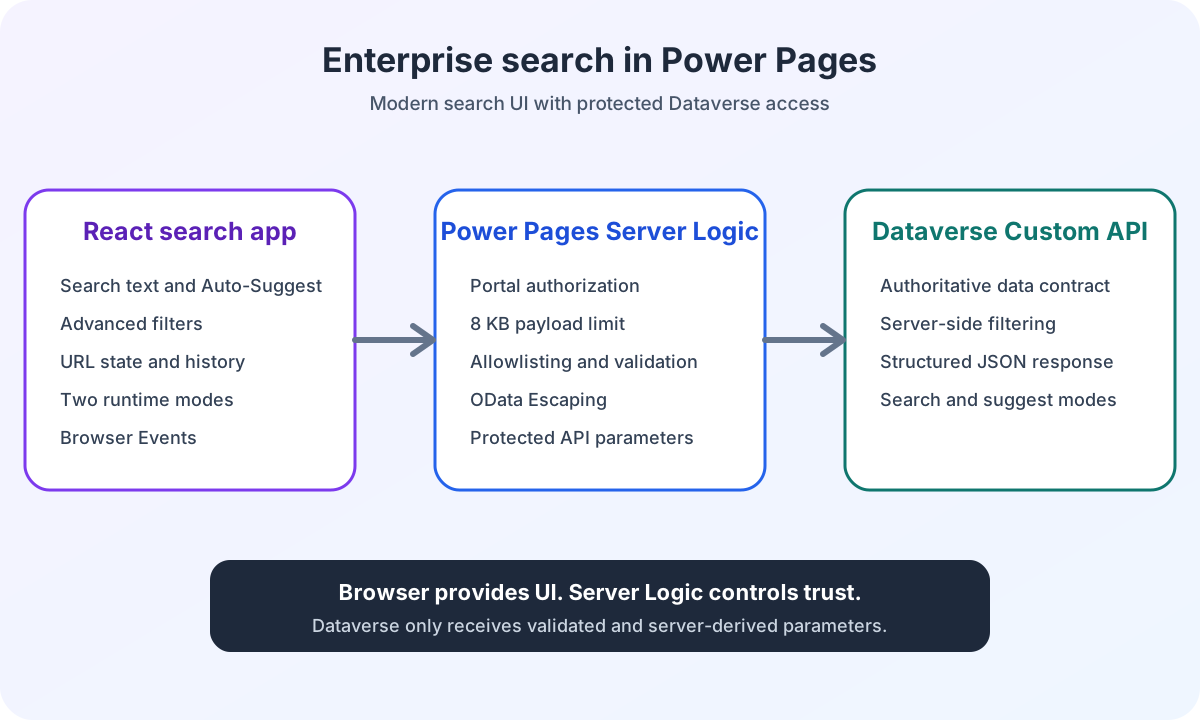
Trying to solve complex logic exclusively through Liquid templates or jQuery quickly creates maintenance and stability problems. A detailed comparison of a traditional jQuery monolith and a modular React architecture illustrates the structural risks as complexity grows. Instead, we use a hybrid architecture that combines Power Pages’ reliability with React’s flexibility. Our successful implementation of this modern frontend approach in a recent enterprise client project demonstrates the practical value of this strategy.
Strategic approaches to embedding React
We distinguish two proven approaches for using React in production within Power Pages. The choice depends on complexity and reuse requirements.
1. Web Templates for React widgets
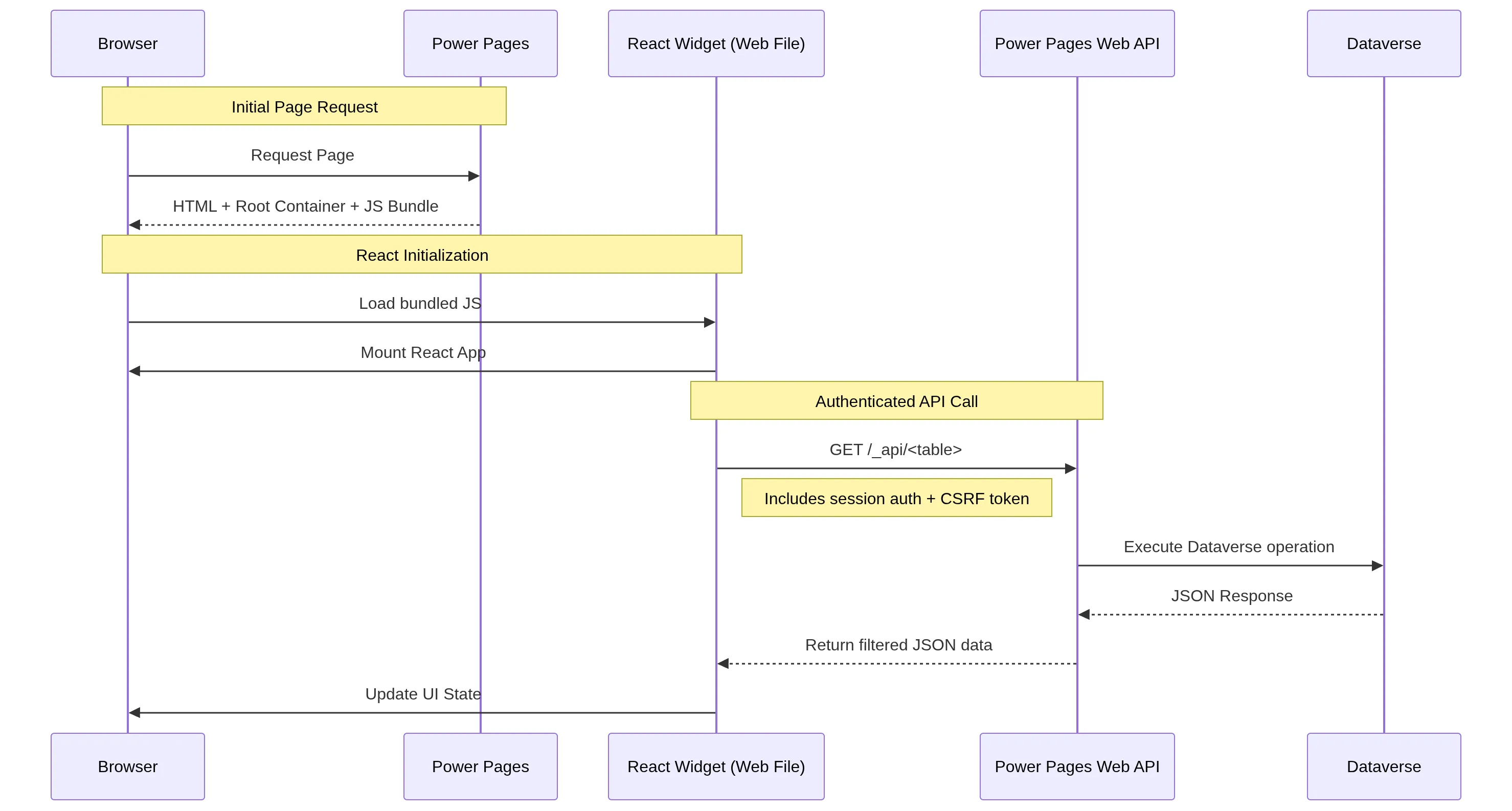 Figure: React components communicate with the backend through the Dataverse Web API, while Liquid provides the initial HTML structure. The original illustration is retained.
For targeted interface changes or individual widgets, embedding through Web Templates is often the quickest approach. The React bundle is stored as a static web file in Dataverse. Correct management of local resources and web files provides the technical foundation for safely avoiding browser CSP blocks. Hosting assets internally also significantly reduces the risk of supply chain attacks through external CDNs. Detailed instructions for creating web files in Portal Management help establish this foundation correctly.
Implementation follows three steps:
- Build process: Build the React project locally, for example with Vite. Upload the resulting assets (.js/.css) through Portal Management.
- Containerization: A Web Template provides the root container in which React will later render.
- Injection: Load the script either statically or dynamically, which is recommended for modern Vite builds. For efficient daily development, an automated ALM deployment workflow through PAC CLI eliminates manual upload overhead for local developers.
<!-- Root container for the React app -->
<div id="root"></div>
<script src="/my-react-app.js"></script>

<!-- Variant: Dynamic loading (async & module-based) -->
<script>
  $(document).ready(function () {
    console.info('Loading React app...');
    var reactScript = document.createElement('script');
    reactScript.src = '/my-react-app.js';
    reactScript.type = 'module';
    reactScript.async = true;
    document.body.appendChild(reactScript);
  });
</script>
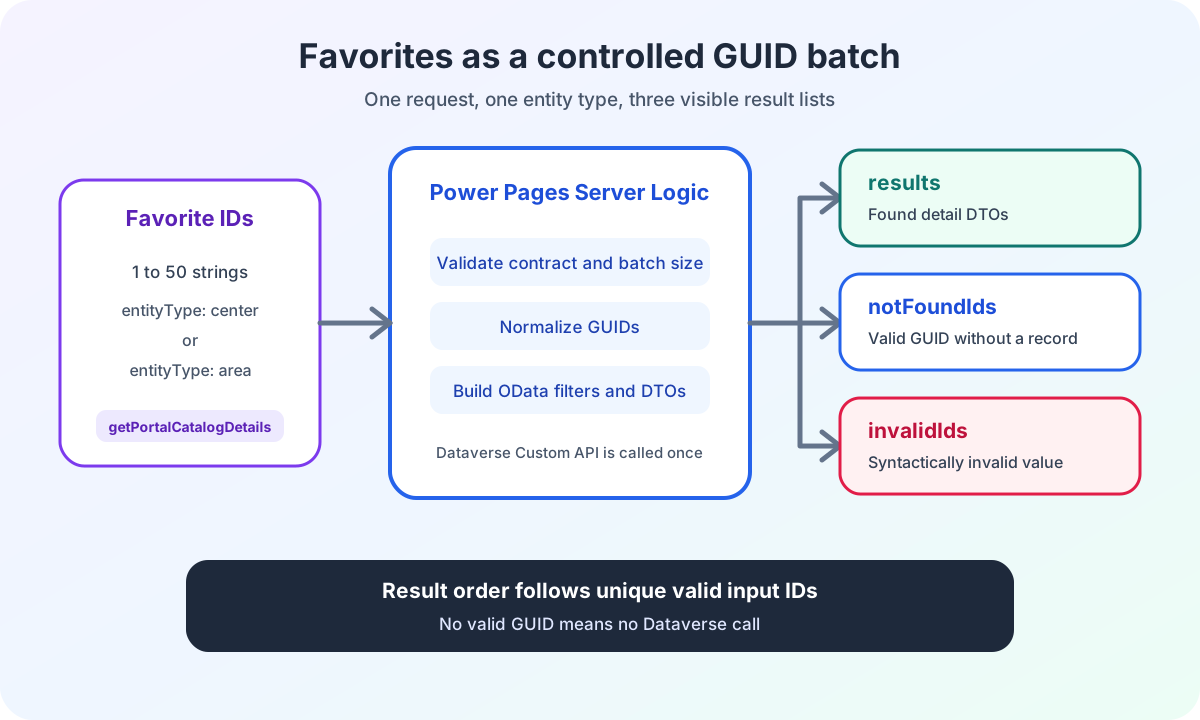
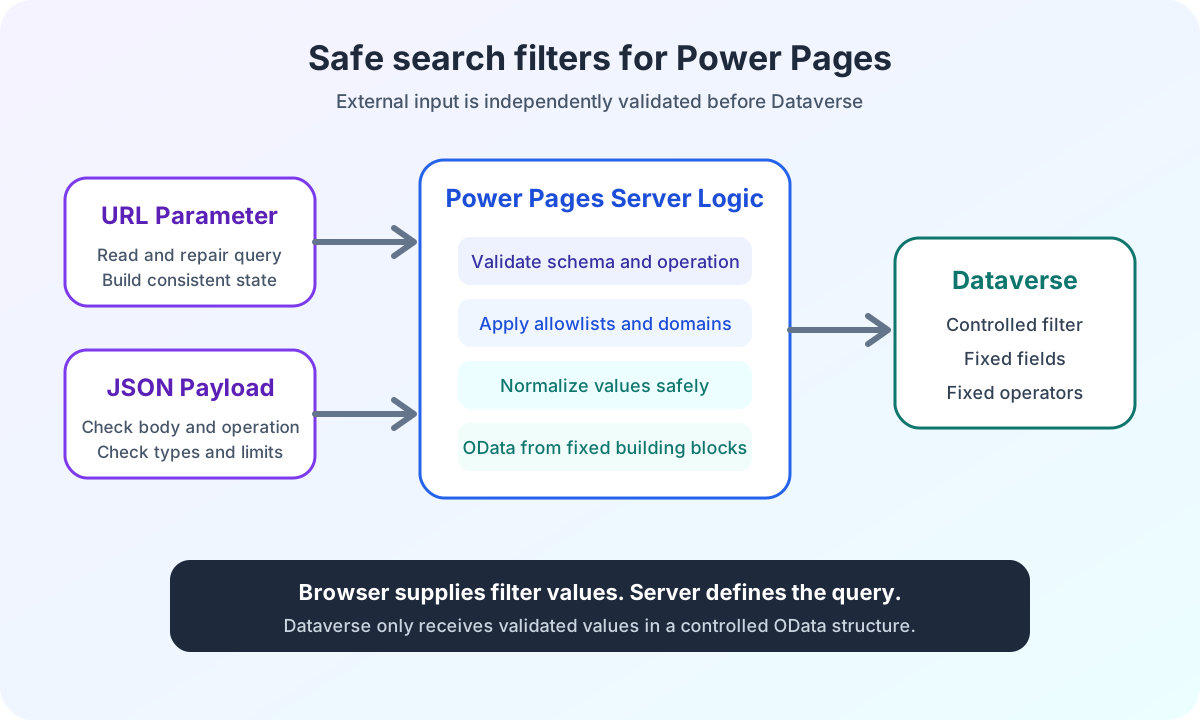
This compact example shows only the technical foundation. Once the same React widget serves different purposes on several Power Pages pages, the host should not be copied repeatedly. The deep dive on modular React embedding with a central host Web Template shows how calling templates pass only validated JSON configuration.
2. External hosting for complex React apps
If the application needs its own CI/CD deployment or is extremely large, hosting through Azure Static Web Apps is recommended. It is embedded securely through an iframe or JavaScript injection, with communication managed through postMessage. CORS settings in the Azure portal provide the security foundation for stable connectivity.
SSR compared with client-side hydration
Execution order is an important architectural consideration. Power Pages prepares all content, including Liquid logic, on the server. Because Power Pages does not support native server-side rendering for React, the components load only in the user’s browser.
We use controlled deferred loading. Liquid provides the HTML structure and root container on the server. Once the browser receives jQuery’s signal that the page is ready, the React application starts. This delay ensures that the portal’s base layout is stable and avoids conflicts with other portal scripts.
Comparing the solutions
| Criterion | Web Template (JS) | External hosting |
|---|---|---|
| Complexity | Low | Medium |
| Dataverse access | Through Web API | Web API / API Management |
| Performance | Good | Depends on latency |
React as a strategic extension of Power Pages
Using React in Power Pages does not contradict low-code. It consistently extends it for demanding user journeys. By clearly separating backend processes in Dataverse from high-performance frontends, we create solutions that are both secure and stable.
Our current references show what this enterprise architecture with modern styling looks like in practice.
Are you planning a complex portal project and need a reliable frontend architecture? Let us establish which approach fits your requirements.