Power Pages search filters with URLs, React and browser history
Power Pages React synchronizes search filters with the URL and browser history. pushState, replaceState and popstate make search states shareable and recoverable.
Contents
- Why React state is not enough for Power Pages search pages
- Which URL modes does a Power Pages React search need?
- How does React serialize Power Pages search filters in the URL?
- Why must unrelated query parameters be preserved?
- How does React update Power Pages search URLs with pushState?
- How does a Power Pages React search read the initial URL?
- How does React repair search URLs with replaceState?
- How does popstate restore Power Pages search state?
- Which history operations does a Power Pages React search use?
- What value does URL-based search state provide in Power Pages?
Why React state is not enough for Power Pages search pages
A complex search can filter correctly and still have a fundamental usability problem.
Its filters live only in React state.
After a reload, the selection disappears. A copied link does not open the same search. Forward and Back show a different URL, but the form and results remain unchanged.
For a results page, this is not a minor detail. The search state must be shareable and recoverable.
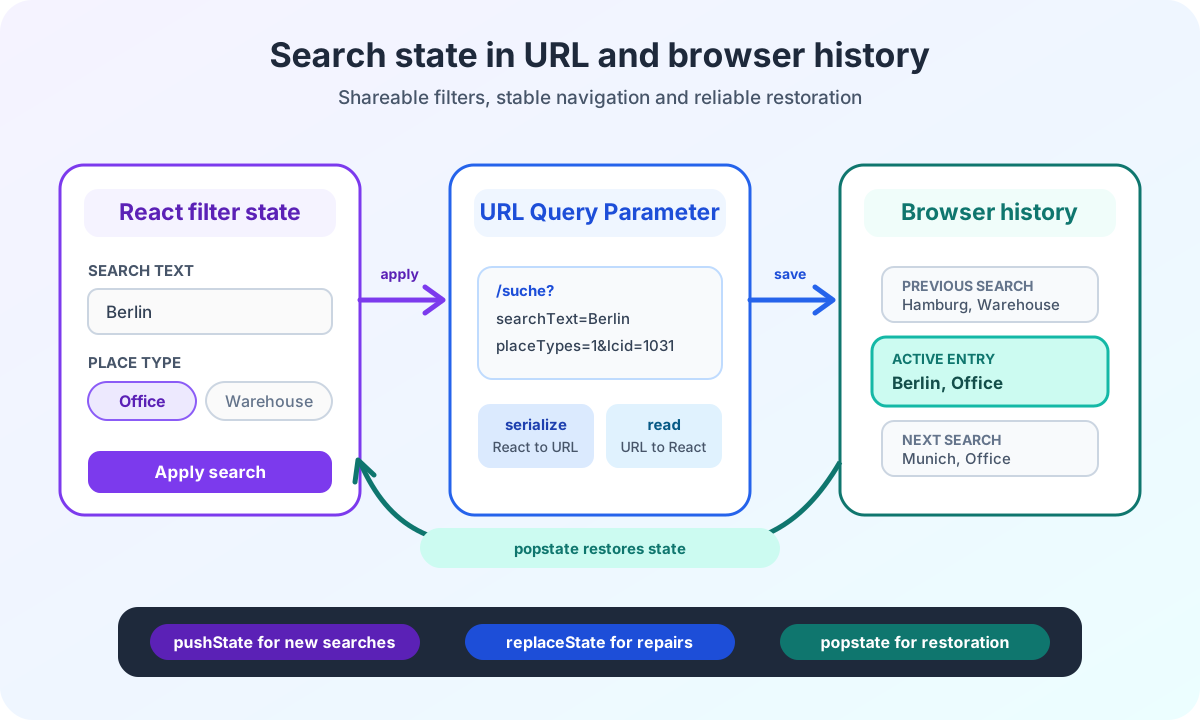
In my Power Pages enterprise search, the URL therefore represents the serialized state of the applied filters. React renders that state. After a reload or movement through browser history, the URL can restore it.
This deliberately applies only to the results page in update-url mode. On the landing page, the edited form state remains in React until submission. The application then navigates to the results page with the valid filters.
The Power Pages enterprise search architecture overview shows where this URL contract sits between the React controller, browser and search request.
Which URL modes does a Power Pages React search need?
Landing page and results page use the same React bundle. They nevertheless need different flows.
I describe this distinction as a discriminated union:
type SearchSubmitBehavior =
  | {
      readonly type: 'navigate';
      readonly targetUrl: string;
    }
  | {
      readonly type: 'update-url';
      readonly historyMode: 'push';
      readonly eventName?: string;
    };
In navigate mode, the widget validates and serializes filters. It then opens the configured target URL with window.location.assign.
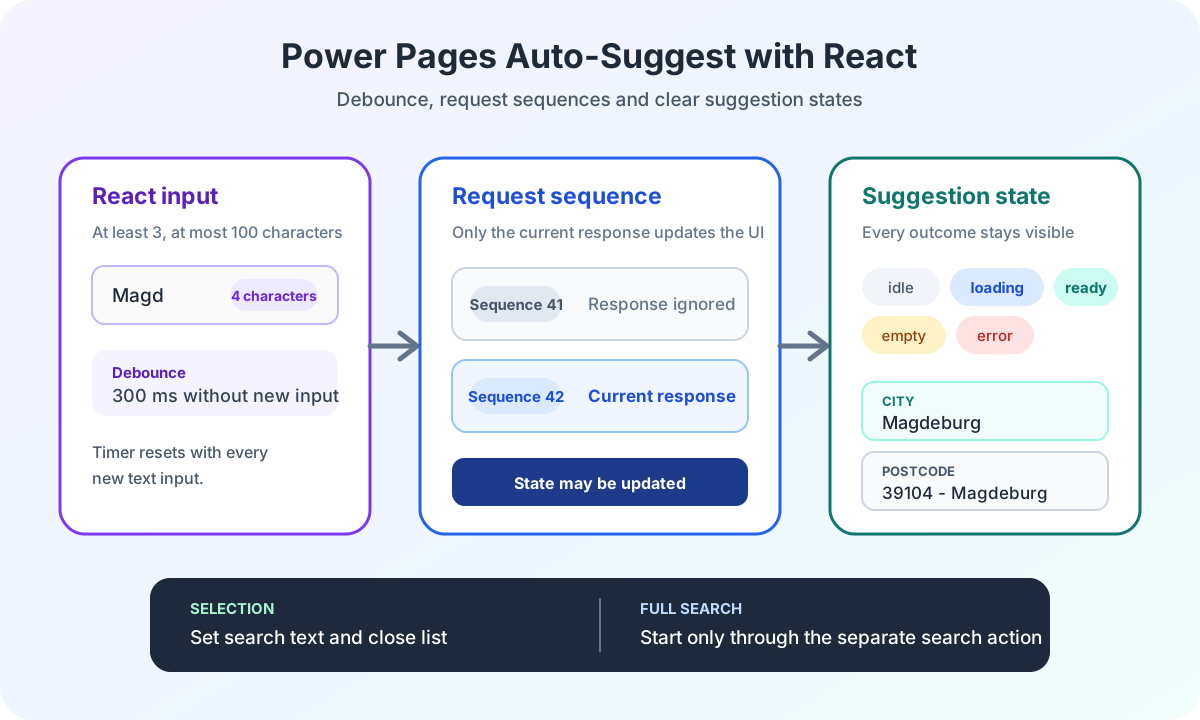
It starts no complete search before this navigation. Suggestions during input may still use their own requests. The deep dive on auto-suggest in Power Pages with React shows why those requests trigger neither navigation nor URL state.
In update-url mode, the widget reads its initial state from window.location.search. A new search extends browser history. Forward and Back restore the state.
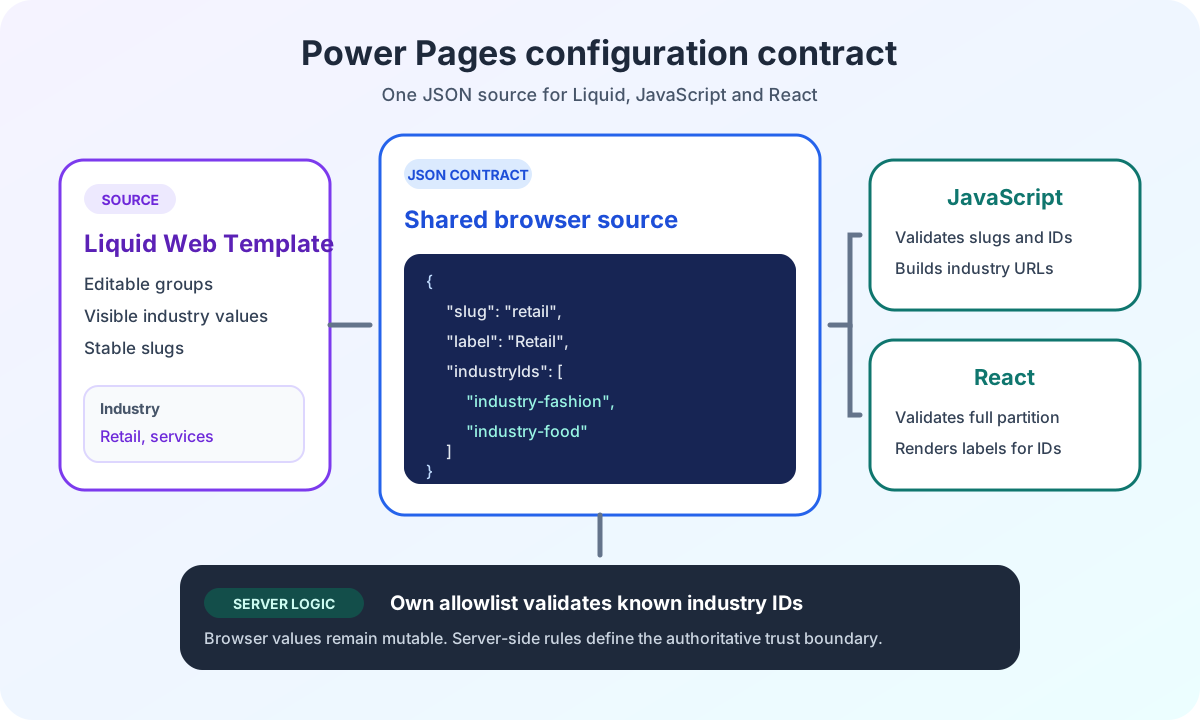
The central React host with JSON configuration supplies this mode to the same bundle. This keeps URL behavior separate from the page template.
The optional event name also belongs to the runtime contract. Its consumers are a separate integration component and remain outside this URL deep dive.
Aspect | navigate | update-url |
|---|---|---|
Usage | Landing page | Results page |
Starting URL | Configured target URL | Current browser URL |
Browser operation | location.assign |
|
Complete search | Only after navigation | After an accepted URL update |
Forward and Back | Normal page navigation |
|
How does React serialize Power Pages search filters in the URL?
I do not write the complete React state into the URL.
Draft state in an open modal, loading indicators and error messages are not shareable. Only applied business filters belong in the query.
State | Storage | Reason |
|---|---|---|
Applied search text | URL | Must be shareable and recoverable after reload |
Applied filters | URL | Determine visible results and browser history |
Unsubmitted input | React state | Not yet an accepted search state |
Open modal | React state | Presentation state only, without business meaning |
Loading state and error message | React state | Temporary consequence of an active or failed request |
A generalized contract looks like this:
interface SearchFilters {
  readonly searchText: string;
  readonly placeTypes: readonly number[];
  readonly areaMin: number | null;
  readonly areaMax: number | null;
}

interface FilterPayload {
  readonly lcid: 1031 | 1033;
  readonly searchText?: string;
  readonly placeTypes?: readonly number[];
  readonly areaMin?: number;
  readonly areaMax?: number;
}

interface SerializedSearchQuery {
  readonly queryString: string;
  readonly payload: FilterPayload;
  readonly filters: SearchFilters;
}

interface PreparedSearch {
  readonly filters: SearchFilters;
  readonly serializedSearch: SerializedSearchQuery;
}
Before serialization, I trim text, remove invalid values, normalize lists and omit empty filters.
function serializeSearchFilters(filters: SearchFilters, lcid: 1031 | 1033): SerializedSearchQuery {
  const query = new URLSearchParams();
  const searchText = filters.searchText.trim();
  const placeTypes = [...new Set(filters.placeTypes)].sort((left, right) => left - right);

  query.set('lcid', lcid.toString());

  if (searchText.length > 0) {
    query.set('searchText', searchText);
  }

  if (placeTypes.length > 0) {
    query.set('placeTypes', placeTypes.join(','));
  }

  if (filters.areaMin !== null) {
    query.set('areaMin', filters.areaMin.toString());
  }

  if (filters.areaMax !== null) {
    query.set('areaMax', filters.areaMax.toString());
  }

  return {
    queryString: query.toString(),
    payload: {
      lcid,
      ...(searchText.length > 0 ? { searchText } : {}),
      ...(placeTypes.length > 0 ? { placeTypes } : {}),
      ...(filters.areaMin !== null ? { areaMin: filters.areaMin } : {}),
      ...(filters.areaMax !== null ? { areaMax: filters.areaMax } : {}),
    },
    filters: {
      ...filters,
      searchText,
      placeTypes,
    },
  };
}
The browser API URLSearchParams handles encoding. Business normalization remains the application’s responsibility.
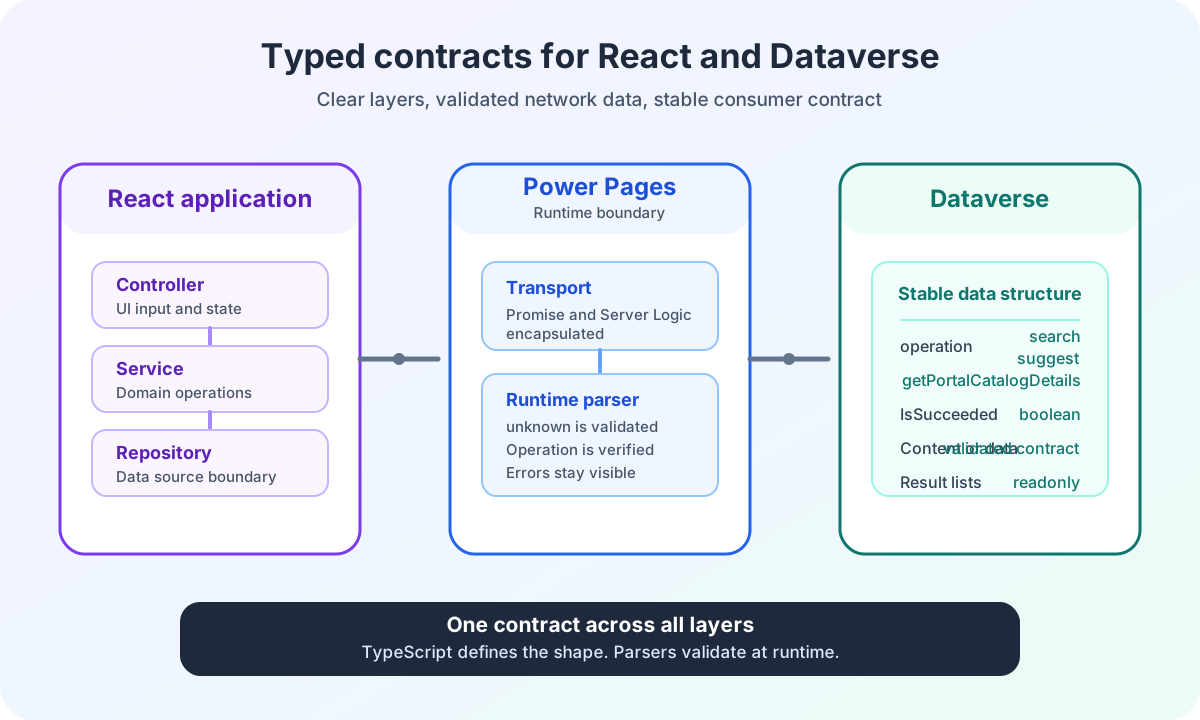
The controller returns query string, normalized filters and backend payload from the same preparation. URL and request therefore cannot originate independently from two slightly different states. The article on typed contracts between React and Dataverse describes this controller boundary in the complete data flow.
In the previous article, I reduced the prepared contract to payload and queryString. In the complete widget, serializedSearch groups those values with the normalized filters.
Why must unrelated query parameters be preserved?
A Power Pages URL rarely belongs only to the search widget.
It may contain language parameters, campaign values or contextual information. If search replaces the complete query on every submission, those values disappear.
I therefore maintain a fixed list of owned keys:
const SEARCH_QUERY_KEYS = ['searchText', 'placeTypes', 'areaMin', 'areaMax', 'lcid'] as const;

function mergeSearchQuery(currentQueryString: string, searchQueryString: string): string {
  const merged = new URLSearchParams(currentQueryString);
  const nextSearch = new URLSearchParams(searchQueryString);

  for (const key of SEARCH_QUERY_KEYS) {
    merged.delete(key);
  }

  for (const [key, value] of nextSearch.entries()) {
    merged.set(key, value);
  }

  return merged.toString();
}
The function removes only parameters owned by the search widget. It then sets the normalized search values.
On the results page, this merge starts with the current URL. An existing utm_campaign or language parameter therefore remains.
On the landing page, the merge starts with the configured target URL. If the target path already contains a language parameter, it is retained. Query parameters of the current landing page are not automatically copied to another target.
This distinction prevents an incorrect assumption. Parameters are preserved only if they belong to the URL used as the basis for building the new target state.
How does React update Power Pages search URLs with pushState?
An accepted search on the results page is a new navigable state.
I use pushState for this:
function updateCurrentSearchUrl(searchQueryString: string): string {
  const queryString = mergeSearchQuery(window.location.search, searchQueryString);
  const url = new URL(window.location.href);
  url.search = queryString;

  window.history.pushState(null, '', url);
  return url.toString();
}
The application then starts exactly one search with the prepared contract:
function submitResultsSearch(nextFilters: SearchFilters): void {
  const preparation = controller.prepare(nextFilters);

  if (!preparation.isValid) {
    showValidationError(preparation.validationErrors[0] ?? 'The search filters are invalid.');
    return;
  }

  updateCurrentSearchUrl(preparation.prepared.serializedSearch.queryString);
  runPreparedSearch(preparation.prepared);
}
I store no second filter object in history state. The state parameter remains null. The URL is already the recoverable contract.
The History API documentation explains that pushState creates a new session history entry without reloading the entire page.
For search, this means every accepted new search gets its own Forward and Back step.
After a URL update or repair, the widget publishes the accepted state. The next deep dive on CustomEvents in Power Pages React microfrontends separates that signal from the later result response.
How does a Power Pages React search read the initial URL?
When the results page opens, React must read the existing query string.
The controller parses known search parameters in time for the first render. The normalized filters initialize the visible form state. An effect then starts exactly one search with the same prepared contract.
const initialPreparation = useMemo(
  () => (config.type === 'update-url' ? controller.prepareFromUrl(window.location.search) : null),
  [config.type, controller]
);

const urlInitialFilters =
  initialPreparation?.isValid === true ? initialPreparation.prepared.filters : EMPTY_SEARCH_FILTERS;

const filters = useSearchFilters(urlInitialFilters);
const initialSearchStarted = useRef(false);

useEffect(() => {
  if (config.type !== 'update-url' || initialSearchStarted.current) {
    return;
  }

  initialSearchStarted.current = true;

  if (initialPreparation?.isValid !== true) {
    showValidationError(initialPreparation?.validationErrors[0] ?? 'The search parameters are invalid.');
    return;
  }

  if (initialPreparation.invalidParameters.length > 0) {
    replaceCurrentSearchUrl(initialPreparation.prepared.serializedSearch.queryString);
  }

  runPreparedSearch(initialPreparation.prepared);
}, [config, initialPreparation, runPreparedSearch]);
URL preparation happens before the effect. The restored form state is therefore visible on the first render. The ref then prevents the initial effect from starting the same search twice. This matters especially in development environments with additional React effect checks.
Missing optional parameters do not automatically trigger a repair. replaceState is used only if the parser reports invalid or not-yet-normalized known search parameters.
How does React repair search URLs with replaceState?
A shared URL can be partially invalid.
For example, a list parameter may contain a valid value and an unknown one:
?searchText=Berlin&placeTypes=1,unknown&utm_campaign=partnerThe parser does not therefore have to reject the complete search.
It can retain placeTypes=1, mark unknown as invalid and leave the campaign parameter unchanged. The application then replaces the current history entry with the normalized form:
?utm_campaign=partner&lcid=1031&searchText=Berlin&placeTypes=1The repair uses replaceState:
function replaceCurrentSearchUrl(searchQueryString: string): string {
  const queryString = mergeSearchQuery(window.location.search, searchQueryString);
  const url = new URL(window.location.href);
  url.search = queryString;

  window.history.replaceState(null, '', url);
  return url.toString();
}
replaceState creates no additional step. The Back button therefore does not first return to the invalid variant of the same search.
This normalization improves recovery and usability. It is not a security boundary. Client-side query values remain mutable. The article on the Power Pages Server Logic security boundary shows why authorization, allowlisting and OData construction still happen on the server.
How does popstate restore Power Pages search state?
The browser restores the URL on Forward and Back. It does not know my React Context, applied filters or visible result list.
The widget therefore registers a popstate listener in update-url mode:
useEffect(() => {
  if (config.type !== 'update-url') {
    return;
  }

  return addSearchPopStateListener(() => {
    const preparation = controller.prepareFromUrl(window.location.search);

    if (!preparation.isValid) {
      showValidationError(preparation.validationErrors[0] ?? 'The search parameters are invalid.');
      return;
    }

    replaceAppliedFilters(preparation.prepared.filters);

    if (preparation.invalidParameters.length > 0) {
      replaceCurrentSearchUrl(preparation.prepared.serializedSearch.queryString);
    }

    runPreparedSearch(preparation.prepared);
  });
}, [config, controller, runPreparedSearch]);
The listener performs four tasks:
- It reads the current browser URL again.
- It replaces the applied React state.
- It repairs invalid or not-yet-normalized known search parameters when needed.
- It starts exactly one search for the restored state.
The popstate event documentation matters here. popstate does not mean that the application automatically gets its state back. It is the signal to evaluate the newly active URL itself.
Which history operations does a Power Pages React search use?
I do not treat browser history as a general side effect. Every operation has a clear reason.
Situation | Browser operation | Behavior |
|---|---|---|
Submission on the landing page | location.assign | Navigate to the results page without starting a complete search beforehand |
Initial results-page load | Optional | Read the URL, set React state, repair invalid values and search exactly once |
New search on the results page | pushState | Create a new navigable state and search exactly once |
Forward or Back |
| Read the current URL again, replace state and search exactly once |
This separation prevents two typical errors.
The first is using replaceState for a new search. The portal user then cannot return to the previous search.
The second is repairing a URL with pushState. The application then creates an additional history step solely for the normalized representation.
What value does URL-based search state provide in Power Pages?
For me, Power Pages React URL parameters are not solely an SEO concern.
They form a small contract between form, browser history and search request. That contract makes a complex search verifiable:
- A shared link opens the same applied filters.
- A reload restores state and results.
- Forward and Back switch between complete search states.
- Invalid partial values do not destroy the entire query.
- Unrelated parameters are preserved.
- Landing page and results page use the same bundle with clearly separated behavior.
The ECE Power Pages enterprise search case study shows the project context in which this state model was used as part of a complete React and Dataverse architecture.
Are you planning a Power Pages search, configurator or multistep process with complex URL state? The Power Pages Pro-Code section shows how I build these frontends and Server Logic contracts for production portals.