Monitoring in Power Pages and why telemetry is essential
Why modernizing a user interface without supporting telemetry data is an unpredictable risk, and how to add Azure Application Insights.
Contents
- Missing visibility after a modern portal goes live
- Introducing Azure Application Insights in the portal
- Step-by-step implementation for complete monitoring
- Making decisions based on real data
Missing visibility after a modern portal goes live
A new, modern portal design is finally live. The code is clearly structured, the tests passed without errors, and the team celebrates. Yet within a few days, the first critical questions arise. Are users actually using the new features? Do certain data queries have unexpected loading times? Where do users abandon the process?
In many projects, I have seen teams lack visibility after a release. Without systematic collection of usage data and errors, all optimization decisions rest on intuition alone.
Introducing Azure Application Insights in the portal
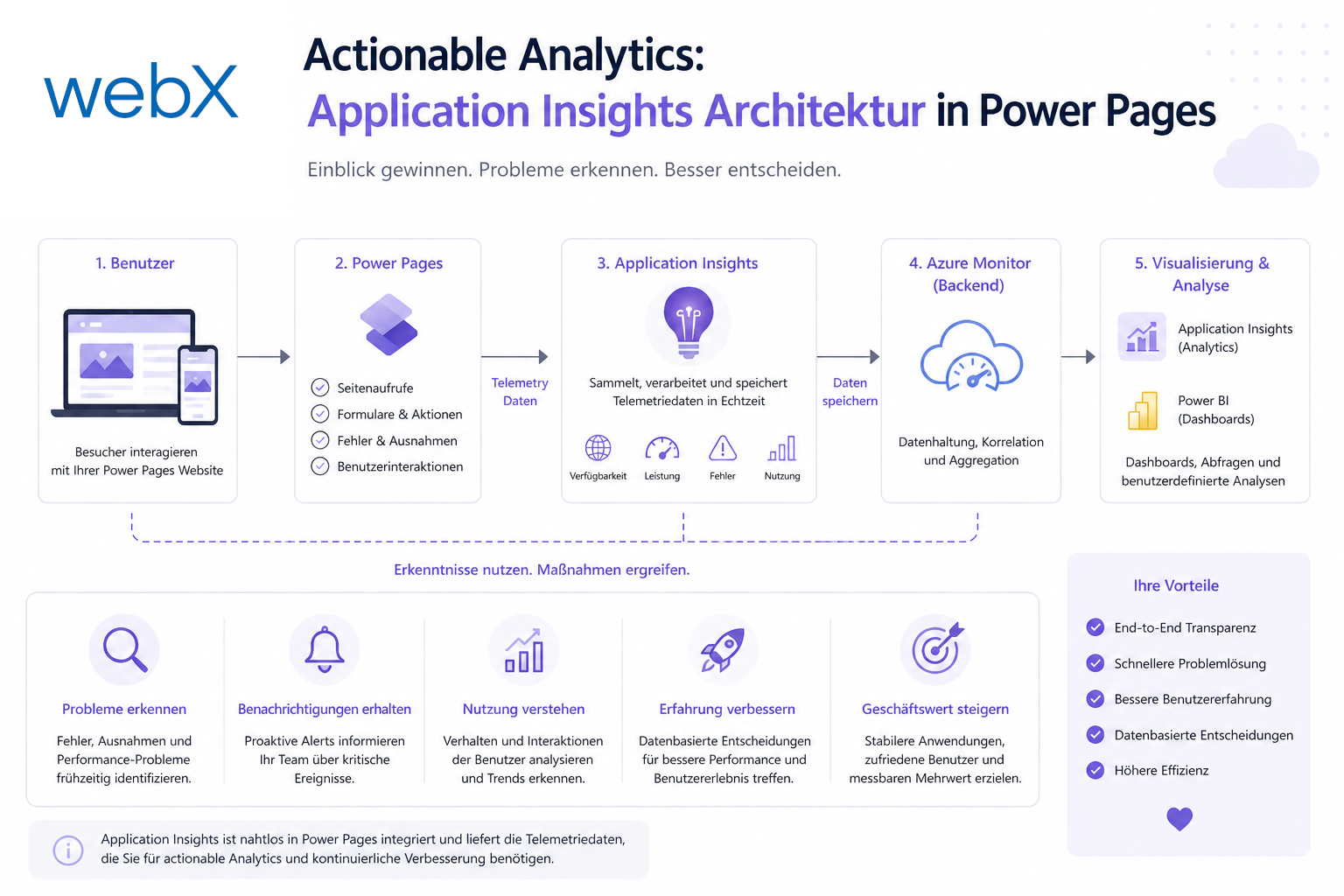
In my projects, I plan and build an end-to-end telemetry architecture from the start. For Power Pages and custom React components, Azure Application Insights is my preferred tool.
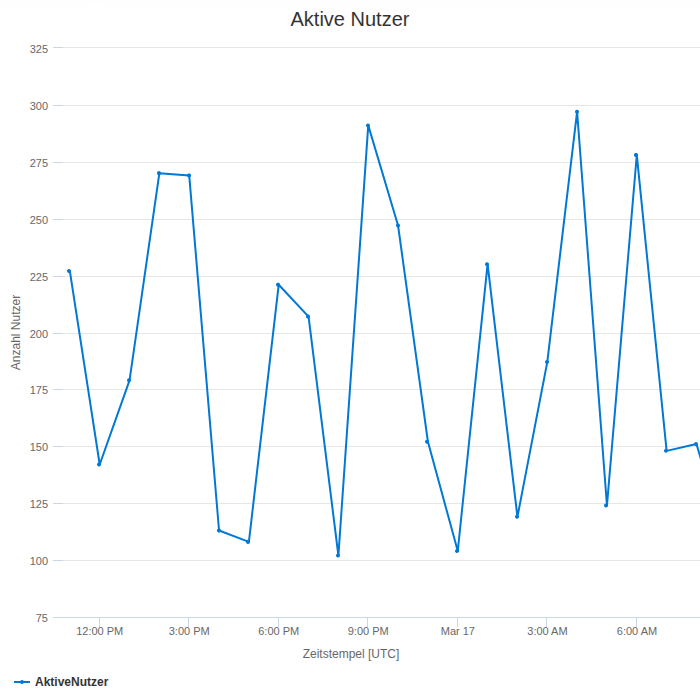
It lets me capture not only traditional server errors but also real user behavior directly in the browser. I have illustrated this process monitoring in Azure Application Insights with real examples from the live system. I can see which tabs are clicked most often, how long tables take to load and where errors occur during validation.
Step-by-step implementation for complete monitoring
Telemetry is added in clear steps.
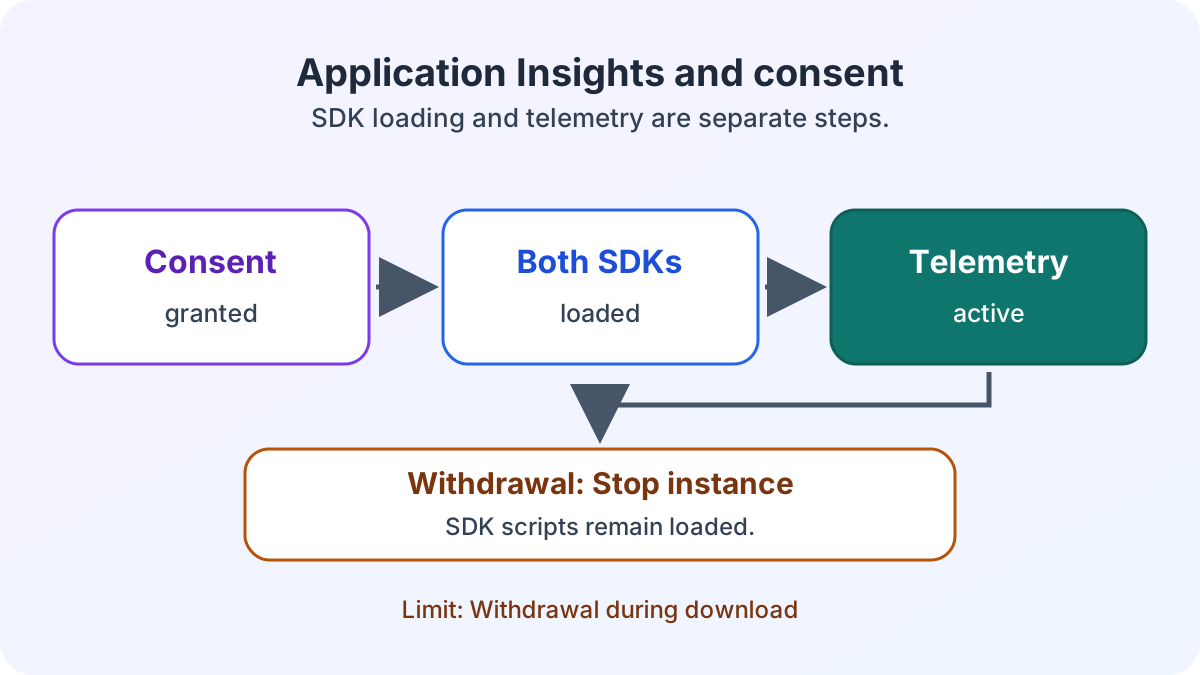
I include the Application Insights JavaScript SDK through a central web template in the portal. The script loads asynchronously so that it does not delay page construction for the user.
Within the React components, I create a global logging service. This service captures unexpected JavaScript exceptions and sends them directly to Azure with relevant context such as browser type or screen resolution.
I also track custom events. When a user uploads an Excel file, for example, I record success or the cause of failure as a structured event. This lets me immediately identify and fix recurring error patterns. Especially in complex interfaces with batch editing and real-time browser validation, this feedback is essential for refining user guidance.
// Define global tracking interface for telemetry
interface TelemetryTracker {
  trackEvent(name: string, properties?: Record<string, string>): void;
  trackException(error: Error, severity?: number): void;
}

// Global logger implementation utilizing Application Insights
export class AppInsightsTracker implements TelemetryTracker {
  public trackEvent(name: string, properties?: Record<string, string>): void {
    // Forward custom event to Azure endpoint
    console.info(`[Telemetry] Event: ${name}`, properties);
  }

  public trackException(error: Error, severity?: number): void {
    // Send captured runtime error to Azure Application Insights
    console.error(`[Telemetry] Exception: ${error.message}`, { severity });
  }
}
Making decisions based on real data
This telemetry infrastructure replaces intuition with concrete facts. You immediately see where the portal has problems and where user guidance needs improvement.
Production errors no longer reach support as vague emails. They arrive as precise stack traces directly in the development team’s dashboard. This significantly reduces response time when problems occur.
Would you also like to base your portal’s user experience on data? Let us discuss how to add Application Insights to your portal in line with GDPR requirements.