Power Pages e-commerce modernization
Learn how to protect substantial investments in Microsoft Power Pages and achieve enterprise-level performance through a hybrid architecture.
Contents
- The gap between investment and user experience
- Five business benefits of the modernization strategy
- Protecting the investment through targeted modernization
The gap between investment and user experience
Many companies have already invested heavily in Microsoft Power Pages and Dataverse. The platform provides an undeniably robust foundation for data security and complex business logic. In practice, however, the challenge is often the user experience: portals frequently look rigid and reach architectural limits with highly dynamic transactions.
This often leads IT management to decide prematurely to replace the platform entirely and rebuild the portal. From an architectural and economic perspective, however, this is usually a costly mistake.
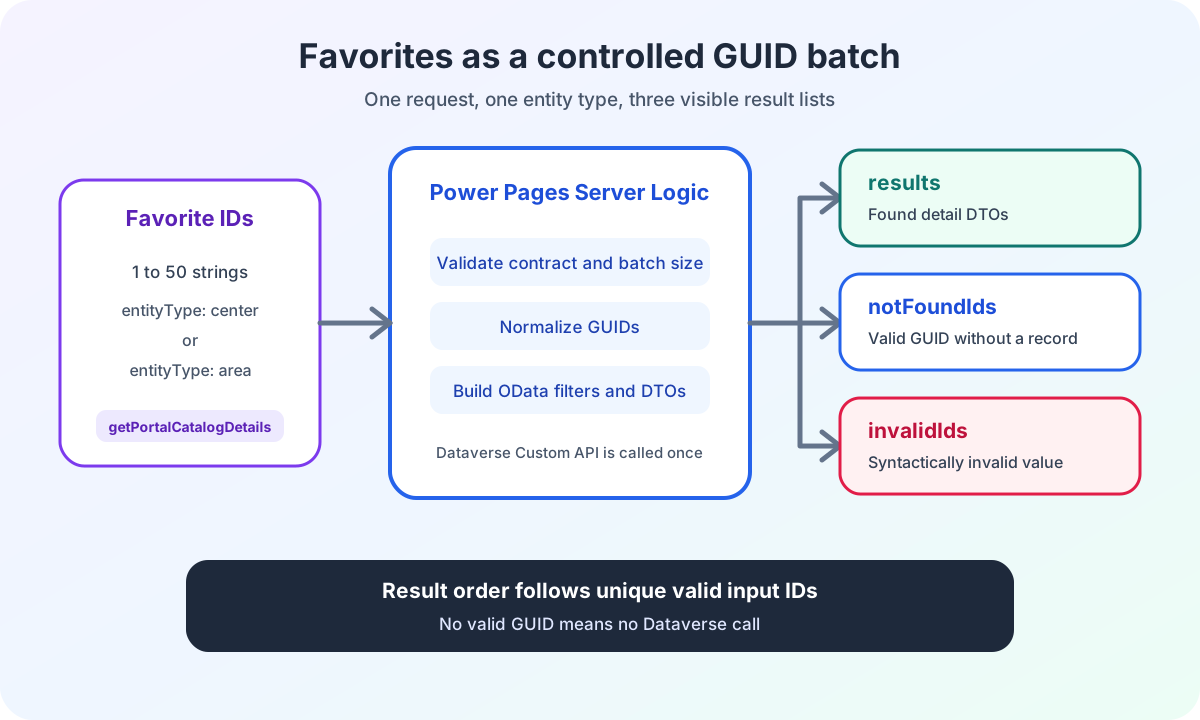
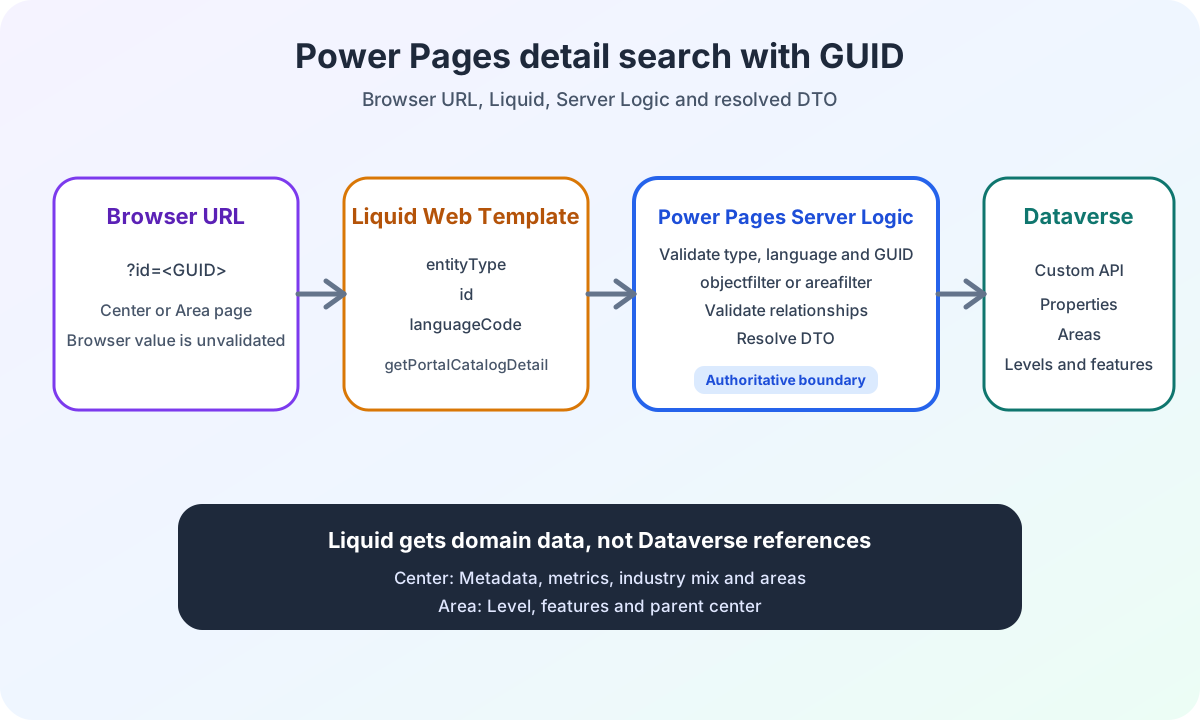
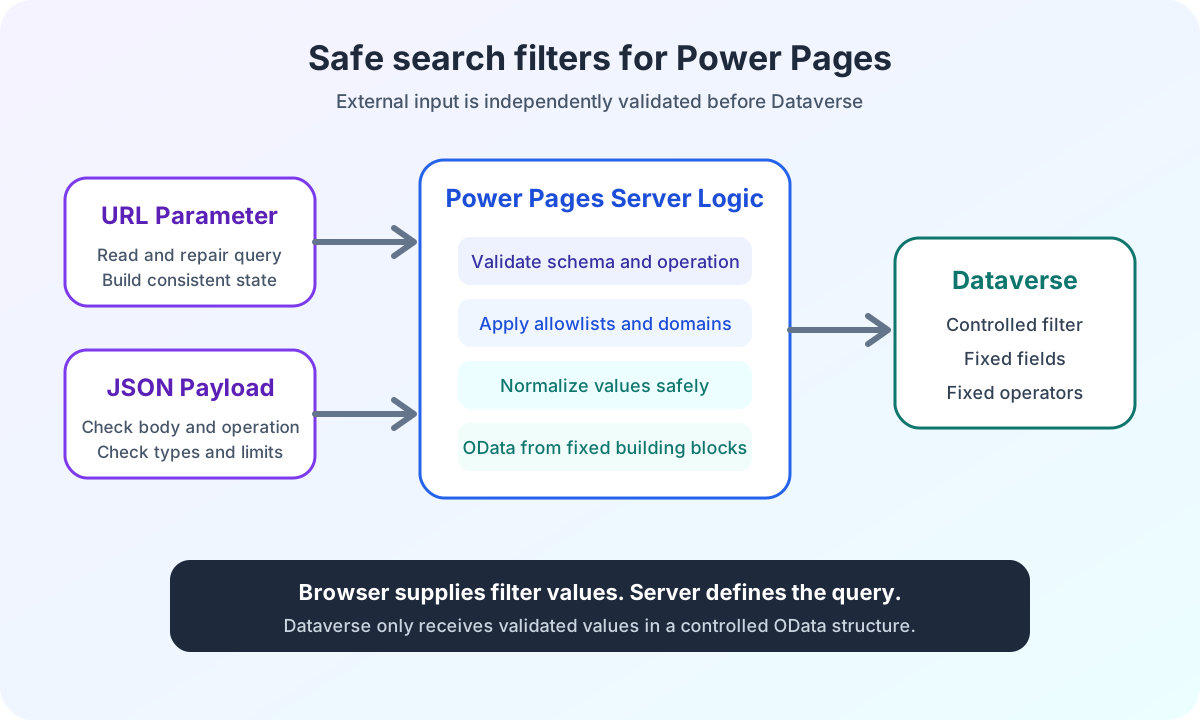
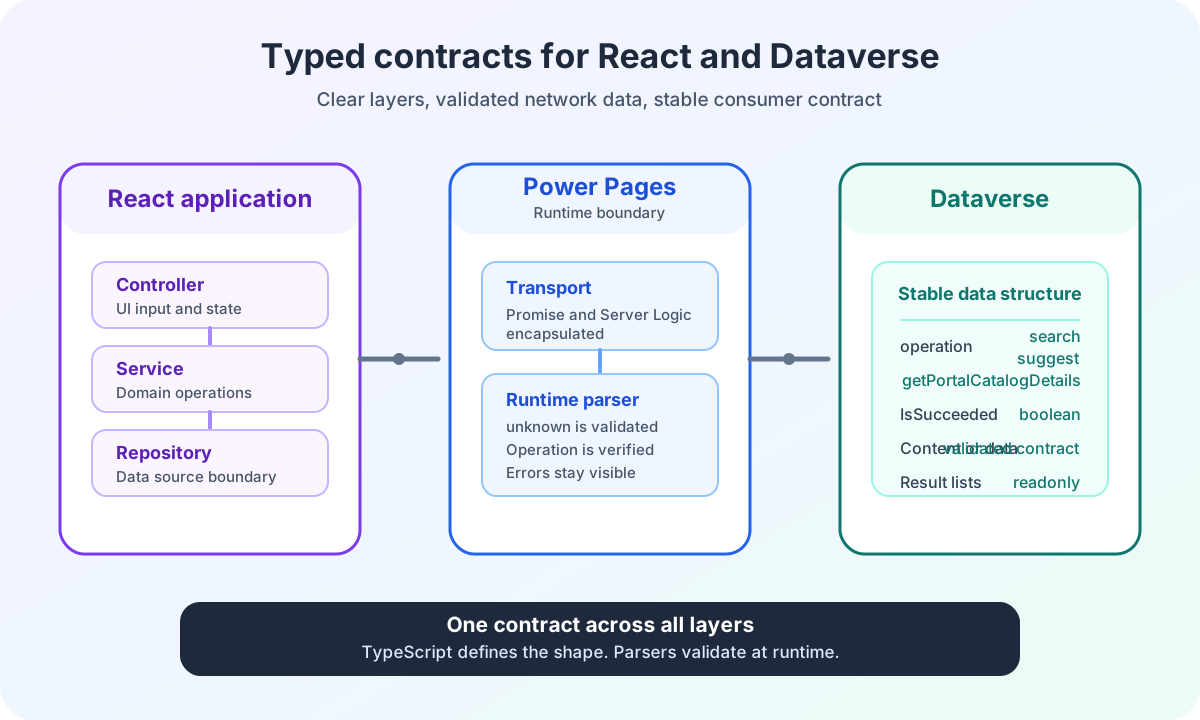
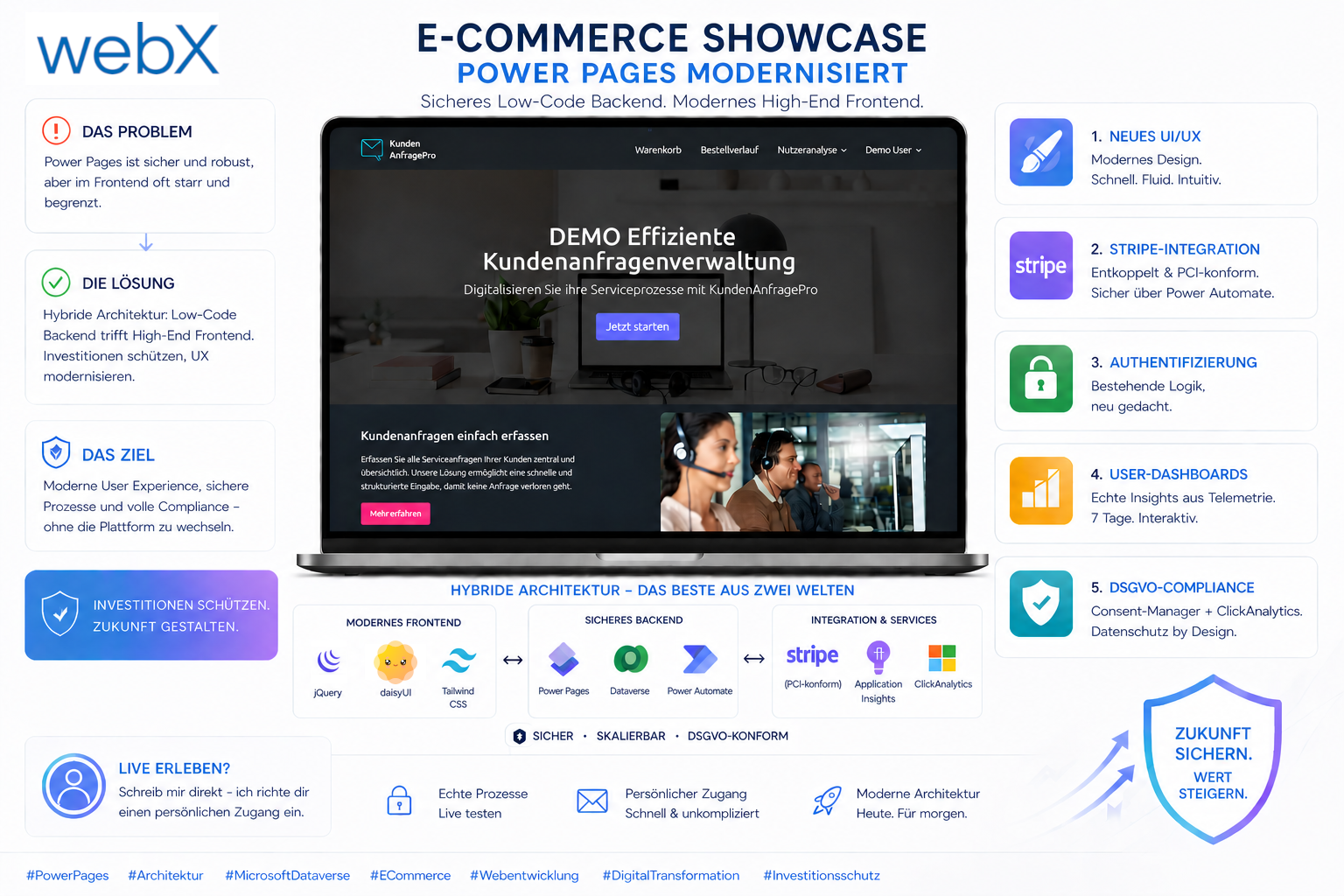
In our latest enterprise e-commerce showcase, described in the detailed project documentation, we demonstrate how to protect existing investments in the Microsoft ecosystem. The solution is a hybrid architecture combining a highly secure low-code backend with a high-end frontend.
Five business benefits of the modernization strategy
In this reference project, we transformed an existing portal and established five core foundations for modern web applications:
1. Rebuilding the UI and UX architecture
We moved away entirely from rigid standard layouts, as detailed in the frontend redesign. With fluid design and decoupled rendering, the portal no longer feels like a template builder. It operates without latency like a modern single-page application (SPA).
2. Headless payment integration with Stripe and Power Automate
Instead of forcing checkout into restrictive standard forms, we implemented a custom payment gateway. The entire transaction logic, described in the payment integration, is PCI-compliant and orchestrated securely on the server through Power Automate.
3. Engineering authentication flows
To minimize drop-off rates, we analyzed native Power Pages authentication, described in the authentication architecture, and brought it into a visually appealing, user-centered interface. Platform security remains intact while barriers for users are reduced.
4. Interactive dashboards from real-time telemetry
Azure Application Insights serves more than error diagnosis here. Every authenticated user gets full transparency into their activities. Telemetry data is aggregated asynchronously and provided in Dataverse tables for real-time dashboard visualization.
5. Consistent GDPR compliance
Data collection follows the strictest compliance guidelines. A dedicated consent manager and the Microsoft ClickAnalytics plugin, detailed in the Application Insights integration, ensure that every event is recorded in line with legal requirements and processed anonymously.
Protecting the investment through targeted modernization
A Power Pages portal does not need to be abandoned to meet modern enterprise requirements. Targeted architectural modernization protects existing investments and raises the user experience to a new level. The complete e-commerce showcase case study provides detailed technical information.
Would you like to experience this architecture from a user’s perspective?
As a closed live demo with real business processes, the portal is password-protected. Contact me directly for a personal test account to evaluate the platform from a user’s perspective.